Indie game storeFree gamesFun gamesHorror games
Game developmentAssetsComics
SalesBundles
Jobs
TagsGame Engines

Lil Programming Questions Sticky

A topic by Internet Janitor created Oct 28, 2022 Views: 28,136 Replies: 446
Viewing posts 61 to 80 of 132 · Next page · Previous page · First page · Last page

I might be a bit over my head here, but I'm trying to add the gif export to Deckstamp. However, I'm having trouble adapting the new WigglyKit example with the export code to Deckstamp. In short, I'm... not sure how it works. I understand it grabs the frames and their order, but I don't know how it does that.

The normal canvas and the image interfaces don't have ".value", so it seems it's not that simple to just copy frame order from them, even if the image has "movement" (like the moving patterns). So I tried to use wigglyCanvas, but now I'm having trouble pasting an image in it: I tried using the image interface and it didn't work, so I tried using parts of the code of the import example on WigglyKit, and still nothing.

In any case, I'm guessing the best way would be to grab the card background image and save its different frames together instead of fiddling with wigglyCanvas, but is that possible? What would a code like that look like?
Developer

Let's start with some context. All of the contraptions in WigglyKit share the convention of an "animation value"  consisting of a dictionary with the keys "frames" (a list of images) and "order" (a list of integers; indices into the list "frames"). There's nothing intrinsically special about this dictionary; it's just a convention to bundle together all the relevant information for a wiggly animation such that it can be easily moved around between those contraptions and manipulated with scripts.

WigglyKit offers an example of pulling the animation value out of a WigglyCanvas and then saving it as a GIF:

v:wc.value
# (optionally) make the background opaque:
v.frames:v.frames..copy[].map[0 dict 32]
gif.frames:v.frames @ v.order
gif.delays:10
write[gif]

As noted in the Decker reference manual for the built-in function write[] (see note 12), to save an animated GIF we need to call write[] with a dictionary with the keys "frames" (a list of images) and "delays" (a list of integers; how many 100ths of a second should each frame be displayed?)

So really, what we need to do to save a GIF outside the specific context of WigglyKit is make an appropriately-shaped dictionary and hand it to write[]:

gif.frames: ... # obtain or assemble a list of images, somehow
gif.delays: 10  # one number applies the delay to every frame
write[gif]

Obtaining/assembling that list of images will depend entirely upon your use case. We might grab them from a sequence of canvases:

gif.frames: (c1,c2,c3)..copy[]

We could do the above in a more verbose way, if we wanted:

gif.frames: c1.copy[],c2.copy[],c3.copy[]

Or perhaps we could use the recently-added ".images" attribute of rich-text fields to grab all the inline images stored in a field:

gif.frames: myRichTextField.images

Etc.

Does that help point you in the right direction?

I think I understand better now how it works! After some tests, I kinda did it, but the results were a bit different from what I was seeing on the screen. It's worth mentioning all the images are pasted into the card's background.

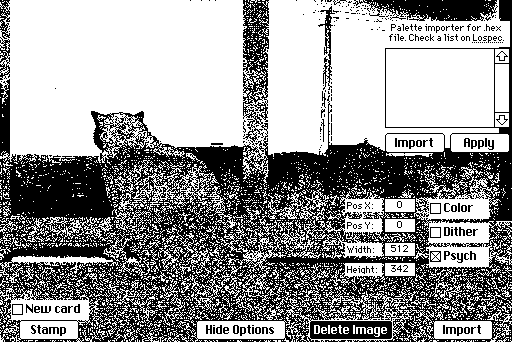
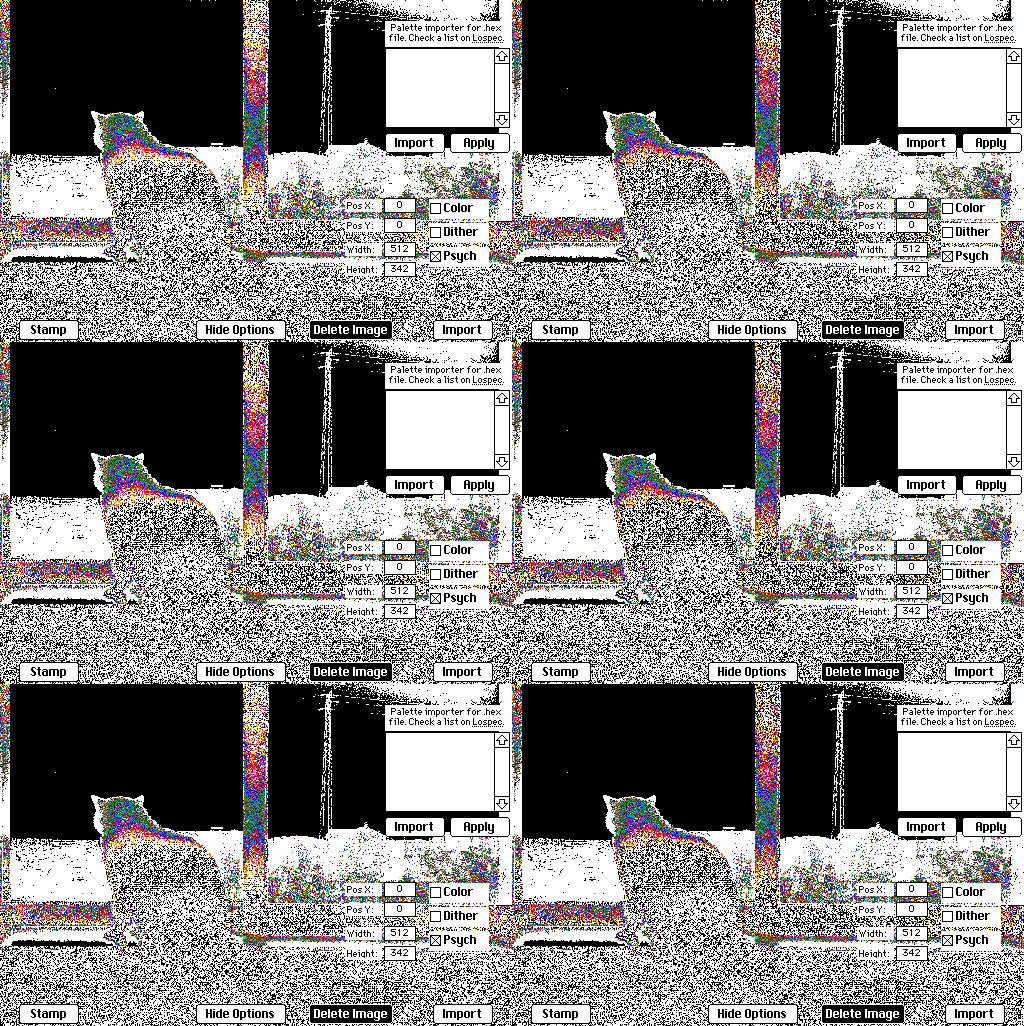
Here's the source image, which was exported using Decker's own "export image" in the menu. It's worth mentioning this image was generated by importing a photo with the "gray" hint and not doing anything else:


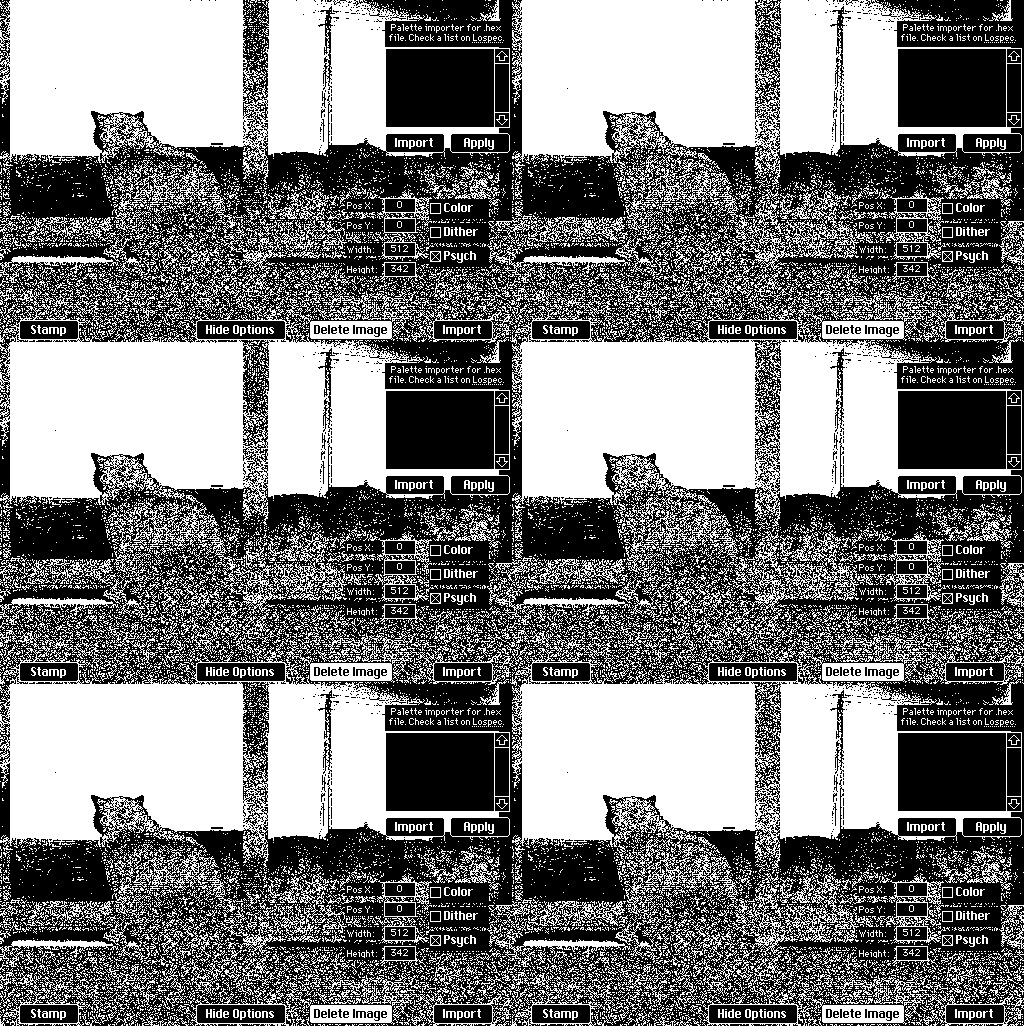
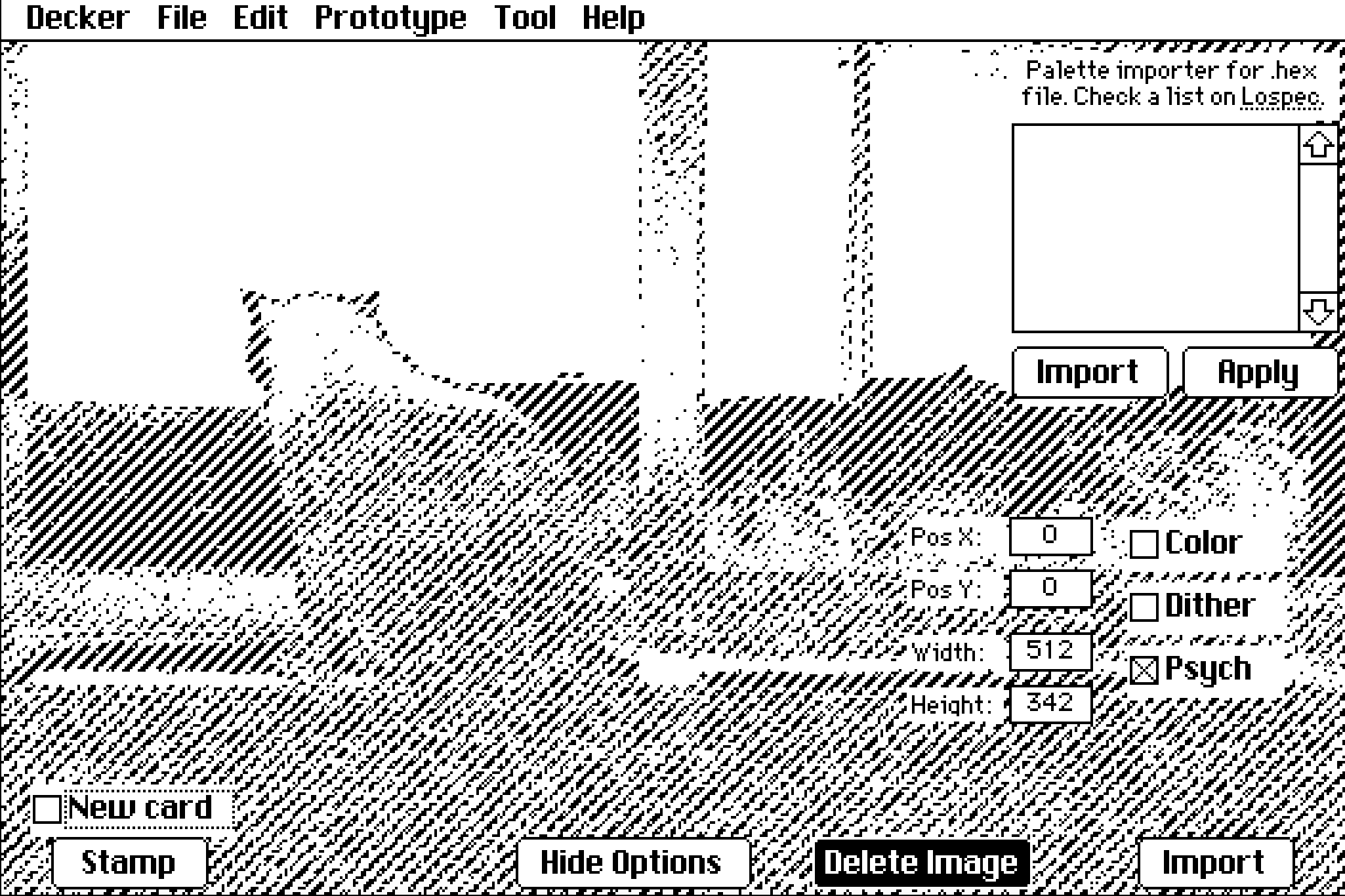
I then reimported this image into Decker using the same options, and this is what I'm seeing on the screen now. This is an OS screenshot because this time, Decker's export image isn't exporting an animated gif anymore, just a still image (shown below this one). Every diagonal line was supposed to be "moving" (which causes a really cool effect).

OS screenshot (in Decker, all the lines have movement):


Decker's exported image:

Fiddling around with trying to grab frames and delays, I arrived at this result, which doesn't seem to have any movement in this post, but it does if you open the image in another tab:

I used this code to arrive at this result:

i:read["image" "gray_frames"]
card.image.paste[i]
gif.frames:i.frames
gif.delays:i.delays
write[gif]

It's not the same thing I'm seeing on the screen, but it's progress!

Funny enough, if I try to replicate the first image using "gray_frames" in a normal photo instead of just "gray", it just imports the image as if it was using "color" instead.

Now I'm trying to figure out how to grab the animated patterns in a card's background as different frames. Maybe that will export the same thing I see on the screen? I was able to grab frames from imported gifs, from different canvases and put them together, and was successful with images in rich text fields too, but I'm not sure how to go about a background image.

(+1)

Hi, I'm thinking of making a small text adventure game with a parser, a little bit like Zork and games like that. So far, I found this post to make a parser with a button next to it. But I was wondering if it was possible to make a parser input without the button, like if you could press the return key in the field widget to check the words in it. I'm guessing that since the field widget already use the return key to go to the next line in the widget, I'd need to replace that action with the parser input, but I'm a bit clueless how to do that, if it's possible.

Developer(+1)

Hmm. I think this would be rather tricky.

Decker is designed to try to accommodate text input on devices that don't have a physical keyboard, so it avoids exposing low-level keyboard events and doesn't (presently) allow scripts to modify the contents of a text field while it has user focus. Consider how the soft keyboard overlay introduced in Decker 1.19 interacts with unlocked field widgets.  While it's easy enough to detect that a user has pressed return in a text field (and typed a newline),

on change do
 if "\n" in me.text
  # ...
 end
end

That event handler wouldn't be able to clear out the user's line of input, which would make a scripting REPL or an IF parser input awkward.

I'll give this some serious thought and see if I can come up with a good compromise to allow the sort of thing you're interested in making

(+1)

Yeah, I thought it might be tricky, especially for touchscreen users. I might stick with the version I found with the button in the meantime. Thanks for the response and for giving it some thoughts!

Developer(+2)

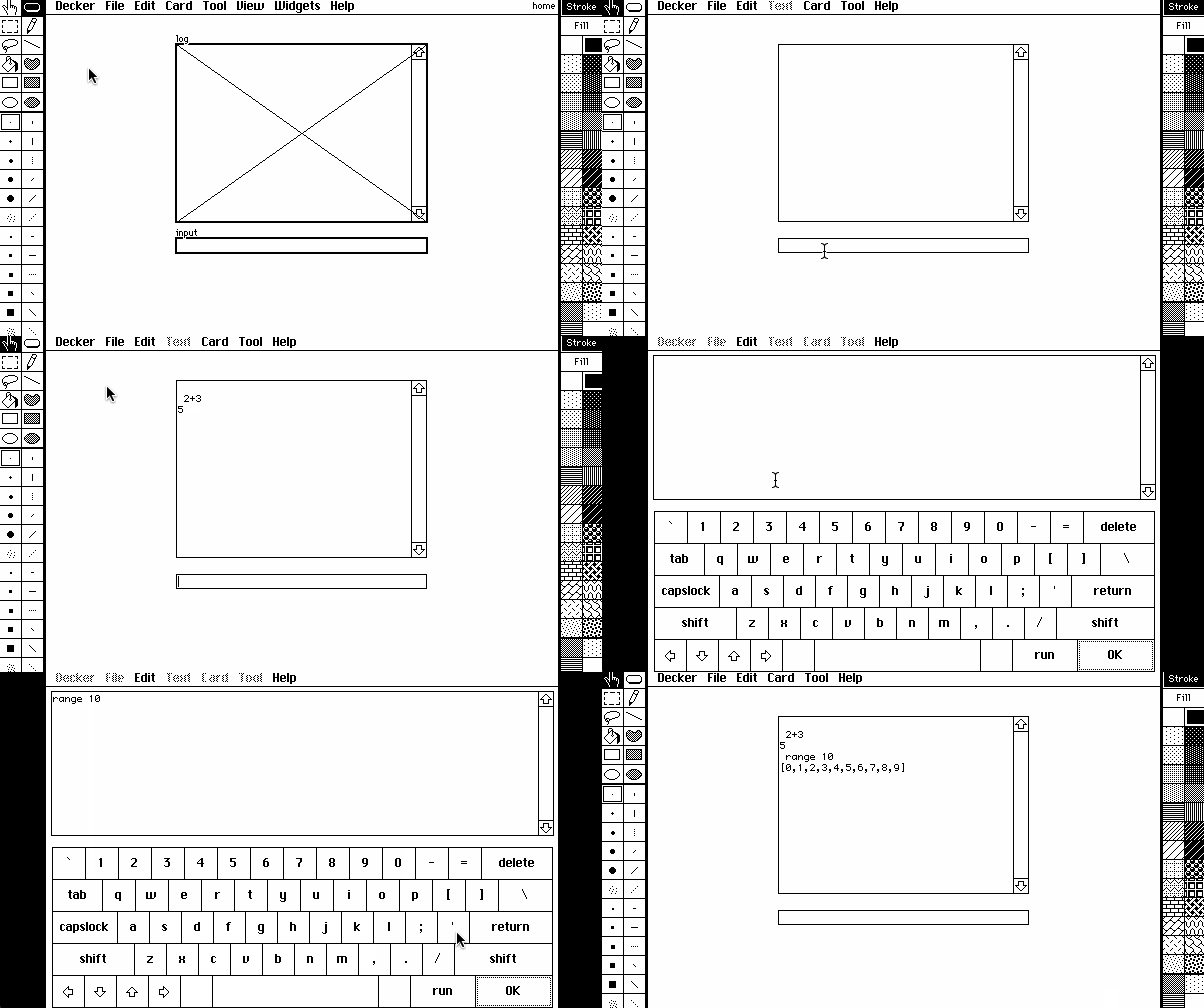
Decker 1.49 includes some subtle changes that I think will address this request.

It is now possible to clear a field via scripts while it is selected. In touch mode, this will additionally dismiss the on-screen keyboard and remove focus from the field.


In the above example, the script looks like this:

on change do
 if "\n" in me.text
  log.text:log.text,"\n %s%J" format me.text,list eval[me.text].value
  log.scroll:99999
  me.text:""
 end
end

There are a few details to be aware of when using this technique:

  • It takes 1/4 of a second without user input for the contents of a field to fire a change[] event, and it is also possible to fire a change[] event by pasting an arbitrary block of text into a field. Therefore it's possible for a user to type several characters following a newline, or even multiple newlines; input handling code will need to be robust to this.
  • An alternative to looking for "\n" in a change[] event would be to use the run[] event, which is fired immediately when the user presses shift+return. This may be less intuitive for users, and therefore unsuitable for many applications, but it's much less error-prone and more flexible than newline-delimited input; the run[] event makes it possible to build UIs which behave like Decker's Listener.
  • Since the user actually does type a newline, you'll need to carefully adjust the vertical sizing of the input field to match the font in order to maintain the illusion that the field is "cleared" instantly when the user presses return.

I hope this helps!

(+2)

This seems to work exactly how I wanted to, thank you! I see in the exemple that it evaluates what is written in the input and I've tried to modify the code so that if a specific word or phrase is written in the input, that it would say a specific answer in the log, but I don't quite understant the code enough to make something that works. And I was wondering if this technique would also works with triggering events, like to toggle other widgets in the card of for alerts?

Developer(+2)

OK, let's make a simple Colossal-Cave-Adventure-style two-word parser.

Lil's parsing patterns can get a little bit cryptic, but essentially what we want to break up user input is:

  • Skip any leading spaces.
  • Grab any characters up to a space or newline and call them "verb".
  • Skip any spaces.
  • Grab any characters up to a newline and call them "obj".

Which can be expressed as the pattern:

pat:"%*r %[verb]-.2r \n%*r %[obj]s\n"

I did a few tests in the Listener to make sure it was working as intended:

 pat parse "foo"
{"verb":"foo","obj":""}
 pat parse "  foo"
{"verb":"foo","obj":""}
 pat parse "foo bar"
{"verb":"foo","obj":"bar"}
 pat parse "foo bar\nbaz"
{"verb":"foo","obj":"bar"}
 pat parse "foo  bar\nbaz"
{"verb":"foo","obj":"bar"}

Now we can rework the input field's change[] handler to bundle this up and send the verb/object to the card script:

on change do
 if "\n" in me.text
  c:"%*r %[verb]-.2r \n%*r %[obj]s\n" parse me.text
  me.text:""
  typed[c.verb c.obj]
 end
end

In the card script, we'll have our actual game logic, a twisty maze of if statements:

on println x do
 log.text:log.text,x,"\n"
 log.scroll:999999
end
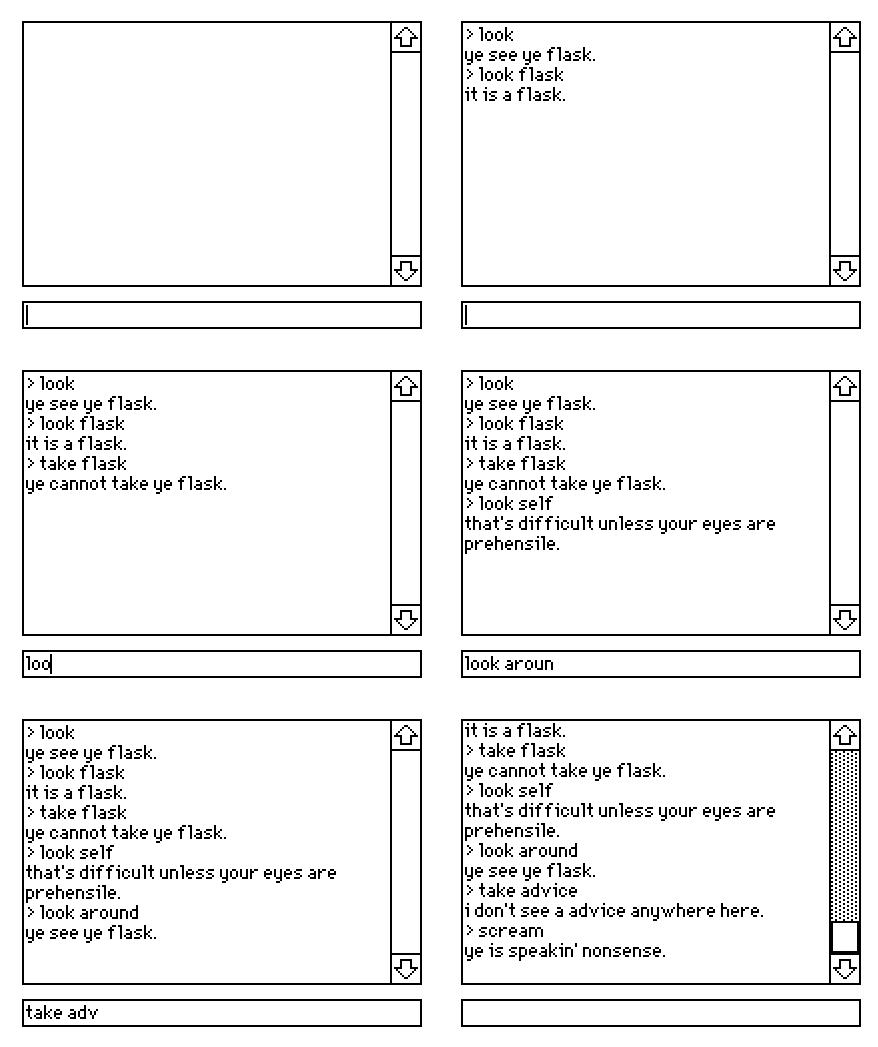
on typed verb obj do
 println["> %s %s" format verb,obj]
 if verb~"look"
  if obj~"flask"
   println["it is a flask."]
  elseif obj~"self"
   println["that's difficult unless your eyes are prehensile."]
  else
   println["ye see ye flask."]
  end
 elseif verb~"take"
  if obj~"flask"
   println["ye cannot take ye flask."]  
  else
   println["i don't see a %s anywhere here." format obj]
  end
 else
  println["ye is speakin' nonsense."]
 end
end

And our scintillating gameplay experience begins:

(+1)

I'm starting to understand a lot more how it works now. Thanks a lot for answering my questions!

(+1)

hi, can you somehow unlock a locked deck? 

(+1)

If you have the file on your computer you can open it with a text editor like Notepad and change:

locked:1

to

locked:0

It should be in the first few lines of text.

(+1)

Regarding conditionals, do "if" statements support "and" and "or"? I've been doing some testing in the Listener and it seems to work, but I'm unsure if I got the syntax right. The same goes for using ">" or "<" with "=". I used, for example:

if a = X and b = Y
  <code1>
elseif a < or = W
 <code2>
else
 <code3>
end

That seems to work but I've never used syntax like this, so I'm unsure if I'll be messing something up down the line depending on these conditional results.

And on an unrelated note, is there any editor that highlights Lil's syntax? I'm getting into territory where I have to click around a lot to modify things that bugged out due to some unintended modification and I always forget to change some bits of code in a widget tucked somewhere. I've been using TextEdit to quickly find and modify these, but a proper editor seems a better solution for long-term projects.

Developer(+1)

In Lil, the "&" and "|" operators provide logical AND and logical OR. Both "conform" to the elements of lists:

(1,1,0,0) & (1,0,1,0)  # -> (1,0,0,0)
(1,1,0,0) | (1,0,1,0)  # -> (1,1,1,0)

To be more precise, these operators are actually binary "minimum" and "maximum" operators for numbers:

(1,2,3,4) & 2          # -> (1,2,2,2)
(1,2,3,4) | 2          # -> (2,2,3,4)

As always, be careful to remember that Lil expressions are carried out right-to-left unless you include parentheses.

For comparisons, Lil has < (less), > (more), and = (equal). It does not have "compound" symbols like "<=", ">=", or "!=". If you want the complementary operation, you can use ! (negation):

  a > b      # a is more than b
! a > b      # a is not more than b (a <= b)
  a < b      # a is less than b
! a < b      # a is not less than b (a >= b)
  a = b      # a is equal to b
! a = b      # a is not equal to be (a != b)

Note that all of these operations work to lexicographically compare strings, too:

"Apple" < "Aardvark","Blueberry"    # -> (0,1)
"Apple" & "Aardvark","Blueberry"    # -> ("Aardvark","Apple")
"Apple" | "Aardvark","Blueberry"    # -> ("Apple","Blueberry")

Lil syntax highlighting profiles for vim, emacs, and Sublime Text are available at the Decker Github Repo.

Syntax highlighting is also available in the Lil Playground.

(+1)

Oh, I forgot about the right-to-left reading, now it makes sense why some conditionals were returning 1 even if not all conditions were true. Now, if I understood it correctly, the following code would be truthy?

a.value:4 #slider a
b.value:5 #slider b
if (a=4) & (b=5)
go[card2]
end

It seems to work in the Listener, I just want to make sure I got it.

The "!" negation also worked perfectly on some tests I did, which solved some issues for me. Thanks!

(+1)

hi!! i'm making my first game in decker and i'm wondering if there is a way of accessing a variable defined in script (ideally on card or deck level)? so far i bypassed this by using an additional card with checkboxes but maybe there's an easier way to do it?

(+1)

aand one more question.

i want to add dialogue options after the player interacts with objects on other cards

so i thought of having a widget with a table that can be updated with new options and importing it into the dd.chat function like this:

r:dd.chat [ "question" raze #insert table end]

is it possible to do?

Developer

Variables that live beyond an event handler must be stored in a widget. If you find it inconvenient to reference widgets on another card,

thatCard.widgets.has_knife.value
thatCard.widgets.has_soap.value
thatCard.widgets.has_corncob.value

You could write utility functions on the card script that aggregate information from widgets:

on get_inventory do
 ("knife","soap","corncob") dict (has_knife,has_soap,has_corncob)..value
end

And then send events at that card from elsewhere:

thatCard.event["get_inventory"]

(Or as shorthand if the event handler doesn't take any arguments,)

thatCard.event.get_inventory

In this way you can give cards an "API" of sorts. You could also define helper functions in the deck-level script to reach into specific cards:

on items do
 thatCard.event.get_inventory
end

And then call that helper function from anywhere in the deck:

items[]

(I think this is probably overkill unless you're accessing the same info in lots of places within a deck.)

You can absolutely use tables to keep track of dialog options. A grid widget stores a table in its "value" attribute. Aside from manually editing table contents as CSV or JSON, you can initialize one with a script:

myGrid.value:insert k v with
 "Tell me about Chickens"  "They cool."
 "Tell me about Daffodils" "They flower."
end

You could append a new row (or several rows) to the existing table in a grid like so:

myGrid.value:insert k v with
 "Tell me about Easter Eggs" "They rare."
into myGrid.value

And you could then later retrieve that table and convert it into the dictionary form dd.chat[] wants by razing it (which turns the first two columns into dictionary keys and values, respectively):

dd.open[deck]
dd.chat["Ask away." (raze myGrid.value)]
dd.close[]

Note that if you plan on revisiting the same dialog tree over the course of a game many times but you don't want to repeat old selections you'll need to do additional bookkeeping; dd.chat[] only remembers/winnows selections within the course of one conversation.

For more information about tables and querying, see Lil, The Query Language.

Does that help point you in the right direction?

(+1)

that's all i needed, thank you so much <33

Is there a way to replace a color on a card with another color from the palette via the Listener? 

Developer

The "image.map[]" function can be used to re-palette any Image interface, including card backgrounds. The simplest way to call it is to feed it a dictionary where the keys are the original pattern indices and the values are the replacement pattern indices:

card.image.map[colors.red dict colors.green]

Note that this operation modifies the image in-place.

(+1)

thank you!

Hi! In this post, you mentioned that:

If we wanted clicking on chester to toggle frobnicate, we'd write a script for him like so:
on click do
 home.widgets.frobnicate.value:!home.widgets.frobnicate.value
end
Or, to be a bit less repetitive,
on click do
 f:home.widgets.frobnicate 
 f.value:!f.value
end

It seems that in this case, assigning to `f.value` actually modifies `home.widgets.frobnicate`.


However, when running this in the Listener:

x.a:1 x.b:2 x.c:3
show[x] # {"a":1,"b":2,"c":3}
y:x y.a:42
show[y] # {"a":42,"b":2,"c":3}
show[x] # {"a":1,"b":2,"c":3} still the same!

The behavior is different, `y.a:42` doesn't modify `x`.

Could you explain why?

Developer(+2)

The difference is that deck parts are "Interface" values, while your later example is a dictionary.

Lil's basic datatypes (numbers, strings, lists, dictionaries, tables, functions) are all immutable values: attempting to modify them will return a new value and leave the original value unchanged.

Interfaces (like most deck parts) are mutable, and accessing or modifying their attributes may have side-effects. For example, modifying the ".index" attribute of a widget to change its order on a card will also visibly modify the ".widgets" property of the container card, since these attributes are related to one another. The "sys" interface exposes "sys.now", an attribute which contains the current Unix timestamp, and may (generally) be different every time it's accessed. Lil also offers utility Interfaces like Array for those times when mutable data structures are necessary for performance reasons.

Does that make sense?

Thanks for the quick response! Initially, I thought this might be that `home.widgets.frobnicate` is copied by reference, now I see that Interface values are more to this. They look more like modifiable "values" instead of "variable names", and after assigning them to a name, making changes to the attributes under that name actually interacts with the "value" instead of replacing it with a new one.

Hello I was trying to use the decker diagolizer.

I wanted to open dialogue box when a card opens. I used inside the on view do. It works but it seems to make the same dialogue box twice instead of once :( Do you guys know how to do it ?

(+1)

Things that are inside an `on view do` script will usually continue to happen as long as you're viewing the thing it's attached to.

I sometimes set up a hidden (visibility: none) checkbox on the card and an ' if...' statement inside of the `on view do` script. 

And then I make sure that something unchecks the checkbox when the autoplaying event is finished, so it doesn't play again.

on view do
if autoplay.value #if the checkbox named 'autoplay' is checked...#
#(your dialogizer stuff goes here)#
autoplay.value:0 #uncheck the box#
end
end

You can check your checkbox manually or you can set up a script to do it before you leave the previous card. 

Something like this could be inside the previous card's exit button. (With the correct names for your project)

on click do
cardname.widgets.autoplay.value:1
go[cardname]
end
(+1)

Hi, I was wondering if there was a way to re-order widgets on a card via script (the equivalent of the Widgets > Order feature). For example if I click on a draggable canvas partially covering/overlapping with another can it be promoted to the top of the pile? 

Developer (1 edit) (+2)

You can inspect and modify the order of widgets on a card via their .index attribute, which counts from back to front, starting at 0. This is automatically clamped within the permissible range on a card, so assigning it to 0 or -1 can be a convenient shorthand for "all the way to the back" and any very large number (say, 999999) can likewise be used for "all the way to the front".

For example, you could give your draggable canvas a script like so:

on click do
 me.index:999999
end
(+1)

Thank you so much!

(5 edits) (+1)

Is it possible for a contraption to change its own size? I'm creating an animated sprite contraption that gets the sprite width and height from its attributes, and then shows an animation taken from a sprite sheet card.

I tried to do

me.size:(sprite_width.text,sprite_height.text)

on the view event, but it doesn't do anything when the contraption is running on a card (it does change its size when running inside the prototype view). I'm saving the state in hidden fields inside the prototype. Here's the whole script:

on get_spritesheet do sprite_sheet_card.text end
on set_spritesheet x do sprite_sheet_card.text: x end
on get_frames do frames.text+0 end
on set_frames x do frames.text:x end
on get_sprite_width do sprite_width.text+0 end
on set_sprite_width x do sprite_width.text:x end
on get_sprite_height do sprite_height.text+0 end
on set_sprite_height x do sprite_height.text:x end
on get_fps do fps.text+0 end
on set_fps x do fps.text:x end
on get_loop do loop.text+0 end
on set_loop x do loop.text:x end
on get_current_frame do current_frame.text+0 end
on set_current_frame x do current_frame.text:x end
on view do
 me.size:(sprite_width.text,sprite_height.text)
 c:deck.cards[sprite_sheet_card.text]
 w:c.image.size[0]
 h:c.image.size[1]
 f:current_frame.text
 i:c.image
 me.image.paste[i.copy[(w%sprite_width.text*floor f,floor sprite_width.text*floor f / w) (sprite_width.text,sprite_height.text)]]
 current_frame.text:frames.text%f+fps.text*1/60
end

The only thing I'm missing is for the contraption to resize itself to fit the configured sprite size.

EDIT: I made the prototype resizable, and it's working now. The problem is that the state is shared between different instances of the same prototype, so I'm obviously doing something very wrong here.

Developer(+1)

Don't worry- it's quite normal to stash contraption state in auxiliary hidden widgets. The contents of such widgets is distinct between contraption instances, but the background image of contraptions is shared among all instances; pasting directly onto the contraption background will cause issues if you have more than one sprite. The conventional solution would be to add a canvas widget to the contraption and draw on that instead. You'll also need to configure non-zero margins for the contraption to ensure that the canvas automatically stretches and resizes properly along with it. Both the contraption instance and the canvas will need to be set to "show transparent" if you want objects behind the sprite to show through.

Since you intend to redraw the contents of the canvas frequently, you may be able to mark it as volatile, which will ensure that having many sprite instances won't bloat deck size with unnecessary copies of sprite frames. If you aren't already doing something similar, you may find it useful to mark the canvas as "animated" so that it will automatically bubble view[] events to the contraption instance at 60fps and "locked" so that it doesn't inherit the default click-and-drag-to-scribble behavior of canvases. (Be aware that "me" will be bound to the original target of the view[] event, not necessarily the contraption itself!)

The Sokoban example deck contains a contraption called "mover" which works similarly in some ways to your "sprite" design, and the Path example deck has another variant called "follower". You might find these useful to reference.

Does any of this point you in the right direction?

(+1)

Yes, this is all very useful. Thank you. I will probably end up using zazz for animated sprites (unless I end up needing non-looping sprites, or fancy events that report when animations end, and things like that). But it's very useful to be able to understand the subtleties of working with contraptions. Decker is awesome, but a bit overwhelming at the beginning.

(+2)

Hey, IJ and Decker community

I've been messing with hyperlinks. I'm trying without much success to come up with a way to make a functional hyperlink (string + link event) show up inside a field through coding alone. Like, say, opening up the listener and making the word "Apple" show up in a field, functioning as a link to the Apple card.

Is there a way to do it?

Thanks :)

Developer(+2)

When a field is configured to display "Rich Text", it can contain text spans that are links, use different fonts, or include inline images. Rich Text is described in the reference manual here.

Rich Text is represented as a Lil table, and can be constructed like any other table so long as it has the appropriate columns. For example,

myField.value:insert text font arg with
 "Apple" "" "theAppleCard"
end

Remember, of course, that fields need to be locked for their hyperlinks to be clickable. Unless you define your own link[] handler for a field, clicking a link will call the go[] built-in function with that "arg" value, which conveniently serves either to navigate to cards by name or to prompt the user to open URLs in a new browser tab.

The "RText" utility interface (linked above) offers a number of convenience functions for creating and manipulating Rich Text tables. The "rtext.make[]" function offers a more concise alternative to the above:

myField.value:rtext.make["Apple" "" "theAppleCard"]

In the interactive docs for a variety of modules I use this sort of approach to automatically generate the index in the title card's view[] event handler:

bullet:image["%%IMG0AAYADQAAAAB49Pz8/HgAAAA="]
i:select c:key t:value..widgets.title.text where value..widgets.title from deck.cards
index.value:raze each row in rows i
 rtext.make["" "" bullet],
 rtext.make["  "],
 rtext.make[("%s\n" format row.t) "mono" row.c]
end 

Does that help?

(+1)

Yes! That does help a lot! Thank you sou much :)

I'll just ask you my next doubt already, if you don't mind.

I'm fiddling with the Mini Twine deck using a twee file of an old Twine game I made. What I wanted to do is keep a log field with the narrative text as the player makes their choices, but so far I'm having trouble leaving the link lines out of it. 

Example:

How do I break the game field string and leave the verb choices out of the log field? Like so (tampered with example):


Thank you again!

Developer (1 edit) (+3)

I think this would be difficult in the general case without making some assumptions about the structure of passages. Hyperlinks can appear anywhere within the text of a Twine passage, so it's not simply a matter of hiding or trimming off a suffix of the output to remove the listed "verbs".

If there's demand for it (and it looks like there might be) I could look into developing a more complete and robust .twee manipulation module for Decker, and maybe even a story mode specifically designed for interoperation with Lil. I don't think I'll have time for it this month, though.

It's not quite what you're asking for, but you might be able to find some useful ideas in this thread where I discuss parser-based IF systems; my example deck features an output log which distinguishes user input from responses with bold/plain fonts.

(+1)

that's fine! we're in no hurry at all :) it's great to see decker growing with each question brought here by its users. have a great december!

(2 edits) (+1)

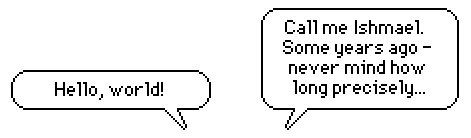
Hey, just wanted to make sure I'm on the right track here with a speech bubble component I'm working on:


The roundrect is manually drawn on the contraption's background, with margins set to allow shrinking and growing. The bubble's "tail" is a volatile canvas because the tail needs to change both image (mirror left/right) and position. Right now I'm making those changes from the view handler:

on view do
 left: state.text in "se","w"
 mirror: state.text in "sw","w"
 if left
  me.margin: 7,25,7,7
  tail.pos: 12,tail.pos[1]
 else
  me.margin: 7,7,25,7
  tail.pos: (me.size[0]-24),tail.pos[1]
 end
 img: image["%%IMG2..."] # tail image initially points to the right
 if mirror
  img.transform["horiz"]
  end
 tail.paste[img]
end

I call view[] from each of the set_ handlers, so if the text changes or the direction changes, everything gets repositioned and redrawn. This mostly works, but it has some weird side effects during editing. For example, if I resize the widget, the tail jumps back to its default position (its position in the prototype). And sometimes the volatile tail canvas clears itself during editing, and won't be redrawn until I switch to Interact mode.

Am I on the right track here? Is there something else that should be calling view[]? Or is there a better approach you would recommend?

(+2)

hello, i come with a rookie question...

with the dialogiser module, i'd like to put tiny images instead of text as choices in the dd.ask[] function

i have done this before succesfuly by just pasting the image straight into the script but it obviously makes a great big wall of numbers and letters, so im just wondering if there is a better way to do so?

Developer(+3)

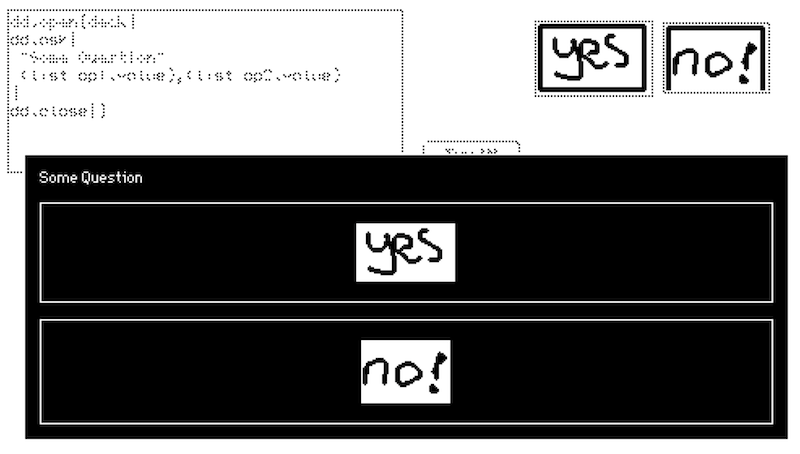
dd.say[] and dd.ask[] accept rich-text, so one alternative might be to represent your input options as hidden rich-text fields. You could also use rtext.cat[] to convert an image stored in a canvas into a rich-text table, or use any other method of constructing it on the fly.

Suppose you have a pair of fields named "op1" and "op2". Their "value" attribute is their rich-text, which is represented in Lil as a table of text runs and attributes. It is important to wrap each table in a list with the "list" primitive like so; otherwise the comma operator will join the rows of those tables and make all the options in the prompt "stick together":

dd.ask[
 "Some Question"
 (list op1.value),(list op2.value)
] 

(+2)

Hi, I'm brand new to coding and Decker so I know my questions will be stupid, but I don't have much choice other than to ask as I've lurked and read up as much as I could (although not everything I read I understood). 

Basically I have a button to begin the game I'm working on, but I have it set up so that when I press that button a gif starts playing (instead of just going to the next card immediately). I want the gif to play for about 5 - 10 seconds before decker automatically forces the player to the next card. Frankly, I have no idea how to do that.

The small amount of progress I've made so far has been from looking at other people's decks and seeing what I can understand and use, but I've not been able to find anything that fits this particular need. I saw a few references people on here made to sys.me and stuff but idk how to code so I haven't been able to work that out. Decker is really cool so far though. Even though I don't know how to code I made a pretty neat looking title screen for my game, so I'm happy about that.

Thanks for any help anyway, sorry if it's very simple and I'm just dumb.

Developer(+4)

There's a lot of material in this thread that might be helpful.

There are a number of possible approaches for what you're describing. I'll assume that when you say "play a GIF" you intend to use a gif or colorgif contraption?

If you have set up a button to take you to another card, its script might look something like the following:

on click do
 go["otherCard"]
end

If you simply wanted to wait for time to elapse before changing cards, you could use the sleep[] function, which accepts a number of frames to wait as an argument. Decker runs at 60 frames per second, so a 5 second delay would look like this:

on click do
 sleep[5 * 60]
 go["otherCard"]
end

While Decker is sleeping, the user can't interact with other widgets, and contraptions that normally animate or otherwise update themselves on every frame will appear to be "frozen". Some contraptions are designed to allow an external script to explicitly tell them to update themselves; by convention this will often take the form of exposing an .animate[] function which can be called from the outside. I have updated the gif and colorgif contraptions (see above) to support this convention. (If you already have a gif or colorgif contraption in your deck, re-pasting the updated definition from the bazaar will "upgrade" any existing instances of the contraption.)

If the card contained a gif widget named "mygif", we could rewrite the above script to give it a chance to keep running while Decker waits for 5 seconds by using a loop and only sleeping one frame at a time:

on click do
 each in range 5 * 60
  mygif.animate[]
  sleep[1]
 end
 go["otherCard"]
end

You alluded to wanting the GIF to start playing only when the button was clicked in the first place. Perhaps you meant you want the contraption to appear during that interval? This sort of thing can be done by manipulating the .show attribute of the widget. Supposing the contraption was initially set to "Show None",

on click do
 mygif.show:"solid"
 each in range 5 * 60
  mygif.animate[]
  sleep[1]
 end
 mygif.show:"none"
 go["otherCard"]
end

(Note that I reset the GIF to be invisible again at the end; this is not essential, but makes testing easier!)

I'd also like to point out that it's very straightforward to script simple "slideshow" animations with sleep[] by putting each frame on its own card:

on click do
 go["firstCard"]
 sleep[30]
 go["secondCard"]
 sleep[30]
 go["thirdCard"]
 sleep[30]
 # and so on
end

Or more concisely, for many frames of the same delay,

on click do
 each cardName in ("firstCard","secondCard","thirdCard","fourthCard","fifthCard")
  go[cardName]
  sleep[30]
 end
end

Of course, having a very large number of frames in such an animation can also make your deck quite large!

Does any of this point you in the right direction?

(+2)

Thank you for your detailed reply! I was indeed using colorgif already and had worked out how to hide it and make it appear when the button is pressed as you mention, but that was as far as I had gotten with it. Thank you so much for updating the gif contraption to make this work the way I wanted. I used your code and it all works beautifully now.

I have a small follow up question if that's ok (not related to gifs). I was wondering if there's a way to do the same thing with sounds as you did with the gif. So rather than waiting until the sleep ends before the sound plays, it could play as soon as the button is pressed. I have the code to start the sound on the same button as the code that begins the gif, but of course the sound only begins playing after the transition to the next card.

Sorry for all the questions, but your last reply was very helpful so I'd be remiss not to ask.

Developer(+2)

There's no need at all to apologize for asking questions, especially when you've clearly done some experimenting and reading on your own before reaching out!

In a script like so:

on click do
 sleep[5*60]
 play["sosumi"]
end

Decker will wait five seconds before playing the sound. If you reverse the order of those operations:

on click do
 play["sosumi"]
 sleep[5*60]
end

The sound will begin to play immediately, with its playback overlapping the 5-second sleep.

You can also use sleep["play"] to ask Decker to sleep until all sound clips have finished play[]ing:

on click do
 play["sosumi"]
 sleep["play"]
end

See All About Sound for more detail and examples.

(+2)

That was surprisingly simple... thank you again :)

(+2)

I'm confused by the following session at https://beyondloom.com/tools/trylil.html

# This is from the tutorial
local x:(list 1,2,3)
local y:(list 4,5,6)
print[flip x,y]  # => 142536
# So far so good
local s:"abcdef"
local l:"" split s
print[l]  # => abcdef
print[typeof l]  # => list
print[keys l]  # => 012345
local r:random[2 count s]
print[r]  # => 100111 say
print[typeof r]  # => list
print[keys r]  # 012345
# so l and r are both lists with 6 elements each
print[flip l,r]  # abcdef100111

I expected the last line to show something like a1b0c0d1e1f1. I can't tell what difference there is in the shape of the arguments to the two calls to flip.

(2 edits) (+1)

Oh never mind, I got it running on my machine and it makes more sense at the lilt REPL. `flip` expects (at least?) 2D lists.

(+1)

How do I check for more than one condition in a single if statement?

(+2)

&  is AND,   |  is OR.

if thing1.value & thing2.value # AND
if thing1.value | thing2.value # OR
if ! thing1.value # NOT

Do these examples work for what you need? There's more in this post as well.

(3 edits)
x:1 y:1 z:1
if x=1&y=1&z=1 "success" else "failure" end

That helped me quite a lot. Thank you!


I did have an issue modifying the datePicker contraption though, but got it to work eventually.

I created an additional field with the selected date (v) versus the navigated-to date (p). I only wanted to invert the day of the month cell when it matched the exact date that was selected (not selecting new days of the month as the months and years were cycled through).

I don’t think I need to post the whole code block, but for some reason the if statement only works when I put the conditions in their own brackets:

if (index=p.day-1) & (p.month=v.month) & (p.year=v.year)
   canv.invert[cell+1 cellsize-2]
end

Any idea as to why the above code works, but removing the brackets causes it to fail?

(The line of code in question is at the bottom of the prototype script in the datePicker contraption, if someone requires more context: if index=p.day-1 canv.invert[cell+1 cellsize-2] end.)

Developer(+2)

As noted in the previous post Ahm linked, Lil has uniform operator precedence; expressions are evaluated right-to-left unless parentheses are used.

The expression

x=1&y=1&z=1

In your first example is only working by coincidence; It is not equivalent to

(x=1)&(y=1)&(z=1)

But rather

x=(1&(y=(1&(z=1))))
(3 edits)

I did check out that link, but I honestly didn’t fully comprehend it. The explanation you provided has given me a lot more clarity. Thank you!

I had a sort of aha moment when I was customizing the datePicker and changed the text output to include the year beside the month at the top.

canv.text[""fuse month_names[p.month-1]," - ",p.year (0,5)+canv.size*.5,0 "top_center"]

I’m not a strong programmer, but I feel like that line’s syntax could only work evaluating right to left. Am I understanding that correctly? (More so about nesting the fuse command in there, I feel.)

Also, is the fuse command the only way to concatenate strings?


Edit: I guess I didn’t need the fuse part. I just edited it to:

canv.text[month_names[p.month-1]," - ",p.year (0,5)+canv.size*.5,0 "top_center"]

Nevermind, I have a lot more learning to do.

Developer(+1)

The two ways of concatenating strings in Lil are fuse, which takes a simple string to intercalate between the elements of a list:

 " : " fuse "Alpha","Beta"             # -> "Alpha : Beta"

And format, which offers a richer printf-like string formatting language:

 "%s : %s" format "Alpha","Beta"       # -> "Alpha : Beta"  

The format primitive is useful in many situations, including gluing a fixed prefix and/or suffix onto strings:

"Prefix %s Suffix" format "MyString"   # -> "Prefix MyString Suffix"

In situations where a function, operator, or interface attribute expects a string, you can often get away with simply providing a list of strings (perhaps joined together into a list with the comma (,) operator) which will be implicitly fused together. Per The Lil Reference Manual for type coercions:

When a string is required, numbers are formatted, and lists are recursively converted to strings and joined. Otherwise, the empty string is used.

This is why you're able to elide the fuse in your example; "field.text" always treats a written value as a string

(+1)

That makes perfect sense. Thank you for your patience.

(+3)

hey IJ! I'm teaching myself coding from scratch as I make stuff on here; I've crawled this thread as well as this post regarding how Decker parses values and I'm still having a bit of trouble with a script I want to run (I'm honestly not even sure if I'm thinking about this correctly, lol). I have a little clickable, and I want to create a condition for each button pressed that when clicked, it'll set the value to 1, and when all objects in the card have been clicked, it triggers the dialogizer to play something. I have a command in the title screen that resets everything to false when the deck resets, and have confirmed that clicking the buttons makes them set their value to true, but nothing I do at the card level to read these values and trigger dd seems to be working. how would you recommend doing something like this? let me know if you need more details, and thank you in advance!

Developer(+1)

Could you post the scripts you're trying that work and those which do not work? It's much easier to diagnose problems with scripts when I can read them and clearly understand what you have tried.

of course! I've tried a few things so far, at the card level. below are the checks I've tried, and neither have worked.

while view
if blueFrame.value:1 & pottedPlant.value:1 & bookStack.value:1
dd.open[]
dd.say["The code worked!"]
dd.close[]
else
    end
end
if blueFrame.value:1
 pottedPlant.value:1
 bookStack.value:1
dd.open[]
dd.say["The code worked!"] 
dd.close[] 
else 
    end
end

below is the code I have in blueFrame. it's nearly identical in the other two objects, with just the dd text changed

dd.open[deck]
dd.say["(Something's tiny femur is displayed in this frame.)"]
dd.say["(I should ask the professor what creature this belonged to.)"]
blueFrame.value:1
dd.close[]

and this is the code in the title card that sets the values to false if they aren't already.

on view do
 cardOffice.widgets["blueFrame"].value:0
 cardOffice.widgets["pottedPlant"].value:0
 cardOffice.widgets["bookStack"].value:0

thanks for your quick reply!

Developer(+2)

Let's start with a few basics.

In most cases, scripts on widgets, cards, and the deck should consist of a series of event handlers. Event handlers are written as an "on ... do ... end" block, like so:

on click do
 # more code in here
end

Decker will automatically create some "stub" event handlers like this when you initially edit the script of a widget or card. If you write code OUTSIDE of an event handler, it will be executed EVERY time ANY event occurs, which can cause odd and surprising misbehavior. None of the scripts you have included here have a well-formed "on ... do ... end" block around them.

---

In the "if ... else ... end" conditional structure, the "else" portion is optional. If there's no alternative:

if someCondition
 # some code
else
 # nothing
end

You can leave off the "else" half:

if someCondition
 # some code
end

---

The colon (:) symbol is Decker's assignment operator. In simple cases, it assigns values to variables:

myVariable:42

And in more complex cases it can also be used to assign to attributes of interface values, like the "text" attribute of a field widget:

myField.text:"Some Text"

In several of your scripts you seem to be using colons as if they were a equality operator. If you want to check whether an attribute of a widget matches a number, you may want the "~" operator:

if blueFrame.value~37
 ...
end

As I explained in the previous thread, a conditional which checks multiple conditions should wrap each "clause" in parentheses so as to apply an intuitive order of operations:

if (blueFrame.value~1) & (pottedPlant.value~1) & (bookStack.value~1)
 # some code
end

But when you're specifically checking whether a flag is "truthy" you don't need to compare anything to 1; the above can be simplified to

if blueFrame.value & pottedPlant.value & bookStack.value
 # some code
end

---

Let's say your title card's "view" event handler resets the value of the three buttons on the card cardOffice:

on view do
 cardOffice.widgets.blueFrame  .value:0
 cardOffice.widgets.pottedPlant.value:0
 cardOffice.widgets.bookStack  .value:0
end

Each button should have a "click" event handler which sets the button's value to record the click. We can then also have those event handlers call an event handler defined on the card which acts as a centralized place to check whether every button has been clicked. Let's call our "synthetic" event "checkObjects". As a convenience, within a widget's event handlers you can refer to the widget itself as "me". The whole script could look something like:

on click do
 dd.open[deck]
 dd.say["(Something's tiny femur is displayed in this frame.)"]
 dd.say["(I should ask the professor what creature this belonged to.)"]
 dd.close[]
 me.value:1
 checkObjects[]
end

Then we'll need to define that "checkObjects" handler within the card script:

on checkObjects do
 if blueFrame.value & pottedPlant.value & bookStack.value
  dd.open[]
  dd.say["The code worked!"]
  dd.close[]
 end
end

Does that help point you in the right direction?

(1 edit) (+1)

yes, this absolutely does! I just tried it out, and it worked! I had to move the checkObjects event call below dd.close[] (I think since the check initiated a dialogue box), and that finally did it. thank you so much for your help. I'm learning something new all the time while tinkering with this, and its been a lot of fun.

(+1)

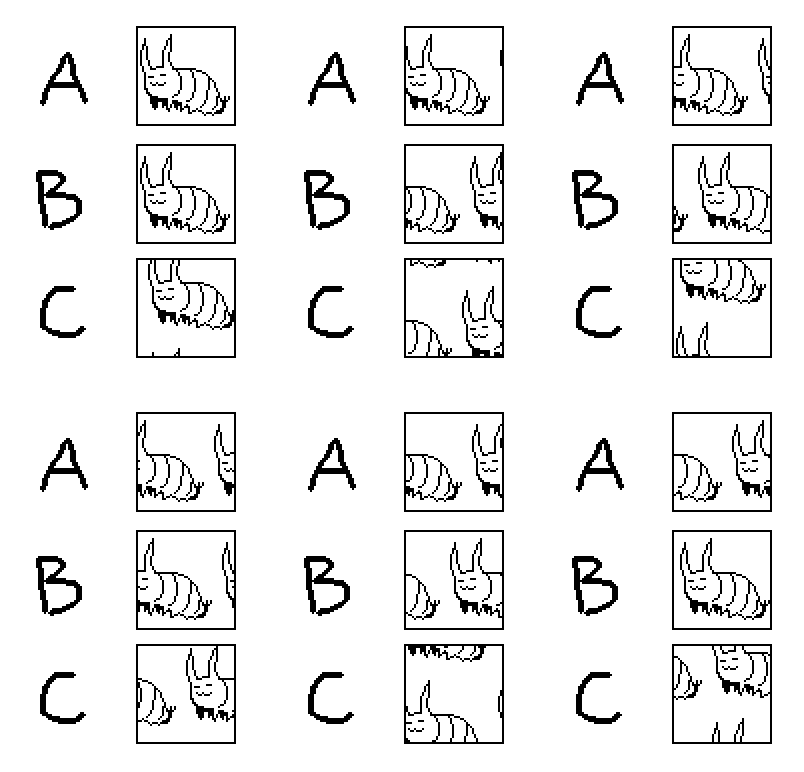
quick zazz-related question: is there any way to add a speed modifier for zazz.scroll the way you can for zazz.wave? any attempt to place a number after "0,-1" produces no effect

on view do
 zazz.scroll[canvas3 0,-1]
 go[card]
end
Developer(+2)

All the parameters of every zazz function are documented. zazz.scroll[] only takes two parameters: a target and a scroll direction.

It is not possible to scroll less than one pixel per frame, but we could use a lower "duty cycle" by scrolling only every N-th frame. The "sys.frame" field automatically increments 60 times per second, so we could for example call zazz.scroll[] only when sys.frame modulo 4 equals zero to scroll every fourth frame, or at 15FPS:


on view do
 if !2%sys.frame zazz.scroll[A 1,0] end
 if !3%sys.frame zazz.scroll[B 1,0] end
 if !4%sys.frame zazz.scroll[C 1,0] end
 if !5%sys.frame zazz.scroll[C 0,1] end
 go[card] 
end
(+1)

Quick question about brushes: seems like there's a global brush[] function to add custom brushes (and see a dictionary of them).  Is there any way to (through scripting) change which brush is selected at the deck or card level?  I know there's clicking on the Style>Brush menu, but I would prefer to do it with scripting (as the brushes I've made are more like stamps and are huge and overlap quite badly on that menu).

I only see the canvas-specific x.brush[] in terms of script control over brush selection... Is that it?
thanks! june

(1 edit) (+2)

Scripts typically can only run while you're in Interact Mode (or from inside the Listener). Likewise, the canvas.brush attribute you mentioned, when it's used in a script it only meaningfully changes the brush setting for that one canvas when the canvas is clicked in Interact Mode, y'know? (I think you knew that, I'm just clarifying for anyone wandering by.)

So, yeah, I don't think it's possible to change your Drawing Mode tool or brush via scripting.

But, in case it's of use to you and your project: 

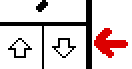
The Toolbars do extend downwards with an arrow at the bottom if you have more than the default amount of brushes.


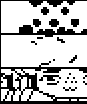
 And as a further example, this is how the 'stamp'-style brushes from the brushes example deck appear on the toolbar:


The last one is quite a large stamp, relative to the others, but it's neatly constrained to it's own little rectangle and it's not too hard to figure out which one is which.

I hope this helps, I'm excited to hear that someone is making use of custom brushes!

Thanks! I figured out that the toolbar cuts off images that are too large thankfully, so I did get to play around a bit, but it's unfortunate drawing mode is so cut off from scripting...

(+1)

good evening all! question regarding the use of dd.chat. I've got a table (inventoryGrid) with the columns "inventory" and "itemInfo" (formatted as strings), and have written a few button scripts that add items when clicked. I made a separate button that will display a list of whatever items are in the table, and display the description when selected. so far, my code looks like this:

on click do
 dd.open[deck o]
 dd.say["Hallo, traveller."]
 if itemHave.value
  dd.close[]
  dd.open[deck r]
  dd.chat["These are the items you're carrying." (raze inventoryGrid.value)]
  dd.close[]
 else
  dd.say["Huh? My friend, you're not carrying anything. Pick something up and come back if you want me to tell you about it."]
  dd.close[]
  end
end

and I'm sure it could be simplified, but it works as intended! as for my question: I'd like to be able to have a final option at the bottom of the list that says something like "I'm leaving, now." that can be selected and trigger a final line of dialogue followed by dd.close so that you don't have to read through all of the options in order to exit the menu. I'm kinda lost trying to figure out how to script this due to using (raze.inventoryGrid.value). I'm not sure how to edit it in a way that will function. what's the best way to go about this?

Developer(+2)

raze of a table (like the .value of a grid widget) makes a dictionary mapping the first column to the second column. For example,

 insert k v with "Apple" 11 "Banana" 22 end
+----------+----+
| k        | v  |
+----------+----+
| "Apple"  | 11 |
| "Banana" | 22 |
+----------+----+
 raze insert k v with "Apple" 11 "Banana" 22 end
{"Apple":11,"Banana":22}

the dd.chat[] function will exit if the value corresponding to a key in that map is a number (instead of a string or rtext), so we just need to add another entry to that dictionary.

If you have a dictionary in a variable, you can modify it in-place:

 d:raze insert k v with "Apple" 11 "Banana" 22 end
{"Apple":11,"Banana":22}
 d["Cursed Fruit"]:33
{"Apple":11,"Banana":22,"Cursed Fruit":33}

You can also perform the equivalent amendment if the dictionary was yielded by a subexpression, as long as you wrap it in parentheses:

 (raze insert k v with "Apple" 11 "Banana" 22 end)["Cursed Fruit"]:33
{"Apple":11,"Banana":22,"Cursed Fruit":33}

You can also construct a dictionary functionally using "dict" and then take the union of some other dictionary and the new dictionary with ",":

 (list "Cursed Fruit") dict 33
{"Cursed Fruit":33}
 (()["Cursed Fruit"]:33) # (yet another way of saying the above)
{"Cursed Fruit":33}
 (raze insert k v with "Apple" 11 "Banana" 22 end),((list "Cursed Fruit") dict 33)
{"Apple":11,"Banana":22,"Cursed Fruit":33}

Or you could make a second table and join its rows to the original (also with ",") before razing:

 raze insert k v with "Apple" 11 "Banana" 22 end,insert k v with "Cursed Fruit" 33 end
{"Apple":11,"Banana":22,"Cursed Fruit":33}

Many ways to peel this particular apple. I strongly recommend using the Listener to experiment with examples like these whenever you find yourself puzzling over a tricky expression; building things up in little pieces helps you verify an idea as you go.

Do those examples make sense?

(+1)

thanks so much for the quick response! I think I'm beginning to get this a little more, and the various examples were super helpful! I was able to add the line by using your second suggestion, and look forward to messing around with dicts some more, haha. thanks again!

Viewing posts 61 to 80 of 132 · Next page · Previous page · First page · Last page