
Indie game storeFree gamesFun gamesHorror games
Game developmentAssetsComics
SalesBundles
Jobs
TagsGame Engines

"Voices Of The Void" Alpha

Gather unknown signals from deep, silent space · By mrdrnose

Voices of the Void 0.8.0 Bug Reports

A topic by mrdrnose created Aug 19, 2024 Views: 67,032 Replies: 479
Viewing posts 241 to 260 of 290 · Next page · Previous page · First page · Last page


I think it's not OK, yep?
the abandoned kerfurs if left outside base, after relogging will clip into the ground of the base.

в игре есть дикое смещение мыши из-за чего работать с компьютером и меню крайне сложно

Mismatched screen resolution, change it in the settings.

I have to admit that I'm not entirely sure what mouse setting it's meant to change, but when I set "Invert Y axis" nothing seems to happen at all. I've only gotten as far as the tutorial in the game and I happen to be one of those crazy people that likes their camera with the Y axis inverted, but as far as I can tell I can't do that.

Are you pressing apply in the bottom right corner of the options menu? I just tried inverting both x and y axis and it works. Although i have no idea how someone could play like that lol

(3 edits)

Yep, pressing apply. I haven't tried it outside the tutorial, so it's possible it's a game mode thing, but it's also possible it's a me thing, which would make me sad because the game's freshly installed. As far as playing that way, I chalk it up to being a trackball user and growing up with airplane controls on most game cameras lol

EDIT: Tried it in story mode and no change there either.
Oop, I happened to leave that setting toggled on exiting the game, and when I loaded it back up, it worked! Crisis averted!

That's great. Have fun with the game! 

Привет, помогите пожалуйста у моего друга по какой-то причине не работает комп в игре, он может только включить его и зайти, любые кнопки при нажатии не реагируют, то есть он не может покупать, смотреть задания, камеры, и прокачиваться. Самая новая версия. Если получится отправлю ссылку на видео

Буквально двумя сообщениями выше та же проблема и ответ

(2 edits)

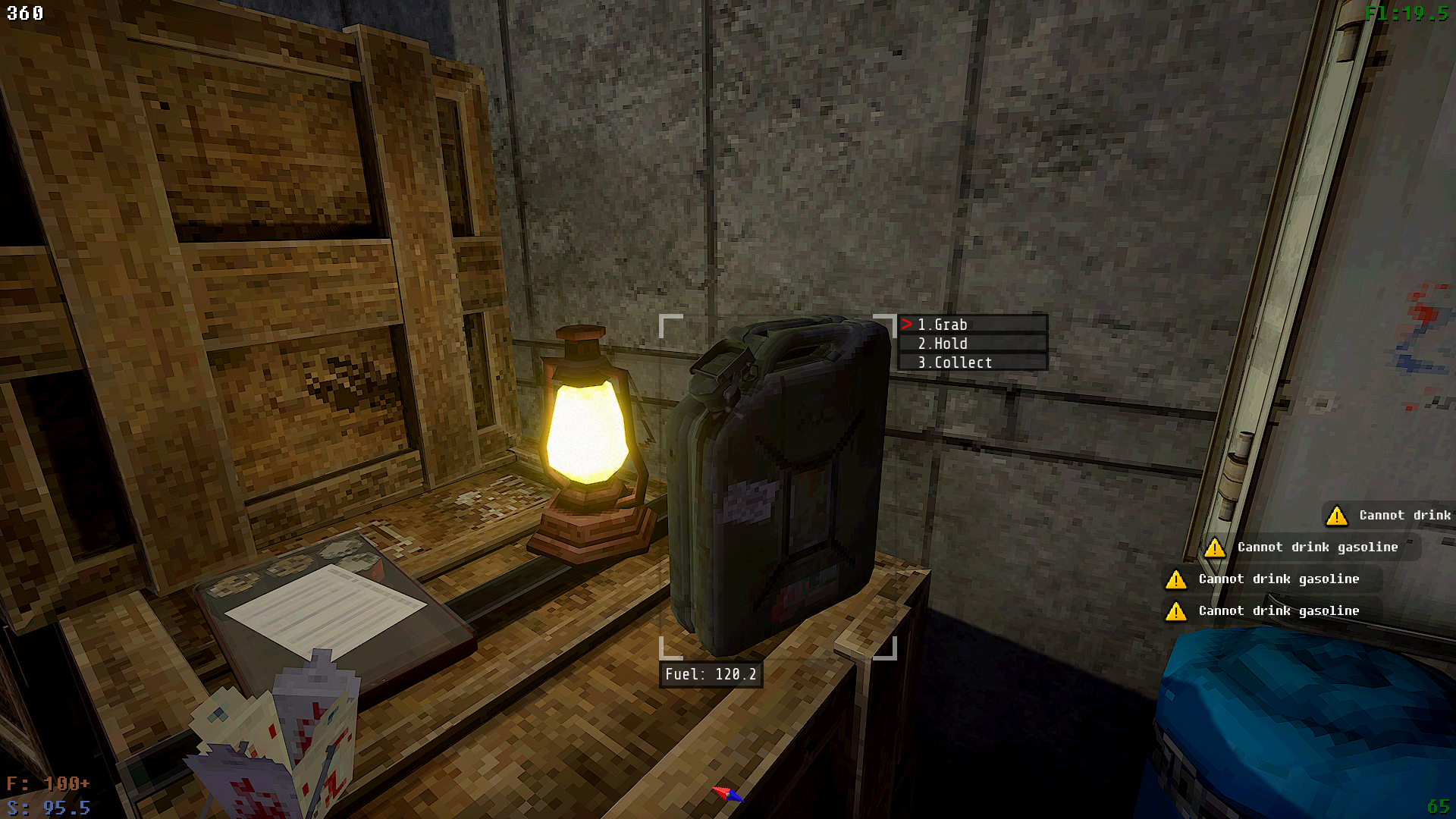
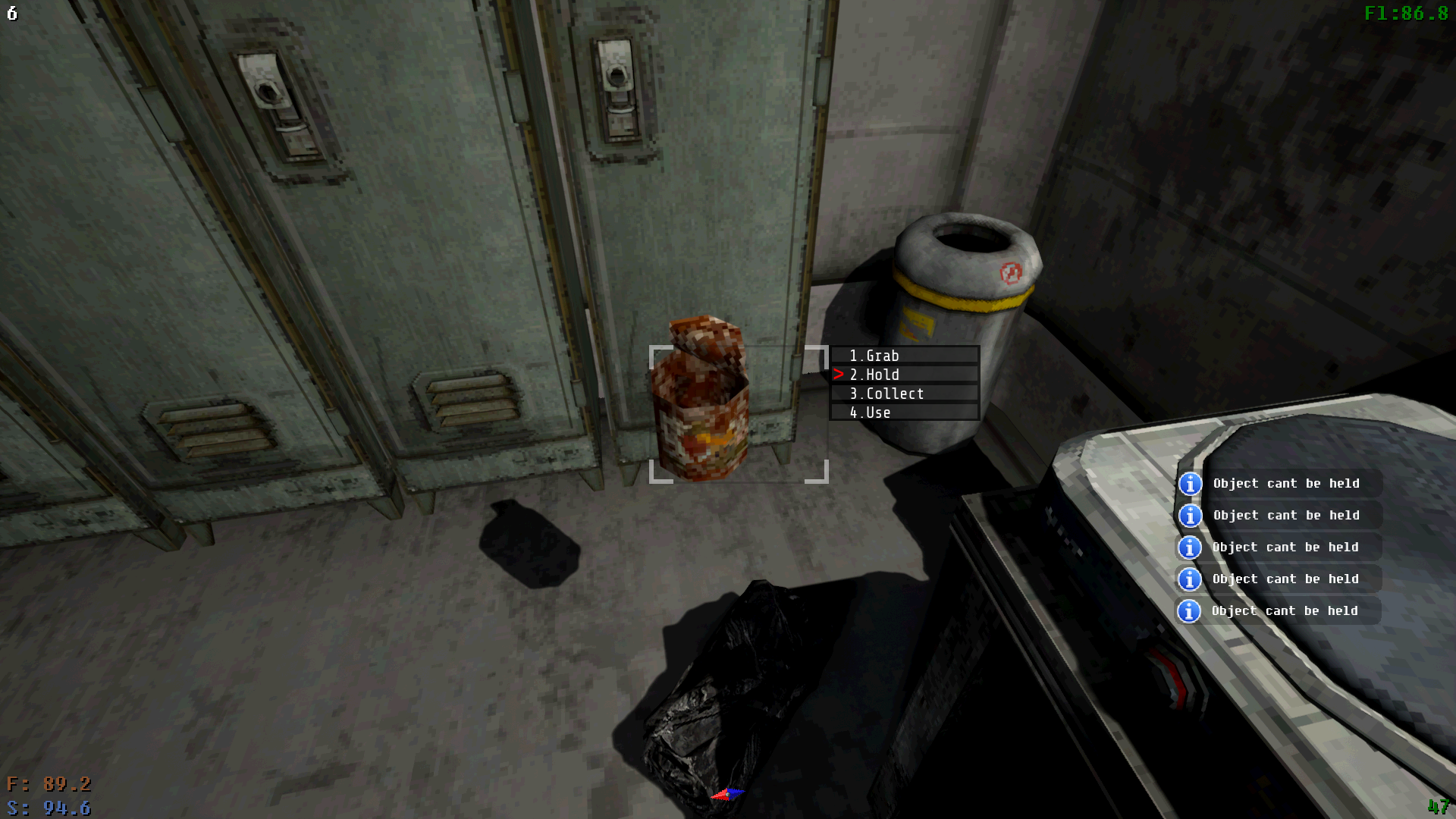
Floating, ungrabbable, unholdable, uncollectable empty can.

Empty cans seem prone to having their prop interactions broken. A moment ago I just removed a bunch of empty cans from the trash bin you see there; when I removed one too many and didn’t have space for it in my inventory, it immediately dropped the empty can.

But instead of falling to the ground, it fixed itself in place where the prop was spawned out of my inventory. Now I can’t interact with it – it can’t be grabbed, held, used (well I guess it can; it says it is empty, so that technically works), or collected. The can is not being grabbed. It is hovering in place at mid-height above the ground.

There are others in my base that I’d tried to put into an open container, one of those little blue plastic bins you happen across sometimes, but three clipped out of the bin and did this to themselves there.

Is there, uh, some way to clean up these “stuck” empty cans?

(+1)

I don't know if it would work here, but i got another prop acting like this and used one of the blue plastic crate open containers to fix it by putting it around the object so it is inside the crate

(8 edits)

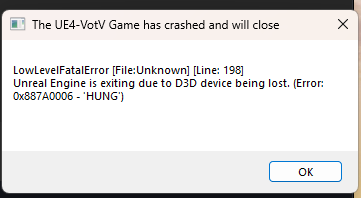
I first started playing a couple days ago and seemed to be going through smoothly. When I logged back into my save game yesterday it crashed with this error message a couple minutes in. I created a new save and it seemed to be okay but eventually it crashed with the same message. 

Update: I realized that having shadows turned on completely maxed out my GPU usage so I think that might be it. Like turning up shadows one tick shot the usage from 60% to 100%. Other video settings don't seem to be affected.

I have an RX 7600.
________________________________________________________________________________________________________________________________________________________
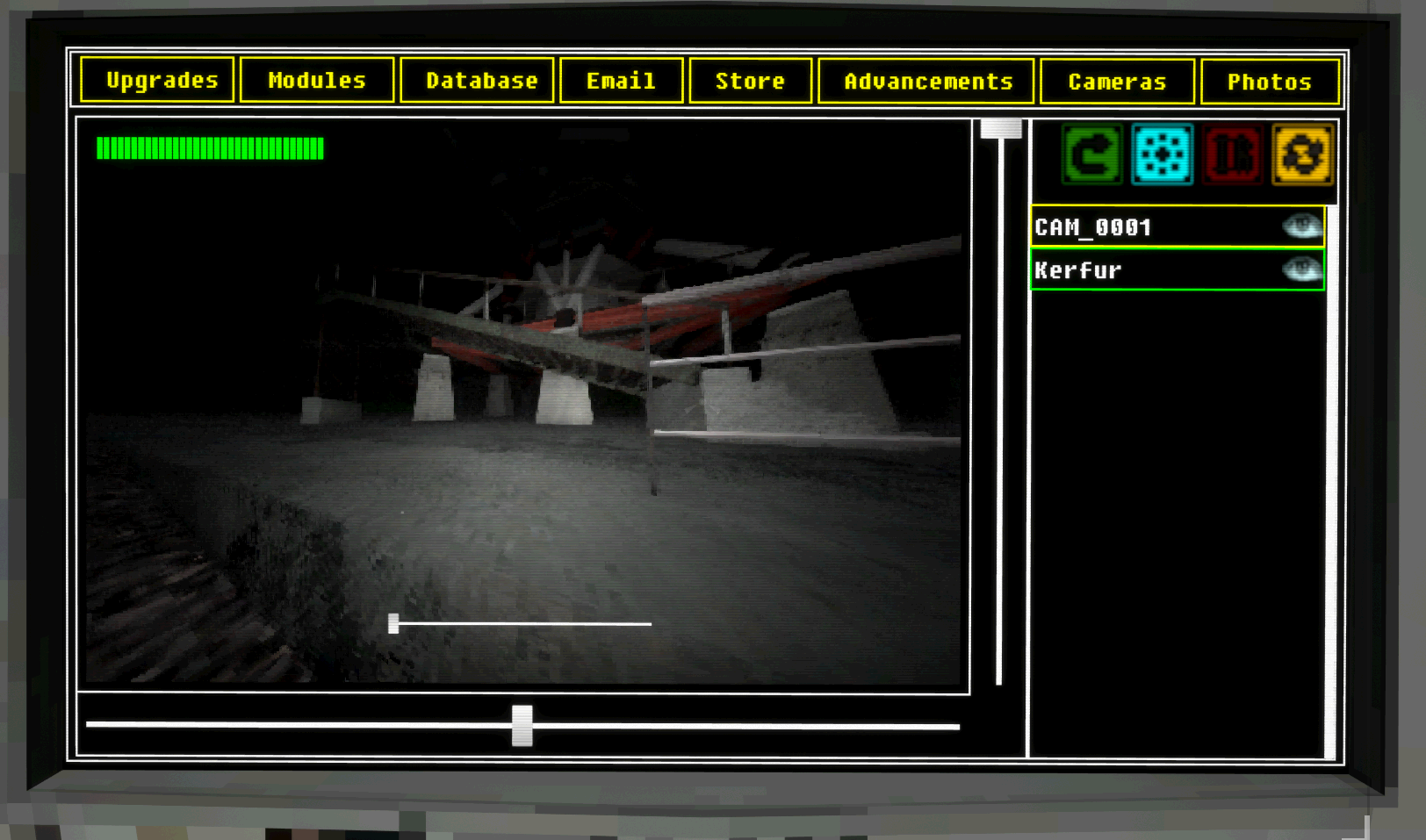
Also Kerfer keeps getting stuck when going to fix servers. Every time. Then he runs out of juice and I have to run to go pick him up.

Update: Okay I watch a video on how to control him I didnt know you could do that, sorry.

___________________________________________________________________________________________________________________________________________________________
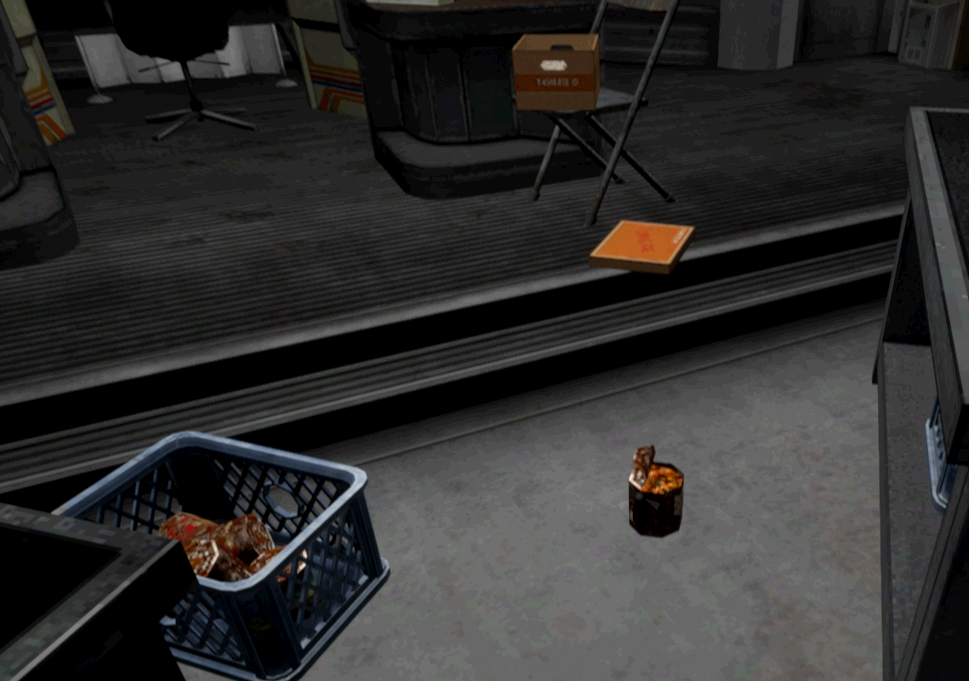
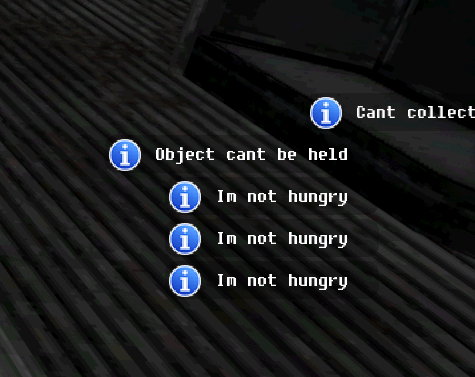
So I was standing above a storage crate and had multiple cans of food. So I was directly above it looking down. And I "Placed all the cans in the crate. Unfortunately, what happened was the cans stacked and glitched out and a can remained in the air. I could open it with a can opener but could not grab or hold it and it didnt seem to interact when hit with other objects.
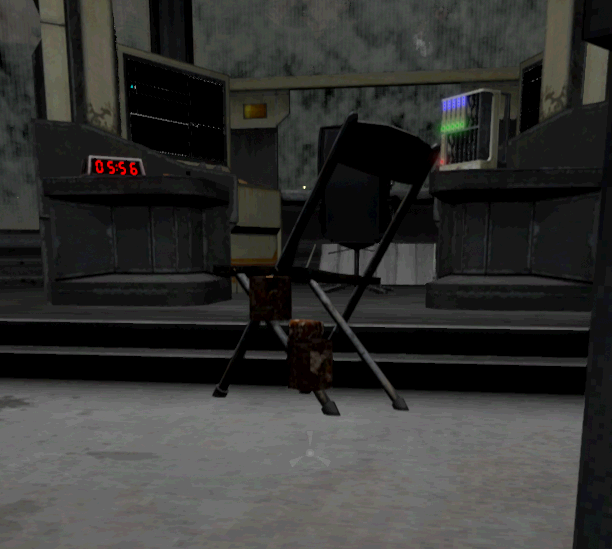
Heres more photos of the can floating . I was able to make the can glitch again and float in the air. I couldnt get it to move by sweeping it and I tried hitting it with a hammer a dozen times to bread it with no luck.
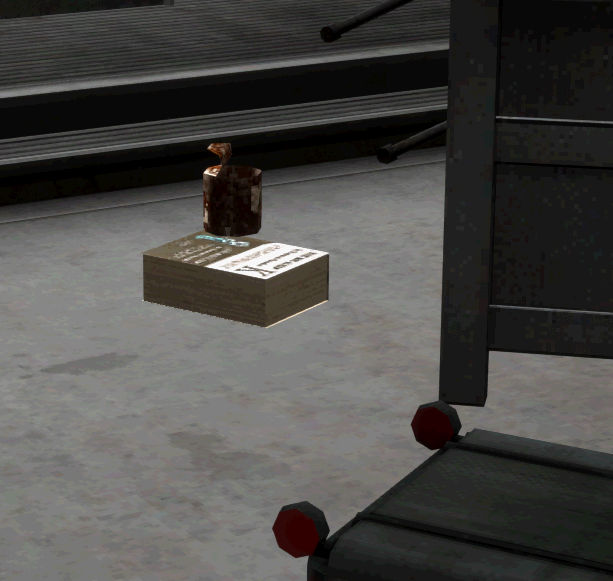
heres a book under the can.


I was playing and I randomly fell through the map. I couldn't jump out. Even when crouch jumping.

11/5/2024
So something that I just noticed that happens is when I crumple up a single sheet of paper it duplicates the sheet and then when you try to look at the duplicate it crashes. Well, my game freezes. I've done it with a paper sheet I crafted and a sheet I tore from a notebook.

When the sheet is crumpled in the hand the crumpled paper falls but then there is a duplicate sheet in your hand, then when you go to look at that it crashes.

When a sheet is on the ground and you use it, you can then crumple it, the crumpled sheet will fall and there will be a duplicate in its place. When you try to USE the duplicate the game crashes.

The floating can is because the can was "inside" basket. the plastic baskets have a weird trait that you can put things into them and then pick the basket up and the items will become "attached" to the basket. The same happened to me with a piece of paper. I took the basket and scooped the paper with the basket and it unfroze it. As for the falling through the map. That part of the base hasn't had any collision for a while. i think it's just meant to be a teaser for something to come or just an easter egg to people who are really looking around the base. And you can climb out of there (and a lot of other places) by double tapping space against the wall while already jumping, this causes you to climb over obstacles like that area and fences.

Omega Kerfus keeps going to the cliffs between Sierra and Tango and refusing to move. I still can move kerfus out of the spot but they go right back and refuse to do anything. Happens on all of my saves, new ones included.

Hello. What to do if when you scroll the shift speed toggle switch, the sound is played but the speed remains equal to 0.

I was attacked by the ghost deer as usual, but this time it didn't despawn after the attack. Instead, it seems to have "taken a seat" at the main workstation chair. I know it is "seated" there because I can't use the chair myself. (I can still use the computer however).

https://imgur.com/a/0Y2ZLgw

(1 edit)

Not sure if this was all a bug or one part one thing, and one part another, but I'll explain in detail.

Like a few others I was able to run the game on previous versions at 60+ FPS on max settings. In v0.8.0 no matter how far I lower my settings I cannot get the game to run above 30-40 FPS. However, this is exclusive to the base and the main room itself.

A breakdown of v0.8.0 I get:

  • Outside - 60+ FPS
  • Base Hallway/Garage - 45-55 FPS
  • Main Room/Bedroom - 30-45 FPS

Furthermore, as we can't rearrange the camera order on the computer, I needed to work out the number order of my cameras and then put them back in the order I wanted, so I collected them all and took them to the Main Room. Dropping the first 5 there was no problem and I mounted them on the wall. I went to drop the next five and they all started going nuts, spinning and flying around the room like they were possessed. I tried to grab them only for out of nowhere the sleep demon grabbed me despite still being at 25% on Sleep, and I was suddenly in a white void with a chair. Confused I tried to find a way out only for the game to suddenly crash with a UE4 error.

Weirdly when I reloaded I found the game had saved at the exact moment I'd been grabbed, with no more issues other than the cameras were still spinning out all over the place.

While I don't know what was going, if it was intentional or anything like that, it has been suggested by a friend that the drop in performance, the behaviour of the cameras, and the crash, all being in the main room, maybe  the result of a possible memory leak. I'm no expert so I can't be sure, but thought best to mention it anyways.

Quick side note. The rain still falls through inside the new Transformer buildings.

The white space with the chair is an event caused by insomnia without eyes, it can haunt the player. Apparently, the event has no logical conclusion, so the game crashes here are common.

Ahh, good to know. Weirdly coincidental timing.
Still, seems the main room is a focal point of performance drops and weird physics bug outs.

static lights take up more resources than dynamic ones like lamps. try turning the base lights off

Did you try turning off shadows? I had a massive reduction in GPU usage when I turned them off. After that a stable 60fps.

I was calmly cleaning the base, and in the background I had a song played by Argemwell, the song suddenly died down, I went to check what happened. I arrive, but argemwell is gone and all that’s left of her is a hook. The entire time she was at the base, she was suspended from the ceiling and the cockroaches could not eat her. Any thoughts?

Unsure of if this was commented already but I started a new save, went over to the satellite with the burger and when I dropped from it to the ground (a small height) I took an insane amount of damage and immediately died. Only explanation I can find is that I fell in between the ground and the satellite's base since I kept hearing a continuous hitting sound.

Not sure if this has been reported yet, but within the first 30 seconds of starting the campaign, the game created a bug that made it impossible to move except for jumping and  crouching. When I closed the game, I found that my arrow keys and WASD were somehow reversed outside of the game too. Not sure how this happened, as I was only running and tripping in game before this occurred. Fixed by unplugging keyboard and plugging it back in. Haven't replicated it since.

I keep running into an issue where the spectorgram visualization seems to break. Despite having it unlocked, it's stuck static and doesn't even show the animation when it's off/you don't have it. Not sure if there's something specific that's causing this issue yet. Reloading the save doesn't resolve it, and neither does closing the game entirely and restarting. 

(1 edit)

i just played tutorial and do upgrade 4 level check it

Kerfur-O gets stuck when they try to get  down from the cliffs east of Tango,  I know this happens when they go from Romeo to Tango but I'm not sure if the same happens with Sierra and Tango.

Hi, I've got a specific robot shaped hostile entity stuck underneath the terrain/foundation of the Foxtrot Array. 

I got a haunted Kerfus event where my kerfus went to a specific spot underneath Foxtrot. At the time I thought my Kerfus was bugged and performed a save load, fixing what I thought was bug. However this completely borked the accociated event that followed this.

The specific hostile entity mentioned above dug itself up under the terrain under Foxtrot and has been active for 6 in game days now. The music will not stop playing, and I can hear it's deathly wails deep within the foundations of Foxtrot when approaching it.

I am playing on Story mode so I do not have access to noclip. Is there any way to rescue the entity and put it out of its misery? Thanks!

Voices of the Void 0.8 hole under Foxtrot

There are no accidents in the endless mode

Viewing posts 241 to 260 of 290 · Next page · Previous page · First page · Last page