Indie game storeFree gamesFun gamesHorror games
Game developmentAssetsComics
SalesBundles
Jobs
TagsGame Engines

Savanna Sam - Flying Giraffe!

A topic by Max Did It created Feb 05, 2024 Views: 6,168 Replies: 46
Viewing posts 21 to 40 of 41 · Next page · Previous page · First page · Last page
(2 edits)

I’m currently busy adding missing details to the game. I want to finish a complete vertical slice before I continue with creating the next playable level.

One of the details I finally have come around to integrating is something I can’t believe took me this long to add: Sam’s plane finally has a propeller!
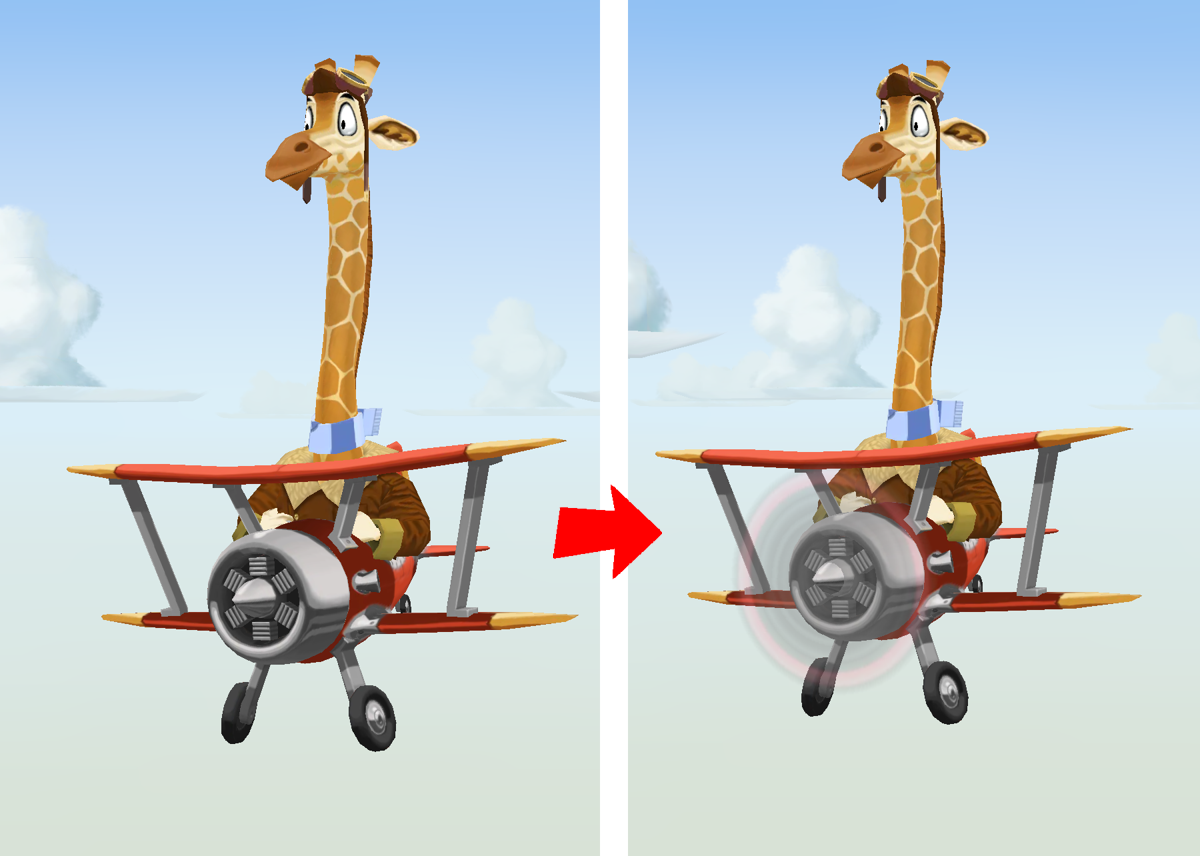
Savanna Sam’s plane’s propeller

It’s one of those details that don’t really have any impact on the gameplay, but visually, it makes quite a difference, of course.

I also had some of my friends play the game and found that they got stuck due to missing information about the controls of the game. So, it was time to add tutorial/hint screens, so that players don’t need to find out which buttons to press by themselves via trial and error.
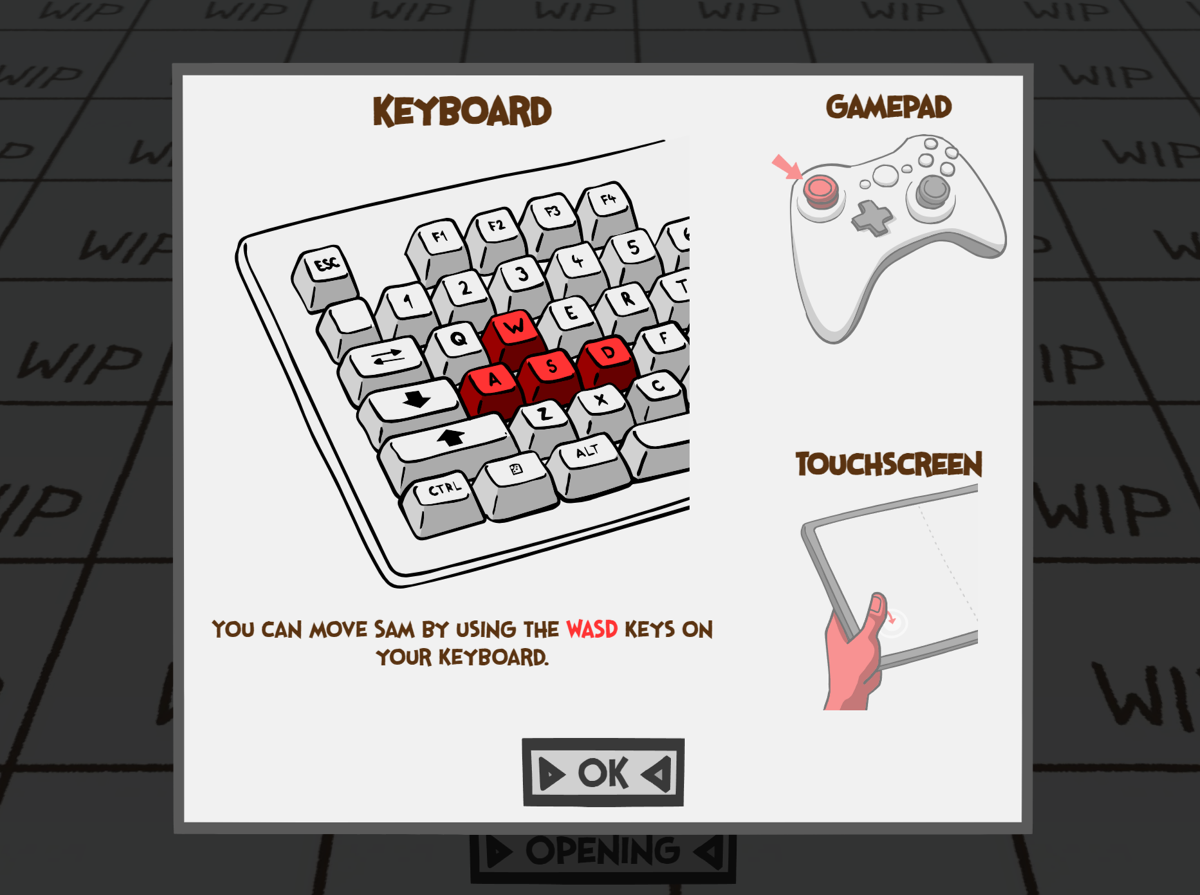
A tutorial screen in Savanna Sam

What makes creating these a little tedious is that there are basically three control methods the player might use: keyboard, gamepad and touchscreen. The tutorial screens need to be able to display informations for all three of these. Currently, the tutorial screens will highlight the controls for the method the player used last, with the other two being shown at the side to hint at the other ways you can play the game as well.

I have also added a number of sound effects to the game, which is a little tricky to show here ;-)
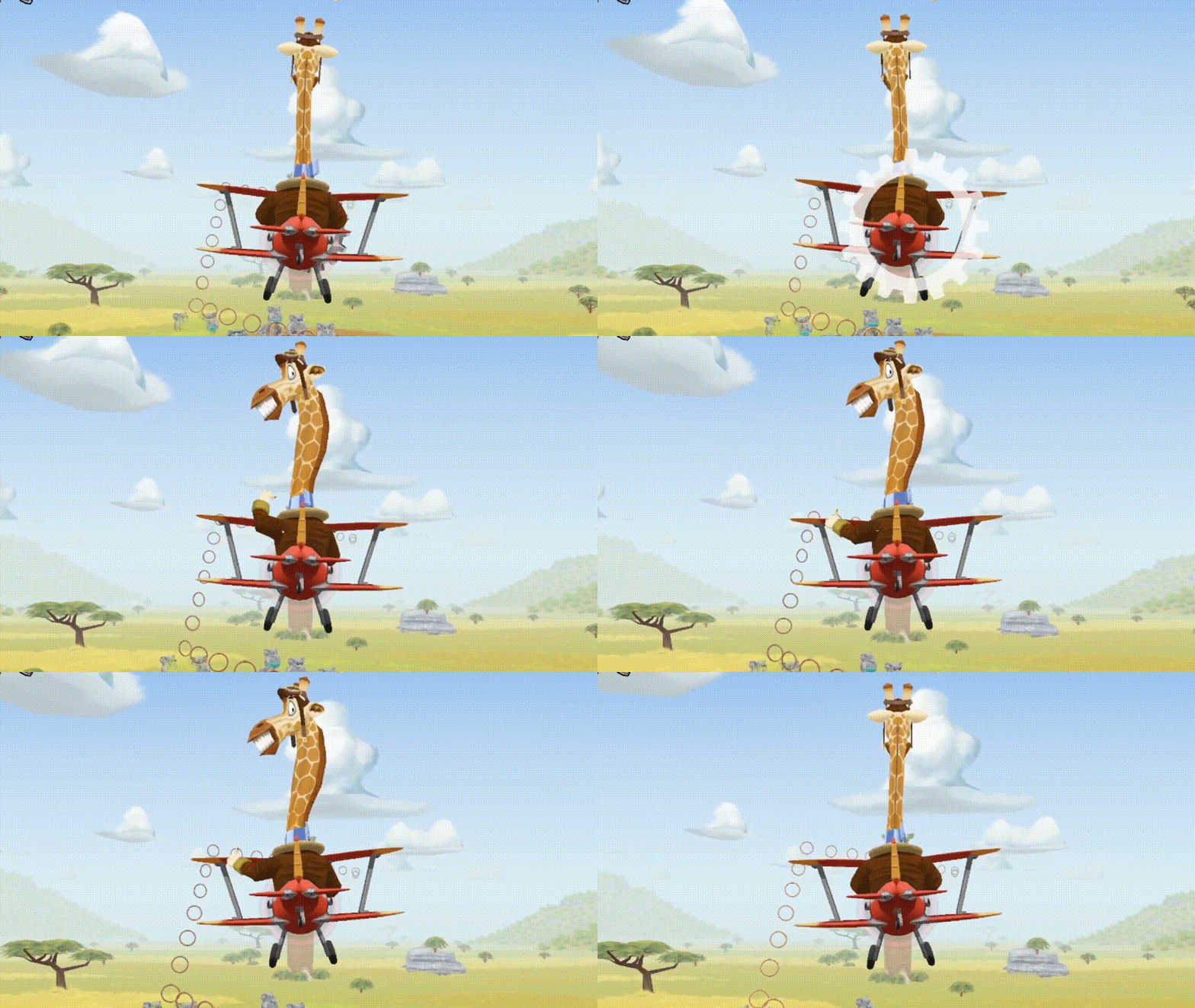
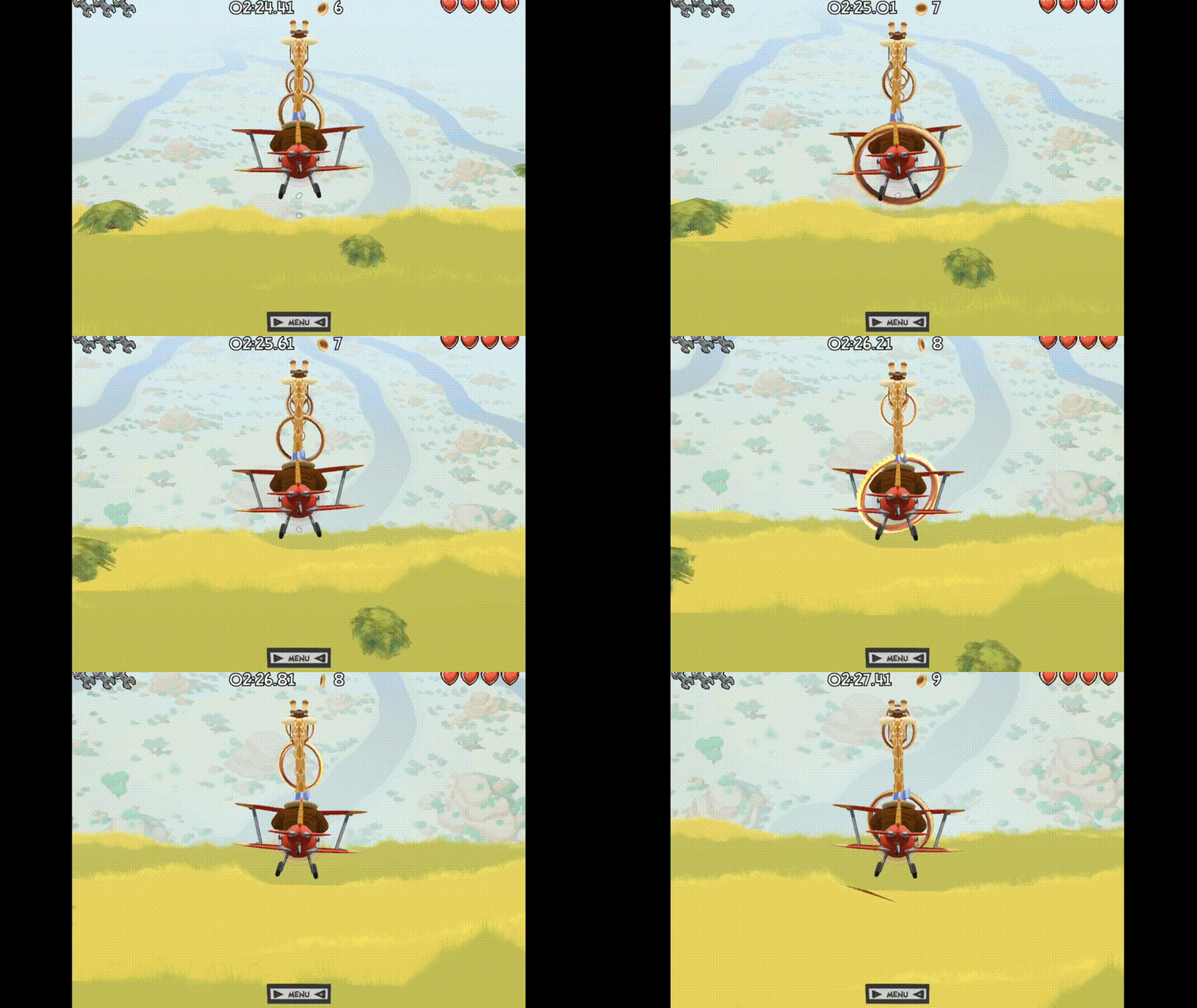
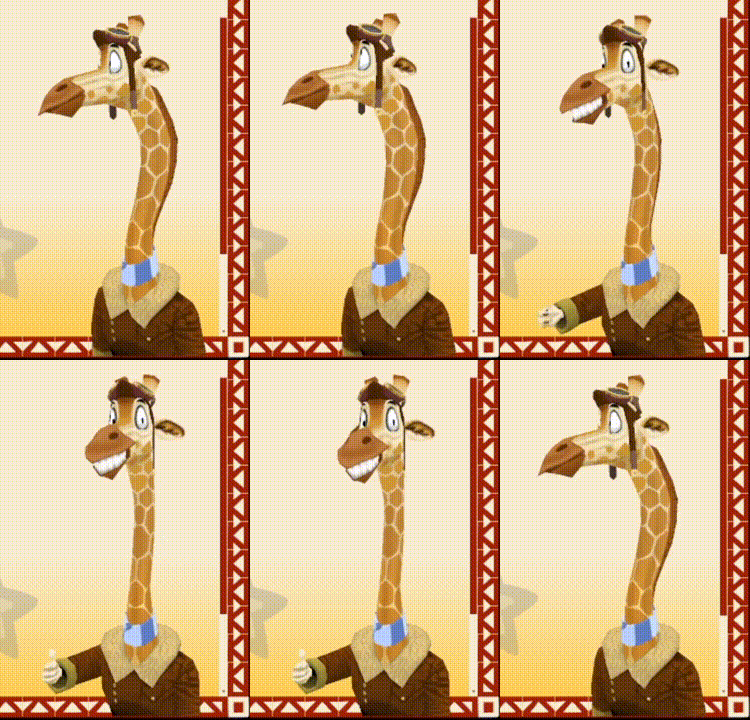
Let Sam give you some positive vibes! You can do the thing!

Savanna Sam giving the thumbs up gesture

This is a new reaction animation Sam will now perform when you collect an item. This gives the game more personality! I am currently adding more reaction animations for other situations, like receiving damage.

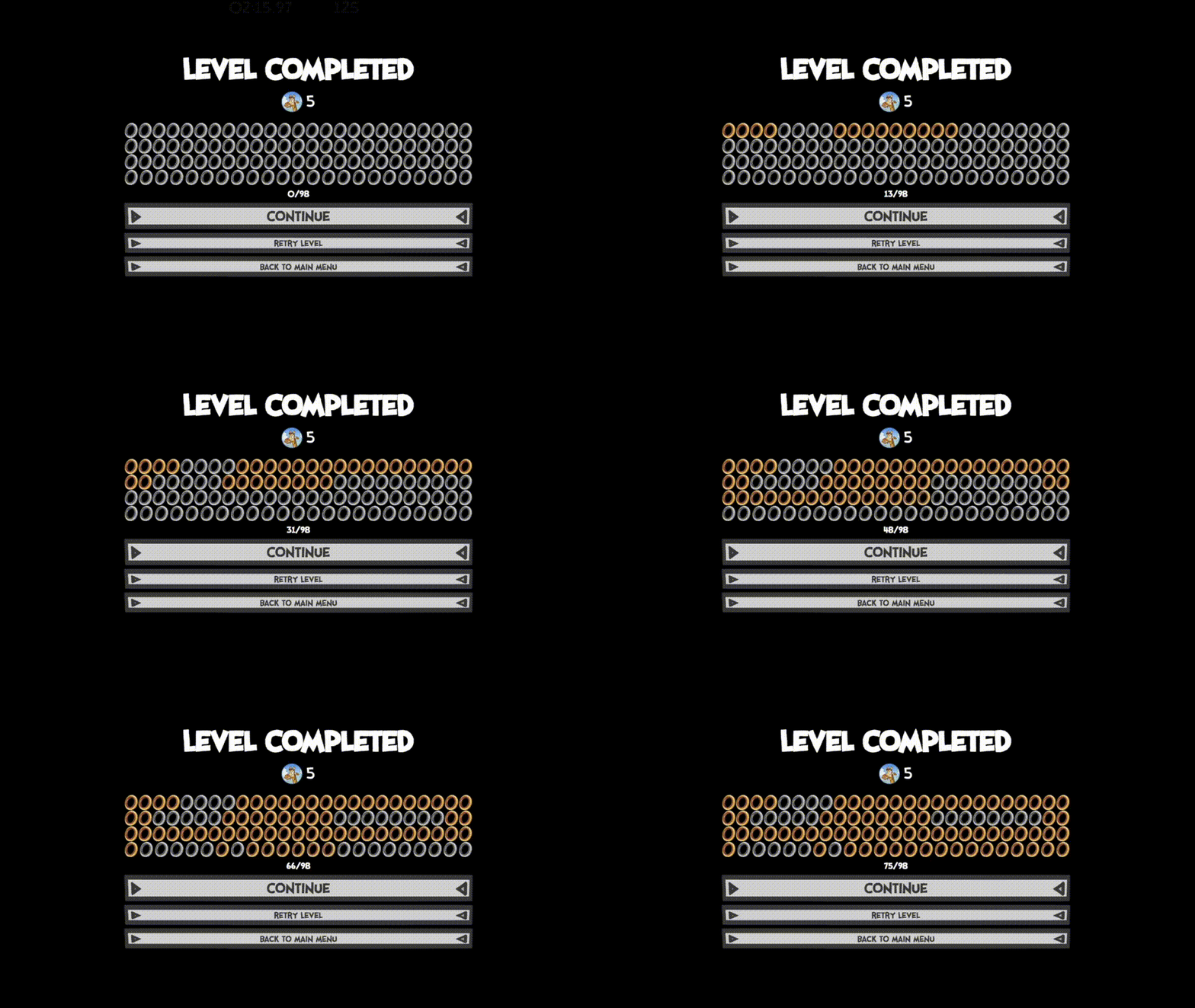
Another thing I have been working on recently is the “level finished” screen. Among other things, I have added a display showing how many lives you still have (Yes, there are lives now!).

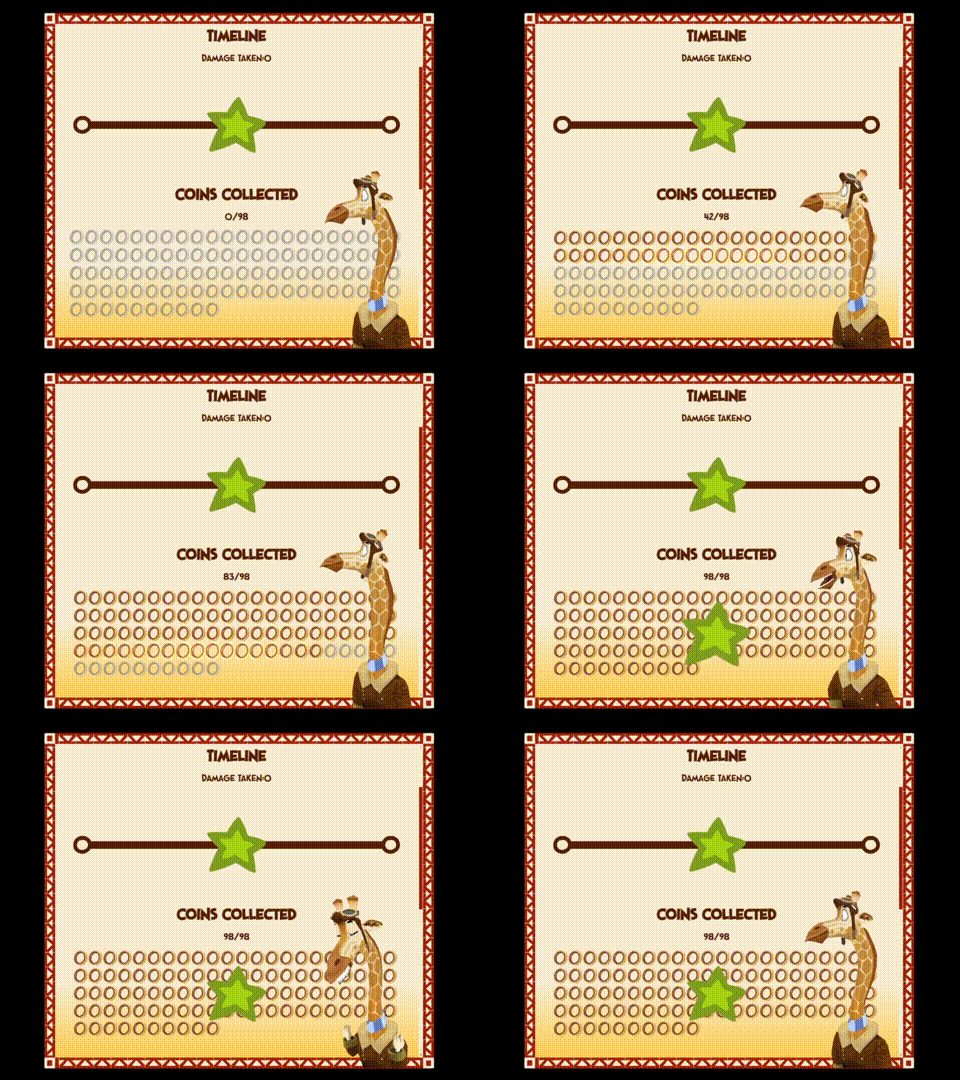
Also, there is now an animated UI showing how many (and which!) gold rings you have collected in the level:

The current version of the level finished screen in Savanna Sam

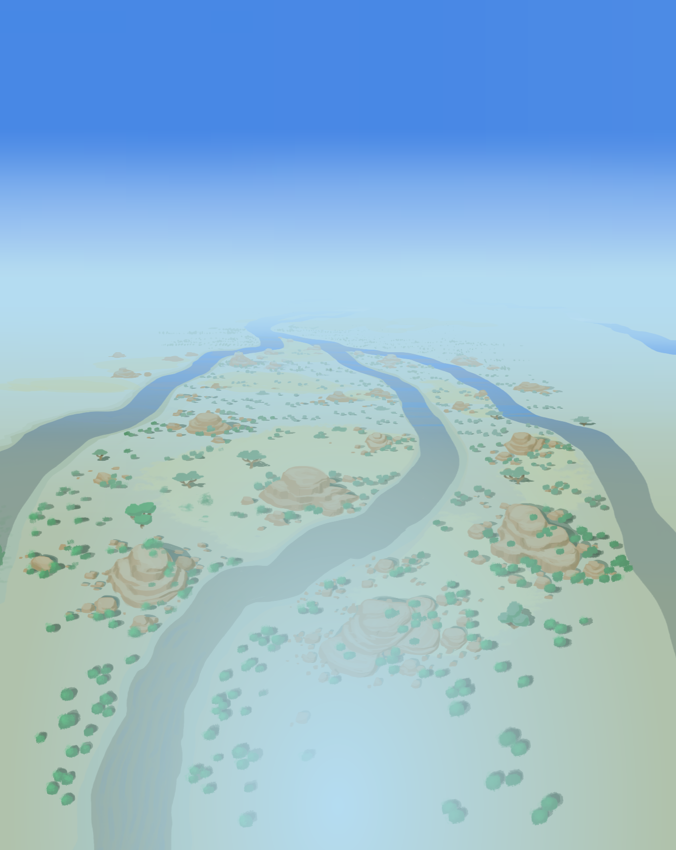
Currently, I’m working on the second level for Savanna Sam. For this level, I’ve painted a more elaborate background compared to the first level. The background image uses a panorama effect, similar to panorama photos that most smartphones can make, where several photos looking into different directions are stitched together.

In my case, the panorama is arranged vertically. So, the upper portion of the image represents the view that you would see if you look straight at the horizon, and it blends into the view where you would look straight down at the ground.

This is what it looks like in it’s entirety:

Savanna Sam panorama background

So, what do I need a vertical panorama background for? At one point in the second level, Sam flies over the edge of a cliff and continues to fly downward along the wall of the cliff. I need the background for the moment where Sam transitions from flying straight at the horizon to flying along the comically tall stone wall:

Savanna Sam flies over the edge

I think the effect is pretty neat, considering how relatively low-tech it is.

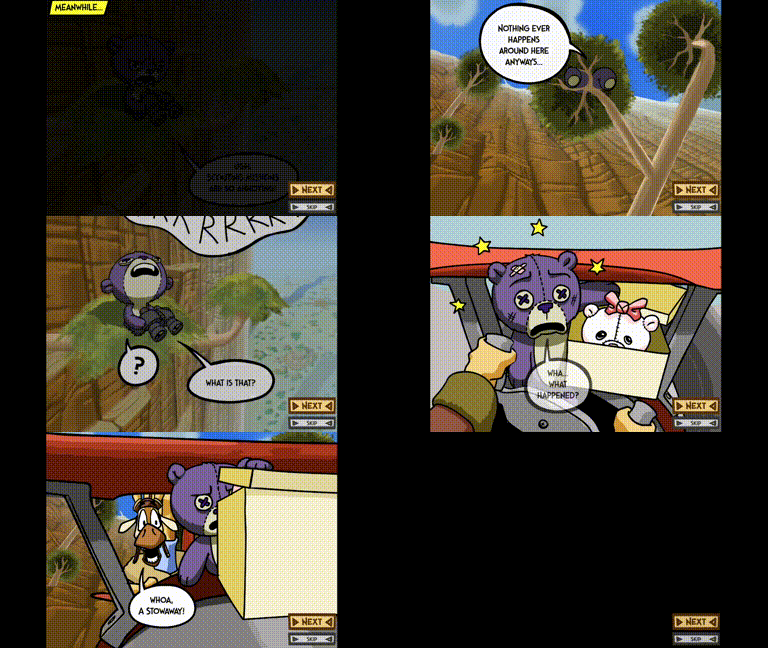
And I added another comic-style cutscene to the game, introducing a new character. The plot thickens!

Savanna Sam Encounter Cutscene

(1 edit)

Right now, I’m working on a new level for Savanna Sam. I’m creating an industrial themed set of graphics for this level. The reason for this is that Sam, at this point in the game, has left the Savanna and is flying through a diamond mine.

I’m still early in the process, but you can already see some early environmental graphics and the changed color palette due to the different time of day:

A diamond mine in Savanna Sam

As you can see, this time Sam isn’t flying over an open space, but through a huge trench created by the mining operations. During the level, the trench is supposed to take turns that Sam needs to follow with his plane.

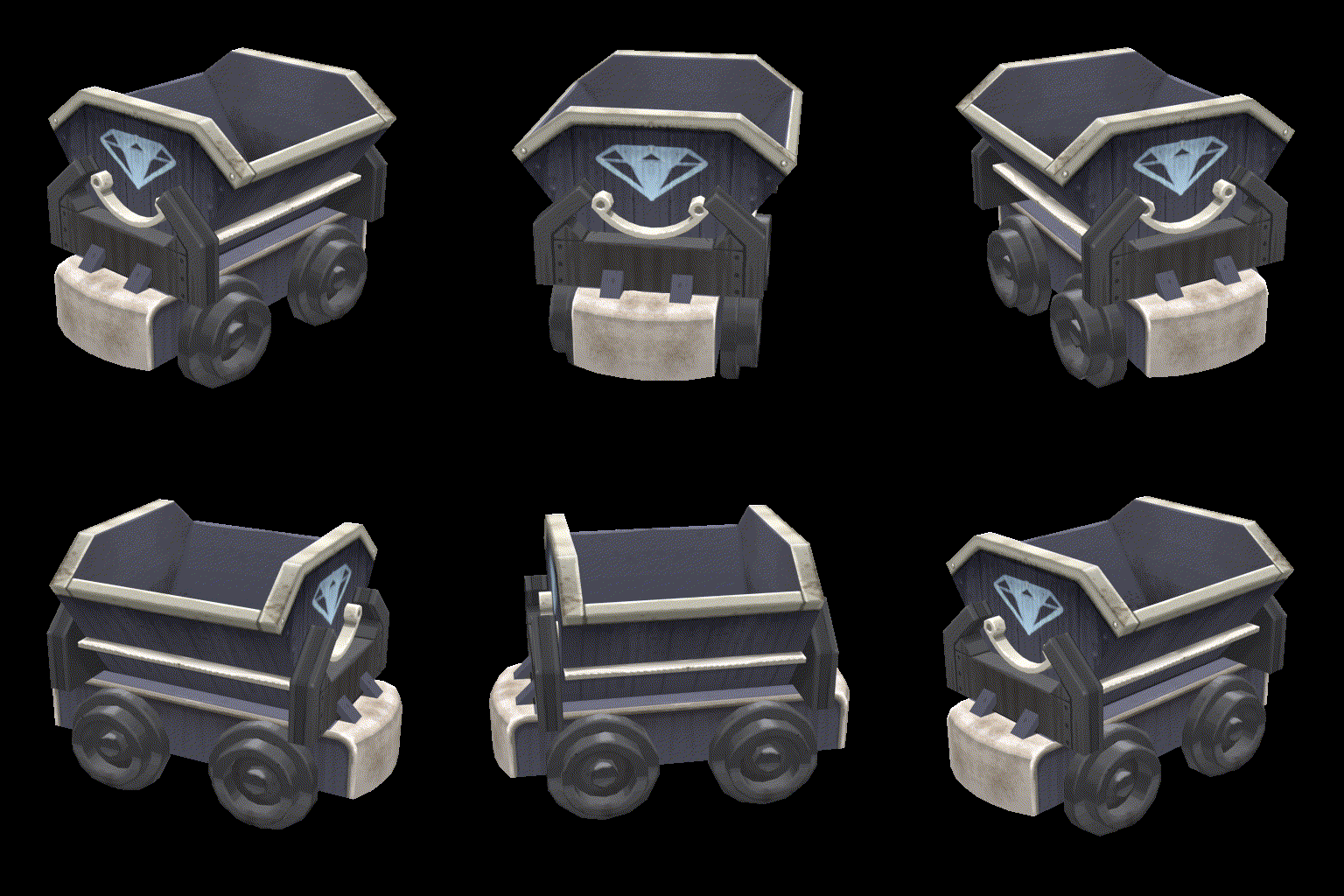
There is a bunch of objects and characters that I’m creating for this level, the first of which is a classic mine cart:

A mine cart appearing in Savanna Sam

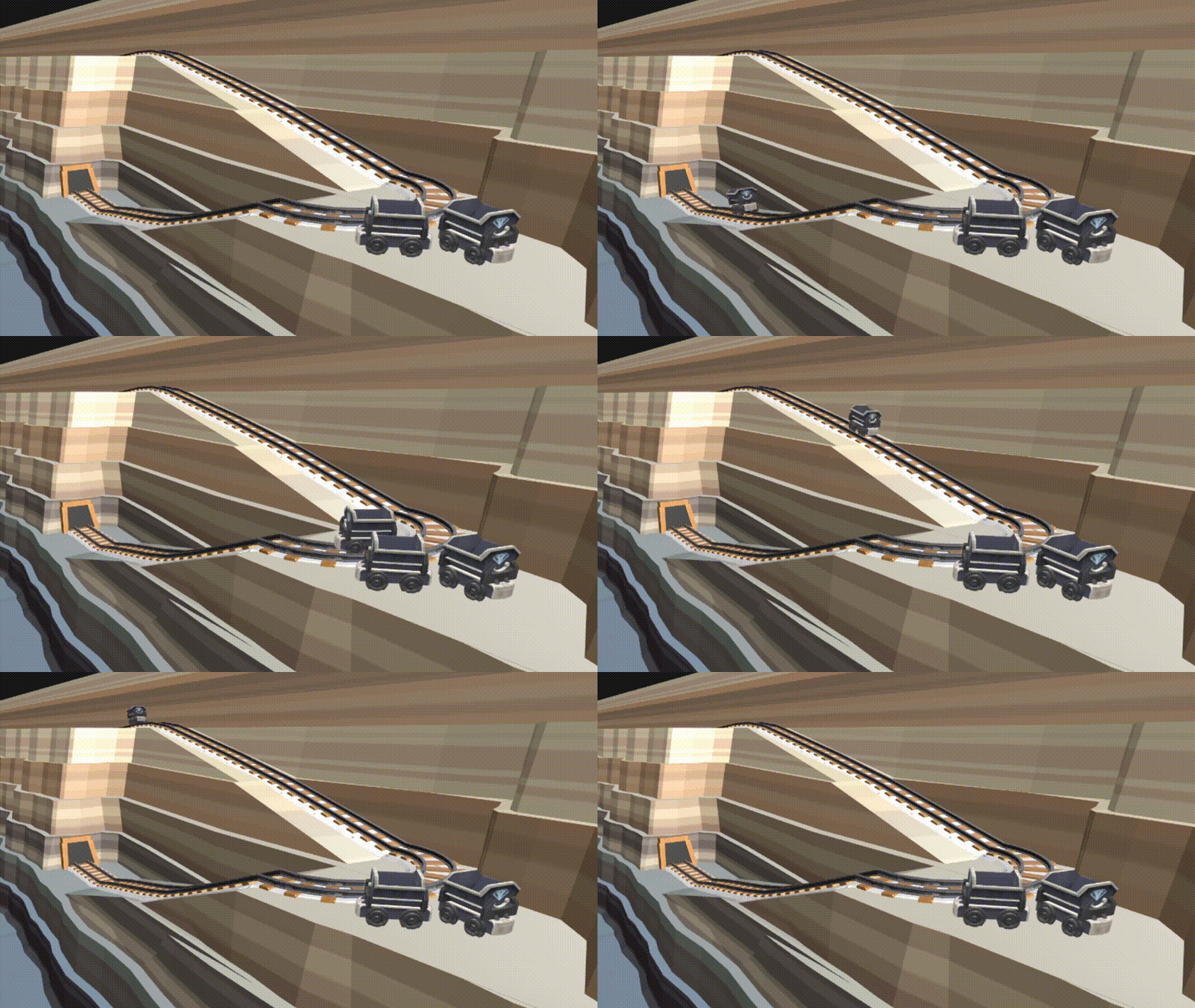
In the level, the mine carts will move along tracks, creating more obstacles for Sam to avoid.

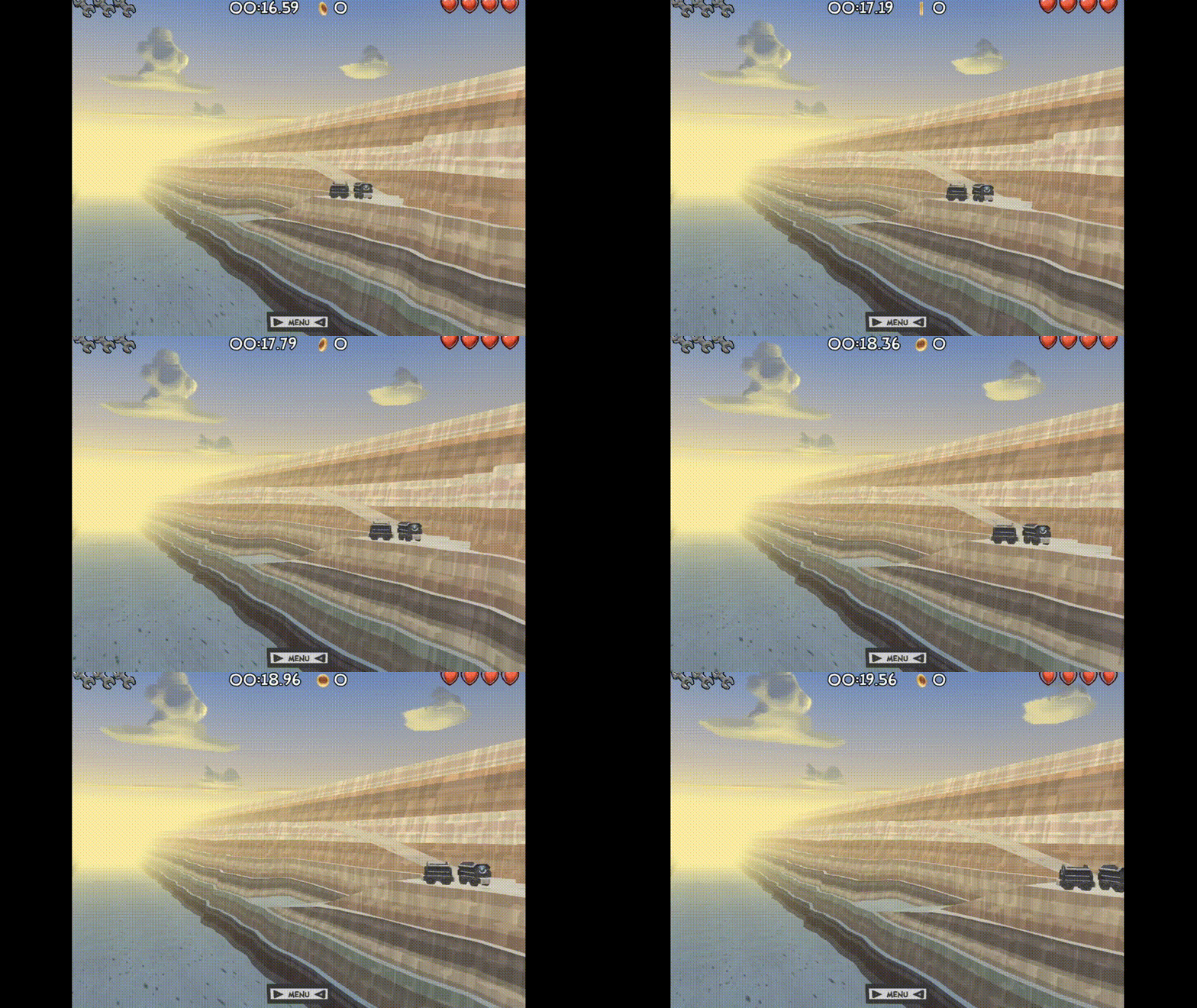
A mine cart just standing around isn’t very interesting. So, I modeled some tracks for it to go around on. Here it is in action!

A mine cart driving around in Savanna Sam

Later in the game, the mine carts are going to be used both as part of the background scenery as well as moving obstacles for the player to evade.

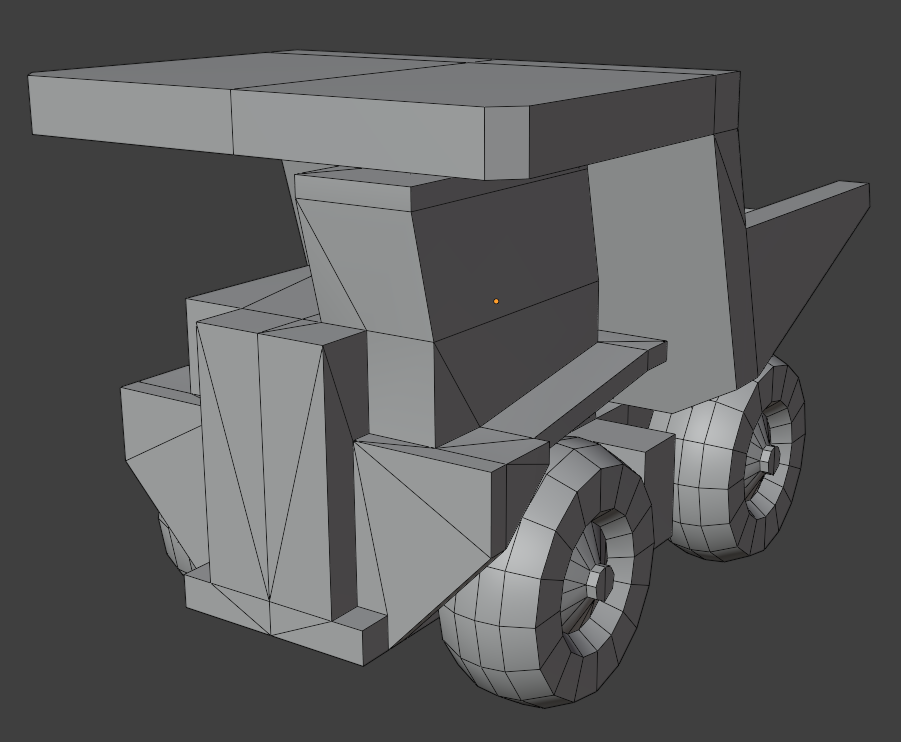
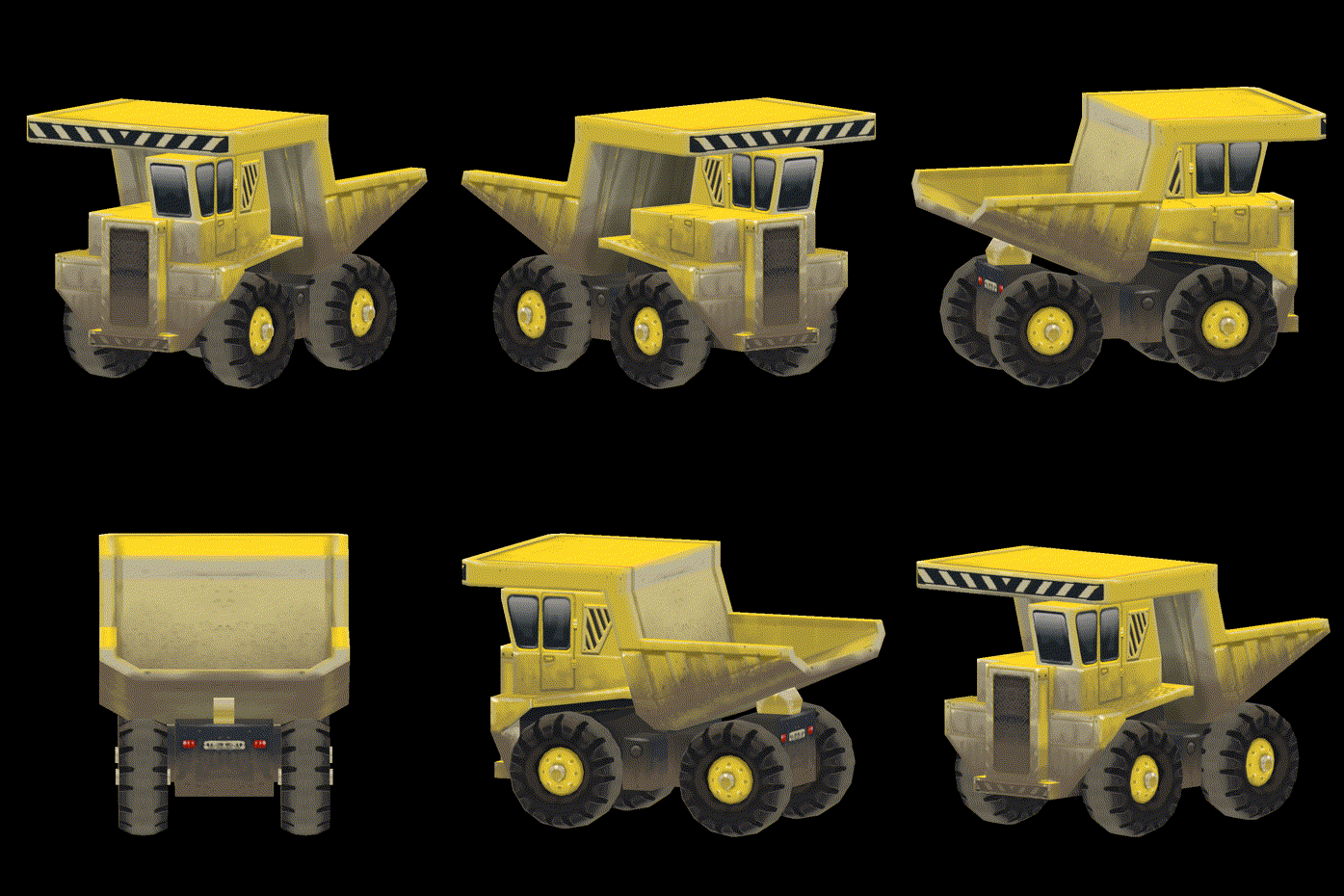
And another vehicle I’ve modeled for the mining level in Savanna Sam: The haul truck!

The wireframe of the haul truck in Savanna Sam

The textured haul truck

I hope I’ll be able to finish all the assets I would like to use in the mining level this week. Let’s see…

(1 edit)

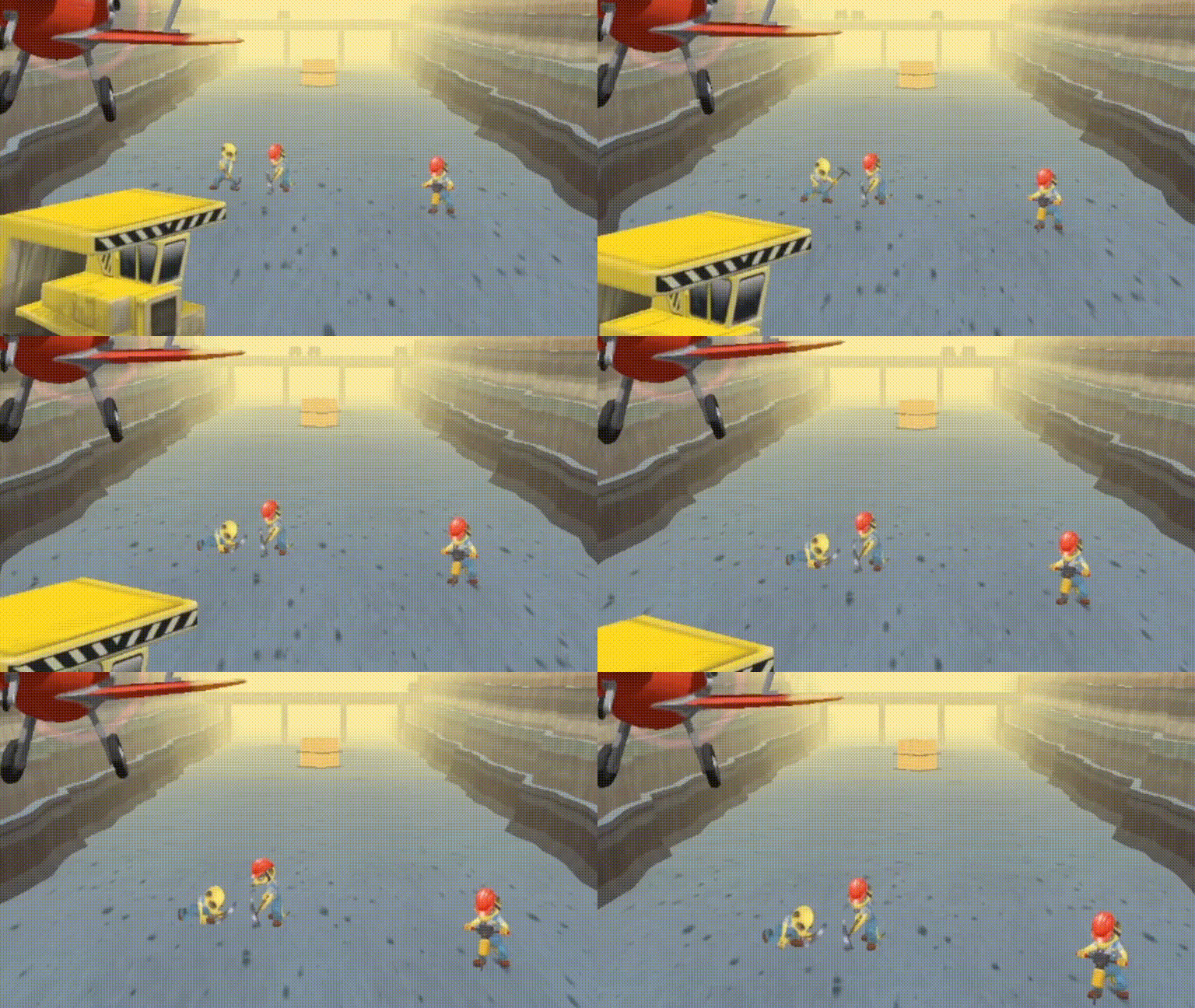
I spent a good portion of the last week to create a new background character for the mining level in Savanna Sam. The mine in the game is operated by a company run by meerkats. So, I needed a meerkat miner that would populate the level while Sam is traveling through it.

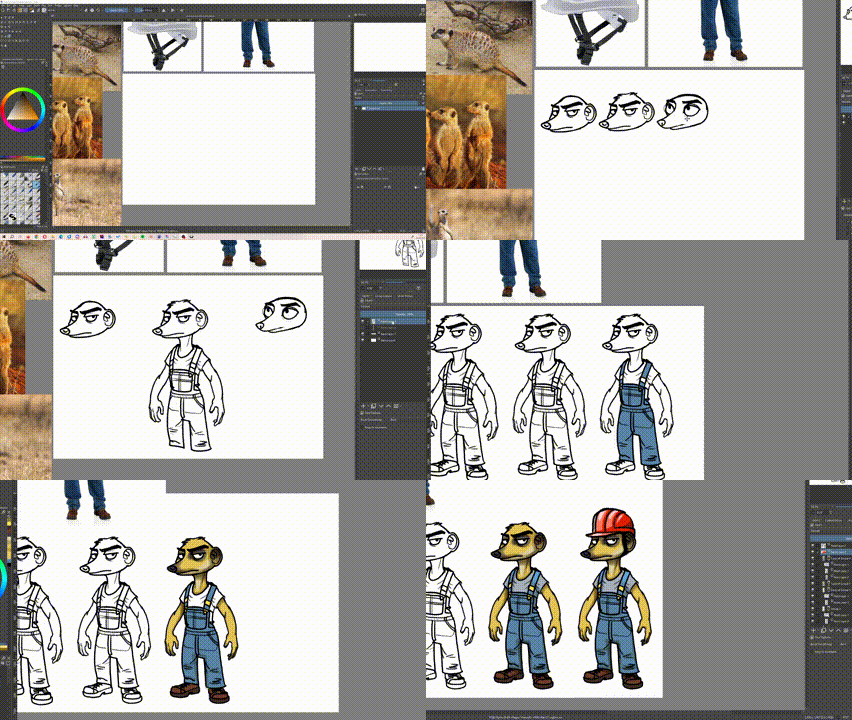
I used this opportunity to try and document even more of my process. This time, I recorded a timelapse of me sketching the meerkat miner:

Timelapse of the creation of the concept artwork for the meerkat miner in Savanna Sam

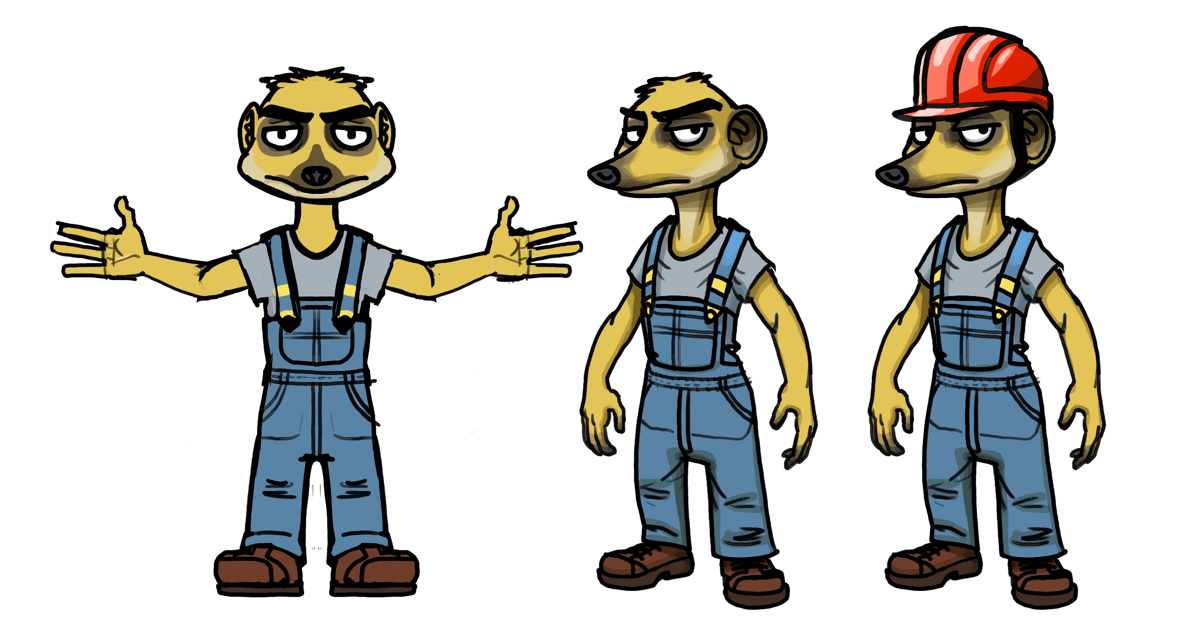
This is the resulting artwork:

Concept artwork of the meerkat miner in Savanna Sam, including t-pose

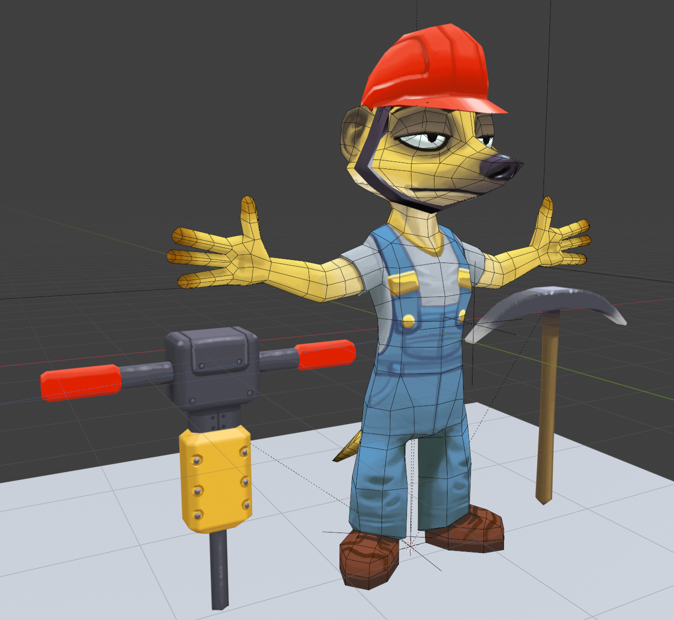
I then used this as a reference to model and texture the 3D model of the character:

3D model of the meerkat miner in Savanna Sam

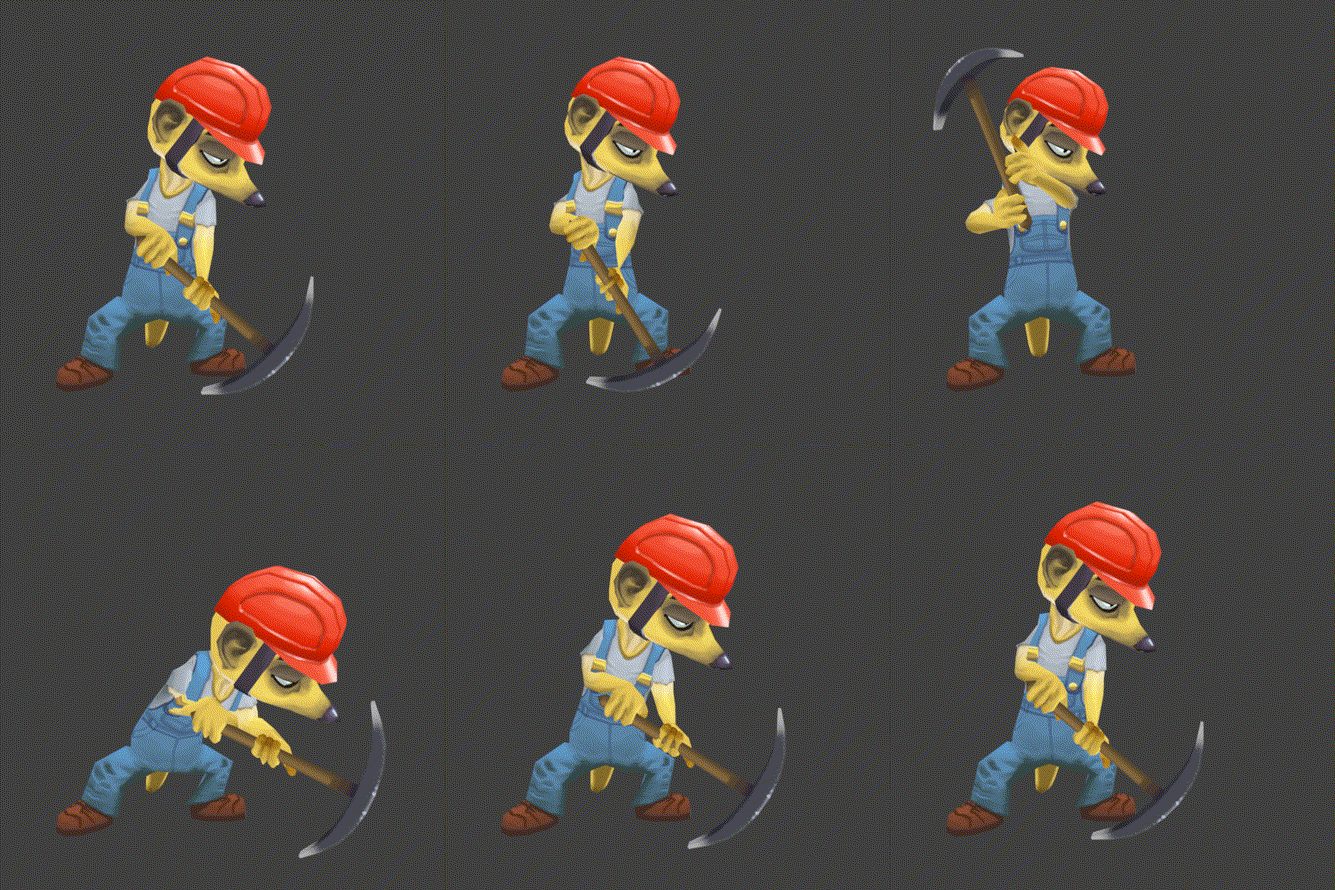
Of course, the model needs to be rigged and animated as well!

Animation of the meerkat miner using the pickaxe to dig in the dirt

And now, I can place these little guys all over the level:

The meerkat miners appearing in the game, performing multiple actions

I’m quite happy with the outcome, and I have once more learned a couple of things, especially in regards to rigging and animating. :-)

In my last post, I wrote about the surface mining level that I built for Savanna Sam. Currently, I’m working on the level following that one, where Sam actually goes underground!

Whenever characters venture into an underground mine, I have to think of a certain fellowship of adventurers ;-) As a Lord of the Rings fan, I want to have my own “they dug too deep” moment. However, since Savanna Sam isn’t taking place in a fantasy setting, having an ancient demon appear feels a bit out of place.

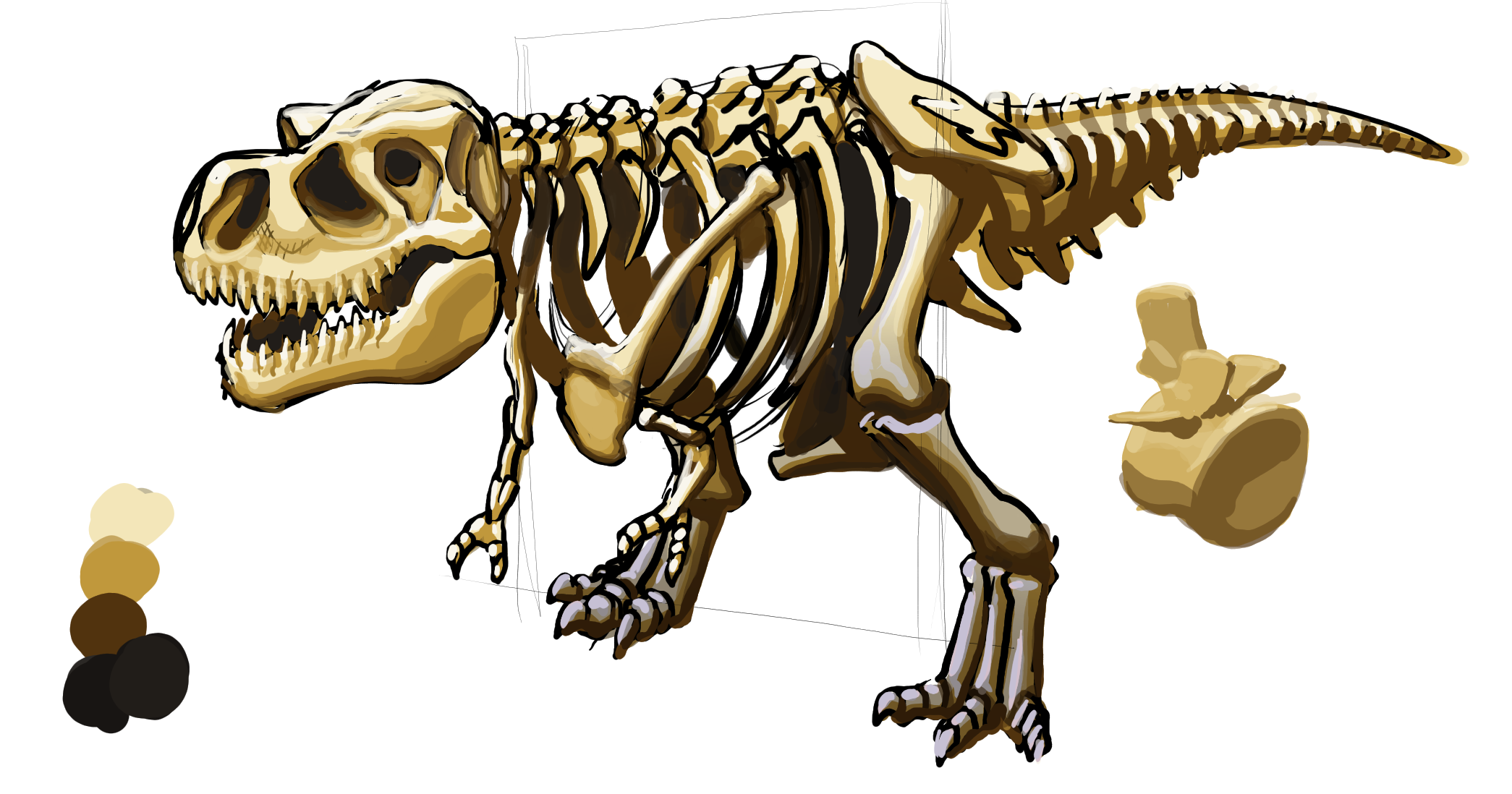
So, maybe the miners stumbled upon some bones of real animals instead. And maybe the skeletons, having been disturbed in their slumber, come back to life…

Concept artwork for the T-Rex skeleton in Savanna Sam

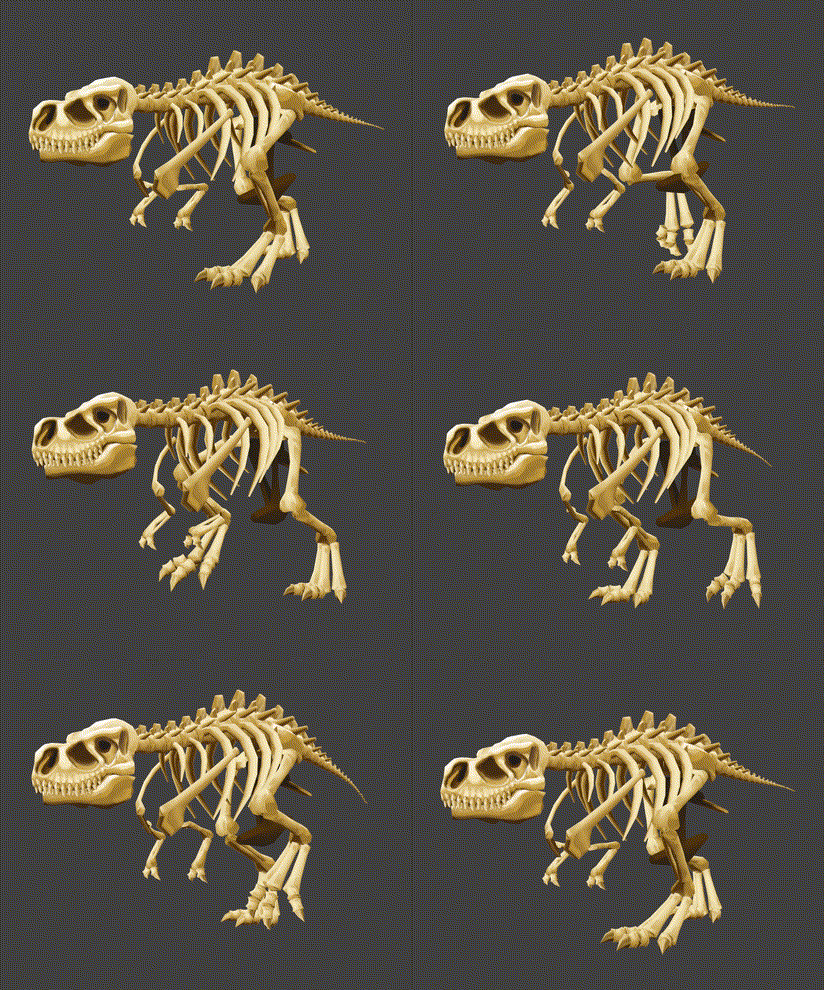
Dinosaurs don’t cease to be awesome, even when you get older ;-) Above you can see the concept artwork for the T-Rex skeleton. I have alreads modelled and rigged the character, as well:

T-Rex skelton walk cycle

Happy new year, everybody!

Good news, Sam is not dead yet! Due to other obligations, I had to put the Savanna Sam project on hold for a while, which is why there were no updates recently. However, I now have time to tinker on my little flying game once more, so the hiatus is over!

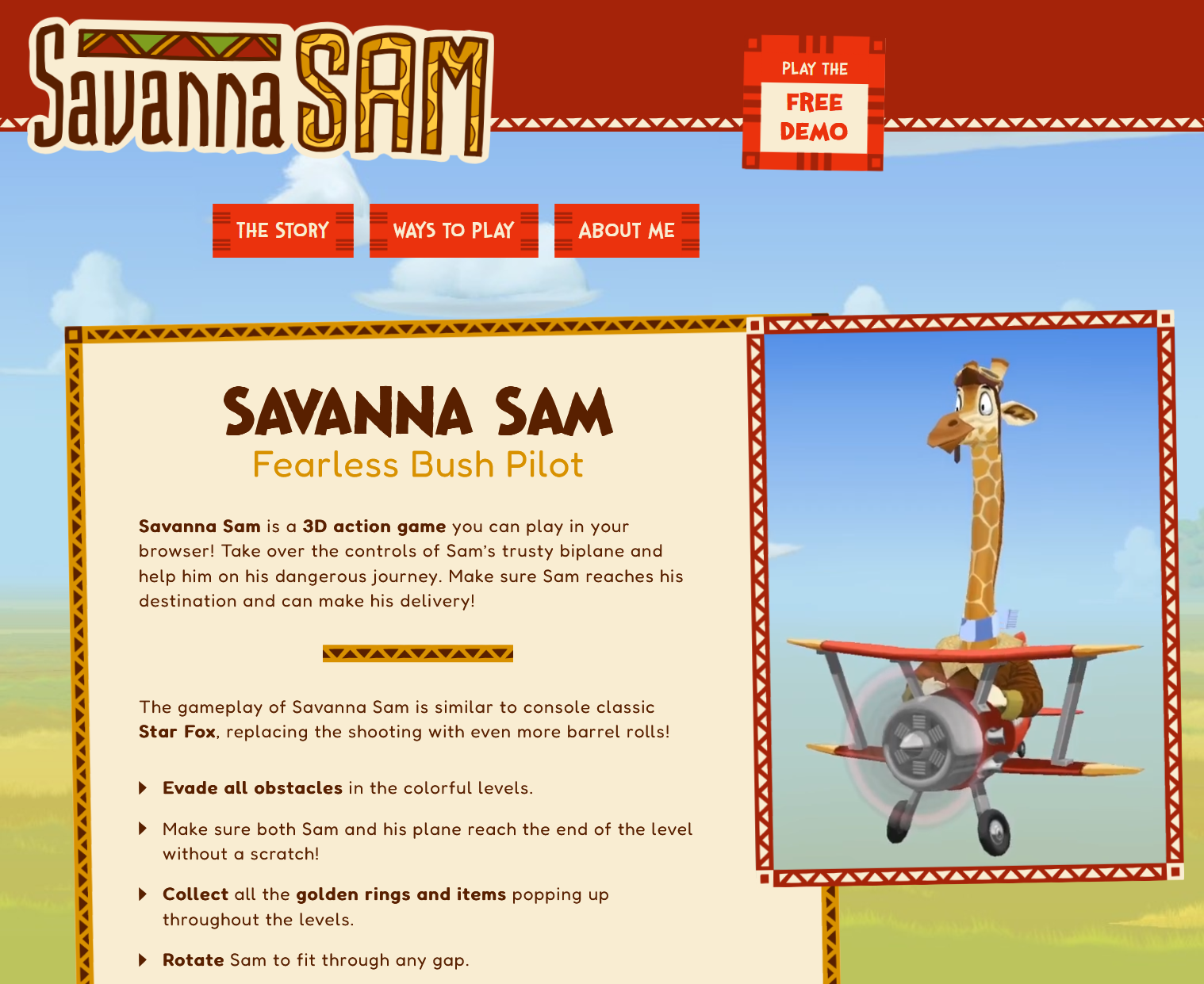
One of the things I was busy with recently was building a custom website for Savanna Sam! Next to itch.io and Newgrounds, this is meant to be Sam’s home on in the internet.

Preview for the Savanna Sam website

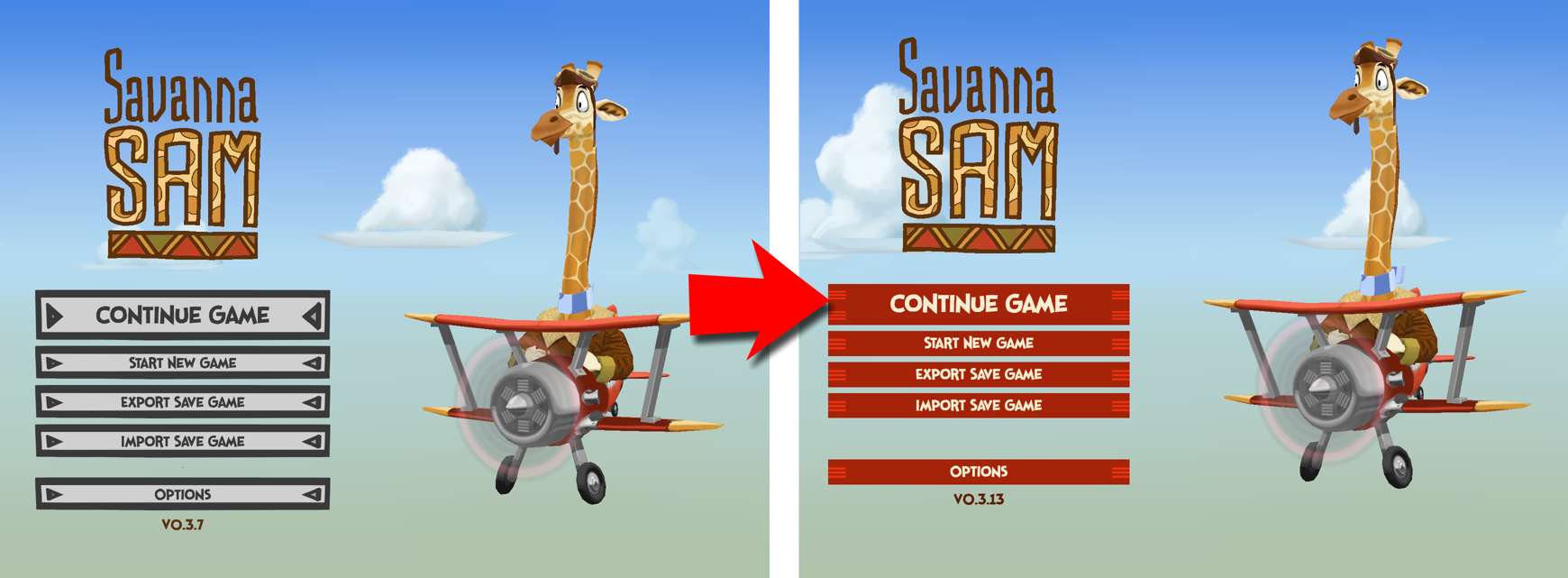
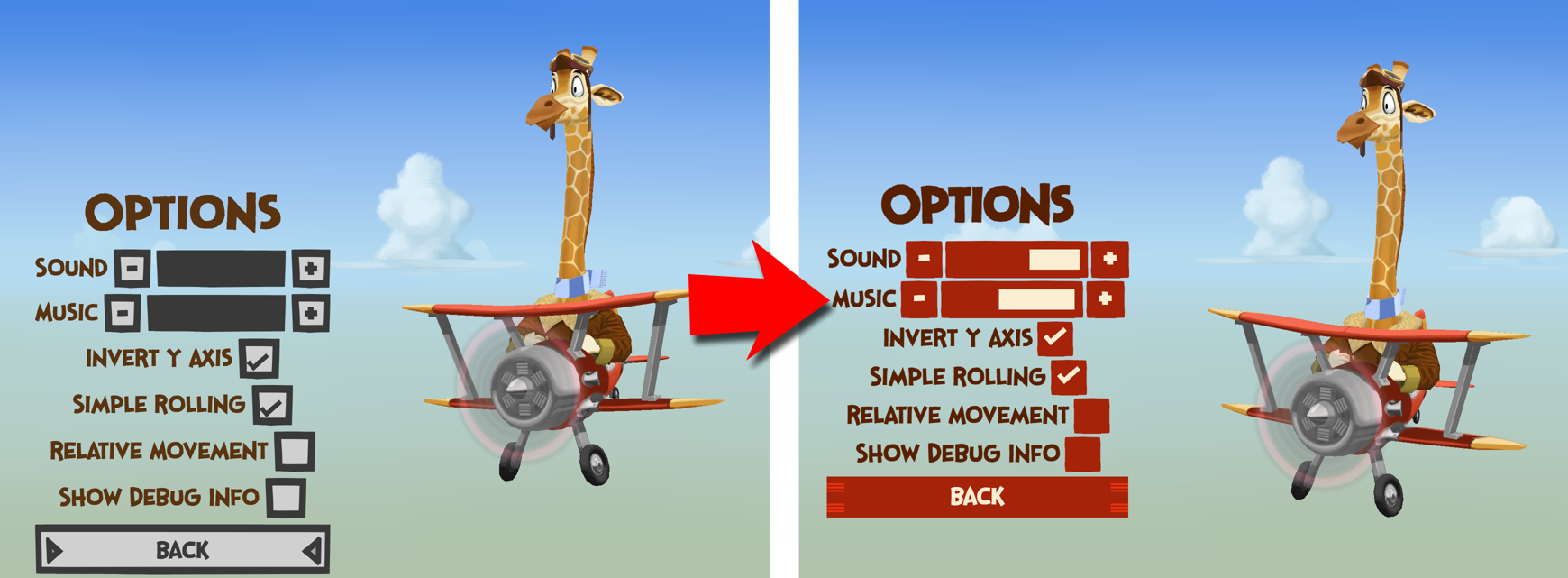
To get back into the groove with working on the game itself, I decided to do some housekeeping and adjust the UI design in the game to the design of the website. I wasn’t too happy with the grey buttons anyways, so this was a nice opportunity to give the buttons and UI elements an overhaul.

Updating the UI of the main menu Updating the options menu

I think the result is an improvement and fits the atmosphere of the game nicely.

I have reworked an aspect of the game that isn’t very spectacular at first glance, but pretty important: The input hints, teaching new players how to play the game.

Naturally, I want to communicate very clearly and in an easily understandable way what controls the player needs to use in order to play the game. Also, I originally wanted to hint at the fact that there are several different input devices that the player may use, like mouse and keyboard, gamepad or touchscreen.

What I came up with was this: One of the original tutorial screens for Savanna Sam

What you’re looking at here is a modal window that is displayed on top of the game.

  • The game itself is paused for as long as this tutorial screen is visible and continues once the player confirms with the OK-button.
  • The input device currently used by the player is highlighted within the window, so if, for example, you’ve been using mouse and keyboard to play the game so far, then that input hint is shown front and center, with the respective text description.
  • Additionally, you can see on the right side the input scheme for the same action on the other input devices.

I thought I was in pretty good shape with these, but further play tests with friends an colleagues have shown what probably should have been pretty obvious from the start: These tutorial screens are quite awful :-P

  • By using a modal screen, in some cases even during gameplay, I interrupt the game and take control away from the player, which is always unpopular
  • The graphics are too complex, especially the keyboard illustration has too many details that are not important for the player
  • The additional possible input devices are irrelevant to the player in that moment, who very likely just wants to know what to do on the very device they’re using right now
  • I thought the text description below the graphic was short and snappy enough, but I still underestimate how little patience players have when they just want to play a game

The result was that in most cases, players didn’t look or even read what the tutorial screen showed them. Instead, they perceived the screen as an intrusion, trying to remove it as quickly as possible, sometimes while ignoring the hints completely.

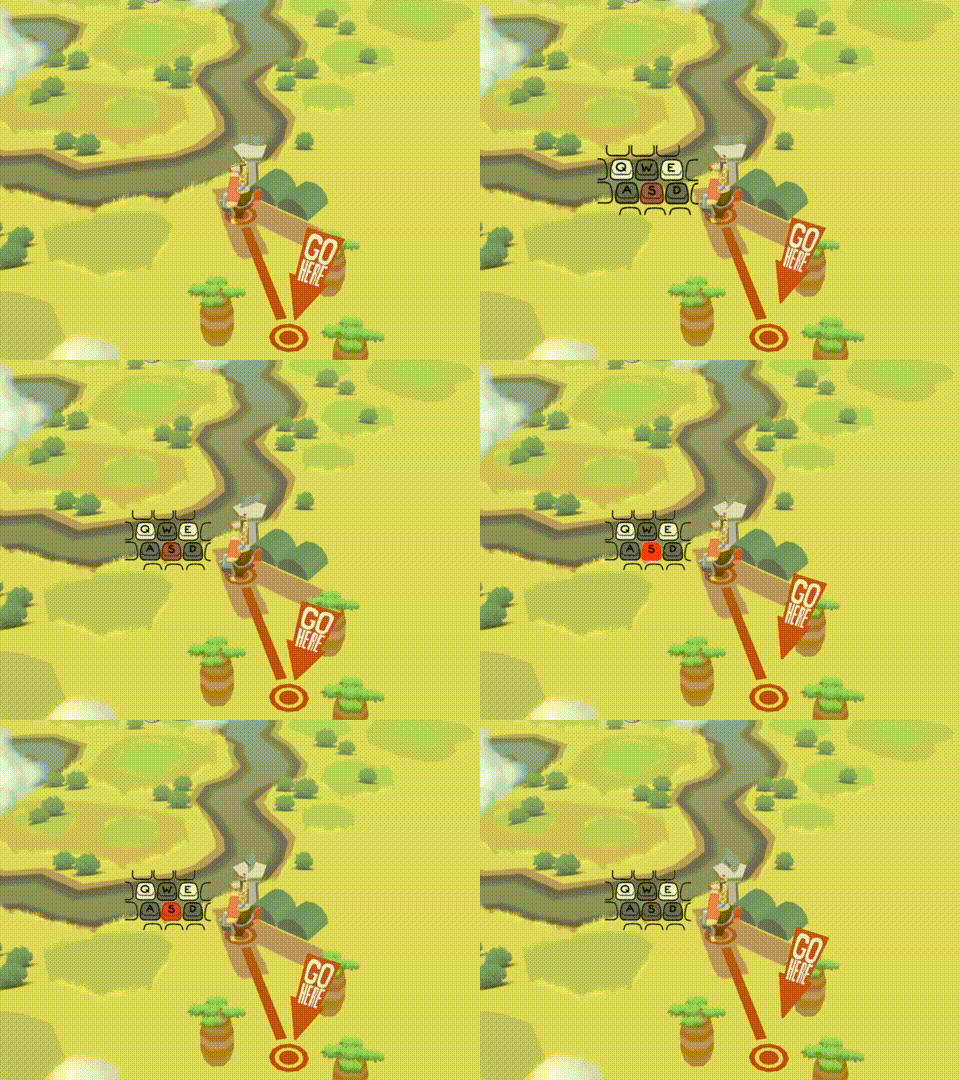
So I reworked the input hints, making them much simpler and more intuitive:

New input hints in Savanna Sam

  • The game is not interrupted anymore,
  • the hint graphics are much simpler now
  • and on top of that, they are now animated

Again, it seems obvious in hindsight ;-) Hopefully, this will work better in the next playtest.

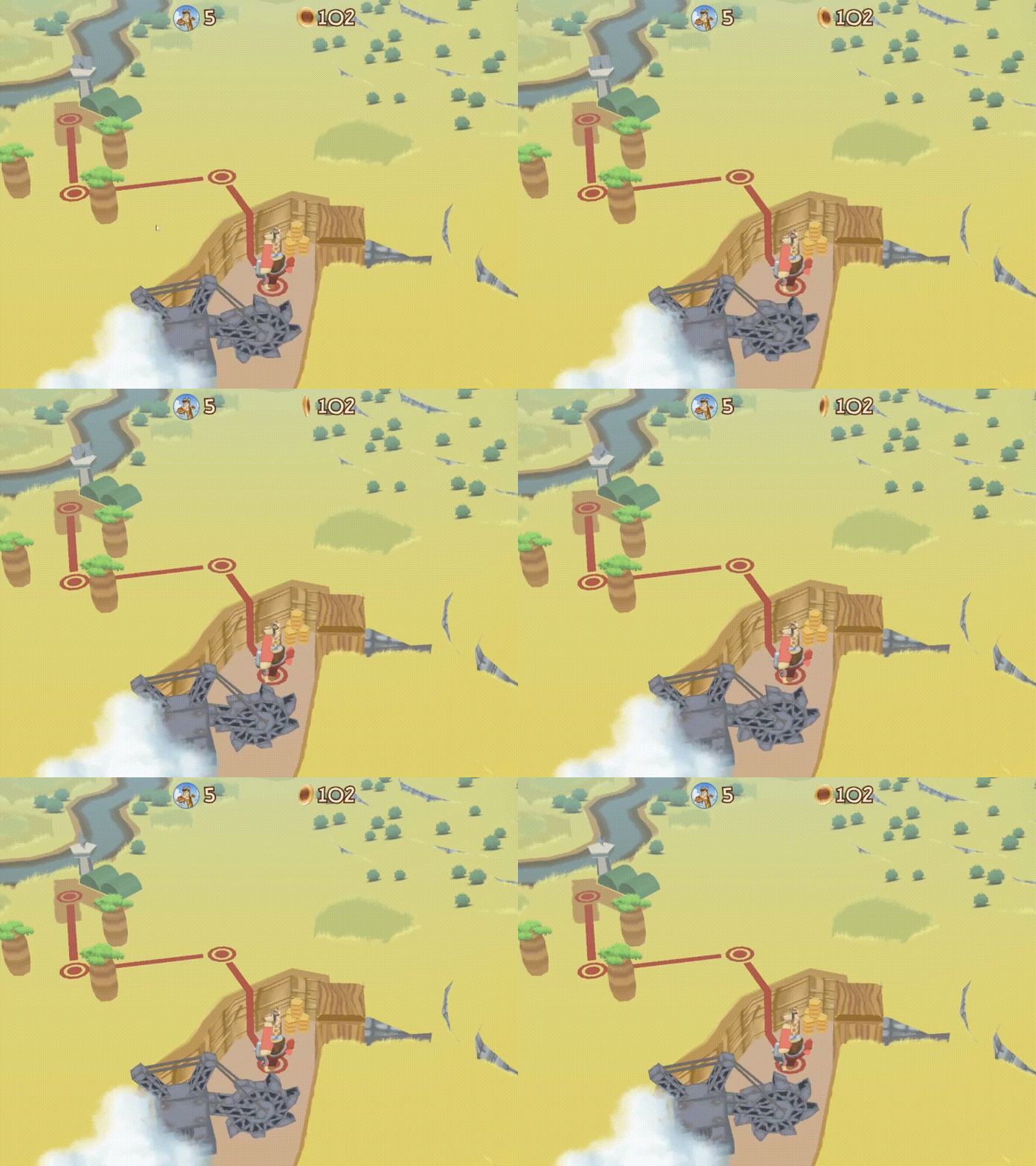
This was somewhat spoiled in my last post, but there is a new, very visible feature in the game: The overworld graphics have been overhauled!

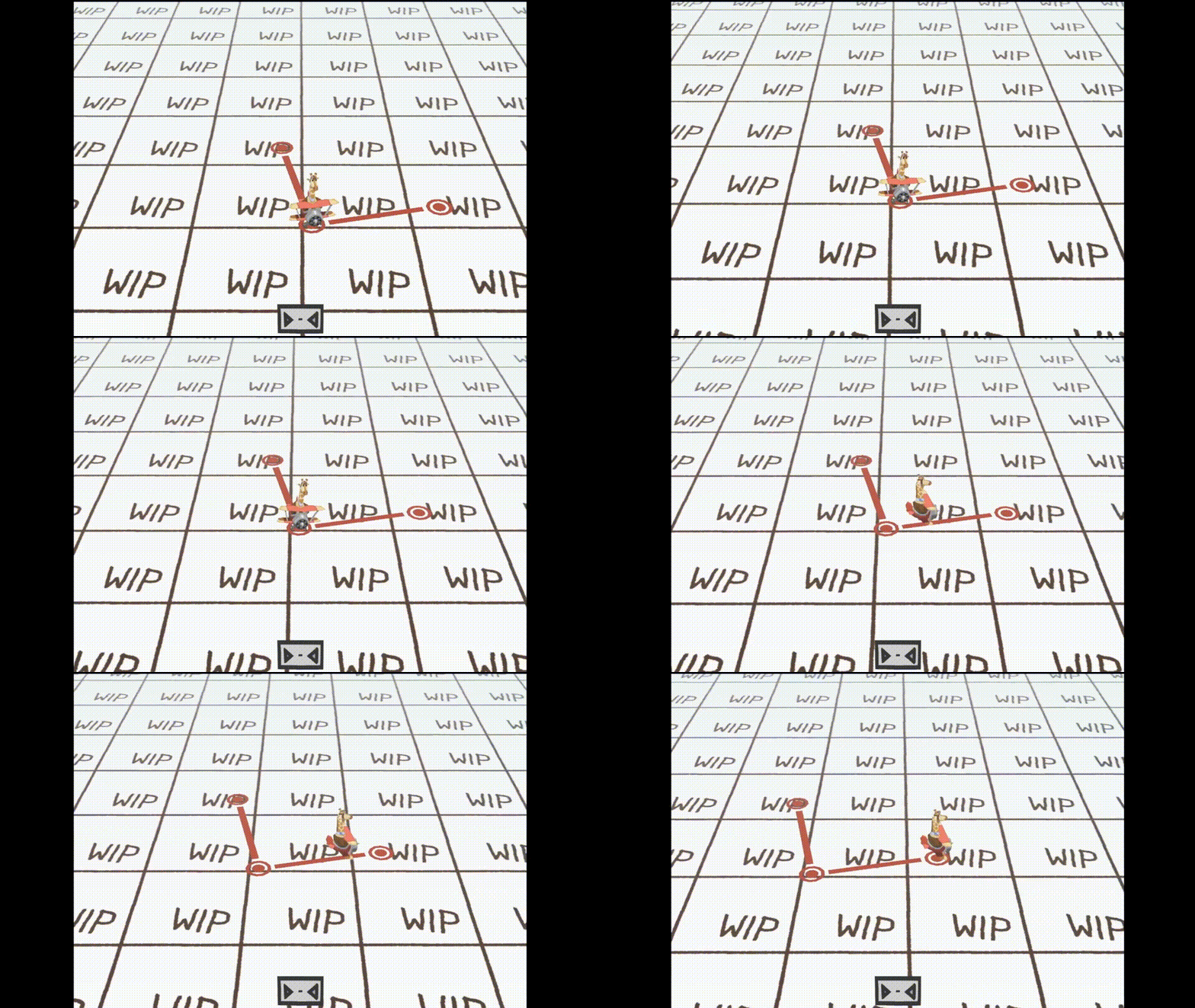
So, Sam is not traversing a white “work in progress” void anymore:

The old overworld in Savanna Sam

Instead, Sam is now flying through an actual Savanna, with 3D objects hinting at the respective themes of the levels:

The new overworld in Savanna Sam

This is another step that makes the game feel that much closer to not being a prototype anymore.

(1 edit)

And another element of the game is seeing an overhaul: the screen that appears after you have finished a level!

Before, this was what the player would see when they made it through a stage:

Savanna Sam old level end screen

I have reworked this entire screen and added a new design and more informations that are shown to the player.

Savanna Sam new level end screen

Along these changes I have added a star rating that shows the player how well they did in the level.

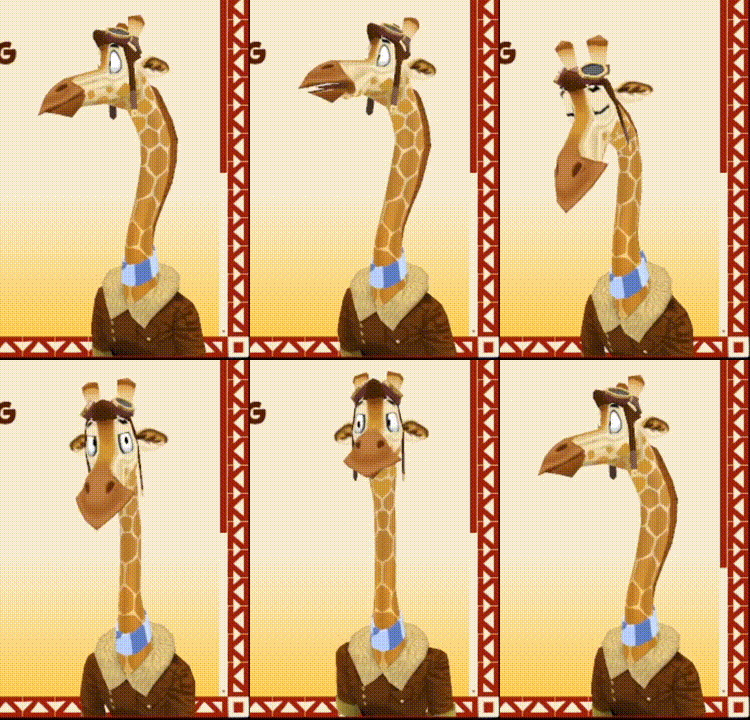
On top of that, Sam himself is joining you in the level end screen and reacts to your performance. Sam has a couple of animations ranging from disappointment…

Sam being disappointed

…to approval!

Sam approves!

Trying to get three stars on all levels gives the levels some replayability, and seeing Sam cheer you on gives you some nice additional motivation!

(3 edits)

I haven’t posted much in the past weeks, but I was still quite busy. I plan to (finally!) release the demo for Savanna Sam in the coming weeks, which means I’m currently occupied with, among other things, setting up all the shop pages for the game.

One of those is the itch.io page for Savanna Sam, which is coming together bit by bit. However, there are more places I want the game to be available, one of them is… Steam!

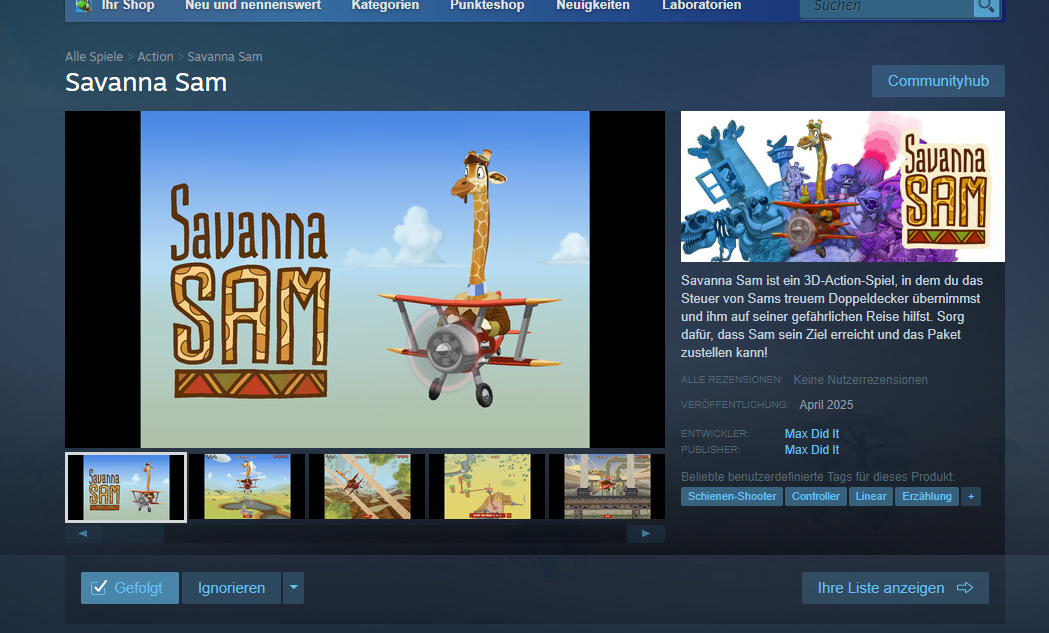
The shop page for Savanna Sam on Steam went online recently.

Savanna Sam Steam shop page

Check it out:

https://store.steampowered.com/app/3038250/Savanna_Sam/

You can already follow and whishlist the game on Steam. The Steam-Version of the game is integrated with the Steam API and will feature Steam achievements!

I’m quite excited to see my game have a presence on one of the largest gaming online marketplace in the world. Let’s see if it will have any effect. ;-)

(+1)

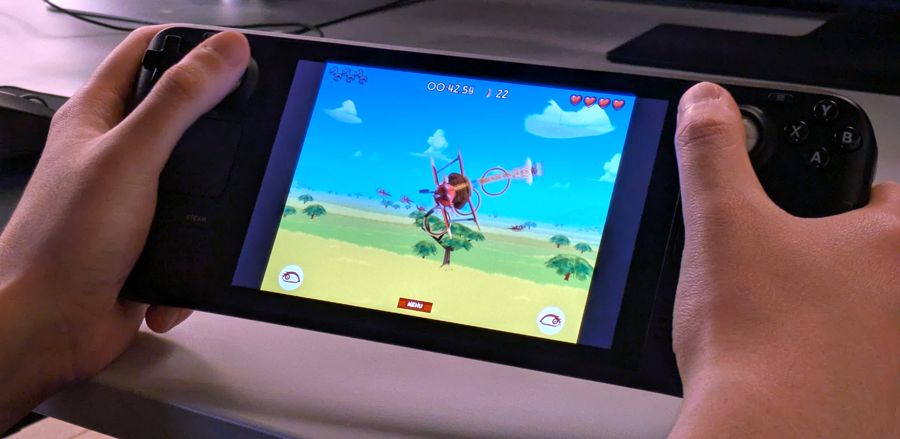
One more thing that is neat about releasing a game on Steam: There’s a chance that it will run on the Steam Deck, as well!

I’m using Electron to bundle the Savanna Sam web game as an EXE file for Windows. I then upload those to Steam.

At first, I assumed that I had to configure Electron to create a Linux build of the game on top of that in order to run on the Steam Deck, since the device is running Valve’s own Linux distribution.

I was so happy when we gave the existing Windows version a go on a collegue’s Steam Deck just on a whim and it simply ran out of the box!

Savanna Sam running on the Steam Deck

Apparently, the Windows emulation on the Steam Deck is really good! No further preparation or tinkering on my side was needed to run Savanna Sam on there with no apparent issues.

(1 edit)

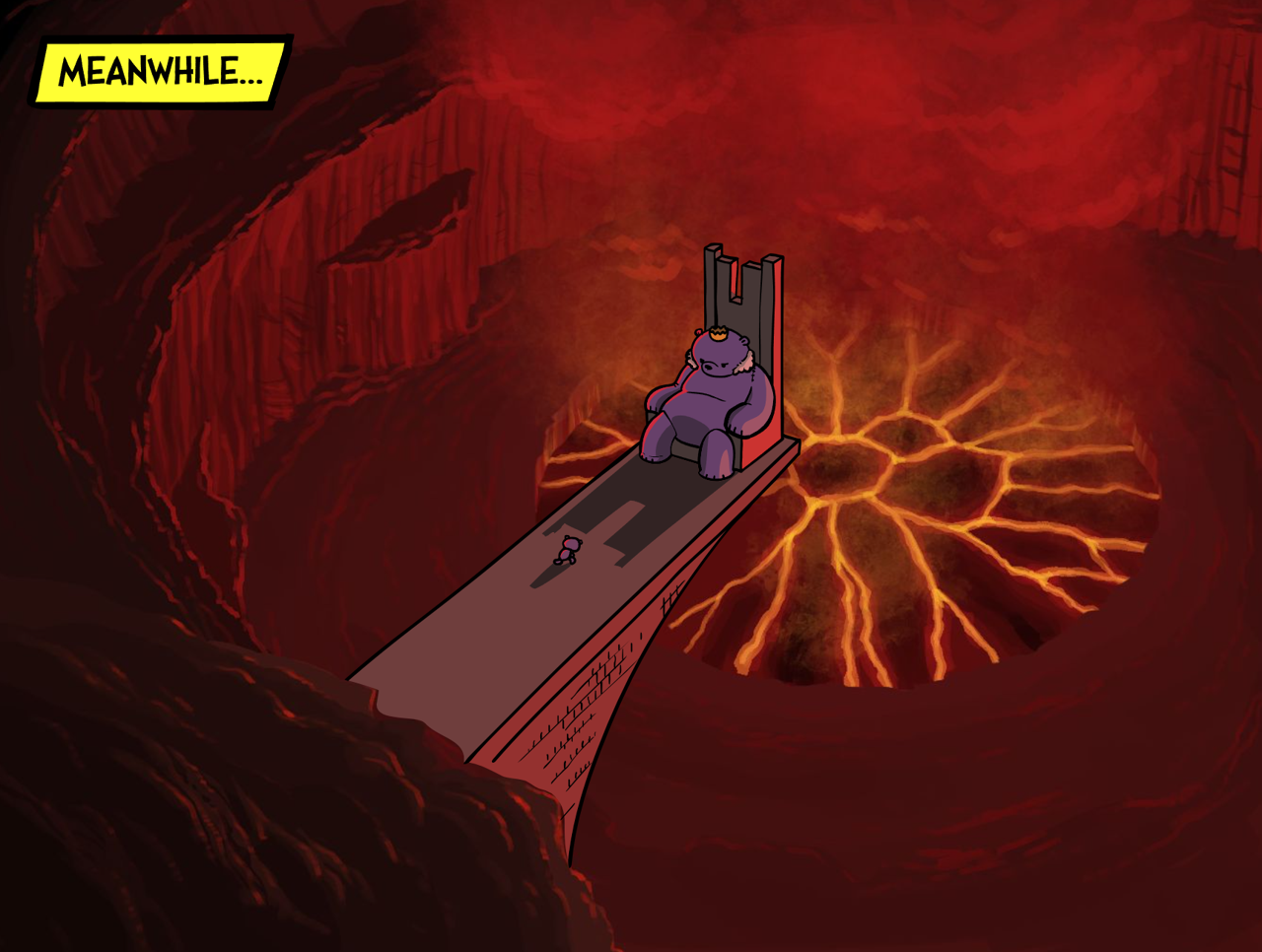
The most recent cutscene I have drawn for Savanna Sam is where we meet the main antagonist of the story for the first time: The Teddy Bear King!

Savanna Sam Cutscene

I like how different the location looks to anything that the player has seen in the game up to this point. And I like the contrast between the dark volcano and the whimsical sounding “Teddy Bear King”.

You can see the entire cutscene on my Patreon page!

For the longest time, I didn’t plan on using any real time lighting in the game, let alone let the objects cast shadows.

Instead, I wanted to push the comic look of the game by painting any shading and shadows into the texture maps. Also, this was meant to improve the performance of the game by keeping the graphics calculations to a minimum.

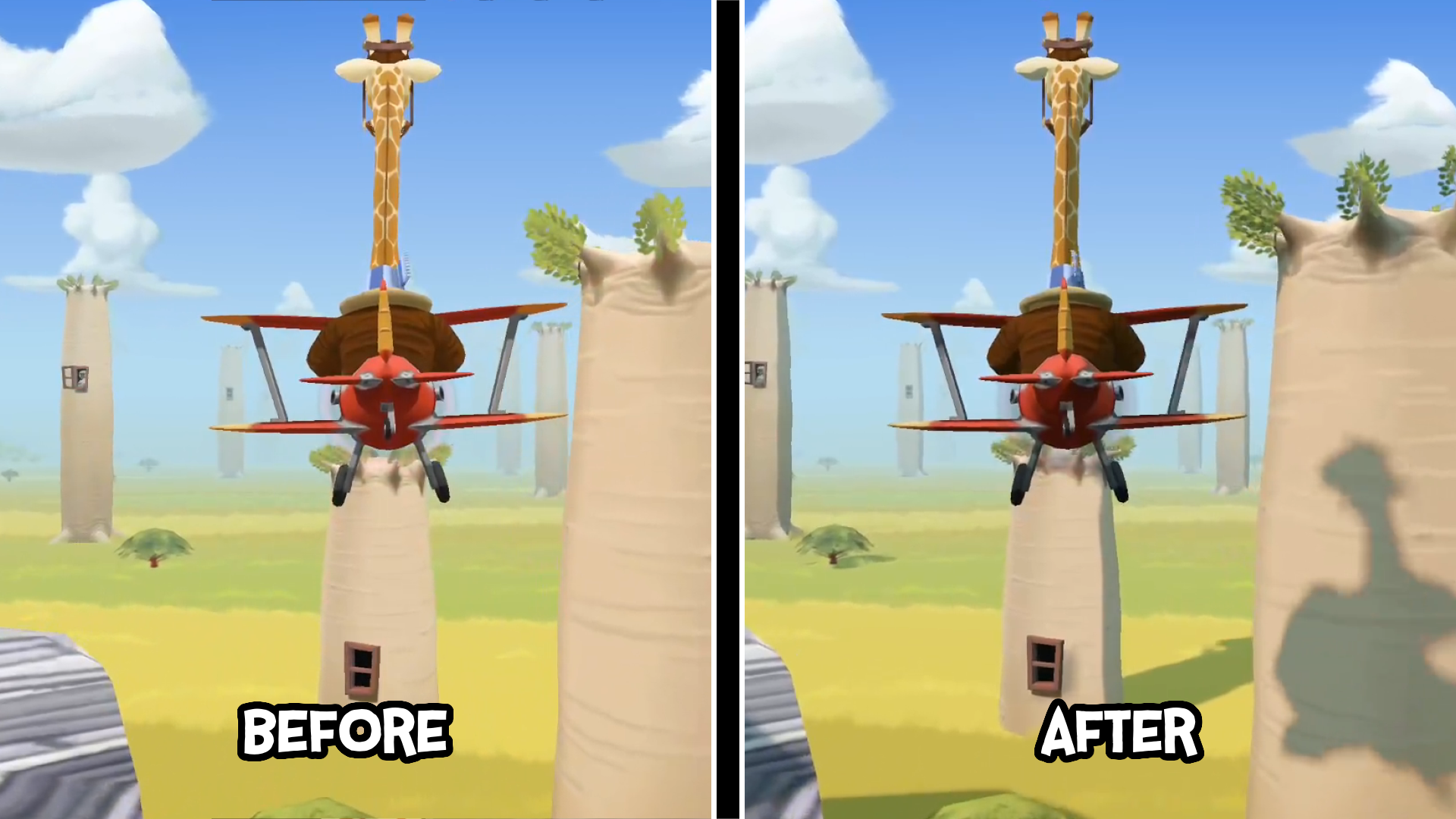
The problem was: Having no shadows made it significantly more difficult to estimate Sam’s distance to any of the surrounding objects. Due to constantly testing the game, I myself got used to this at some point. But recently, several friends who tried the game reported that they often didn’t know whether they had passed an obstacle or not.

One of them suggested that having Sam and the obstacles in the game cast shadows could make recognizing where Sam was in relation to other objects much easier.

So, I bit the bullet and implemented real-time lighting and shadows into the game. This involved more than just flipping a switch in the code:

  • I had expand the custom shaders I used up to this point to support normals, lighting and shadow maps,
  • I had to implement more granular settings for the level objects so I could control which of them would cast and/or receive shadows,
  • and I had to keep an eye on whether the game would still run on phones and tablets.

Savanna Sam, before and after adding shadows

I think it was worth it: I feel that not only does the game look much nicer than before, the shadows do help with navigating the levels. And as far as I can tell, I kept the performance hit to a minimum.

You can see a video of the new graphics in action for free here: https://www.patreon.com/posts/127234056

(+1)

Love this.

Thank you! Hopefully, I will be able to release the demo next week! :-)

Sam is one step closer to being released on the Google Play Store!

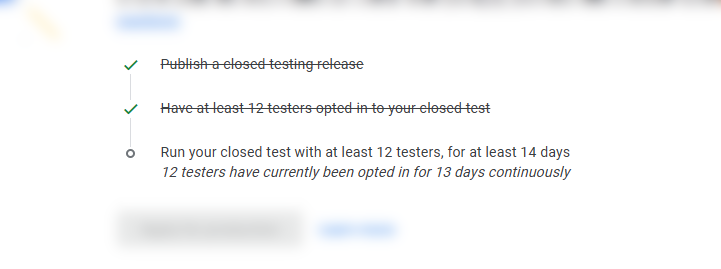
There are a couple of hurdles you have to take if you want to release a game to the Play Store. In one of them, Google requires that your game has been tested for 14 days by at least 12 people.

The testing phase of Savanna Sam almost done in the Google Play Store

The test version of the game is published to the testers through Google Play as well, that way Google can check how many testers have the game installed on their devices.

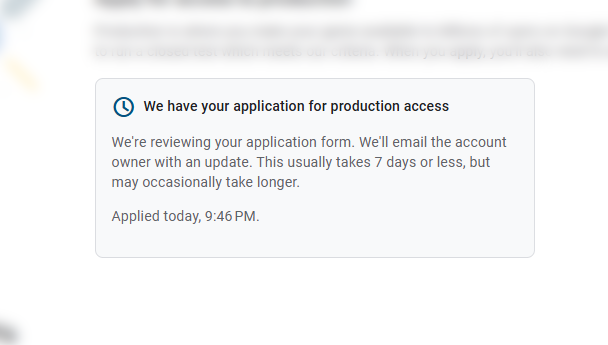
Thanks to the awesome help of my friends and coworkers, I was able to clear that goal today and apply for production:

The production application of Savanna Sam send in the Google Play Store

I hope Google will be gracious with the game on the homestretch. ;-)

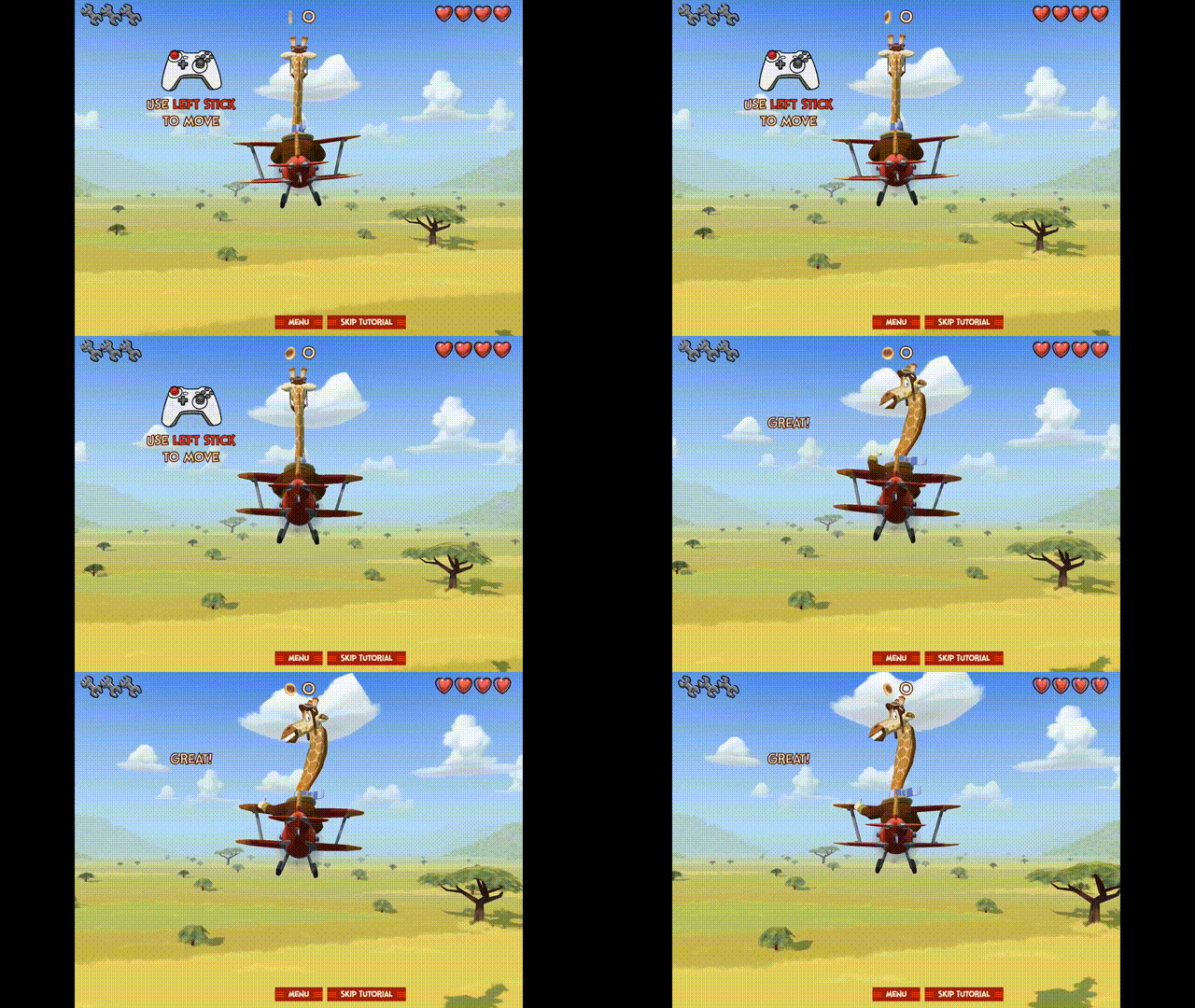
One last minute addition to Savanna Sam: a dedicated tutorial level!

Savanna Sam in the new tutorial level

Until now, the game already would show you what controls you need in order to play the game. However, the tutorial level gives a little bit more space to test out the controls before throwing you into the deep end.

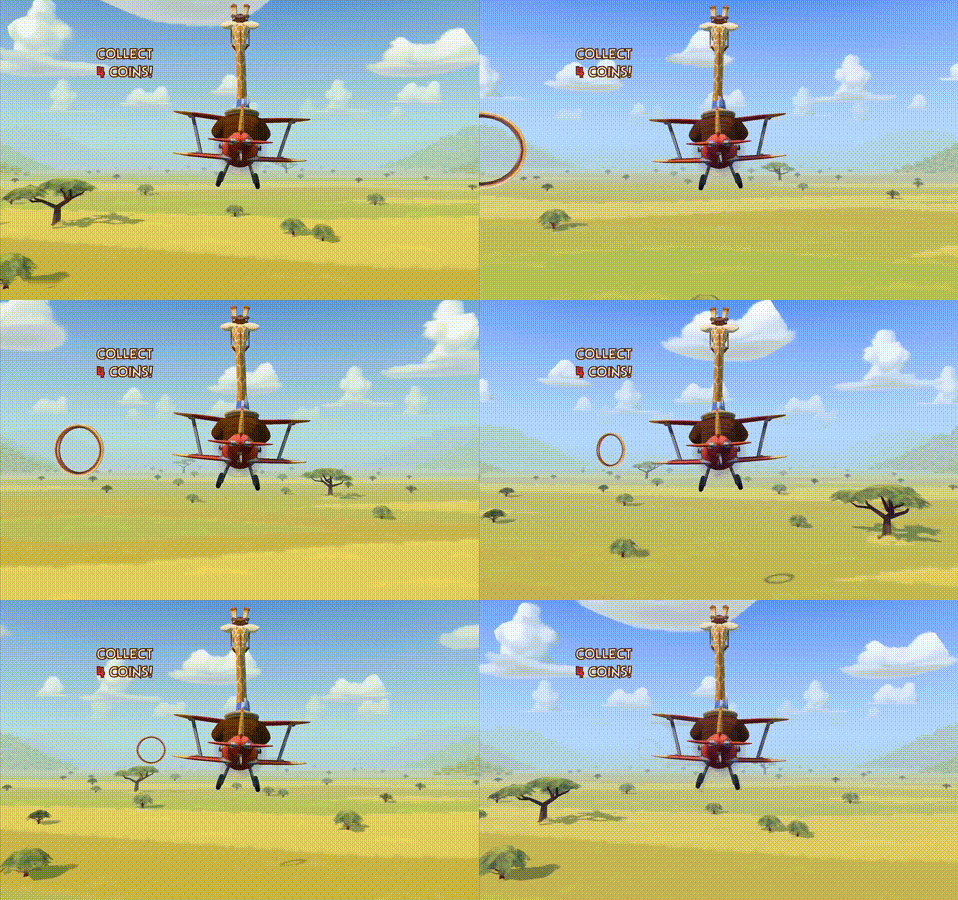
Neat detail: The tutorial level is the first “endless” level I have added to the game.

All story levels up until now have been built in the editor and will always follow the same path. However, since I don’t know how many attempts a player needs before they successfully collect the respective item, I have added a mechanic where a level will just dynamically repeat certain chunks and objects.

An endless level!

Right now, this technique is only being used in the tutorial.

But it opens up the possibility of adding actual endless arcade levels, where the player doesn’t have to reach the end of the level but try to survive as long as possible, with the level getting harder and harder the longer it continues.

That will be considerably more work on top of this, though. For now, I’m happy with my tutorial level.

Viewing posts 21 to 40 of 41 · Next page · Previous page · First page · Last page