Indie game storeFree gamesFun gamesHorror games
Game developmentAssetsComics
SalesBundles
Jobs
TagsGame Engines
A jam submission

Lombard JumperView game page

Precision platformer prototype & level editor
Submitted by E. Lowell (@838_LWL) — 2 days, 23 hours before the deadline
Add to collection

Play game

Lombard Jumper's itch.io page

Leave a comment

Log in with itch.io to leave a comment.

Comments

Submitted(+1)

Didn't seem to work on my Bluefin Linux machine. It gave this error:

> ./ljumper: error while loading shared libraries: libSDL2_mixer-2.0.so.0: cannot open shared object file: No such file or directory

I set LD_LIBRARY_PATH=., but then it complained about missing libjpeg. Static compilation ought to work better.

(Good filename for the readme!me!me!)

Developer

Hello. I didn't know it was possible for bash to ignore libraries in the same directory as the executable. Static linking would probably fix that so I'll look into it, thanks.

Submitted(+1)

I was able to play the Windows version through Wine. I liked the rhymes but am bad at jumps!

Submitted(+1)

- No tutorial
- Jumping physics are really weird, it's really hard to control the character
- I'm sorry I got frustrated really fast
+ Game doesn't crash

There doesn't seem to be much to the game right now so it's hard to say more

Developer

Hello. Thanks for playing, I'll work on the movement.

Submitted(+1)

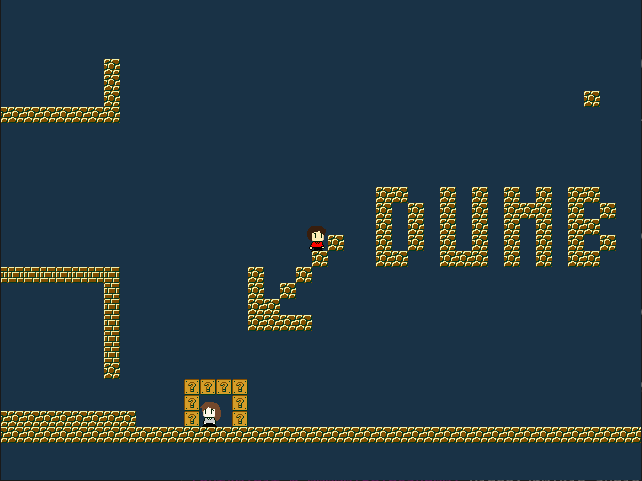
The sprites remind me of cave story which is appreciated. Bouncing off the walls with the sword is a fun mechanic idea. This may be a personal preference thing but the controls/acceleration feel extremely floaty to me. I wasnt able to get the block placement to work, i can bring up the cursor but 1/2 dont do anything and left click only removes blocks. maybe im missing something.

Its a nice prototype! could definitely make some fun levels with this with some additional block types

Developer(+1)

Hi.  It's a pretty early prototype and the level editor is still rudimentary. I tweaked the acceleration values a bunch of times and I'm still not sure how to get it right. I think it depends a lot on the kind of level design you're going for, so I'll see it as I go. The main point of the demo is the level editor: in short, there's only 5 tiles types, the first two are null tiles, which means they remove a present tile (why is there two? dunno); the last one is an invisible wall, which might cause some problems if you use it thinking it's a null tile. You cycle through them by pressing 1 and 2 (which I will probably change later). Maybe I should put all that in the readme. Thanks for playing!