
Indie game storeFree gamesFun gamesHorror games
Game developmentAssetsComics
SalesBundles
Jobs
TagsGame Engines

Memao Sprite Sheet Creator

Build your own pixel characters using ready-made art. Customize and export in seconds for any project. · By Sleeping Robot Games, Memao, TheSleepingRobot

Creator Suggestions Sticky

A topic by Memao created Apr 03, 2025 Views: 5,485 Replies: 183
Viewing posts 21 to 40 of 70 · Next page · Previous page · First page · Last page

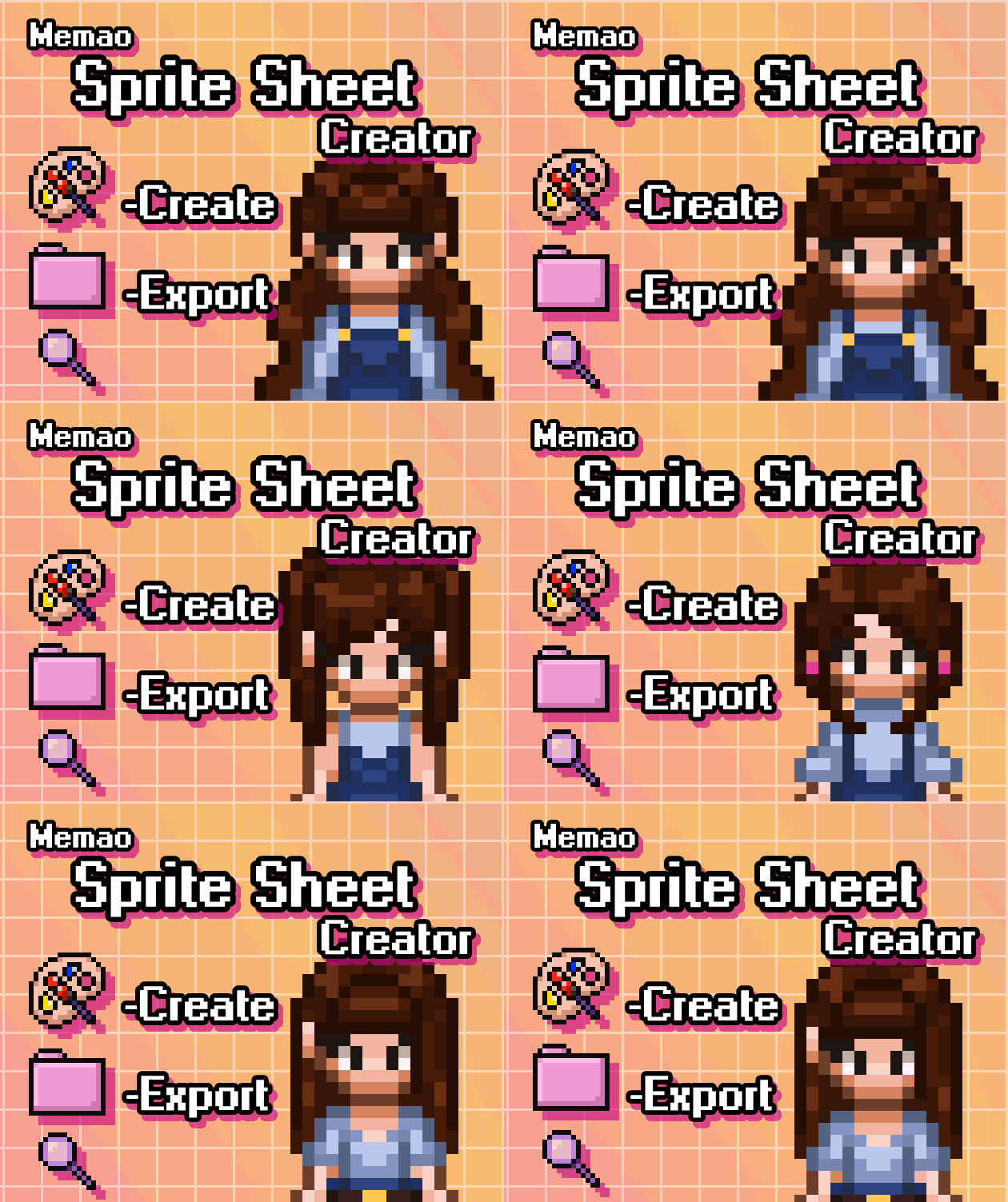
A regular ponytail would be great.
Developer

Definitely! I meant to have it in the og selection but never got around to it. I'll add one to the upcoming animation update if I have time or in the next customization update!

Developer(+1)

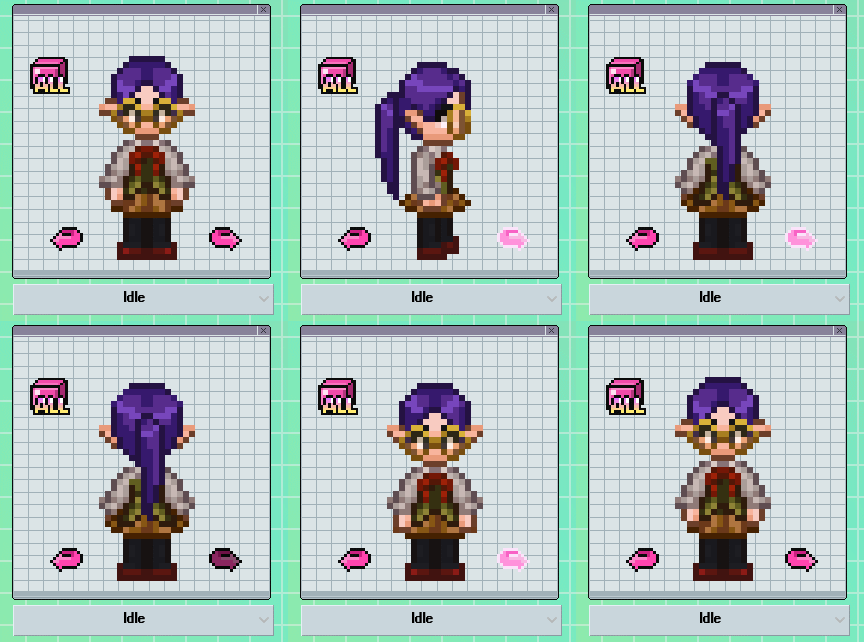
This ponytail will be including in the upcoming animation update! Thoughts? I will probably add lower and short ponytails eventually.
(+1)

It looks great!! 

Hi,

Thank you for the plugin, it looks great!

If possible, I'd like to:

- be able to make the character older (e.g., add wrinkles) or younger (e.g., make the sprite smaller)

- be able to add a headband for the hair

Also, I would like the sprites to be downloadable in RPG Maker MZ format (which I think is coming).

Thank you very much for helping me create a game that is close to my heart!

Developer

Thank you for the suggestions! I'll add wrinkles and headbands to the next customization update. For actual body variations, those would come after I finish all animations for this body type. And yes, we are currently working on RPGMaker compatibility! 

The walking animation cannot fit into slow walking, i cannot fit the characters into a strolling animation because even walking looks like running, Even if i slow them down to fix their steps(this would work but it feels like they are in slowmotion now).

Developer(+1)

Sorry about that! Yeah, it's a more determined walk. haha
I'll see if I can play around with it or make a more relaxed stroll walk style to add at some point.

Thanks! Wish you all the luck in the world!

I love this tool alot! I bought it to use for use as icons on foundry, but I was wondering if there could be more like accessibility stuff like canes? one of the characters in the campaign uses one and occasionally a wheel chair and I'd love to be able to reflect that! Again this tool is amazing and I will definitely be using this regardless!

Developer

Thank you so much and I'm glad you love the tool! I will be sure to add a cane and a wheelchair for you in a future update (tho no eta on that atm)!

I can't see where this was requested anywhere else yet, but, if I can ask - could we get neckties?

This is an incredible tool, by the way; you saved our team a ton of time during rapid prototyping.  Thank you!

Developer(+1)

I'm glad the tool is useful! I am currently playing around with neckties and hopefully will have them ready for the next customization update.

(+1)

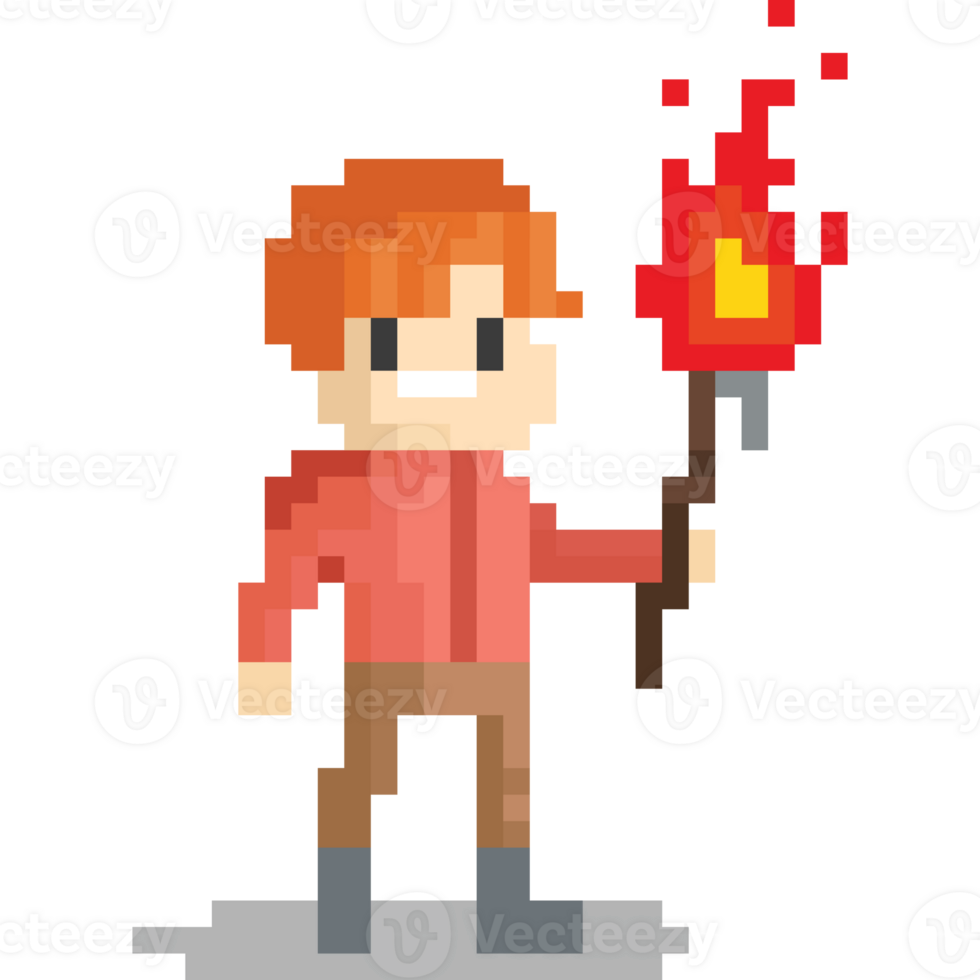
Hi, this tool is amazing! I don’t know if you’re planning to add later an animation for holding things like torches, it would be awesome to have something like that. Thank you so much!!

-reference img-
Developer(+1)

Are you looking for torch holding that include the Idle, Walk, Run animations? Thanks for the suggestion, I'll add it to my list! 

I second this! I think it would be a awesome addition for walking, running, and idle with a torch!

(3 edits)

Hi!

Thank you so much for the update that integrates RPG Maker, it's amazing! 

I have a couple of questions. First, I need to create black and white characters for my 1-bit game. 

I can't get rid of the pink pixels near the eyes without using an external software. And also, is it possible to add an option to add an outline around the character? I'd like to add a white outline around characters since my game is mostly black.

Example of one characters where I'd need an outline.
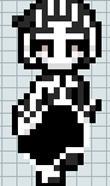


My second question is regarding the faces and haircuts available.  I'd need to create a character close to the one below (and in black and white to add on complexity). It would be great to have different face shapes available including a more elongated  one, and ideally a similar haircut as the man be low as well.
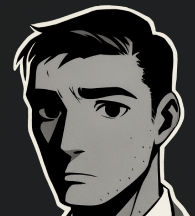


Third question, I think someone already asked but I'd love to alter the character size to make children. Is it planned?

Thank you very much!
Developer(+1)

I will work on updating the eye palettes so you can fully adjust all colors!
At this moment, I am not sure  how to add an outline to the creator but I will look into that.

This is just a rough attempt on the hairstyle but how does something like this look? I also raised the eyes up on the left sprite which kind of gives the illusion of a longer face? I could add some higher eyes if that works for you! At this point I am not sure when or if I will get into head shapes. After I finish all the animations for this body type, I would like to add different body types (which would include shorter sprites for kids). 
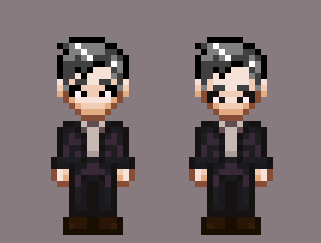
Thanks for the quick answer! That looks amazing, I think that would be close enough and work! I'll need to test it in black and white though. Will you include it in the next update?

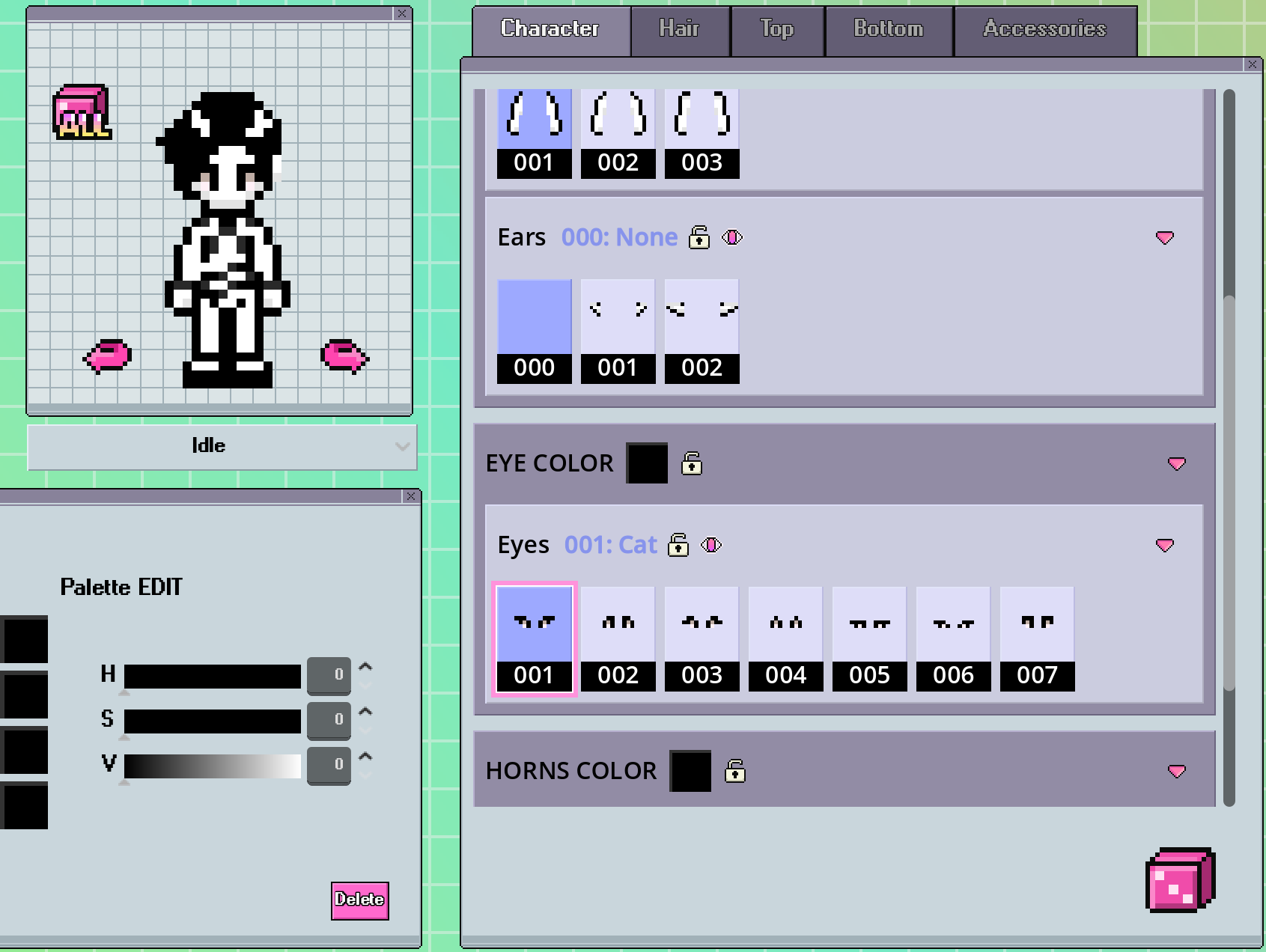
Also, I couldn't find more options for the eyes color. My palette is fully black and white but I still see the pink pixels.


Developer (1 edit)

I will work on this hair and have it ready for the animation update (might be next week!). It may be split into 2 hair sections (Bangs and Side Hair), so I'll let you know what the combo is if I split it! 

For the eye colors, the whites of the eyes are currently hard colored (because it would mess up the universal palettes for like pants or hair). I will need to do some rearranging with the palettes and recolor the sprites first! I'll also aim to have that done for the next update.

Edit: Would you also like an ear option added that includes an outline? 

Hi,
That would be great thank you and the ear option with the outline sounds amazing!

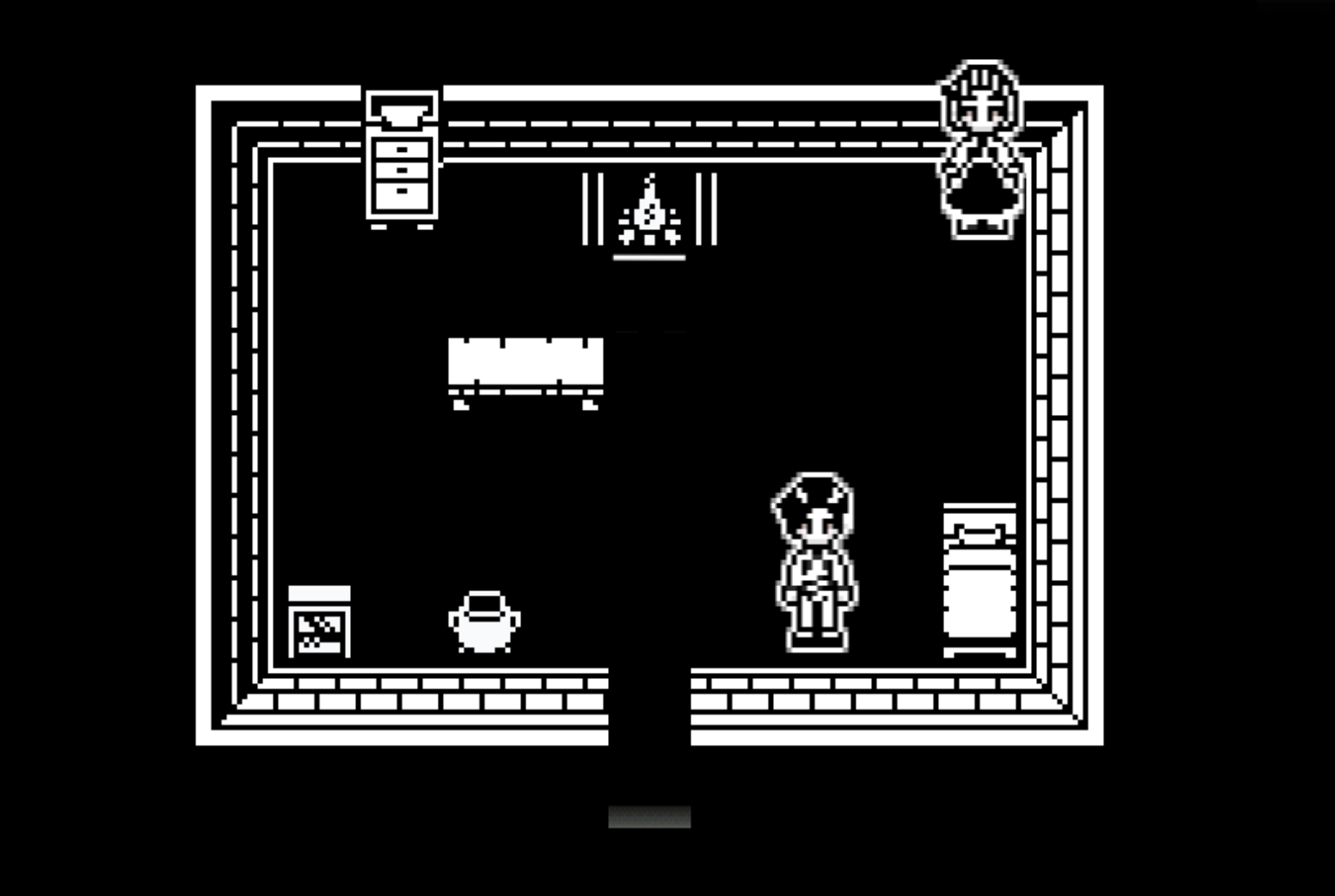
Also, I have a question. In RPG Maker, the default tiles are 48×48. For my game, I use 16×16 tiles that I upscale x3, so each original pixel becomes 3 pixels. I noticed that when I export your characters (originally 16×32, upscaled ×2 for RPG Maker), one pixel ends up being drawn over 2 pixels. This causes a problem with pixel consistency with my tiles.

If I try to upscale the characters to 3 pixels, their size becomes 48×96, which looks far too big. I can’t seem to find a solution. I feel like the characters would need to be 16×24, which would then become 48×72 when upscaled (already more visually appealing to me).

Developer

First, that looks awesome besides the obvious size differences! Sorry you are running into issues with matching your tiles. :(
If I am understanding correctly, I think the only solution would be to increase your tile size so they can scale x2 like the character sprites. I know, way easier said than done.

Thank you! It's thanks to you that I can have characters. Switching the tiles to a 24×24 base so everything scales ×2 would work, but it would mean rebuilding everything ^^. I think I'll keep the tiles x3 and characters x2 for playtests, and try to hire an artist to adjust the characters base to 16x24 at the very end. Thank you for the amazing tool, looking forward for the next update :)

Developer(+1)

The hair is done and the combo is Bangs 014 and Side 016. The eyes have also been recolored and changed to have their own palette instead of sharing the universal palette with the other assets. These will be added in the next update. We ran into some issues adding the tools to the creator, so it is taking a little longer than I planned but we are almost done fixing that! 

Thank you so much for your update, I really appreciate it. I am looking forward!

I'm also making a bit of progress on my side. Below are the characters in x2 upscale and the decor revamped (x3). I'll need to put everything on the same scale at some point but for now it will be enough for my playtests :). Thanks a lot of all this
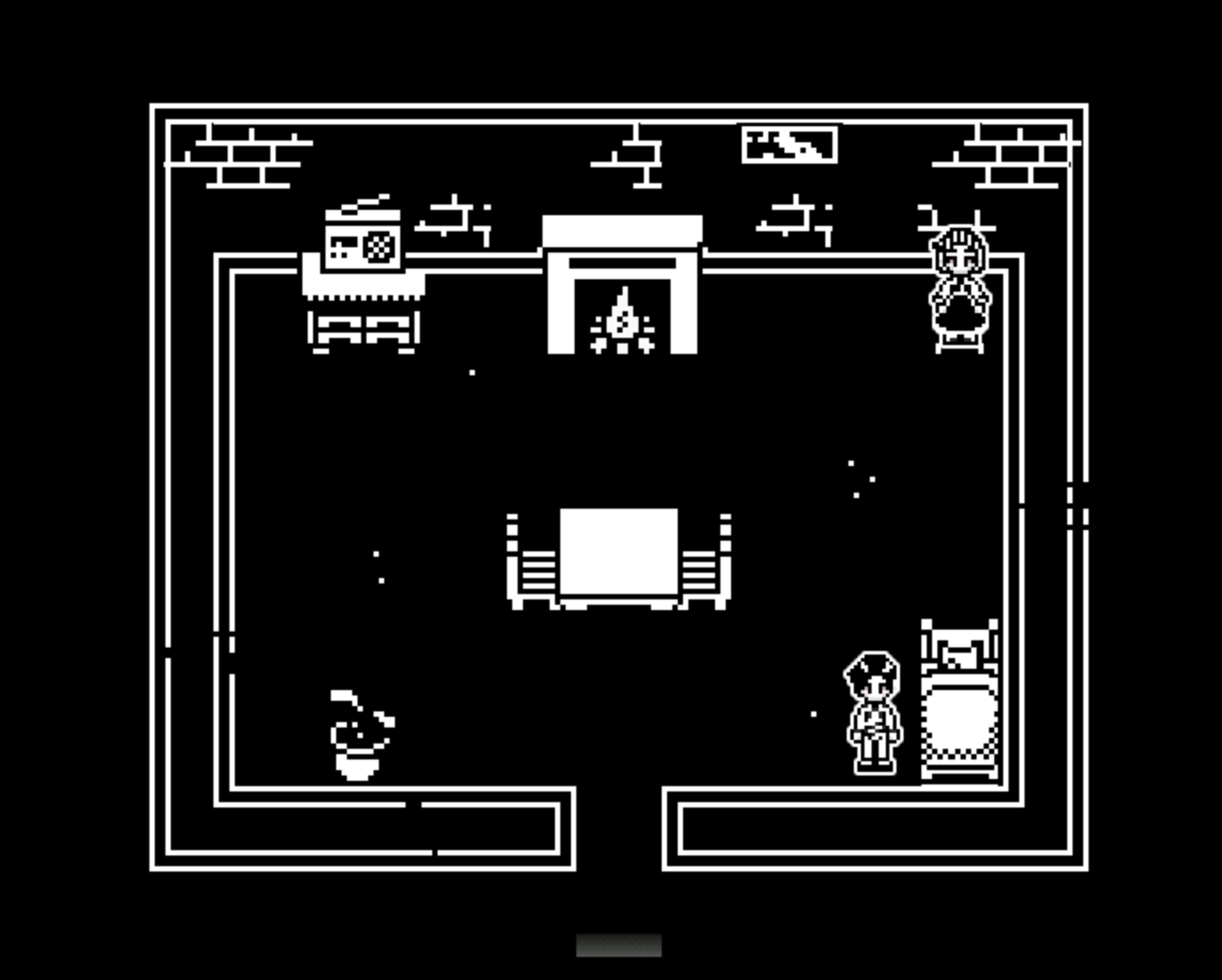
Deleted 332 days ago
(1 edit) (+1)

Hi Memao,

The new hair is amazing, thank you very much!

I ended up putting my tiles scaled x2 and developed a little tool to reduce the size of the character by removing some lines from the character sprite (for all directions) and can also add an outline.
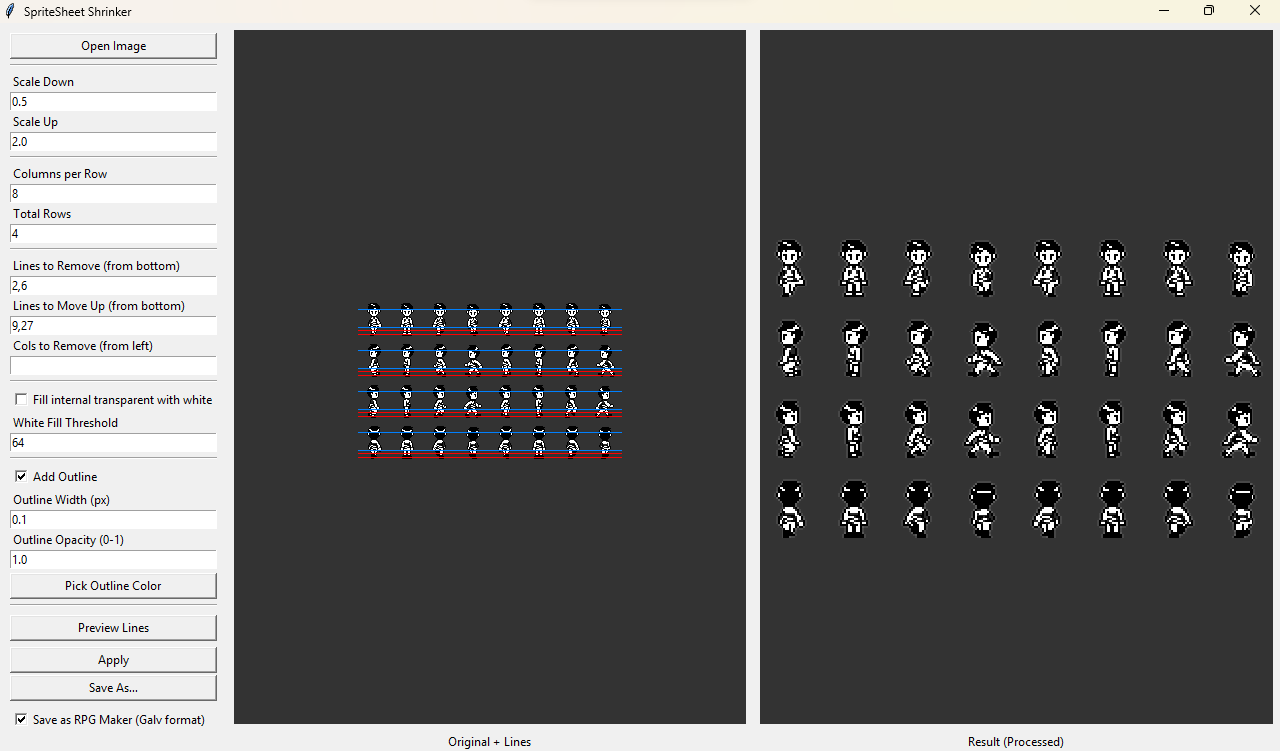

That actually helped a lot to reduce their size so it fits my tiles better (sprites reduce by 4px at left and by 6px at right):
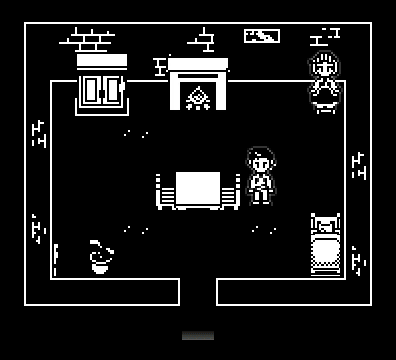
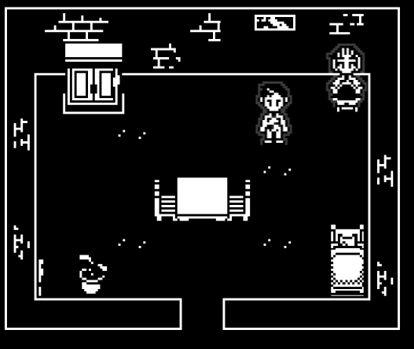

I will put this tool free to use if people have the same issue. I only tried it with your spritesheet but hopefully it can help the community with their spritesheet as well :).

I wonder if metal/leather armor is in the plan. Or maybe medieval shoulder/knee/elbow pads too.

(+1)

I bought different sprite sheet tools over the years. I just bought your tool and its honestly amazing work. The best and easiest. Idk if its too much of an ask but I'm hoping for the addition of metal/leather armor and it will make this tool a complete package for fantasy/farming sprite sheet

Developer

I definitely want to add some leather and metal armor! The farming animation update is coming in the next week or so, so after that I will work on another customization update. I will add this to my list for that customization update. Feel free to leave any specific suggestions/references for what you want to see!

Deleted 311 days ago
Developer

I'm glad you like the sprites! I'll add those to my list for you! If they aren't ready for this upcoming update, I'll definitely get them in the next one!

(+1)

Hello! I’m not sure if it’s okay to post this here, but I just wanted to say the RPG Maker sprite export for the Galv plugin feature is so cool!

However, I’d like to request a small feature: would it be possible to export run, idle, or other animations as well? This would greatly enhance the capabilities and usefulness of this tool!

+1 to this! Its such an amazing feature and I was just coming here to say the same haha 

Developer

It's on the list! Glad you are liking the tool!

Hi Memao,
I hope you're doing well. I have a hooded character, it would be great if you could add a hood.


Thank you!

Developer

A hood is on the list! I'll have it ready for the next mini customization update.

This is SUCH a good tool, thank you for developing this! Pixel art is my greatest weakness lol.

Have you considered adding more animal ears and tails? 

Developer

Thank you so much! I’m glad you like the tool. I will be adding more animal ears and tails, probably in the next customization update. I will also be adding a 2nd head accessory section, so you will be able to layer the ears on top of hats or underneath bows.

(1 edit)

I'm literally about to buy this as soon as I get back home! What you have created is amazing so far! I love that you remembered us RPG Maker Users!! Im absolutely amazed that you added farming animations would love to see even more farm clothing and other ideas! I love all the animations you added for farming!! Splendid work!  I was wondering would you make a sword swinging animation we could use? For Action rpg and stuff? Maybe a way to change color of sword or styles? For instance I was thinking if we had like copper swords or we could change color to match a silver sword, diamond sword and etc? Just ideas I'm throwing out there!! Overall I love what you're doing and have accomplished! One question I was wondering we are able to export the animations for rpg maker as well right to use them in game? Or is it just the walking sprite? 

Developer

Thank you so much!! I just started working on the Battle Animation Update (1h Slash, 2h Slam, dash, hurt, downed, and death), so there will eventually be swords. When the update releases, there will only be 1 basic weapon of each type (thinking sword, axe, and dagger atm) that you will be able to recolor just like the tools. I do plan on adding other weapon/tool styles to choose from at some point. You can currently export walk and run (and single frame idle) from the tool but we are working on exporting all animations for rpg maker. 

(+1)

thanks for your response!! What you have planned sounds awesome! I can't wait! And also being able to export out the animations would be amazing for rpg maker! I can't wait! You really are a amazing member to the community for this to allow peoples dreams to come true with a task that can be extremely painful for some and you have now made it so easy!! Much Love!! 

Developer

Someone in the community made a plugin that supports our full spritesheets you can use in RPG Maker https://cloudthewolf.itch.io/memao-animator-mz 

Check out the tool and support them!

Can you add some animal tails! A cat/dog tail, a deer/bunny tail,  maybe even a fish or shrimp tail, or a shark fin would be really cool to see. 

Developer

Animal tails (and other ears) are coming! A fish tail or shark fin would be super cool. I'll add it to my list!

Cat ears!!!

Developer

Not sure if you've seen it yet but cat ears were added to the most recent update!

(+1)

So i was  thinking of an idea. But maybe its something not meant for this. Just throwing it out there lol. I was thinking about portraits for npc or player.  That would generate while we are creating sprite or even at the end. Maybe a way to do different sizes when they export so multiple engines are able to use them as i know rpg RPG Maker uses different sizes depending on what version is being used and etc! Just an Idea! Thanks! Cant wait to see the upcoming stuff being added!

Developer

I wanted to make dialogue portraits that match the sprites! I’m currently practicing portraits because I haven’t found a look that speaks to me yet. 

Hey, first of all, awesome tool. I love the styling of the sprites, is the general purpose design I've been looking for a while! I just wanted to inquire about the roadmap item related to adding our own art to the tool? I loved the tool that I've already implemented into my project, and did my own adds to it, but I had to added on Photoshop after exporting, and would be awesome to match the animation and what not, to add the accessory to an specific category and have it available for future character on the fly! 

Also, and this is waaay less critical for a pipeline than the previous point, but having accessories and other parts with an offset (just a few pixels up, down) would make wonders to create more unique characters. I notice that when, wanting to have a character with glasses but without obscuring the eyes, I exported the glasses separately and just added them in PS, just moving them a couple pixels up, and voila. 

In any case, wonderful tool! Definitely worth the price. 

Developer

So glad you are liking the tool! We are currently working on adding custom sprites and are aiming for the end of the year. 
I'll take a look at how we can add offset sprites without adding a bunch of "duplicate" versions like I did with eyes and eyebrows because I agree it would open the customization up even more!

Thank you for the reply! I know there's a lot of possible features and infinite amount of content, but I also know this will make the tool one of the best in its class! It already is my favorite one, and its only getting better x3!! 

I absolutely like this excellent tool. I think the art style and animation are cute. I would want to see some battle animations with basic weapons such as swords, bows, and staffs. Some clothes for various character classes, such as Warrior, Knight, Archer, and Mage.

Developer

I'm glad you like the tool! I am currently working on battle animations, I'll be sure to add archer/mage animations to it though they may come in a 2nd update if it's taking me too long.

Hello again! First of all, thank you for continuing to develop this tool it’s really impressive work. 🙏

I just wanted to share a small piece of feedback about the new version. Personally, I found the previous export style (where you could easily export sprites through the Galv plugin feature directly) much more convenient. It allowed quick and straightforward exports without needing to adjust multiple settings or steps.

The new system is powerful (RPG Maker MZ Plugin), but for users who only want to quickly export animations or sprite sheets, the older style felt smoother and faster to use.

If possible, please consider keeping or re-adding that simpler export option in the future, it was a really useful workflow! 

Developer

The Galv Plugin export is still available in the latest version :D

I mean for the run, idle, or other animations  it can only export walking for now 

Viewing posts 21 to 40 of 70 · Next page · Previous page · First page · Last page