


Ritter Boundary System – Introduction
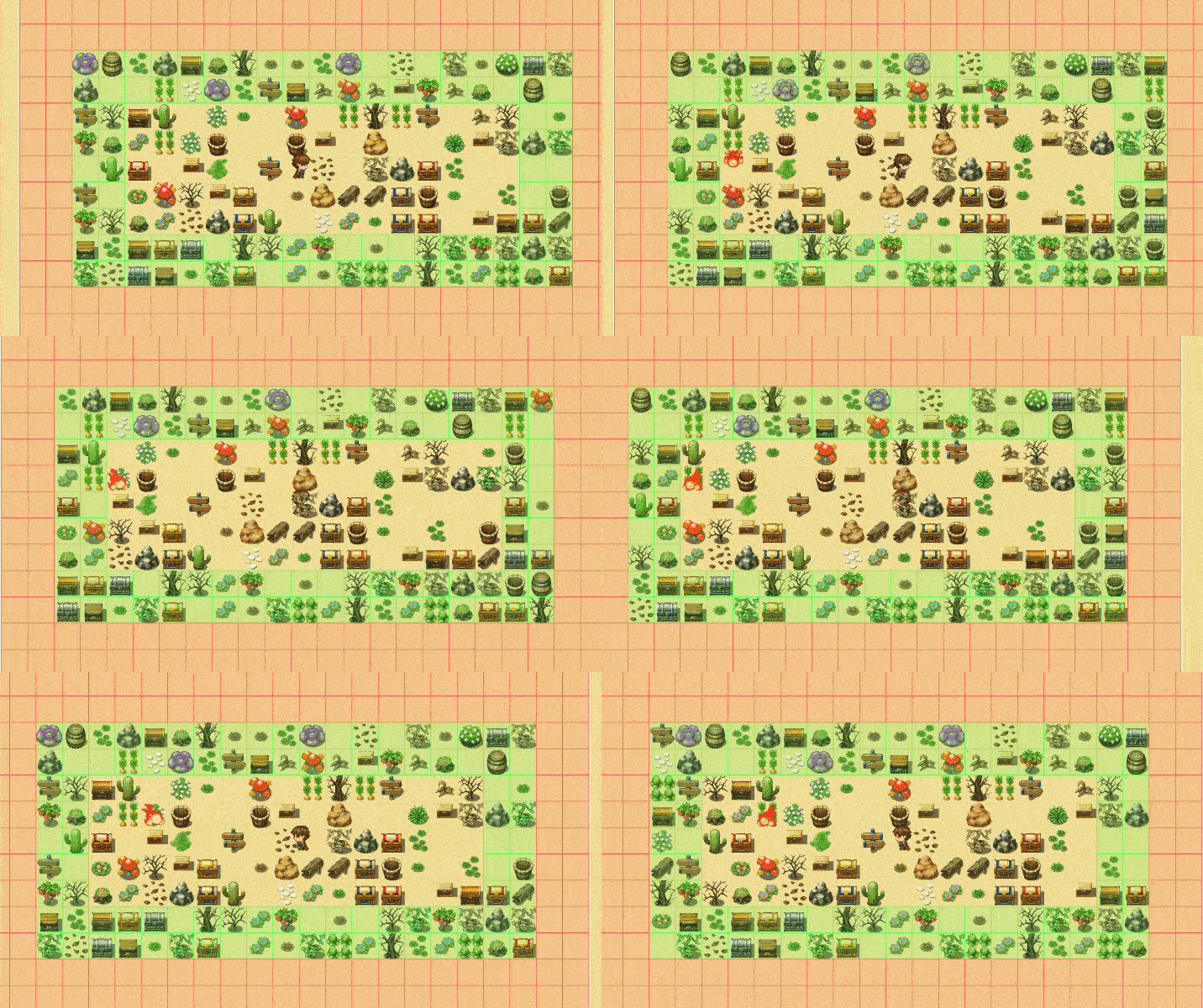
*Boundaries visualized using the new Ritter_BoundaryVisualizer.js Developer Extension Plugin*
2 Thickness "FillOn" Boundary shown as Green
2 Thickness "UnspawnOn" Boundary shown as Red
Done on screen to demonstrate, this can all be done off screen with larger boundaries.
The Ritter Boundary System allows you to dynamically spawn and unspawn events based on the player’s location, the position of any event, or any point you choose on the map.
Boundaries are created using a simple script call or plugin command and stored under a name you define, allowing you to reference, move, or modify them at any time. You can create as many boundaries as you need, each with its own shape, size, and rules.
What a Boundary Actually Is
A boundary is an invisible zone that your game responds to.
As its anchor moves, the boundary moves with it and automatically handles the spawning and unspawning of events on the tiles it covers.
You can anchor a boundary to:
- The player
- Any event
- A specific (x, y) position
This gives you fine-grained control over when events are active and when they should be removed from the map.
What Boundaries Are Used For
Since the Boundary System can spawn and unspawn any type of event, it becomes an incredibly flexible tool for creating dynamic, high-performance maps. Common uses include:
-
Spawning enemies just outside the player’s view for endless combat encounters
-
Loading NPCs, animals, or gathering nodes only when the player approaches
-
Adding environmental objects such as debris, interactables, or obstacles on demand
-
Creating temporary triggers or transfer events
-
Building “living” maps where only the relevant events exist at any moment
Preload Events into the Boundary Saved Events Database for complete control!
The general principle is simple:
If an event doesn’t need to exist 100% of the time, it’s a candidate for boundary-based spawning.
Any event that has no required external references to its eventId can safely be spawned, unspawned, and recycled.
This lets you build large, event-rich maps while keeping performance smooth and stable.
Boundary Types
'Fill On' Spawn Boundary
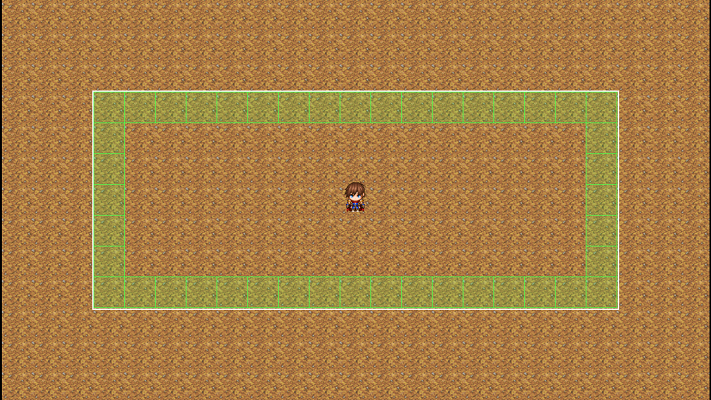
Type: FillOn
Width: 17
Height: 7
Thickness: 1
'Fill On' boundary type will try to spawn an event on every tile which is 'On' the boundary edge.
It will check saved event data for the tile and restore any saved events it finds for every tile it checks.
It will spawn any events that meet the conditions set during BoundaryEventSetup (if using legacy method).
*Thickness extends that edge outward, which will be shown in an example below.
'Fill In' Spawn Boundary
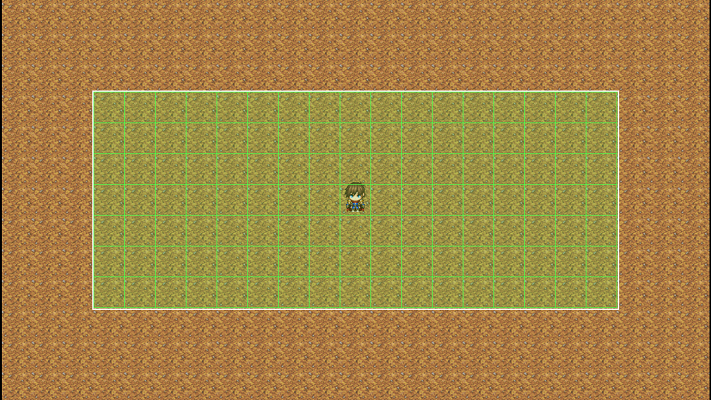
Type: FillIn
Width: 17
Height: 7
Thickness: 1
'Fill In' boundary type will try to spawn an event on every tile which is 'In'/inside the boundary.
It will check saved event data for the tile and restore any saved events it finds for every tile it checks.
It will spawn any events that meet the conditions set during BoundaryEventSetup (if using legacy method).
*Thickness extends that edge outward, which will be shown in an example below.
'Spawn On' Spawn Boundary
Type: FillIn
Width: 17
Height: 7
Thickness: 1
'Fill In' boundary type will try to spawn an event on every tile which is 'In'/inside the boundary. It will check saved event data for the tile and restore any saved events it finds for every tile it checks. It will spawn any events that meet the conditions set during BoundaryEventSetup (if using legacy method). *Thickness extends that edge outward, which will be shown in an example below.
Automatic Recycling and Event Limits
To prevent your maps from becoming overloaded, each boundary can be assigned a maximum number of active events.
For example, a boundary set to a limit of 40 will:
-
Spawn events only until the limit is reached
-
Automatically unspawn events when they leave the unspawn boundary
-
Recycle those event slots for new spawns
This ensures:
-
Predictable and stable performance
-
No buildup of unused events
-
Efficient, self-maintaining boundaries
Your event population stays controlled with no extra work from you.
How It Fits Into Your Workflow
The Boundary System integrates directly with the Ritter Event Spawner, giving you full control over when, where, and how events appear.
With a basic setup, such as a spawn boundary 1–2 tiles outside the player’s screen and an unspawn boundary a few tiles beyond, you can create fully automated event streaming:
-
Automated boundaries that spawn/unspawn events as the player moves
-
Persistent events that reappear with their saved data intact
-
Combined spawn/unspawn boundaries for clean population cycling
-
Scalable open worlds without needing permanent event clutter
-
Preloaded events saved into a boundary’s database via x,y or regionId
Every permanent event on the map costs performance, even erased events.
Boundary-based spawning solves this by ensuring that only the events currently needed actually exist on the map.
Instead of having hundreds or thousands of static events, you may only ever have 40, 60, or 100 active at once, regardless of how large or complex your world is.
A Simple Tool With Massive Impact
The Ritter Boundary System brings clean event loading, automatic recycling, dynamic population management, and persistent event behavior into your project with minimal setup.
It unlocks:
-
Higher performance
-
Larger maps
-
More dynamic gameplay
-
Cleaner event design
-
A scalable world structure
It’s a powerful system designed to keep your event count to a minimum while allowing your game to feel full of life.