

Indie game storeFree gamesFun gamesHorror games
Game developmentAssetsComics
SalesBundles
Jobs
TagsGame Engines

CRT Monitor Shader for Ren'Py

Shader for applying a CRT-like effect onto displayables · By Devil Spiδεr

Apply it to the entire game, and make it an option.

A topic by Smashing Pixel created Jan 02, 2026 Views: 352 Replies: 1
Viewing posts 1 to 2
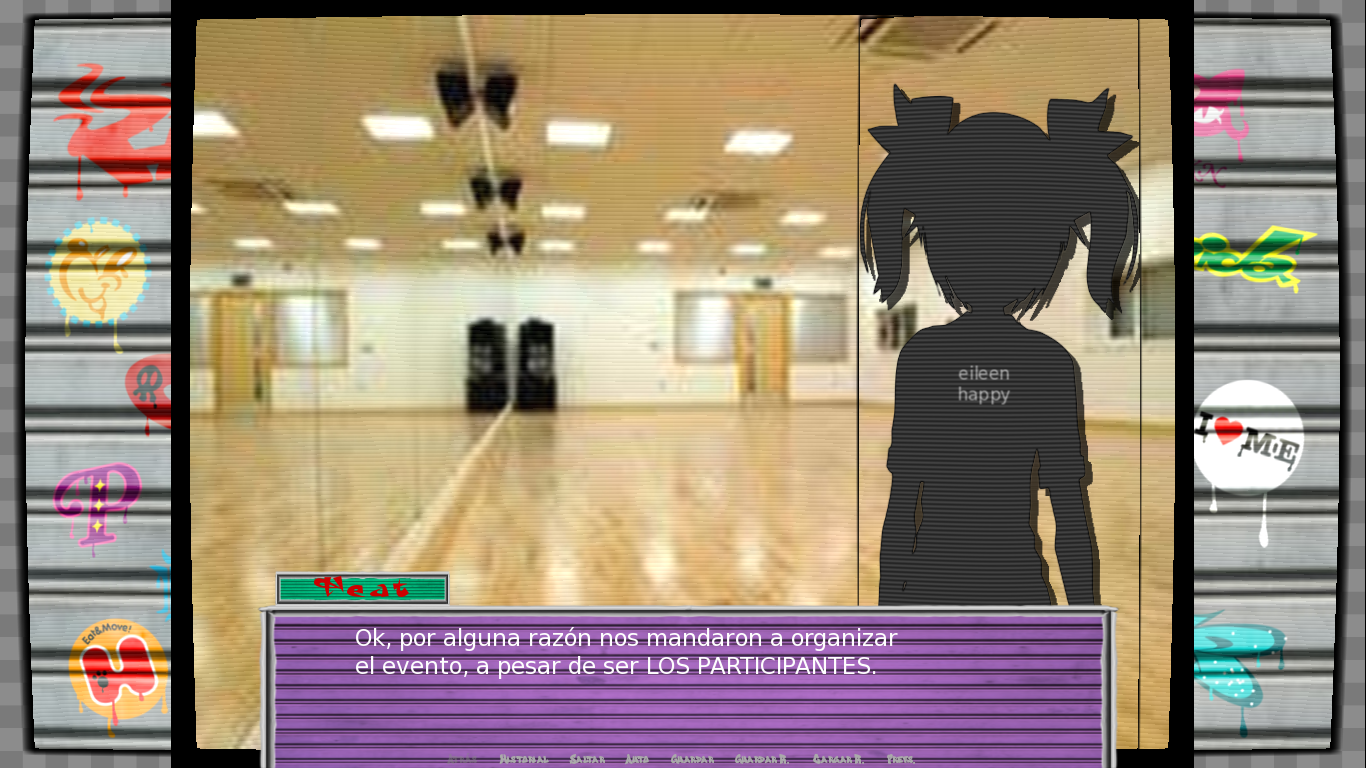
I'm testing the shader and something strange is happening.

The empty background is noticeable and it has borders, in the case of the first one: is there any way to expand it so that it's not noticeable?

Also, I don't know if this can also be applied to the interface, etc.

Developer

By default, Ren’Py shaders are applied to individual images, using the image’s relative coordinates. To fully apply this to a layer, I’d recommend showing a Layer() displayable with the CRT shader applied. The “mesh True” transform property could be of help in this scenario.

If you’re in either the DevTalk discord server or the official Ren’Py Discord, we can continue there (with the results being posted here afterwards)