


Play game
Cocoa Chugz's itch.io pageResults
| Criteria | Rank | Score* | Raw Score |
| Theme | #23 | 3.938 | 3.938 |
| Visuals | #58 | 2.688 | 2.688 |
| Overall | #74 | 2.000 | 2.000 |
| Limitation | #81 | 1.000 | 1.000 |
| Gameplay | #83 | 1.375 | 1.375 |
| Audio | #83 | 1.000 | 1.000 |
Ranked from 16 ratings. Score is adjusted from raw score by the median number of ratings per game in the jam.
Leave a comment
Log in with itch.io to leave a comment.
Comments
THANK YOU SO MUCH GUYS FOR PLAYING MY GAME!!
Hey! Great job on your stepping stone submission! Love marshmallows in my cocoa :)
Nice work! First game = first step to something amazing.
Great job on finishing your first game!
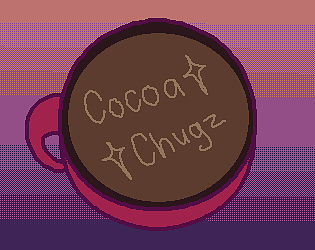
Congrats on finishing your first game! My first game was literally just a square moving around, without any art at all, so this is a really great start! I bet it was a great learning experience and really hope you enjoyed the process and feel inspired to keep making more games! Also, you really nailed the comfy winter theme and made really good use of the colour palette! My only feedback with the art is that you could focus on making your lines cleaner, especially with the lettering, I think making sure your line thickness is even would really take it to the next level. Good luck for your future projects and great work!
For a first game is absolutely great work! getting a drag and drop system working is no small feat, now you know how to do it, it'll probably make creating new games so much easier. Also, your art is looking great!
Congratulations on submitting your first game! I did enjoy a mug of hot cocoa while playing this!!
Congrats on your first game. It may be pretty basic, but getting your foot into the door is always an important first step, regardless on how big or small. The art style is pretty cute and I like the vibes that you went for with it.
A little tip if you work with Godot more in the future. Web browsers don't really have a good way to handle "quitting a game", so typically you would want to avoid including a quit button in browser-based gameplay. Clicking it will just freeze the browser and people can just close the window if they're done playing.
Here's a Godot specific trick if you want to make both a browser and desktop version of a game. You can use the function "OS.get_name()" to detect if the user is using a web browser. So I typically make a function along the lines that detect "if OS.get_name() == "Web". And have the code turn off the visibility of your button if it return trues.
Hello, I use Godot as well. Just thought I’d comment I believe the safest way to detect if it’s playing in the browser is to use
OS.has_feature("web")as per the Feature tag documentation. There are lots of other useful feature tags which I typically use during development.Congrats on your first game. It may be pretty basic, but getting your foot into the door is always an important first step, regardless on how big or small.