Indie game storeFree gamesFun gamesHorror games
Game developmentAssetsComics
SalesBundles
Jobs
TagsGame Engines

Thaluna: Real-Time Translator

Translate games, anime, and manga in real-time · By Thaluna.Dev

upport Request: Issues with Auto-Translate, Area Lock, and Language Settings (v2.7a)

A topic by CristianoBR created Apr 05, 2026 Views: 308 Replies: 6
Viewing posts 1 to 4

Hello,

I purchased Thaluna yesterday and I am trying to use it to read Manga (English to Portuguese-Brazil). However, I am facing several technical issues that prevent a smooth experience:

  1. Auto-Translate is not triggering: I am using a PC with an i5-10400, 28GB RAM, SSD, and GTX 1050 Ti. Even with "Economy Mode" active, "Similarity threshold" set to 0.85, and "Ignore text shorter than" at 2, the program does not detect when I turn the page. I have to manually click the snapshot button every time.
  2. Missing "Lock/Pin" Icon: I cannot find the padlock icon to lock the OCR area to the manga reader window. Because of this, the program sometimes ignores my defined area and translates the entire screen (including the Windows clock and taskbar), wasting my API tokens.
  3. OCR Language Issues: The option for "English (Default)" is missing from my OCR list. I am forced to use "Universal (Latin)", which is misinterpreting manga drawings as text.
  4. Target Language: I am trying to translate from English to Portuguese (Brazil). I would like to ensure the best model settings for this specific pair.
  5. UI Behavior: Even when the "Pause" icon (||) is visible, indicating the engine is running, the overlay does not update automatically as I scroll or change pages.

Note: I have spent a lot of time trying to fix this. I even used ChatGPT and Gemini AI to help me troubleshoot every setting, but we couldn't get the automatic mode to work.

I apologize for any mistakes in my English. I am using an AI (Gemini) to translate my thoughts so you can understand my situation clearly.

Thank you for your help!
Developer

Hey,

Thanks a lot for the detailed report — I really appreciate it.

For manga reading, Lens Mode works best with Area Selection rather than Full Screen Scan.

If you scan the entire screen, it can also pick up UI elements like the taskbar, clock, or browser UI, so for manga readers it’s best to select only the page area you want to translate.

Also, Lens / Manga Mode currently works as a snapshot-based workflow.

It does not automatically detect page turns or scrolling, so after changing the page you need to trigger a new snapshot.

If you want a workflow that updates automatically without taking a new snapshot every time, the better option is to use the normal Real-Time Mode and move the OCR area over the bubbles / text as you read.

The Economy Mode / similarity / short text settings mainly affect cloud translation request behavior, but they do not make Lens Mode auto-refresh on page changes.

For English manga, “Universal (Latin)” is the correct OCR option in Lens Mode — it is intended to cover English / Latin-script text as well.

If the selected area is still being ignored even when using Area Selection correctly, please send:

- whether you are using Full Screen Scan or Area Selection

- whether it happens every time or only sometimes

- which translation source/model you are using

That would help determine whether there is a real capture-region bug.

Thanks again for the feedback.

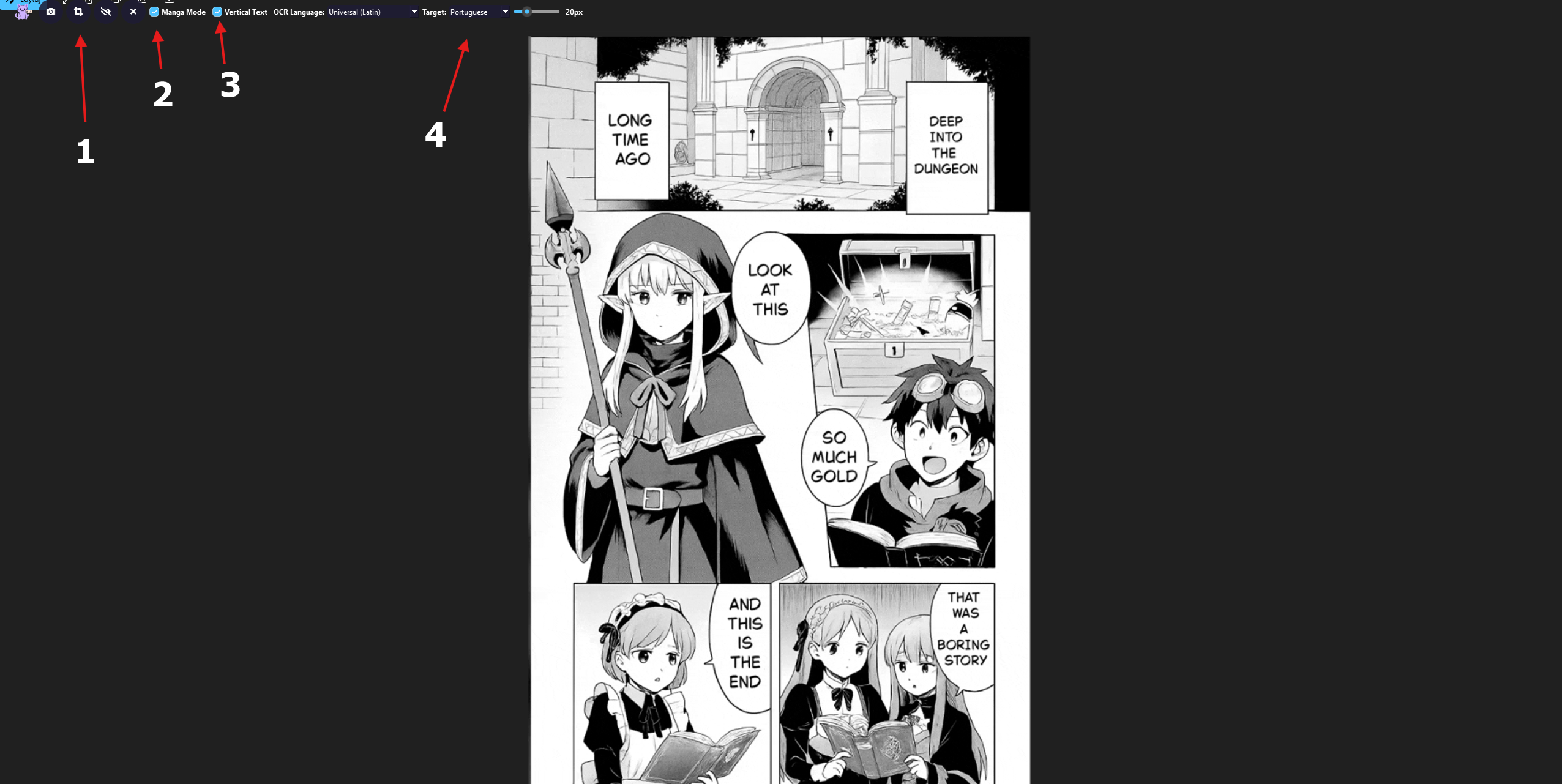
Also I made a quick visual guide to make things clearer.


1 — This button lets you select a specific area on the screen.  

For manga, this is the recommended option.  

It’s better to use this instead of the full screen snapshot, because scanning the whole screen can also pick up UI elements like the taskbar or browser.

2 — This is Manga Mode.  

It formats the translated text so it fits inside manga bubbles instead of showing plain text.

3 — Vertical Text.  

You can enable this if you want the text to be displayed vertically (useful for some manga layouts).

4 — Target language.  

Here you choose the language you want to translate into.

OCR Language can stay on “Universal (Latin)” — it works well for English and is designed to support Latin-based text in general.

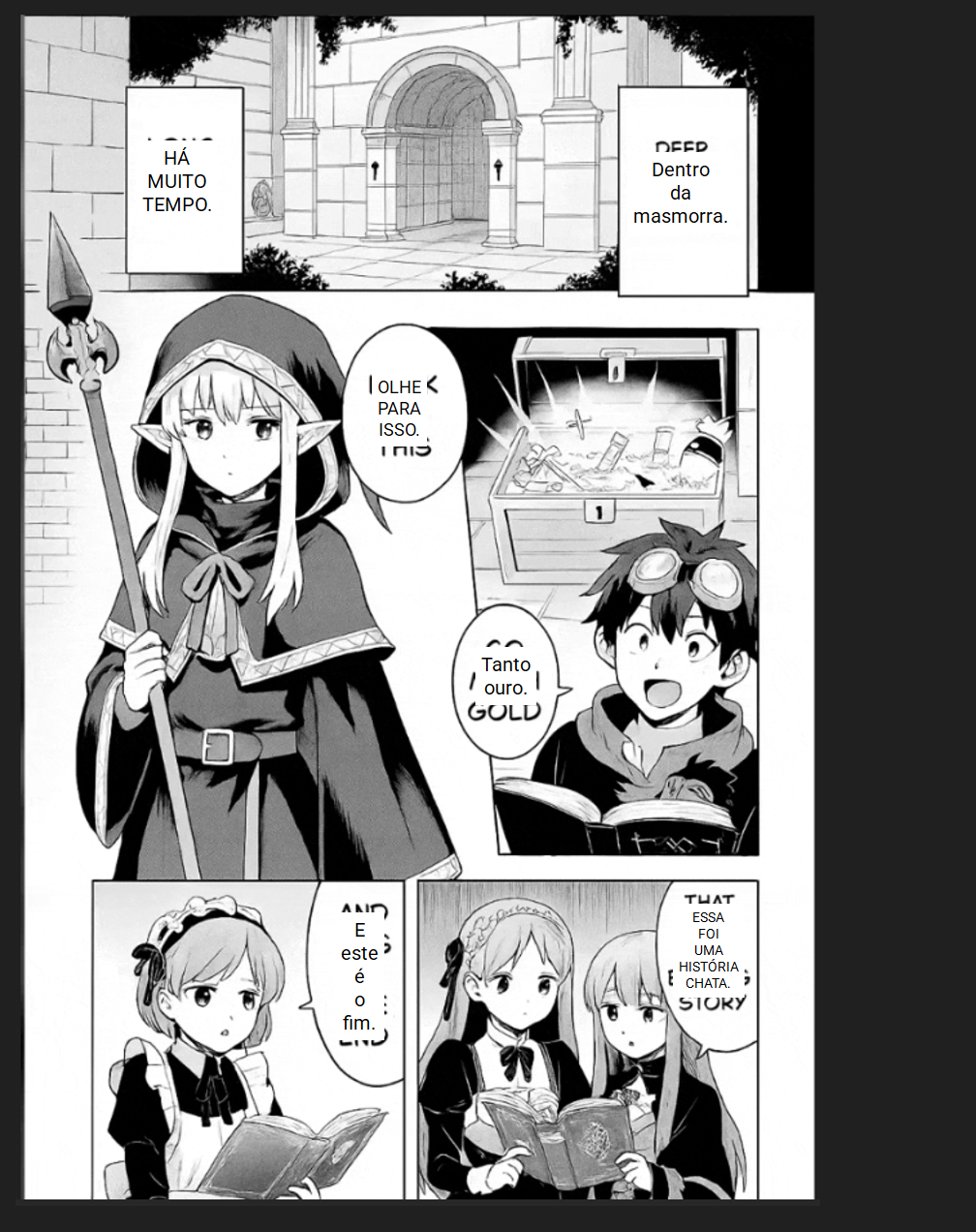
Below I included an example using your screenshot so you can see how it should look in practice.

Also, the bubbles that appear can be adjusted:

- you can move them

- resize them with the mouse wheel

- remove them with right click

This is the intended manga-reading workflow for Lens Mode.


Also, if you are using Cloud Mode and run into rate-limit or provider errors, try switching to a different OpenRouter model/provider.

Some providers can be temporarily more restrictive or unstable than others, even when the rest of the workflow is working normally.

Hello again,

Thank you for your previous explanation! I understand how the current workflow works, but I would like to suggest a new feature to make Thaluna even more competitive with other tools.

Many users (including myself) are used to tools like Mort or mobile bubble translators. These tools allow us to select a specific area of the screen once, and then they automatically detect and overlay the translation in real-time, without the need to click "Snapshot" every time we scroll or a new dialogue appears.

I would love to see a "Real-Time Lens Mode" where:

  1. We define the area (like the current pink frame).
  2. The software continuously monitors that specific area.
  3. It automatically replaces/overlays the text in the same position (even if it's on the left or right side of the frame), keeping the UI organized.

Technical Suggestion: This could work using a local OCR (like Windows OCR) to detect changes in the image. The software would only call the expensive Translation API when it detects that the text has actually moved or updated, preventing token waste.

As a great visual example of this "Overlay" behavior, please look at the end of this video (around 10:45):

  • <a href="https://www.youtube.com/watch?v=qpwBeTrJqXE&t=640s" _ngcontent-ng-c2101588783="" target="_blank" rel="noopener" externallink="" _nghost-ng-c3330616574="" jslog="197247;track:generic_click,impression,attention;BardVeMetadataKey:[[" r_096c2183dff66671","c_c1a9800b05074eba",null,"rc_65cfc24516db5ce2",null,null,"pt",null,1,null,null,1,0]]"="" class="ng-star-inserted" data-hveid="0" decode-data-ved="1" data-ved="0CAAQ_4QMahgKEwjaxdm76tmTAxUAAAAAHQAAAAAQpAM">https://www.youtube.com/watch?v=qpwBeTrJqXE&t=640s</a>. You can see how the subtitles and menu elements are translated and perfectly organized on top of the original UI in real-time.

    One final note: I apologize if anything is written incorrectly or if I sounded arrogant in any way. That was definitely not my intention. I am just very excited about Thaluna and would love to see it become even better!

    Thank you for your hard work and for considering this!

  • Developer

    Hey!

    First off — genuinely, thank you. Not just for the idea itself, but for taking the time to explain it properly. That’s not something everyone does, and I really do appreciate it.

    And just to be clear — you didn’t sound arrogant at all. You sounded like someone who actually uses the tool and knows what’s missing. That’s exactly the kind of feedback that’s worth something.

    What you’re describing is basically a hybrid between Real-Time Mode and Lens Mode — you define the area once, and then the app watches it on its own, detects when something changes, and refreshes the overlay automatically without needing a new manual snapshot each time. I get why that would be useful, especially for manga, webtoons, or UI-heavy games.

    Your technical point about local change detection also makes sense — triggering OCR and translation only when the area actually changes is the right way to do it, so you’re not burning API calls for nothing.

    So yes — I’m taking this seriously. But I’ll be straight with you: it’s not a small change. This would be its own separate workflow, not just a tweak to Lens Mode, so I can’t give you an ETA right now.

    For the time being, the two options stay the same:

    - Real-Time Mode — continuous OCR inside a defined capture area

    - Lens Mode — snapshot-based overlay, great when layout matters

    But the “real-time overlay with a remembered area” idea is on the list now. And I’m glad it is.

    Thanks again.

    Nice! Glad the feedback helped. I totally get that it's a lot of work, so take your time. I'll keep using it as it is for now and I'm looking forward to the updates whenever they're ready. Thanks for being so chill about the suggestions and for the support

    Hi! I just wanted to reach out and congratulate you on the latest update.

    I've been testing version 2.8 and the new Continuous Lens mode is exactly what the app needed. The translation process is incredibly fast now—it feels very smooth while reading.

    The improvements to the Immersive Lens and the DPI scaling fix also made a huge difference in the overall experience. Thanks for listening to the feedback and for the hard work on these features

    Developer

    Hey, really glad to hear that — I appreciate you coming back with feedback after the update. Thanks for the kind words!