Hello,
I purchased Thaluna yesterday and I am trying to use it to read Manga (English to Portuguese-Brazil). However, I am facing several technical issues that prevent a smooth experience:
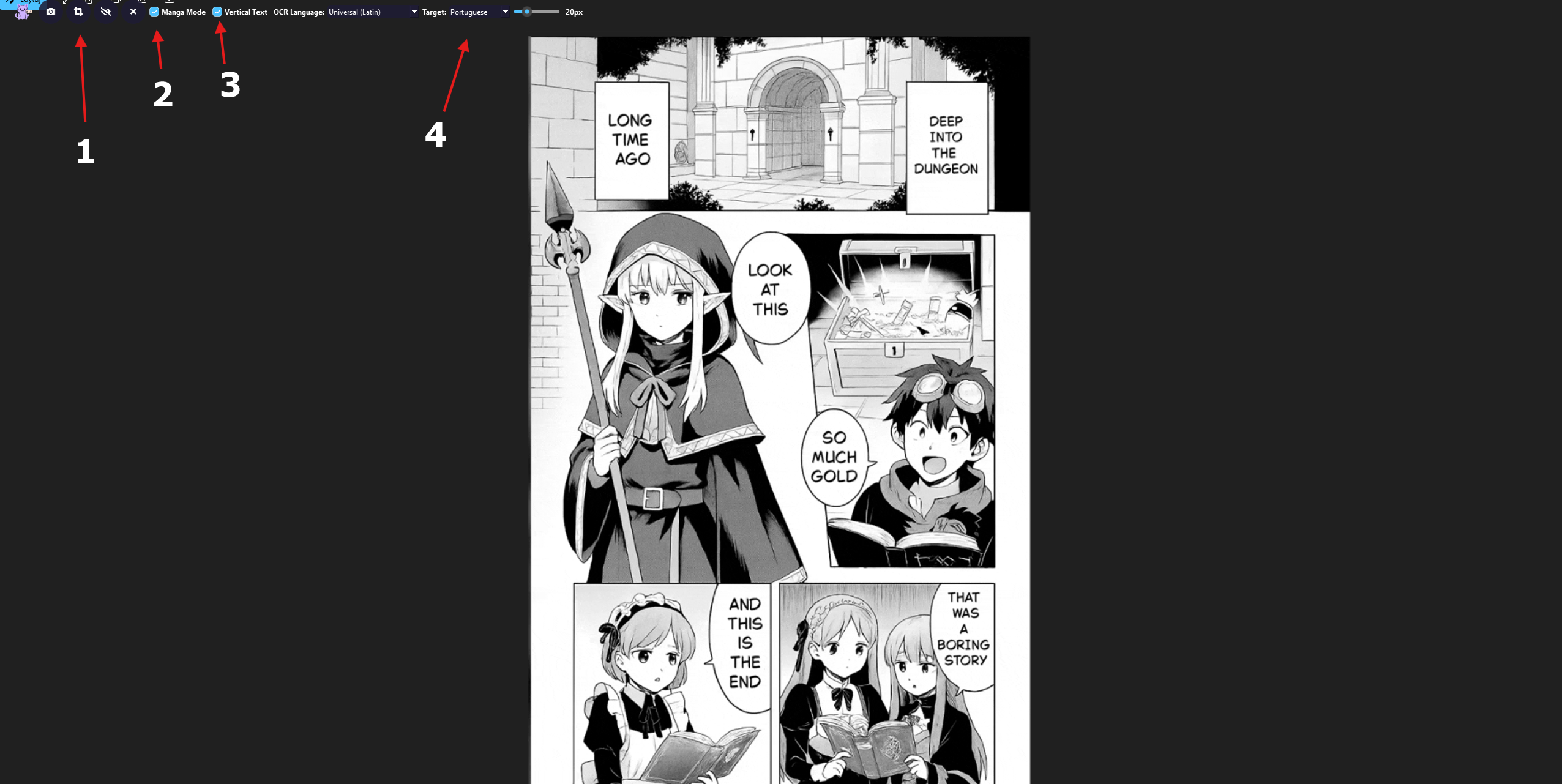
- Auto-Translate is not triggering: I am using a PC with an i5-10400, 28GB RAM, SSD, and GTX 1050 Ti. Even with "Economy Mode" active, "Similarity threshold" set to 0.85, and "Ignore text shorter than" at 2, the program does not detect when I turn the page. I have to manually click the snapshot button every time.
- Missing "Lock/Pin" Icon: I cannot find the padlock icon to lock the OCR area to the manga reader window. Because of this, the program sometimes ignores my defined area and translates the entire screen (including the Windows clock and taskbar), wasting my API tokens.
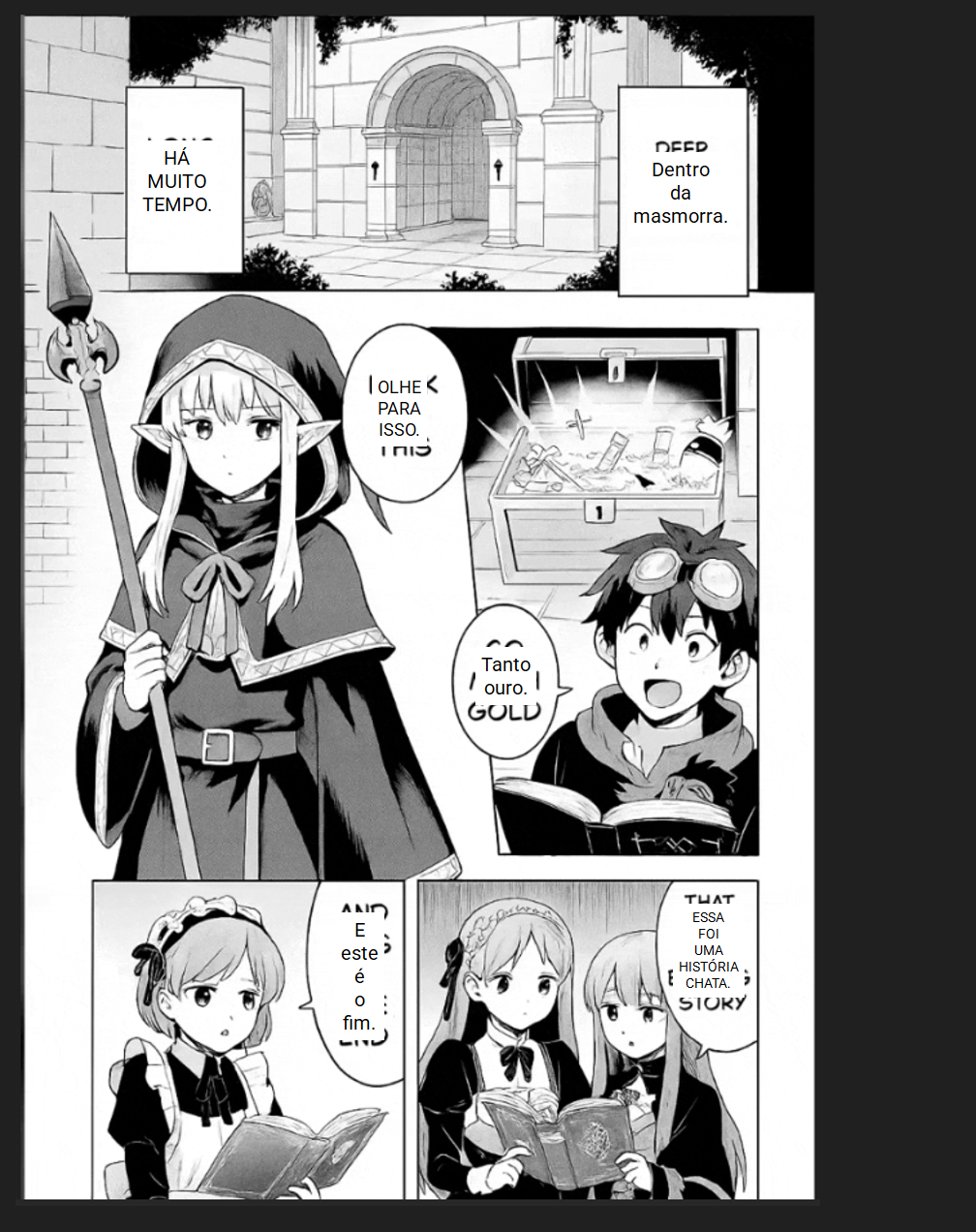
- OCR Language Issues: The option for "English (Default)" is missing from my OCR list. I am forced to use "Universal (Latin)", which is misinterpreting manga drawings as text.
- Target Language: I am trying to translate from English to Portuguese (Brazil). I would like to ensure the best model settings for this specific pair.
- UI Behavior: Even when the "Pause" icon (||) is visible, indicating the engine is running, the overlay does not update automatically as I scroll or change pages.
Note: I have spent a lot of time trying to fix this. I even used ChatGPT and Gemini AI to help me troubleshoot every setting, but we couldn't get the automatic mode to work.
I apologize for any mistakes in my English. I am using an AI (Gemini) to translate my thoughts so you can understand my situation clearly.
Thank you for your help!