Indie game storeFree gamesFun gamesHorror games
Game developmentAssetsComics
SalesBundles
Jobs
TagsGame Engines

Bapalon ART image not transparent

A topic by Chariot Rider created Apr 08, 2026 Views: 127 Replies: 3
Viewing posts 1 to 3
Submitted(+1)

Hello!

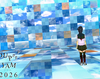
I am posting here because, for the most part the jam has been going well, but I have run into one strange issue.  There is one room where I want to have a character with a transparent background.  The image I am using has a transparent background, but for some reason when it is displayed in game, all of the transparent pixels are displayed as black pixels, and I'm not sure why.  Does anyone know what is causing this?



Submitted

I've ran into the same issue with these two assets as well.

Host(+1)

When saving your images, make sure that your bit depth settings are set to 32-bit. That should fix it.

Submitted

That worked to fix the issue.  Thanks for the help!