
Indie game storeFree gamesFun gamesHorror games
Game developmentAssetsComics
SalesBundles
Jobs
TagsGame Engines

4 colour palette rule

A topic by XDPXI created 4 days ago Views: 71 Replies: 3
Viewing posts 1 to 2

Hi, just as a clarification does the 4 color palette rule mean you only use 4 colors on the screen, so in one scene I can use a red palette and on another a blue palette or does it mean just one palette for the whole game? Thank you!
Jam Host (8 edits) (+1)

hi. yes, you can change the palette in game as an effect as long as there are only 4 colors displayed on screen at one time. this is actually answered in the FAQ here and on the main jam page.

FAQ > Questions about GBJam entries >

I have a question about the four colour limitation

You can only have four colours on the screen at once. Black is a colour. The four colours include all shades, all tones, all hues. Gameboy does not support semi-opacity. The four colours apply to the whole screen, including sprites. You cannot have one four colour palette for your background and another for sprites. This jam does not allow for a fifth experimental colour like ‘default screen background’. Four is the total amount of colours you are allowed. You may use three or two. Five is right out.
The four colours you choose do not have to be the default palette you’ve found on Wikipedia. Lospec.com has loads of four colour palettes you could try. You can even make your own.
➡️ You can change your palette mid-game so long as the new palette is four colours. You cannot change your colours mid-scan-line or any other sneaky trickery. If you have more than four colours on the screen at any one time it is not obeying the rules.
Yes, the gameboy had three colours plus transparency on sprites. No, this is not a restriction you need to obey in your competition entry.
➡️ You can change the palette with a light switch or when it’s night time so long as there are only four colours on the screen at one time. Are there four colours on the screen? Yes? Congratulations, you abide by the rules. Are there five colours? Do two of the colours blend with opacity to make a new colour? Wow buddy, looks like you’re in more than four colour territory!
‘Four colours maximum’ means ‘four unique colours’. A colour is a unit measured by its unique properties such as hue, saturation and value (or whatever other colour system you subscribe to). You could have red, blue, green and yellow on your screen, but ‘a slightly darker shade of red’ would count as a new colour. You could not have fifty shades of blue and argue that you’re only using ‘one colour’.
Yes, the illusion of a fifth colour counts as a fifth colour. Do you quickly flip the palettes to make an extra colour? Does it have an extra colour on the screen? Welcome to five coloursville friendo, population: you.
No, dithering does not count as an illusion of a fifth colour, as long as you are sticking to the 160x144 resolution.
If you want to argue how your five colours are special, do it in your game jam submission. I’m sure the reviewers (your fellow game jammers) will understand… 👀
If your next question starts with “but what if” the answer is no. No, you can’t do your special idea. It breaks the rules.
“Can I use shaders?”
Does your game have four colours? Is the resolution 160x144? Does your game art adhere to the spirit of the jam - i.e. does it look and feel like it’s on a gameboy? Yes? Go ahead.
“But-”
Then no.

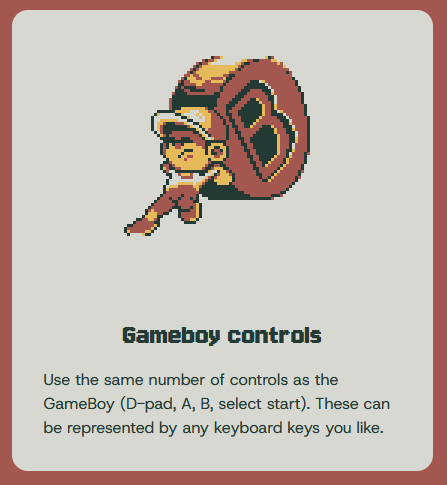
um quick question what are the controls on a game boy its kinda embarrassing "telling im joining a game boy jam" but i haven't actually  played a game boy game.

Jam Host (6 edits)

image.png
this is also in the rules

i believe the select and start buttons were mostly used for menu navigation and not gameplay as often, so A + B buttons and d-pad are the main controls.

common keyboard setups are:
d-pad: arrow keys or WASD
A/B: Z/X or J/K
select: SHIFT
start: ENTER