

Stylized sky for Godot 4, free
FREE Godot Project - Skybox Shader by EmaceArt
I released a sky shader for Godot 4 together with a demo scene. Import it, press F5 and the finished picture is already on screen: a gradient from horizon to zenith, a sun with a corona, haze above the ground and clouds drifting over the terrain. I wrote the code with Claude - the model typed the shader, I said what had to show up.
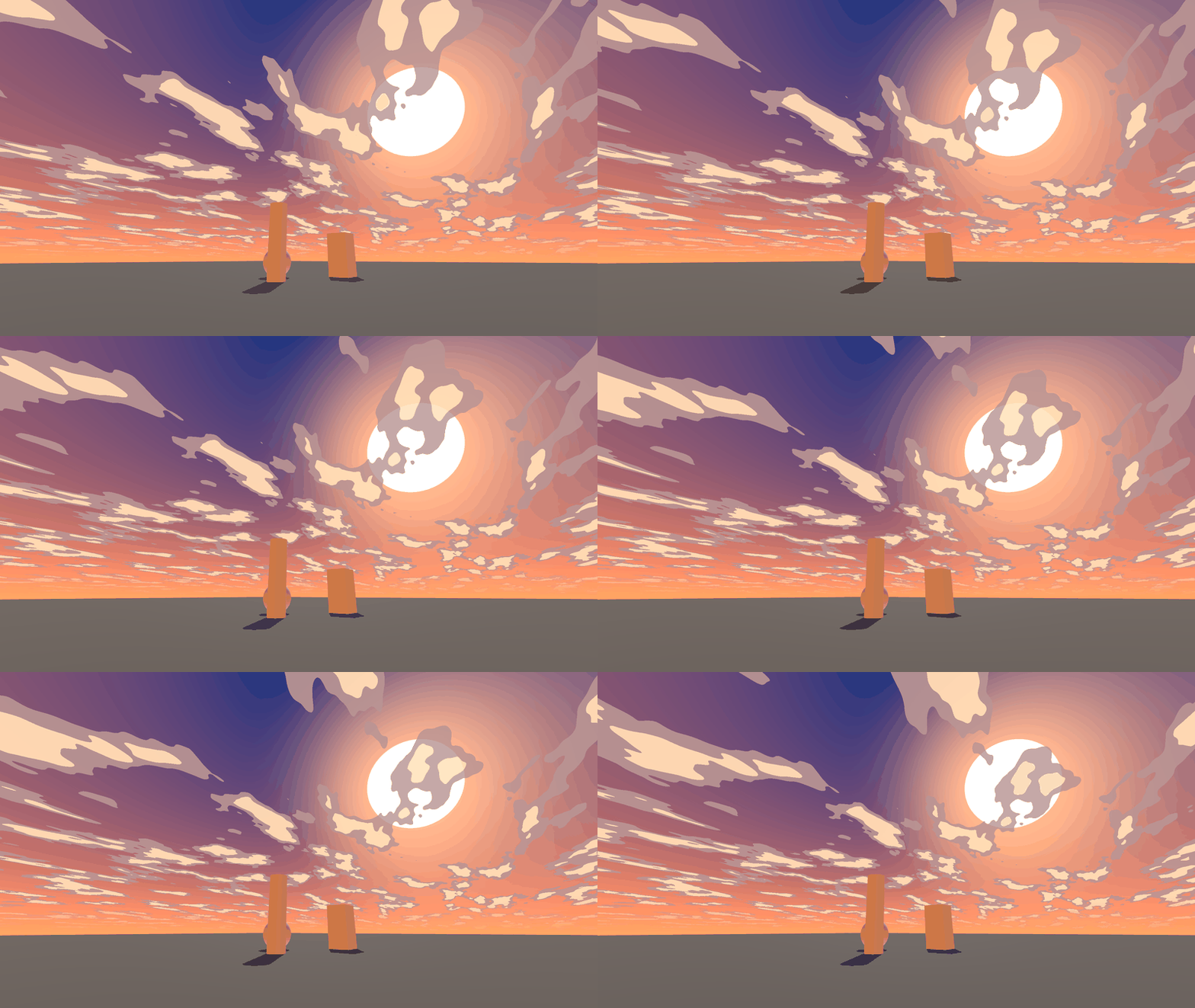
Clouds drifting over the demo scene
One shader draws the whole sky. There is not a single texture here and no cubemap - a cloud is a pattern recomputed every frame, so it drifts and changes shape with no animation to bake. Stretch, swirl and wind speed sit on separate sliders, and coverage moves the cloud edge from clear sky to overcast.
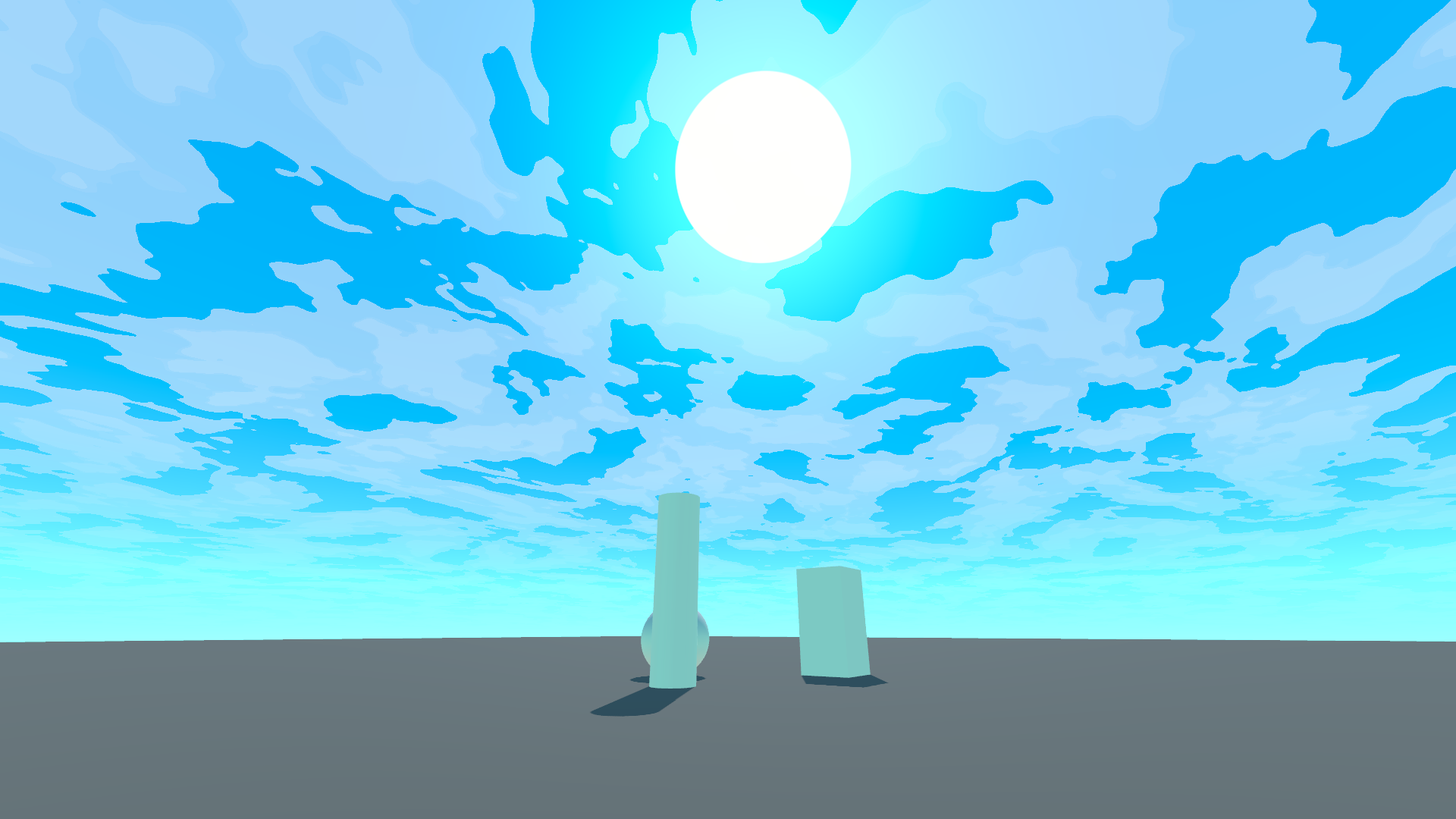
Clear day in the demo scene
Posterization is what makes it stylized. The cloud pattern flattens into steps - drop to one and you get a flat shape, go up to eight and the transitions turn gentle. The shaded side of a cloud has its own colour, so the bands do not go grey from plain darkening. At one band the sky looks like a drawing, at six it moves back towards an ordinary painted sky.
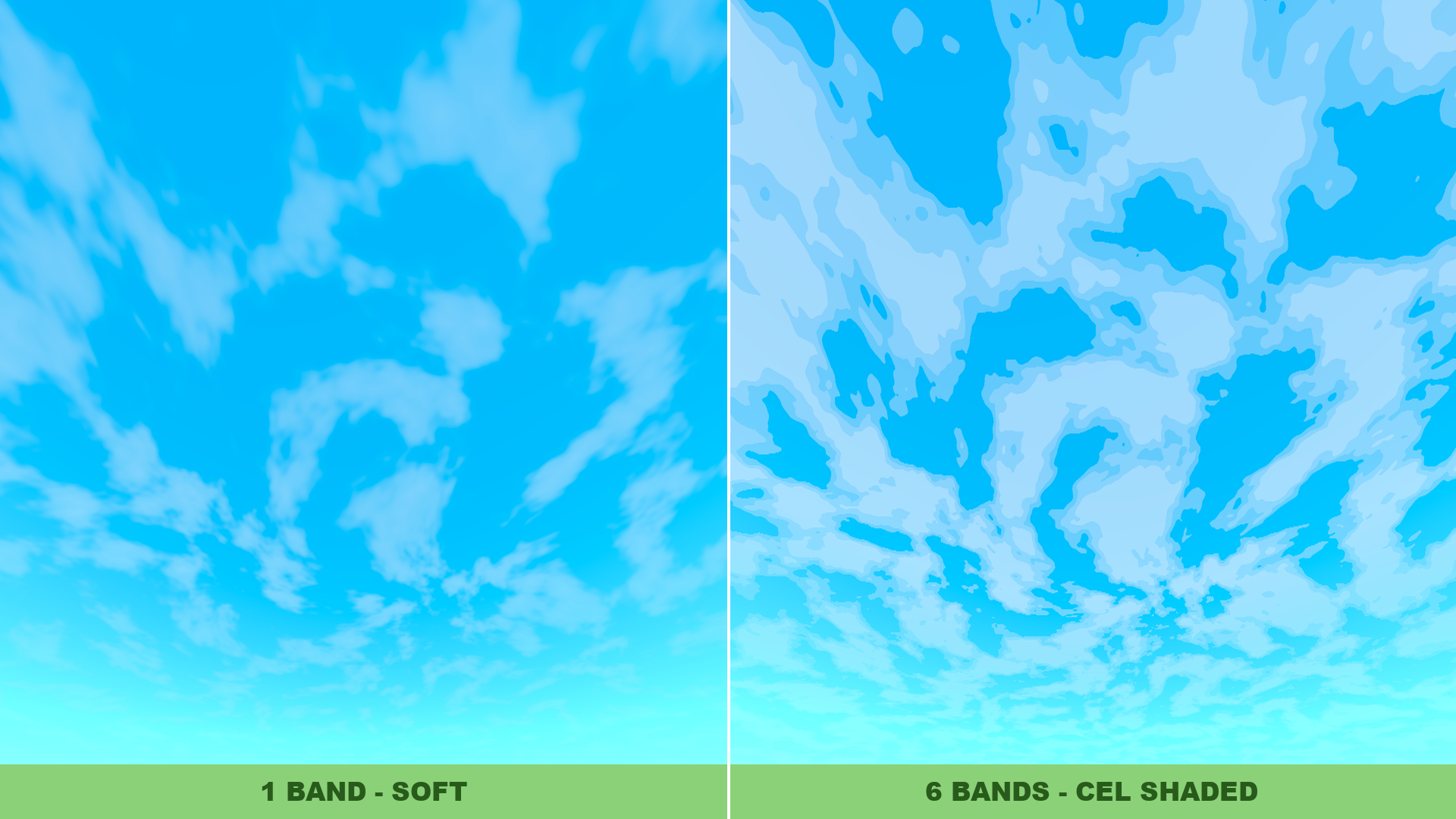
One posterization band next to six
There are five cloud patterns: cumulus, feathered streaks, round puffs, diagonal bands and matted cotton. I put them side by side in one frame at identical settings, because each one looks fine on its own and the difference only shows where they meet.
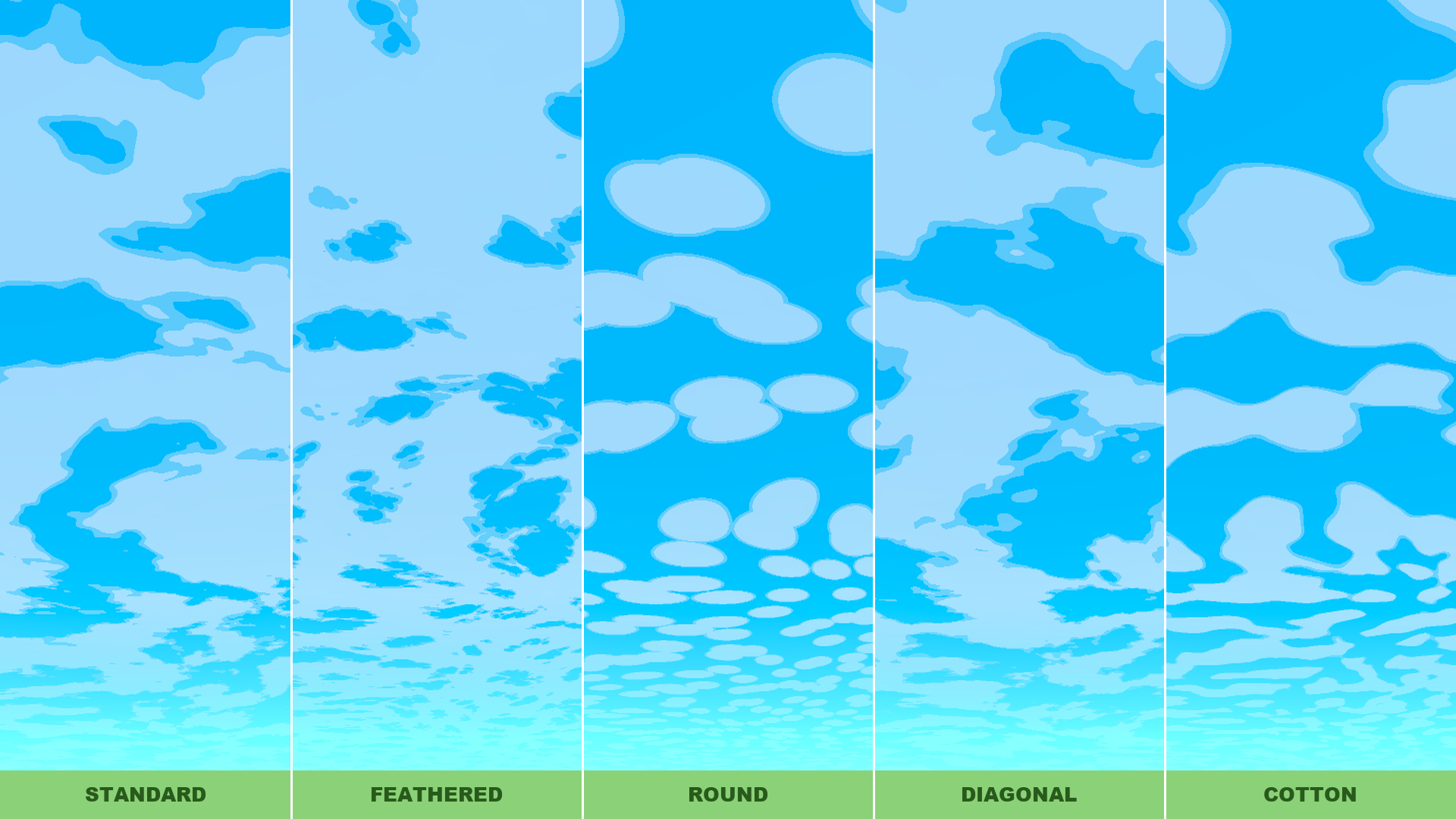
Five cloud patterns at identical settings
My worst day came from the coverage slider. Instead of moving the cloud edge smoothly it jumped - at eight bands a whole band popped onto the sky at once and there was no way to land anywhere in between. The order of operations was to blame: the coverage threshold was measured against the already posterized value, so the slider was walking the exact same steps as the cloud. Moving the threshold ahead of posterization fixed it in one line. The edge stayed hard and the slider started running smoothly. If a slider of yours jumps instead of flowing, check what its threshold is measured against first.
The material carries 38 entries in six inspector groups: zenith and horizon, sun, sky gradient, atmosphere, colour grading and clouds. The sun can be aimed by hand or taken from a DirectionalLight3D. Two ready materials come with it, clear day and warm dusk, and both are a starting point for your own sky rather than a closed setting.
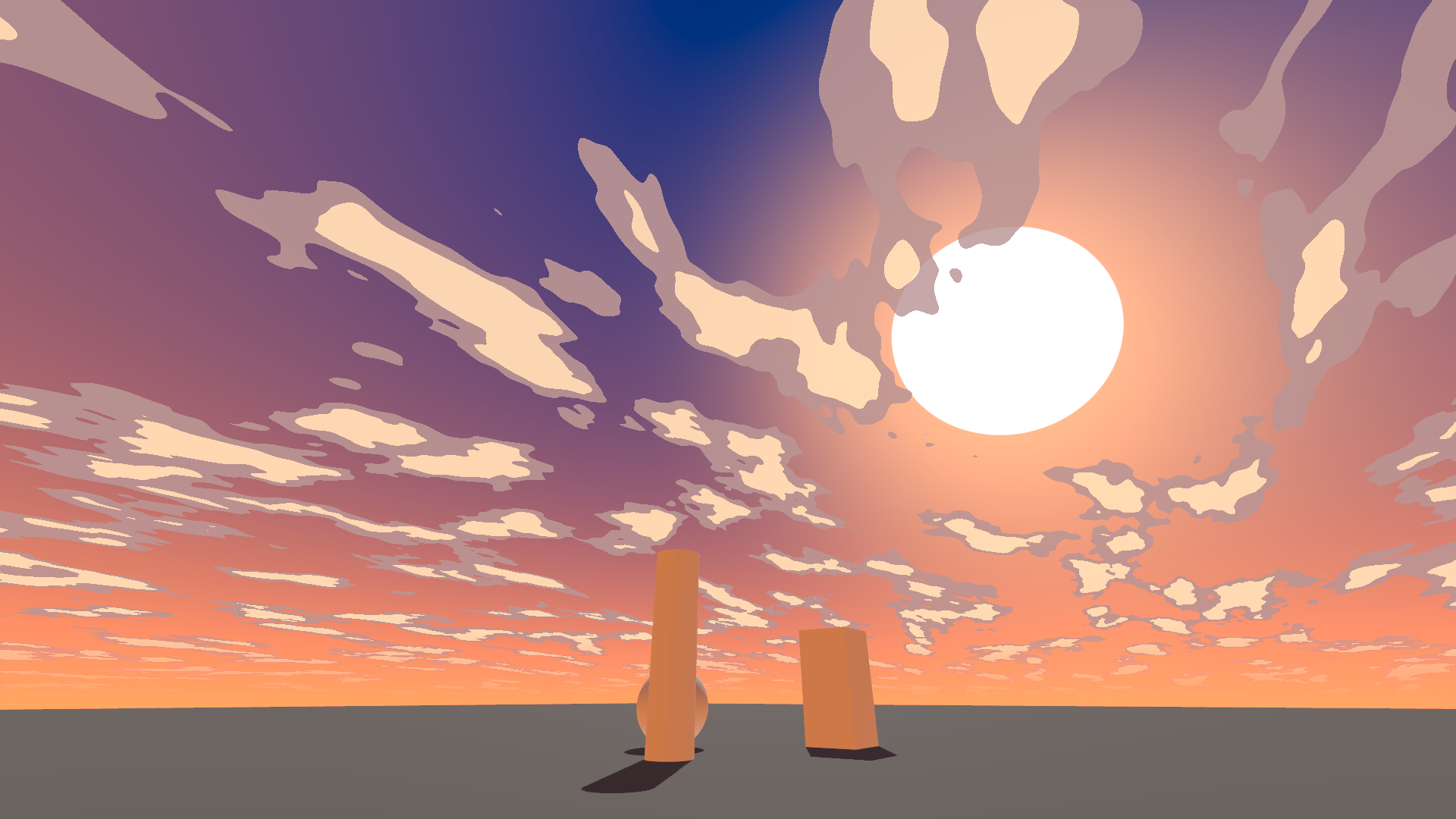
Warm dusk, the second ready material
One thing worth knowing up front: the sky feeds ambient light and reflections, and the clouds are moving, so Godot keeps recomputing the radiance map. On a weaker machine set Sky, Process Mode to Incremental. The clouds keep drifting anyway.
Godot 4.7 or newer, Forward+ renderer. It runs on Mobile; nobody has tested Compatibility. Licence CC BY 4.0 - credit "Maciej EmacArt" and use it anywhere. Documentation and shader work were done with Claude assisting; the decisions about how the sky should look are mine.
FREE Godot Project - Skybox Shader by EmaceArt
If you run it and something looks off - say so, I will fix it.