Indie game storeFree gamesFun gamesHorror games
Game developmentAssetsComics
SalesBundles
Jobs
TagsGame Engines

Unable to enable the plugin

A topic by Demented Plant created 48 days ago Views: 112 Replies: 3
Viewing posts 1 to 4

Hey there! Just purchased assetplacer but unfortunately i cant enable the plugin. It shows this error message when i try:
Unable to load addon script from path: 'res://addons/assetplacer/AssetPlacerPlugin.cs'.

I am using Godot version 4.5 and trying to use assetplacer version 1.4.1. I also tried using the latest version 1.5.0 but it completely toasted Godot with error messages. I dont know which assetplacer version i should use for godot 4.5. Send help. <3

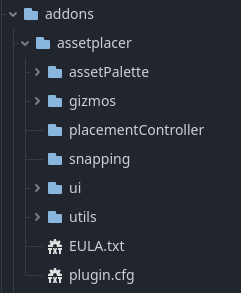
This is the entire assetplacer folder for 1.4.1 that i cant enable just in case:
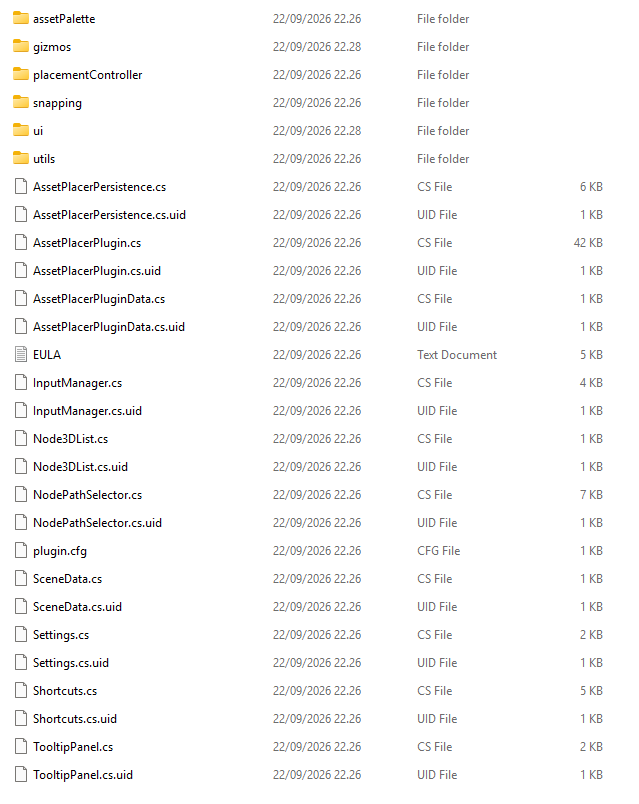


(1 edit)

This is the path in Godot btw, it should fit i think
Thanks so much in advance <3


(1 edit)

Well never mind me! I tried installing assetplacer 1.5 again (my clever brain missed the part in the description where it recommends what version to use). Somehow this time i enabled it with no issues and now i can use assetplacer! Yibeeee! Dont know what went wrong or how i fixed it im just happy it works :D

Edit: Oh my lawd it even works with Terrain3D, you mr are a gawd damn hero

Developer

Hey, I'm glad you were able to solve your problem.

For future reference and for others, make sure you are following the installation instructions (https://cookiebadger.github.io/assetplacer-docs/installation.html) and if you encounter any errors, please send the error messages along. 

Thanks and happy developing!