

On Sale: GamesAssetsToolsTabletopComics
Indie game storeFree gamesFun gamesHorror games
Game developmentAssetsComics
SalesBundles
Jobs
TagsGame Engines

Issue with UI text

A topic by TheGiftOfGabes created 31 days ago Views: 65 Replies: 6
Viewing posts 1 to 5

I am getting this both on app image and .deb versions:
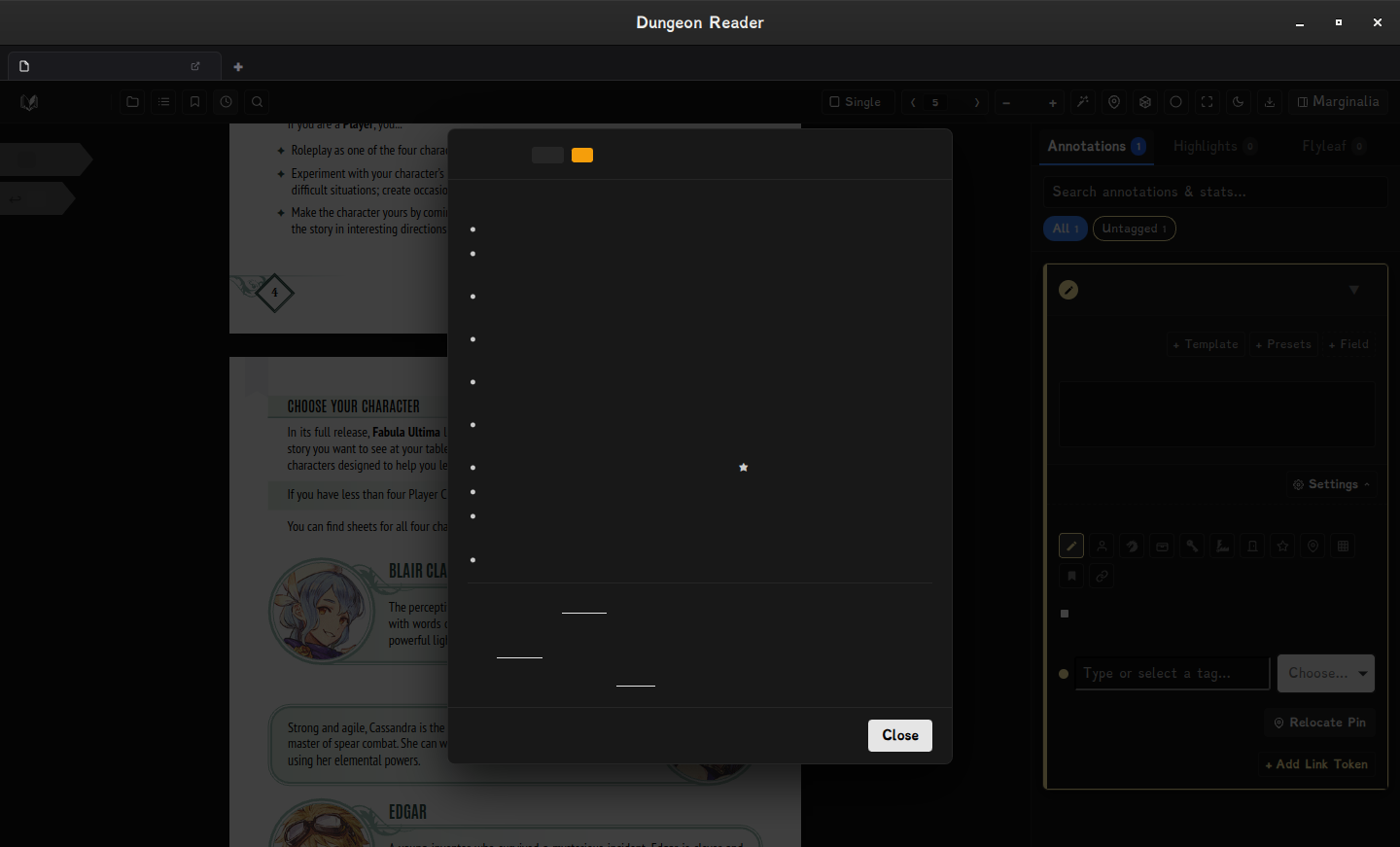
image.png

The issue persists on light and dark mode alike!

Any idea what i could do?

Developer

Thanks for the feedback. I haven't done a lot of testing on the Linux versions so this is vital info. Looking into it!

Developer (2 edits)

OK, some things to try which will help me narrow it down:

Could you try launching the app from a terminal with this in front of the command?

For the AppImage, from the folder it's in:

chmod +x Dungeon.Reader_0.5.16_amd64.AppImage

WEBKIT_DISABLE_DMABUF_RENDERER=1 ./Dungeon.Reader_0.5.16_amd64.AppImage

If the text is still missing, try the same thing with WEBKIT_DISABLE_COMPOSITING_MODE=1 instead.

It would be awesome if you could let me know which one works (if either does) so I can build the fix into the next release. If neither works, could you send me:

- your distro and version

- your graphics card and driver (e.g. NVIDIA proprietary, Mesa)


Thanks!

Sorry for the late response and thanks for your reply!

Neither option has workded :/

my setup:

System Details Report


Report details

  • Date generated: 2026-10-02 19:26:46

Hardware Information:

  • Hardware Model: INTEL B75
  • Memory: 16.0 GiB
  • Processor: Intel® Core™ i5-2400 × 4
  • Graphics: AMD Radeon™ RX 550 / 550 Series
  • Disk Capacity: 500.1 GB

Software Information:

  • Firmware Version: 4.6.5
  • OS Name: Debian GNU/Linux 13 (trixie)
  • OS Build: (null)
  • OS Type: 64-bit
  • GNOME Version: 48
  • Windowing System: Wayland
  • Kernel Version: Linux 6.12.107+deb13-amd64
Developer(+1)

Thanks for your patience with this - it's still a bit mysterious as I haven't been able to reproduce the issue my end. I suspect it's a font thing though from the screenshot so I've gone ahead and bundled the fonts with the app on Linux builds in case it's your system's font lookup. I'm hopeful but not certain this will fix it. I'd be super grateful if you could try the latest build (0.5.19) and let me know!

Thanks again for the detailed reports so far.

(+1)

thank you too for your patience and your support!

now check this out: image.png
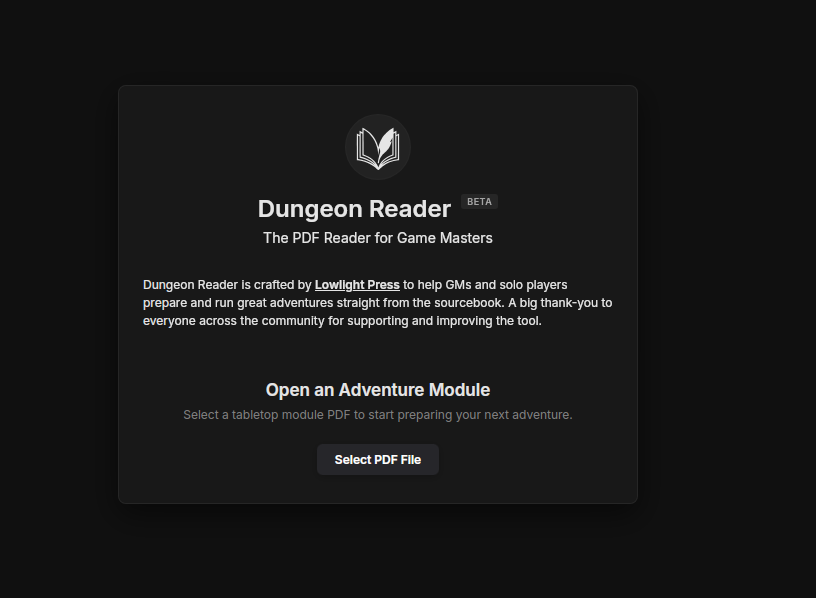
I guess the issue really was the fonts!

Thank you so much!

Developer (1 edit)

My pleasure! Thanks for helping get that sorted 🍻