

Simple and pixel-styled pomodoro timer for studying and focusing on the task at hand 📚⏰
Try it now here.
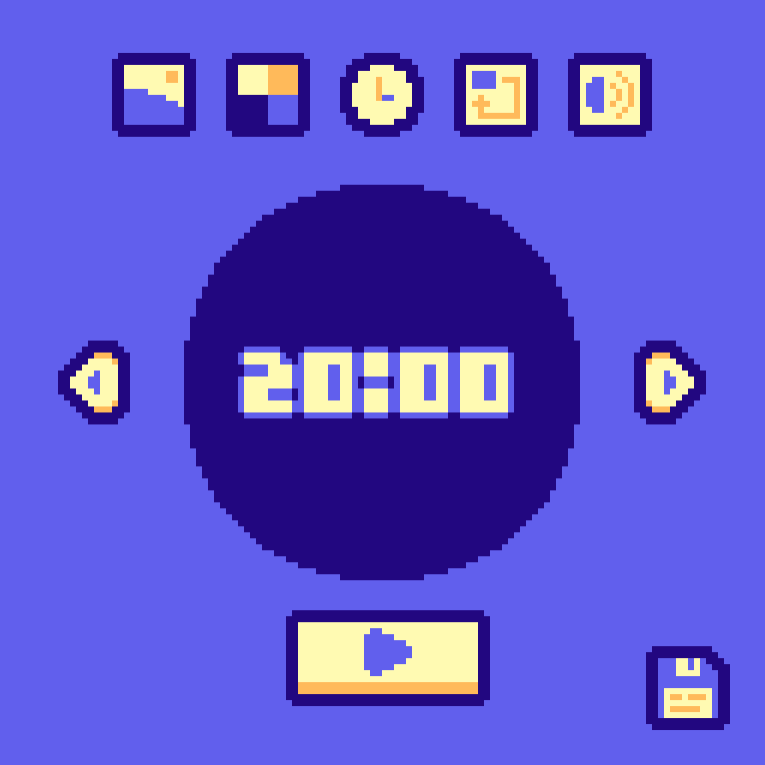
Core features 📑
Landscape button (🌄):
- Changing the style of the background
Color palette button (🟨):
- Changing the color palette of the timer
Timer button (⏰):
- Setting up the timers (pomodoro, short break and long break)
- Show the timer name (always or when hovering)
- Show the initial timer (when the timer is on or when hovering)
Restart button (🔄):
- Automatically starting the next timer after a break or pomodoro
- Number of short breaks before a long one
Volume button (🔊):
- Choosing the background music and sound effects
- Setting the volume of each of them
Saving button (💾):
- Saves your current settings for every time you open the program (only avaliable if you download it)