

Hi all,
Spending way too much time on game menus? I've been there. I was building the same menus day after day, and at some point it really got to me. So I turned them into a kit.
Stylized FPS UI is a UI kit for first-person shooters in Unreal Engine 5. It has lobby menus, settings, an in-game HUD, pause and radial menus, victory and defeat screens, plus 363 icons. Open the demo map, hit Play, and it all works.
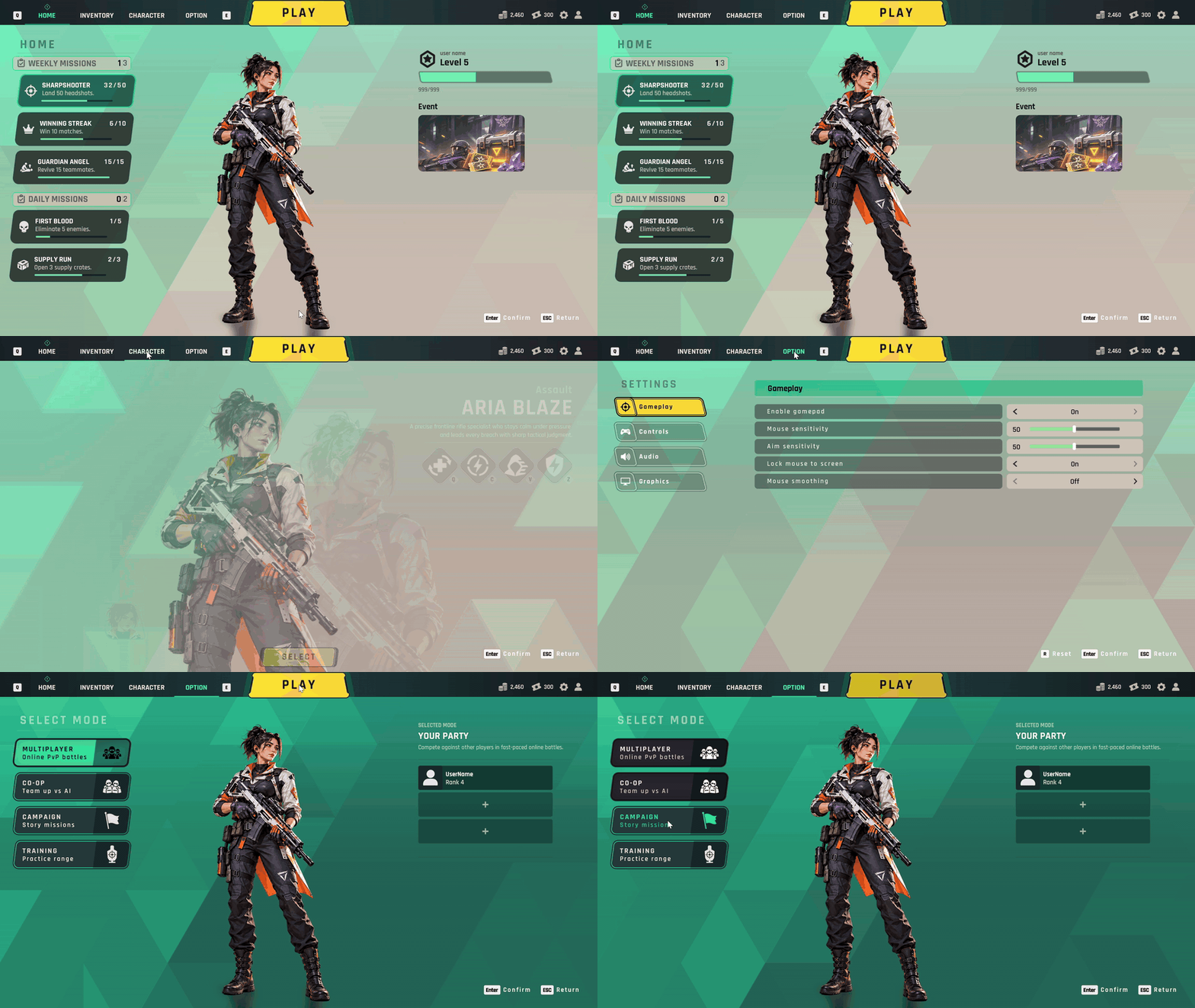
Some things that might save you time:
- The HUD runs off simple calls like SetHealth or AddKillFeed, so hooking it up to your game is quick.
- You can get through every menu with a gamepad, and the button prompts switch when you change input.
- Settings really save, and you add weapons or characters by adding a row to a data table.
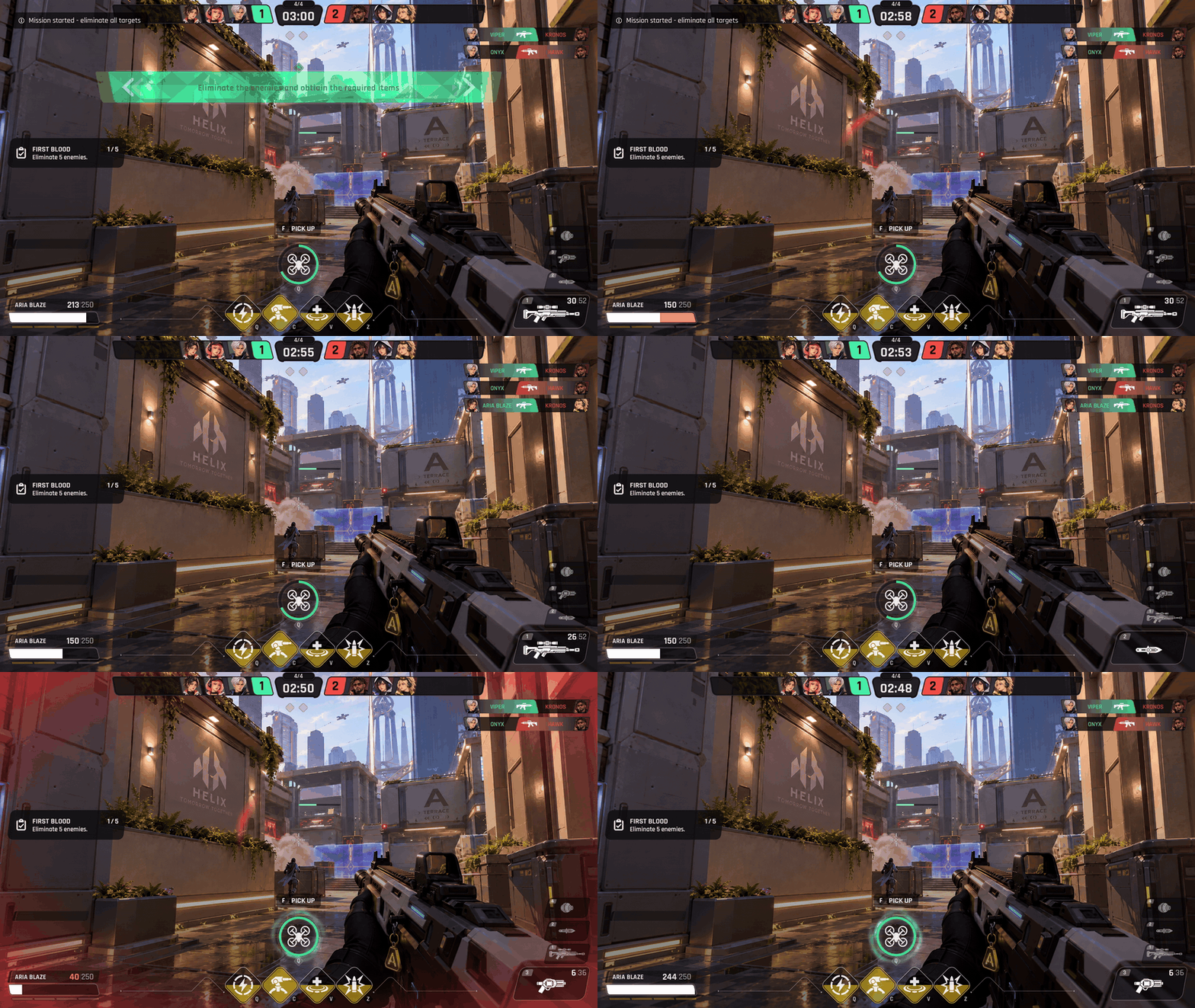
It's all Blueprint (no C++, no plugins) and works on UE 5.3 and later.
Not on Unreal? There's a Resources pack with the PNGs and the font. There's also a free Lite version if you want to try the style first.