Indie game storeFree gamesFun gamesHorror games
Game developmentAssetsComics
SalesBundles
Jobs
TagsGame Engines

You must be 18+ to view this content

Robin Morningwood Adventure - Gay Bara RPG (18+) may contain content you must be 18+ to view.

The creator of this page has specified that it contains mature themes and content. Please enter your birthdate to verify you are 18 or older:

or Return to itch.io

Bug report Sticky

A topic by Grizzly Gamer Studio created Jan 10, 2020 Views: 138,276 Replies: 1,177
Viewing posts 21 to 40 of 566 · Next page · Previous page · First page · Last page
(1 edit)

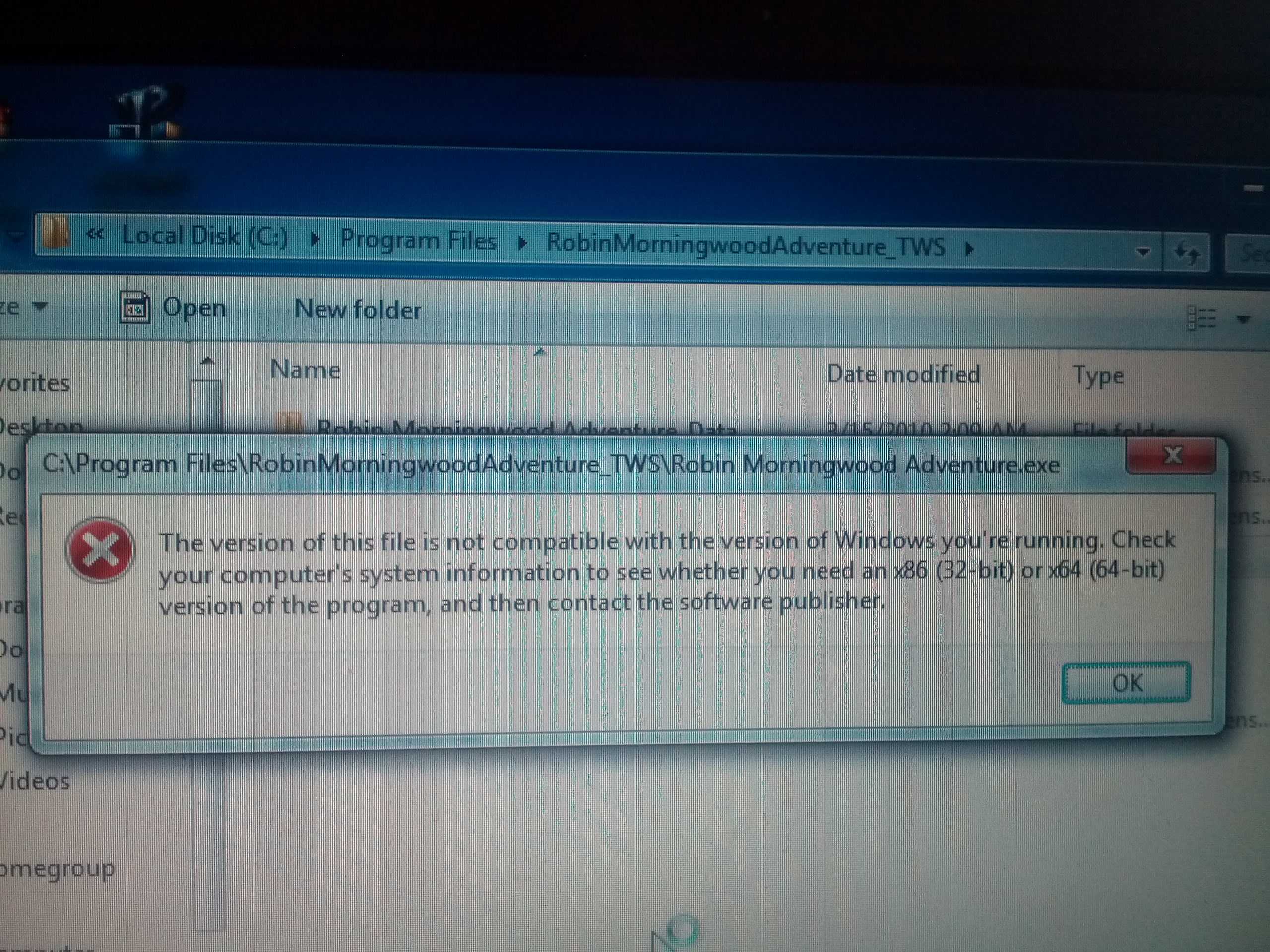
Excuse me? I run this game on PC then it say that "The vesion of this file is not compatible with the version of Window you're running"

I'm using window 7 32bit 2GB RAM.  I need to buy the new one, needn't I?

the same thing is happening to me in this demo, and the dev didn't even answer us: /  

@wangxnx if you can solve the problem please tell me how to solve it too

Actually, buying a new laptop with high graphics is the only way ( because window 10 with 64bit is minium graphic). I saw them saying that on their tweet.

my save is not working.... when i try to open my save it just turns into black and the background just playing..... no.... what should i do i try to make a new save and it just works fine

Developer

Thank you for your report :)

Hello! Love the demo so far, just wanted to share a duplication bug I  found. 

So I opened the game, played for a bit and patched the small hole in the floor of my house. I then got the wooden cock ring, and quit the game without saving after playing for a bit more. I opened the game again, and the hole in the floor came back, but I still had the cock ring in my inventory. I patched the hole again and got a second cock ring. 

Hope this helps! Not sure if anyone else has reported anything similar

Developer

Thank you!

Any time! I'll keep playing the demo some more to see if I find anything else. Can't wait for the full release!

I tried reopening the game, but it only shows up as a small rectangular window, the audio plays in the background, but that's it.

Developer

Hello, sorry for the delay. That is really weird. But you can try to press the "windows+up arrow" keys to enlarge it. Or try "Alt+Return" It should set it to full screen.

I powered through the entire demo last night (stayed up all night, couldn't stop playing!) but I'll play it through again looking for bugs to report.  I got so involved in it I forgot to watch for glitches 🙃

Hey! I really love the game, I only have played on my computer and now I thought I'll give it a try on my android, but I can't get pass to the "Fighting" Tutorial, before it begging a black screen is shown and then the game crashes! I've tried to get pass that moment of the demo but I can't 😢

Developer

Hello David,

I'm really sorry to hear that. We found out there was memory leaks and we patched it up a few weeks ago. We are planning to release a new version of the demo in september (just before releasing the actual game).

in the meantime, what you can do is save just before the fighting tutorial, quit the game to release memory, launch the game and play it. with fingers crossed, you should be able to do the tutorial.

(1 edit)

I don't know if it's major, more of a pet peeve thing; changing name does not change in game content such as the name of main characters house or quest  logs. Still has generic name "Robin". Will this be addressed in the future?

Developer

We had forgotten this. It will be corrected in the next update. Thank you!

No problem. Looking forward to the full release and cannot wait!

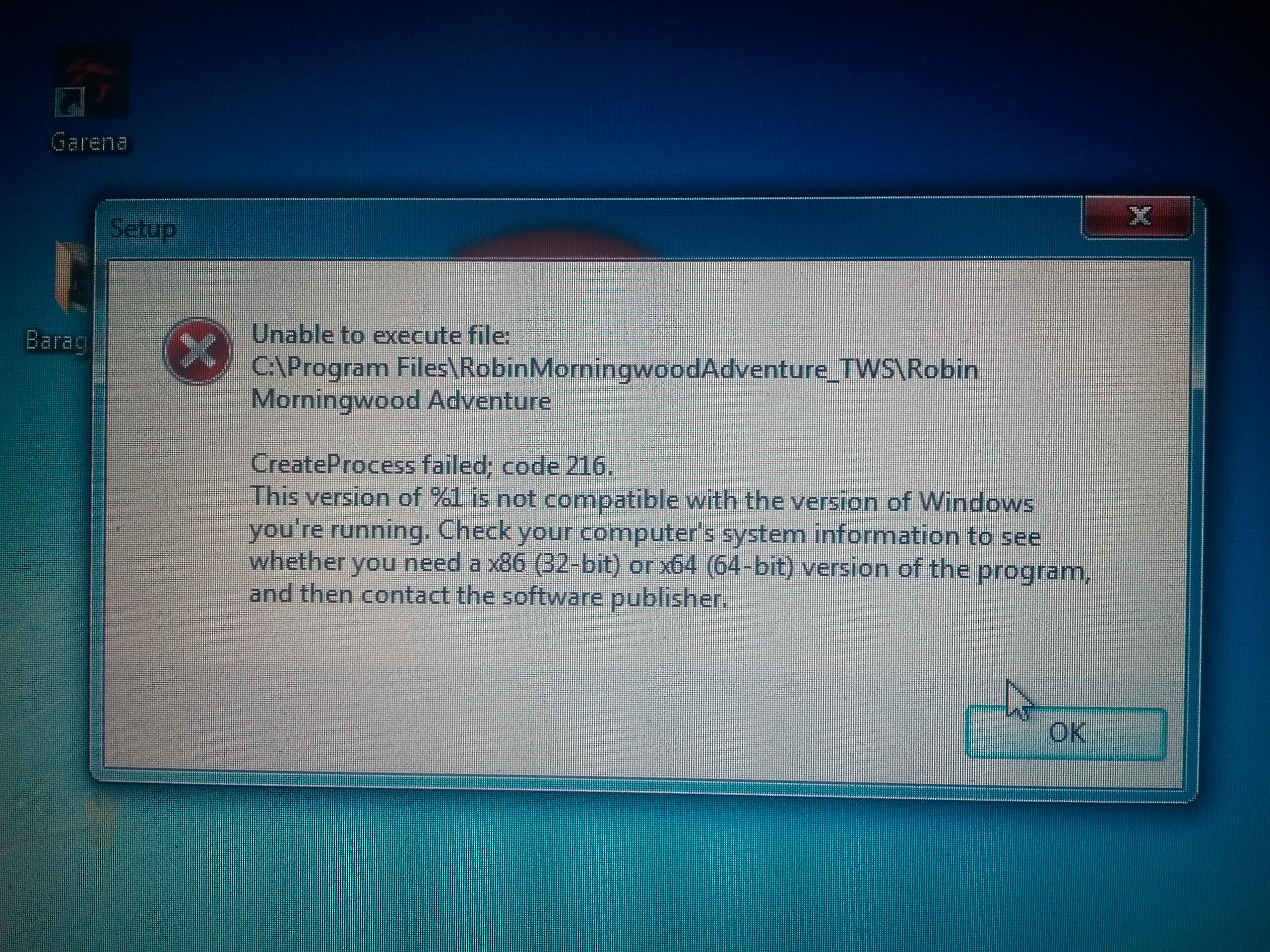
hi grizzly gamer I have installed the 32bit demo of 3.1d on my x86 32bit laptop and when I tried to run the game i always get this message pls help me how to fix it

and this is the message after the game is done installing and the installer tried to autorun the game this is the message that appears hope you can help me the installer i download is the right installer but it still wont run the game i hope that you can help me so that i can play the game 

Developer

Hello Baralover, I just realised i made a mistake building the 32bits version. I re-uploaded it so you can try the new version. it weights 394MB instead of the previous 396MB.

the new 32bit installer now works and the game is now running thank you I hope you will also release the same 32bit installer that work in the full release of the game and i love your game i hope and i am excited to see more new contents in the future updates of the game keep up the good work 

Developer

Thank you very much! and of course, we'll release the 32b installer along with the others ;)

Is there a way to speedup the game on 32bit cause when i play the game its slow and sometimes not responding and i notice that I can't click the work and duel button for Tristan & Hector hope you can fix it 

Developer

For tristan and Hector, that's normal. the buttons are greyed out.

But for making the game faster, that's going to be complicated. There is only so much we can do for older machines :(

ah ok thanks and love your game 

Deleted 5 years ago

nvm. I see it's been updated!

I suppose the Mac version still have save issue on the latest macOS (Catalina 10.15.6): when I try to delete a save that is empty, the game stucked at the confirm delete save view (the one you need to click yes or no). I can still move my mouse cursor but cannot click. Also when I try to save it failed.

There is another issue: when I get the free room from the inn, laying in my bed while needing to check up-stairs for the noise, I opened my inventory before any other actions. But I cannot exit the inventory screen. I closed the game then reopen it, and the game get me back to the point just before I open my inventory. Afterwards, the close button in inventory screen worked.

Also, not sure if it is bug or not, when I played the Axes and Beer minigame at the evening, the time shifted to night for the ending scene, but will automatically shift to the next morning.

Developer

Hello moz9738,

Thank you for the feedback, It's very difficult for us to test on Mac since we are using a virtual machine, but we are going to check that out.

One more issue... When I repaired the weapon shop at night, after the scene, the time travelled back to evening. So strange...

The save game "something has gone wrong" message seems to be cosmetic, the game actually does save, however the details of the save information doesnt get updated in the catalog.

I will do another play-through to see if I can confirm the other two bugs

Deleted post
(+1)

noticed a glitch or something with the woodcutting mini game. after completeing it,, the person standing on screen naked was the mailman instead of the woodcutter. it lasted a second before changing into the woodcutter but i found out if you click on it before the change, the screen will get stcuk and you would have to close the game through task maneger and restart it

Hey i found two bugs within the game,  one of them is within the save files. i started playing the game around July 14th and finished all that i could in the game, today i saw the update, but i can't seem to  choose the save file that i was using. The other bug i saw was when i started a new save file, while playing  the wood chopping game, after u win you see a flash of the inn keeper then the axe man and if u press the inn keeper he 'finishes' but then it gets stuck on that screen.

Developer

Hello Izzie_izz,

The saves are not compatible between the old demos and the new one.

On what device did you found the innkeeper issue?

I would say windows because i have the same problem with the inn guy

Android can't load  It says that the download failed.  Do you have a solution or not?

Developer

If the download failed, you should first check your connection, and verify you are not in a network that could prevent the download. There not much i can do about that actually.

(1 edit)

Hello, I'm having a weird problem:
I played the old demo just fine, but I try to open the program I downloaded for the new demo you released and it's been unresponsive so far (as in i try to open it and nothing happens).
Tried running as administrator and nothing happens as well, dunno what to do.

EDIT: Had to use compatibility settings from Windows 8 to make the installer work (?). Managed to install and have been playing the game just fine now.
Dunno if that problem was on my end or yours, but wanted to let you know.

Developer

Hello Welch,

That's a really weird behaviour, on wich version of windows were you trying to play?

(1 edit)

On the Mac 3.2D build, the "moaning" sfx gets stuck in a loop when I use "jerk-off" and hit space. The sfx loop will only stop when I quit the current game.

Catalina 10.15.6 - Managed to reproduce this during Duel with Hubert - during the SFX playback for the "Jerk Off" hitting space did cause the SFX to continue to play until the game was quit.

Developer

Thanks Guys, I'll find where this is coming from and patch that up for the next update.

By the way, if you keep pressing space quickly right after click on jerk-off, the enemy meter will keep increasing (the sfx loop will go crazy) and you can insta-finish him. This is sort of a cheat... :)

I think you meant to say:  "He longingly works his tongue over the head of your very hard cock."?

Lovingly, Hungrily? eagerly? :)

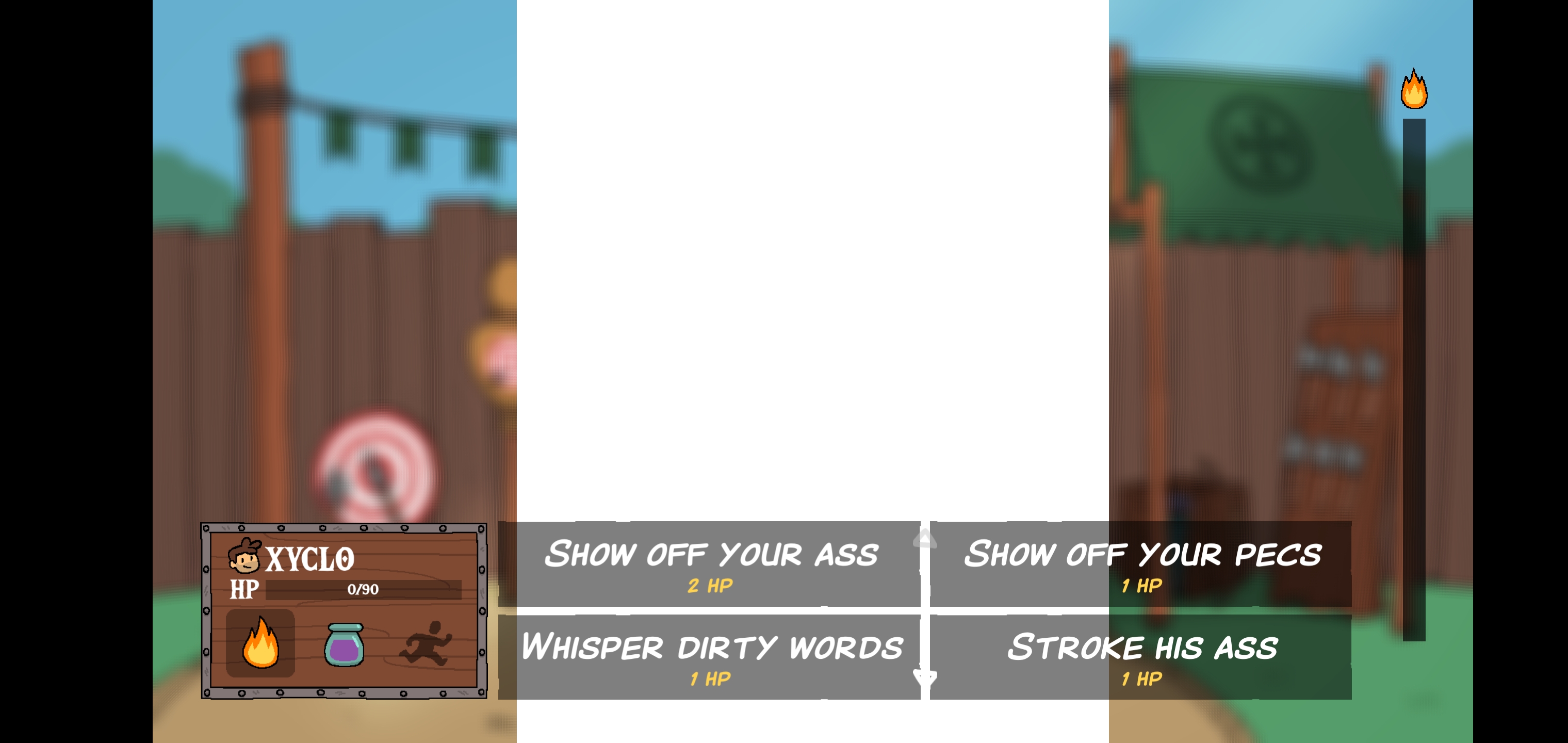
I was playing the game earlier this morning and encountered a glitch where Ghaart's (sp?) Image wouldn't load when trying to battle him. 

Developer

Hello Xyclo,

This seems to be a bug we corrected in version 3.2. can you check you have the right version?

shows 3.1d, but could've sworn I just fownloaded 2 days ago.

Viewing posts 21 to 40 of 566 · Next page · Previous page · First page · Last page