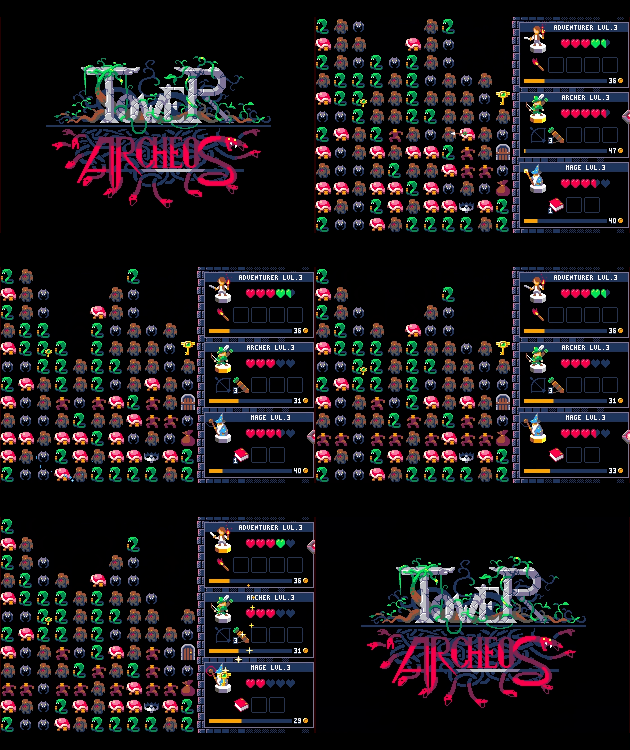
I'm also on Windows 10 on a Surface Pro 3 (a touchable screen device).
The fact is that the game is in touch mode, it's not clicking, it's tapping the screen which works... it would be good for both (clicking and tapping) to work.
The potion will be fixed in next patch. For the door I generate 2x keys and 1x chest on each floors which means a player only endanger himself if he opens 2x chests on the same floor and the previosu keys got lost. I'm not sure about what to do about this, any suggestions ?
Leveling up over 10 (while playing on Easy Mode, at least) freezes the game just when I'm collecting the final coins. Happened twice up till now. It can be unfrozen by no input whatsoever.
I forgot that next difficulty level must be unlocked to increase team size. ( 1 > 2 > 3 )
This is far too messy right now. I need to make it more readable. I think about allowing 2x members team on the free version and extend to 3x members for version premium.
The game is stuck when the last key is inside a fairy and you don't have items to kill it. Also some kind of exploit is if you have an armor and you have slimes and a fairy, you can click on it until the dungeon is full of slimes, the downside is its boring and takes long to do.
Also are planing to add a fullscreen couch mode? ;D
Awesome game! Really liked the concept and the pixel art!
Reporting some issues:
After playing various times, I noticed a message on the corner saying "Grid.hx:102: testCol Fail!". Don't know when it happened, but I hope it can be of any use. Also, the image of the Bull in the card shows as some kind of red paper imp, not the Bull I suppose it should show.
Using the swap wand on Archeos and then on another ennemy causes the game to freeze. I wanted to do a Swap + Hammer combo to get rid of him. It would be interesting to also test if using the hammer on archeos to bring him down or kill him freezes the game too.
I, uh, don't know how to pick up a key. Clicking it doesn't seem to do anything. (Nevermind, keys seem to autouse on the same screen. Could be made clearer!)
(Windows 7) Also when I died and was brought back to the title screen the window was the same size but the playable screen shrunk considerably until I hit the window size buttons a couple times. This happens in both Fullscreen and Windows mode.
Evil Roots can stick on ceilings without nearby monsters to cause their fall.
The turn indicator disappears when you switch to fullscreen.
Trying to swap a monster to an empty tile freezes the game. Also swapping it with itself leaves a visual effect on it and uses up the item, while I think it should just cancel the use.
I used the switching rod thingy on a monster who was next to an empty place and clicked on the empty square. The game didn't seem to know whwat ti make of it and seemed to basically stop working. Seemed like it was waiting for me to click somewhere for the other switching target, but woudln't accept any options.
I'm not sure if this is intentional, but the ranger seems to have many turns sometimes before the next party member's turn. I think it has to do with the extra arrows he gets?
The Goblin description has a typo. It should say every sword counts for 1/2 damage, not one. It also fails to mention that goblins lose their sword when there's fighting nearby.
Another oddity in the descriptions is the use of an imperative verb instead of third person singular, for instance shouldn't "Scrounger - Steal nearby items" be "Scrounger - Steals nearby items" as the description refers to the monster and not you? Some of the descriptions also become a bit nicer when reworded from the viewpoint of the monster: "Fairy - Flee on a free square if you attack a single one." becomes "Fairy - Flees onto a free square if attacked alone."
Not quite a bug, but one small feature that I find distracting is the blinking items. If the items need highlighting a small up and down movement animation or a uniform scaling animation would suffice without concealing the items half the time.
I'm really interested in typo reports because my english is below average. If you think that some texts are unclear or written in bad english. dont hesitate to send other reports.
The pause on level up is actually something I wanted. I'm actually quite surprised people thinks it's a bug ( you're not the first one ) Maybe I will remove it later.