Won't launch at all for me. Windows 7.
Edit: Works if launched through the JAR rather than EXE.
Tales of Androgyny may contain content you must be 18+ to view.
The creator of this page has specified that it contains mature themes and content. Please enter your birthdate to verify you are 18 or older:
BUG REPORT
Running the game on a new PC build (5600x and 1060 6gb) on Win10, with a fresh install (so no temps or save files).
Game crashes with the following log after setting up:
com.badlogic.gdx.utils.GdxRuntimeException: #iterator() cannot be used nested. at com.badlogic.gdx.utils.Array$ArrayIterator.hasNext(Array.java:638) at com.majalis.screens.AbstractScreen.renderSubScreens(AbstractScreen.java:496) at com.majalis.screens.MainMenuScreen.render(MainMenuScreen.java:466) at com.badlogic.gdx.Game.render(Game.java:46) at com.badlogic.gdx.backends.lwjgl3.Lwjgl3Window.update(Lwjgl3Window.java:403) at com.badlogic.gdx.backends.lwjgl3.Lwjgl3Application.loop(Lwjgl3Application.java:143) at com.badlogic.gdx.backends.lwjgl3.Lwjgl3Application.<init>(Lwjgl3Application.java:116) at com.majalis.talesofandrogyny.desktop.DesktopLauncher.main(DesktopLauncher.java:39)
Same issue as for Samantha Trappu : Every time I try to close internal window, i have the same message :
X Error of failed request: BadCursor (invalid Cursor parameter)
Major opcode of failed request: 2 (X_ChangeWindowAttributes)
I thought that it is related to my screen resolution and game resolution being different, but changing them to the same value didn't help. I am on Linux by the way.
I found some info on the Internet making me think that Majalis might be using ffmpeg for some reason, but it seems unrelated :
By the way, I found a second reproducer :
1) Open options in Main Menu
2) Press on ESC button (keyboard) instead of using mouse to exit in-game window
3) At this moment game cursor (beautiful golden sign) disappeared and is now replaced with my regular desktop cursor. The error will occur as soon as I click anywhere with this cursor.
So the problem is probably somewhere in cursor handling
https://stackoverflow.com/questions/13773870/how-to-get-over-30fps-using-java-in...
might be useful, but I am unfamiliar with gamedev in Java, so I can't say
Using the Mac option (not the .jar one)
If you need a *.rar extractor, use this -> https://www.keka.io/en/
This part applies the execute bit to the internal executable files (instead of fixing them manually and possibly more than one of them...), and will try to launch the application automatically
1. Open the Terminal application (search under Spotlight, under Launchpad, or under Finder go to Applications -> Utilities)
2. Refer to the following link (ignore the jre part, rather only which code to use) -> /post/4300285 (don't forget to bring Terminal to the foreground before you paste)
Wait, it's having issues like "Did not properly load asset in advance" and "A fatal error has been detected by the Java Runtime Environment"
The Mac build runs after applying the execute permission to the internal executable, however you cannot save without
"Did not properly load asset in advance: ui/character/X Up.png
Did not properly load asset in advance: ui/character/X Down.png
Did not properly load asset in advance: ui/character/X Hover.png
Did not properly load asset in advance: ui/character/Tooltip Small.png
Did not properly load asset in advance: ui/save/Quicksave Up.png
Did not properly load asset in advance: ui/save/Empty Slot.png"
Hitting that X icon, crashes the game
C [libobjc.A.dylib+0x681d] objc_msgSend+0x1d
j org.lwjgl.system.JNI.invokePPV(JJJ)V+0
j org.lwjgl.glfw.GLFW.glfwSetCursor(JJ)V+20
j com.badlogic.gdx.backends.lwjgl3.Lwjgl3Graphics.setCursor(Lcom/badlogic/gdx/graphics/Cursor;)V+14
J 2989 c1 com.majalis.screens.AbstractScreen.render(F)V (111 bytes) @ 0x0000000118e06ba4 [0x0000000118e06680+0x0000000000000524]
j com.majalis.screens.SaveScreen.render(F)V+2
j com.majalis.screens.AbstractScreen.renderSubScreens(F)V+29
j com.majalis.screens.EncounterScreen.render(F)V+76
j com.badlogic.gdx.Game.render()V+19
j com.badlogic.gdx.backends.lwjgl3.Lwjgl3Window.update()Z+187
j com.badlogic.gdx.backends.lwjgl3.Lwjgl3Application.loop()V+111
j com.badlogic.gdx.backends.lwjgl3.Lwjgl3Application.<init>(Lcom/badlogic/gdx/ApplicationListener;Lcom/badlogic/gdx/backends/lwjgl3/Lwjgl3ApplicationConfiguration;)V+243
j com.majalis.talesofandrogyny.desktop.DesktopLauncher.main([Ljava/lang/String;)V+48
v ~StubRoutines::call_stub
V [libjvm.dylib+0x3b910e] _ZN9JavaCalls11call_helperEP9JavaValueRK12methodHandleP17JavaCallArgumentsP6Thread+0x21a
V [libjvm.dylib+0x3fe303] _ZL17jni_invoke_staticP7JNIEnv_P9JavaValueP8_jobject11JNICallTypeP10_jmethodIDP18JNI_ArgumentPusherP6Thread+0x10a
V [libjvm.dylib+0x401dcb] jni_CallStaticVoidMethodV+0x14c
C [TalesOfAndrogyny+0xc536] _ZN7JNIEnv_20CallStaticVoidMethodEP7_jclassP10_jmethodIDz+0x86
C [TalesOfAndrogyny+0xb750] _ZNSt3__110__function6__funcIZ12launchJavaVME3$_0NS_9allocatorIS2_EEFPvS5_EEclEOS5_+0x16b0
C [TalesOfAndrogyny+0xe145] _ZNSt3__110__function6__funcIZ4mainE3$_0NS_9allocatorIS2_EEFvNS_8functionIFPvS6_EEERK14JavaVMInitArgsEEclEOS8_SB_+0x175
C [TalesOfAndrogyny+0x3685] launchJavaVM+0x1305
C [TalesOfAndrogyny+0xd622] main+0x42
C [libdyld.dylib+0x1acc9] start+0x1
Using the Escape key instead leads to this
java.lang.RuntimeException: Actor: Group
| Group
| Group
at com.badlogic.gdx.scenes.scene2d.Actor.act(Actor.java:110)
at com.badlogic.gdx.scenes.scene2d.Group.act(Group.java:47)
at com.badlogic.gdx.scenes.scene2d.Stage.act(Stage.java:226)
at com.majalis.screens.AbstractScreen.render(AbstractScreen.java:489)
at com.majalis.screens.EncounterScreen.render(EncounterScreen.java:132)
at com.badlogic.gdx.Game.render(Game.java:46)
at com.badlogic.gdx.backends.lwjgl3.Lwjgl3Window.update(Lwjgl3Window.java:403)
at com.badlogic.gdx.backends.lwjgl3.Lwjgl3Application.loop(Lwjgl3Application.java:143)
at com.badlogic.gdx.backends.lwjgl3.Lwjgl3Application.<init>(Lwjgl3Application.java:116)
at com.majalis.talesofandrogyny.desktop.DesktopLauncher.main(DesktopLauncher.java:39)
Caused by: com.badlogic.gdx.utils.GdxRuntimeException: Pixmap already disposed!
at com.badlogic.gdx.graphics.Pixmap.dispose(Pixmap.java:370)
at com.badlogic.gdx.graphics.g2d.PixmapPacker$Page$1.dispose(PixmapPacker.java:507)
at com.badlogic.gdx.graphics.g2d.BitmapFont.dispose(BitmapFont.java:320)
at com.majalis.screens.ScreenElements.dispose(ScreenElements.java:43)
at com.majalis.screens.AbstractScreen.dispose(AbstractScreen.java:523)
at com.majalis.screens.AbstractScreen.switchScreen(AbstractScreen.java:150)
at com.majalis.screens.AbstractScreen$1.act(AbstractScreen.java:93)
at com.badlogic.gdx.scenes.scene2d.actions.SequenceAction.act(SequenceAction.java:65)
at com.badlogic.gdx.scenes.scene2d.Actor.act(Actor.java:98)
... 9 more
Load from the main menu instead outputs
"Did not properly load asset in advance: ui/save/Quicksave Up.png
Did not properly load asset in advance: ui/save/Empty Slot.png"
Clicking Escape works, but loading again or rather hitting the X icon instead of using Escape key, crashes the game
Same for options, except
"Did not properly load asset in advance: sounds/Click2.wav
Did not properly load asset in advance: ui/option/Bar.png
Did not properly load asset in advance: ui/option/Dongle.png"
Hitting options again after the Escape key, causes this
"Terminating app due to uncaught exception 'NSInvalidArgumentException', reason: '-[__NSTaggedDate set]: unrecognized selector sent to instance"
com.badlogic.gdx.utils.GdxRuntimeException: com.badlogic.gdx.utils.GdxRuntimeException: Couldn't load file: animation/NagaAnal_3.png
at com.badlogic.gdx.assets.AssetManager.handleTaskError(AssetManager.java:650)
at com.badlogic.gdx.assets.AssetManager.update(AssetManager.java:430)
at com.badlogic.gdx.assets.AssetManager.finishLoading(AssetManager.java:457)
at com.majalis.asset.SafeAssetManager.get(SafeAssetManager.java:35)
at com.majalis.asset.AnimationEnum.getAnimation(AnimationEnum.java:359)
at com.majalis.character.EnemyEnum.getAnimations(EnemyEnum.java:480)
at com.majalis.screens.ReplayScreen$2.clicked(ReplayScreen.java:245)
at com.badlogic.gdx.scenes.scene2d.utils.ClickListener.touchUp(ClickListener.java:88)
at com.badlogic.gdx.scenes.scene2d.InputListener.handle(InputListener.java:71)
at com.badlogic.gdx.scenes.scene2d.Stage.touchUp(Stage.java:355)
at com.badlogic.gdx.InputEventQueue.drain(InputEventQueue.java:70)
at com.badlogic.gdx.backends.lwjgl3.DefaultLwjgl3Input.update(DefaultLwjgl3Input.java:189)
at com.badlogic.gdx.backends.lwjgl3.Lwjgl3Window.update(Lwjgl3Window.java:394)
at com.badlogic.gdx.backends.lwjgl3.Lwjgl3Application.loop(Lwjgl3Application.java:143)
at com.badlogic.gdx.backends.lwjgl3.Lwjgl3Application.<init>(Lwjgl3Application.java:116)
at com.majalis.talesofandrogyny.desktop.DesktopLauncher.main(DesktopLauncher.java:39)
Caused by: com.badlogic.gdx.utils.GdxRuntimeException: Couldn't load file: animation/NagaAnal_3.png
at com.badlogic.gdx.graphics.Pixmap.<init>(Pixmap.java:165)
at com.badlogic.gdx.graphics.TextureData$Factory.loadFromFile(TextureData.java:98)
at com.badlogic.gdx.graphics.Texture.<init>(Texture.java:122)
at com.badlogic.gdx.graphics.g2d.TextureAtlas.load(TextureAtlas.java:87)
at com.badlogic.gdx.graphics.g2d.TextureAtlas.<init>(TextureAtlas.java:80)
at com.badlogic.gdx.graphics.g2d.TextureAtlas.<init>(TextureAtlas.java:76)
at com.badlogic.gdx.graphics.g2d.TextureAtlas.<init>(TextureAtlas.java:71)
at com.badlogic.gdx.graphics.g2d.TextureAtlas.<init>(TextureAtlas.java:61)
at com.majalis.asset.AnimatedActorLoader.getActor(AnimatedActorLoader.java:28)
at com.majalis.asset.AnimatedActorLoader.load(AnimatedActorLoader.java:26)
at com.majalis.asset.AnimatedActorLoader.load(AnimatedActorLoader.java:16)
at com.badlogic.gdx.assets.AssetLoadingTask.handleSyncLoader(AssetLoadingTask.java:101)
at com.badlogic.gdx.assets.AssetLoadingTask.update(AssetLoadingTask.java:89)
at com.badlogic.gdx.assets.AssetManager.updateTask(AssetManager.java:577)
at com.badlogic.gdx.assets.AssetManager.update(AssetManager.java:428)
... 14 more
Caused by: java.io.IOException: Error loading pixmap: Corrupt PNG
at com.badlogic.gdx.graphics.g2d.Gdx2DPixmap.<init>(Gdx2DPixmap.java:85)
at com.badlogic.gdx.graphics.Pixmap.<init>(Pixmap.java:163)
... 28 more
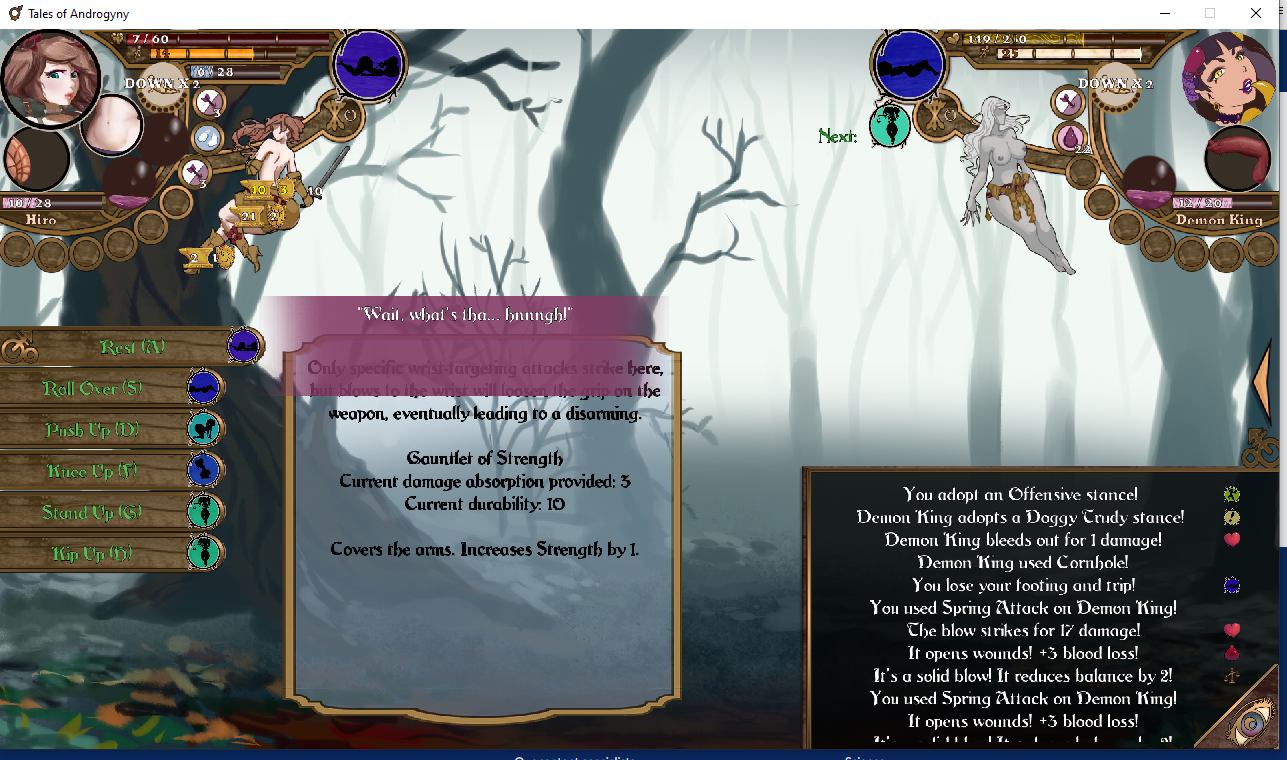
Not sure if it is supposed to be like this, but when fighting the tentacle witch, paralyze doesnt, work, nor does putting them to sleep or making them drunk. Also when fighting the demon king, the picture of the demon king disapears after she tries and sits on you or tries and puts her penis in your mouth. Like after getting out of that position and standing up, you don't have an image of her.