Indie game storeFree gamesFun gamesHorror games
Game developmentAssetsComics
SalesBundles
Jobs
TagsGame Engines

6 Games in 12 Months Game Jam Devlog

A topic by Cedar Cat Studios created Jul 12, 2021 Views: 9,366 Replies: 73
Viewing posts 41 to 60 of 65 · Next page · Previous page · First page · Last page
(+1)

Seed Shot

Small Update

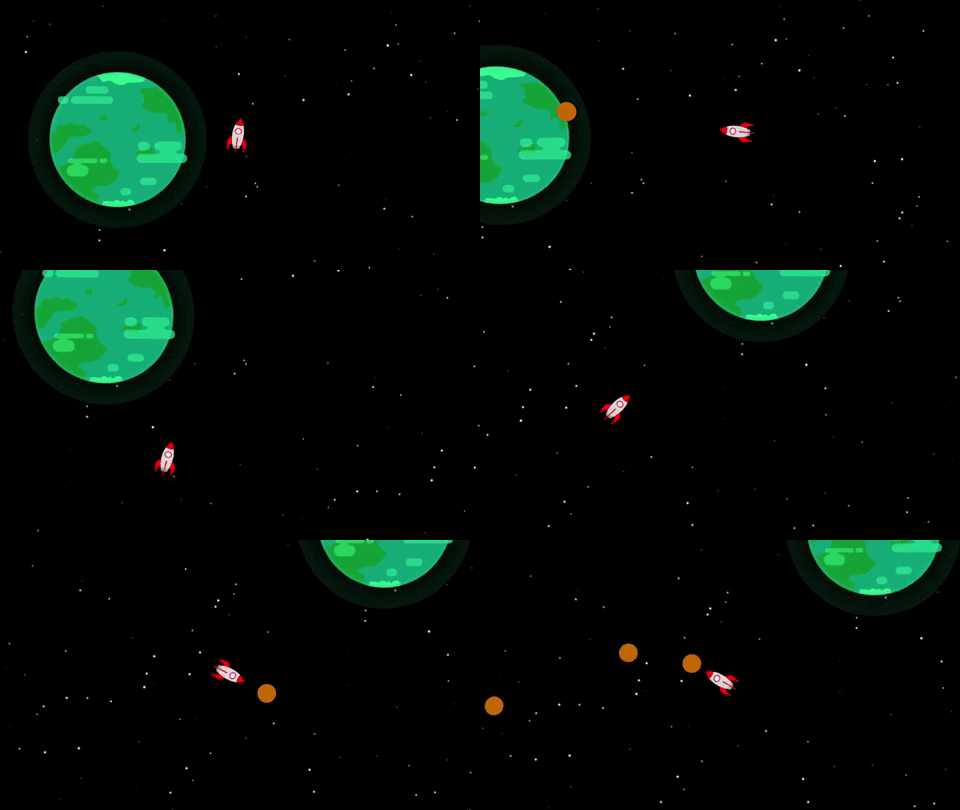
Tonight I was able to work a few minutes  on the game and implemented the seed shot game mechanic! In the game I will make the ammo only generate once you pick up a seed, but for now the main mechanic is working great. It is wild though how I was so stuck on the main movement mechanic for a few days, and now after being unblocked I am able to work on the game quicker and excited to see the game starting to come together.

Quick Question

How does the space background look? It is a placeholder that I just through in, but I think it actually looks okay without any parallax or anything. What are your thoughts?
Ammo and Seed Planting

Quick Update

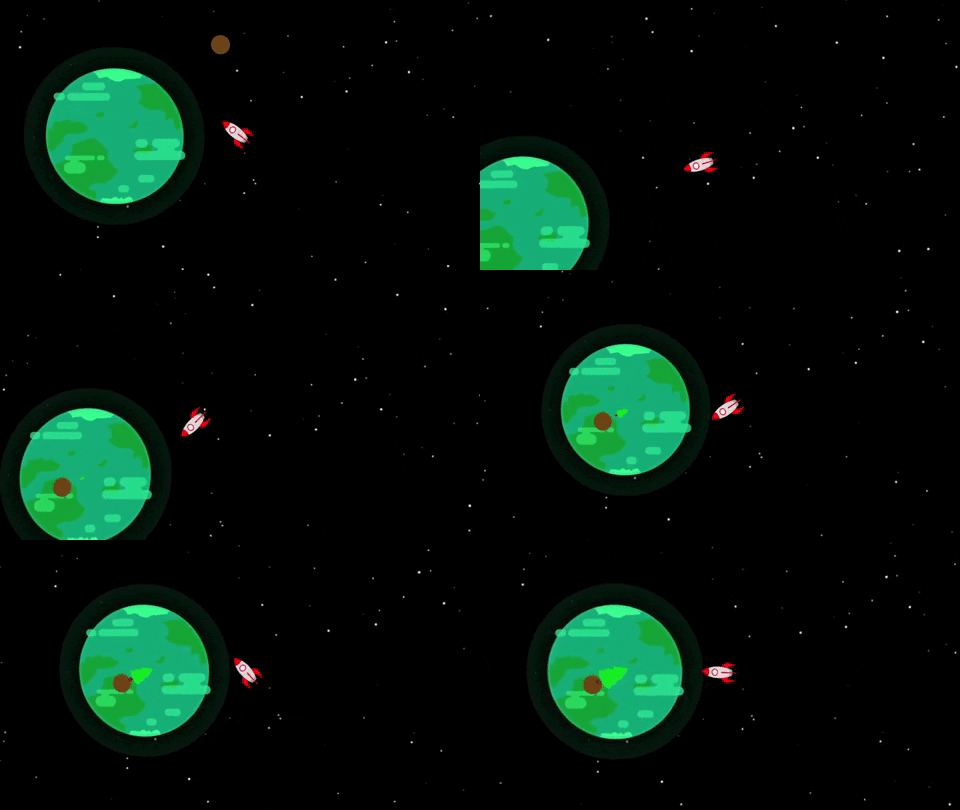
Although it was a lot of fun to shoot a gazillion seeds from the space ship a minute, I thought it would be better to limit the ammo and customize the mechanic for this game. The update I applied to the seed shot involves limiting the ammo to only the seeds the player picks up. I plan to add an ammo counter in the UI eventually. I still have not decided how many seeds the player will be able to hold at once.

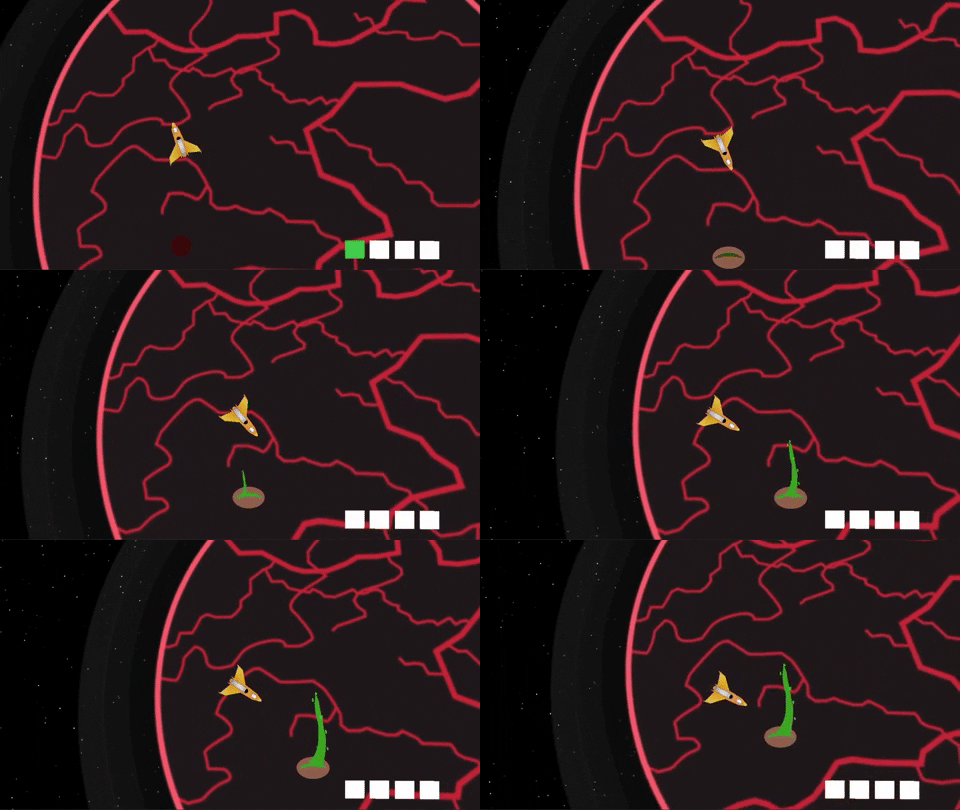
Additionally, as you can see (in the crude animation) that the player is able to shoot the seed at the planet and plant the seed. Planting the seed then triggers an animation that grows the tree in scale. However, I am planning to only grow the trees once they are watered enough. Weirdly enough, I think the watering will take place after you squash a bug with a seed. The bug guts will then water the seeds and help the trees grow. 

> I know that is super strange and weird regarding how the seeds grow. But I kind of love how weird and gross it is haha

On Deck

I was able to get the core mechanics of the seed shot and tree planing/growing in place, so now I want to work on the enemy mechanics. I plan to work on the bugs themselves, the AI, and the bug guts watering the tree mechanic. Honestly looking forward to working on the creepy crawl bug guts in the next update!

(+1)

I just discovered this, keep up the good work! :)

Thanks so much :) I hope you enjoy my updates and there is always more to come!

(+1)

Quite A Few Mechanic Updates

So What's Been Added?

The last two days have been extremely productive in terms of adding/modifying the core game mechanics. A few mechanics I added in this update are:

  • Added a bug spawner and "bug portal" (which is where the space bugs will go after stealing a seed).
  • Added a placeholder bug to be instantiated once a seed is planted and try to steal the seed
    • I built in logic to have the bugs be instantiated in waves to make the later game more exciting and difficult.
  • Ensure the bug will drop the seed if destroyed, otherwise the bug will take the seed through the portal to never be seen again!!
  • Added a laser shot to the space ship. This made gameplay way more exciting and added a health to the bug so they take three shots to be killed
    • I will still keep the seed shot mechanic, but will probably make it a one hit kill. It will be kind of a trade off. You lose a seed, but clear out a bunch of bugs.
  • Included the unfortunate feature that your laser shots can destroy your own trees!
    • I found myself shooting however I pleased when play testing, I found the strategy level went up once I realized I needed to be careful with my shots and need to move around more than just sitting in place and shooting.

So quite a bit was added! I found this time around that play testing has been super helpful in figuring out what does and does not work. I feel in some of my earlier games in this jam I had an idea and just ran with it. I never stopped to think "is this fun?". I am trying to think that with every step of the way in this game. Surprisingly I think I have already made some fun improvements by just taking a step back and thinking if the game is fun. If it isn't, then I try to think of a way to spice things up for the player (and myself!).

Up on Deck

I would like to finish up the core game mechanics so I can start adding more flavor to the game, and actually start putting more of the art together. What I will like to finish up next:

  • Add a "cool down" for the laser shot. This should help balance the mechanic some more.
  • Allow a seed to destroy a bug in one shot.
    • Need to figure out if it will flow through multiple bugs, or just destroy the one bug and bounce off? 
  • Add the planet health bar to show progress and completion.
  • Add some sort of health identifier for the trees.
  • Start working on the UI

What are your Thoughts?

How do you think the game is coming along so far? I would love your feedback as I put this game jam game together so I may make it a better end product. Let me know in a comment and I can try to incorporate feedback into the game as I go. Thanks again for reading along and I hope to share more updates soon!

(+1)

the mechanics are there so itd be better to start making visually apppealing.

(+1)

Starting to Come Together

Summary

New Space Ship

I've made quite a few updates over the last few days on the game. The first update I made was actually making my own spaceship asset in place of the placeholder from before. Additionally, I started building out the universe more. I found that it fits the gameplay more by making the planet much larger and expanding the area the player will need to protect and recover with seeds. 

Seeds and Ammo

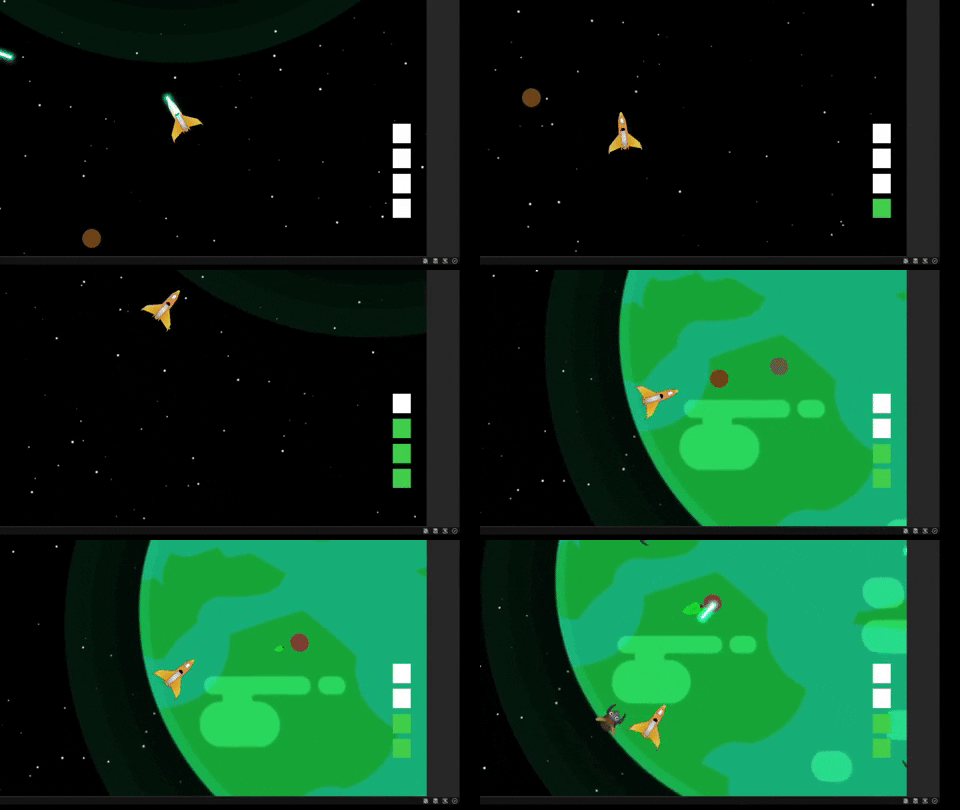
Speaking of the seeds, I added a new input action that will be separate from the shoot mechanic to actually shoot the seeds. I also added a placeholder UI (on the right) that will show you the seed ammo you currently have. At the moment the player is able to hold four seeds. These seeds will then be able to be used to help recover the planet, and shoot at the bugs for a quick one hit destroy shot.

Space Bugs

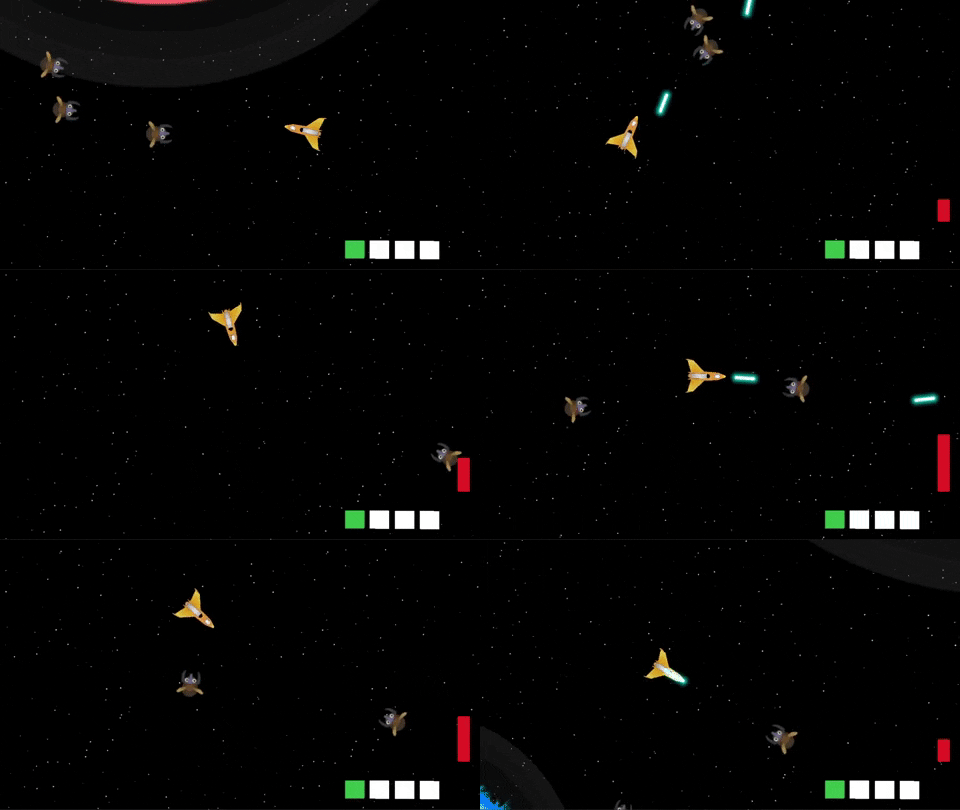
You may have gotten a quick glance at the end of the gif, but I found some simple bug prefabs on the Unity Asset Store with some great simple animations. I downloaded and installed the assets and have put them in place of the basic bugs from before. I currently have five variations of the bugs, but I would like to do more with them. I also need to work on the "wave" logic so the bugs come out in waves instead of all at once.

What I Still Want to Add

  • A cool down for the laser shot
  • Better assets for the seeds and trees
  • Ability for trees to sprout seeds after some time
  • Recovery meter for the planet
  • UI elements and a menu screen
  • More features that come up as I develop
(+1)

A cooldown would be good, adds some balancing.

Cooldown

Quick Update

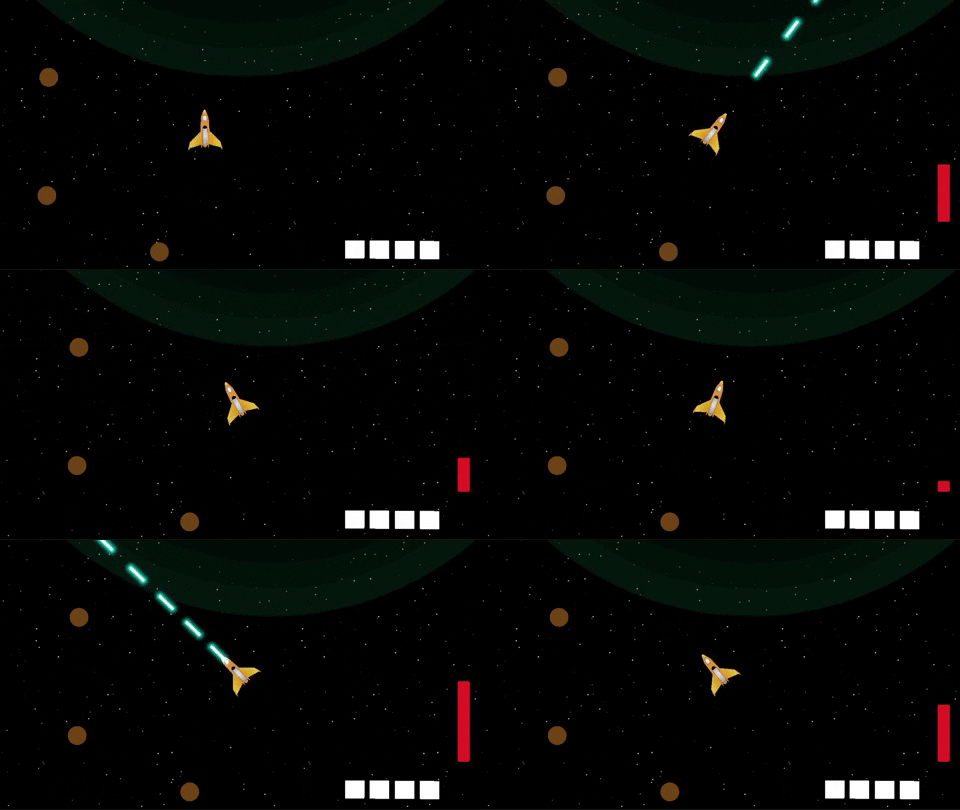
The last few days have been pretty busy with work so I haven't been able to do as much game dev as I would like. However, based off feedback and my assumptions of keeping the game balanced, I was able to add a quick cooldown for the laser shot. With this laser shot cool down, I am now have all the core mechanics in place and can start piecing the game together! 

This part of the game dev is probably my favorite part. I have all the mechanics in place, so now I get to just start putting pieces together bit-by-bit to start making a complete game. I also have been working on more assets for the game so I can finally replace the seeds, trees, and UI elements. 

Small Progress Note

I am pretty happy with the progress I have been making in this game jam as a whole. The laser shot cooldown was added without watching a single tutorial! In the middle of game four, I feel like I am really making progress in my game dev journey. I look forward to more progress that I will make, and also looking forward to finishing up this game by the end of the month!

Tree Growth Animation

Animation and More

I wasn't able to get too much done this weekend, but I was still proud of the progress that I made. In the gif about you can see the start of the animation I created for the seed growing into a tree. For some reason giphy decided to cut the animation short in here, but in the linked version you can see leaves start to sprout as more time goes by. In total, the animation takes around 30 seconds and triggers an event once it is finished to add a tree count to the game manager. This then will help progress the game.

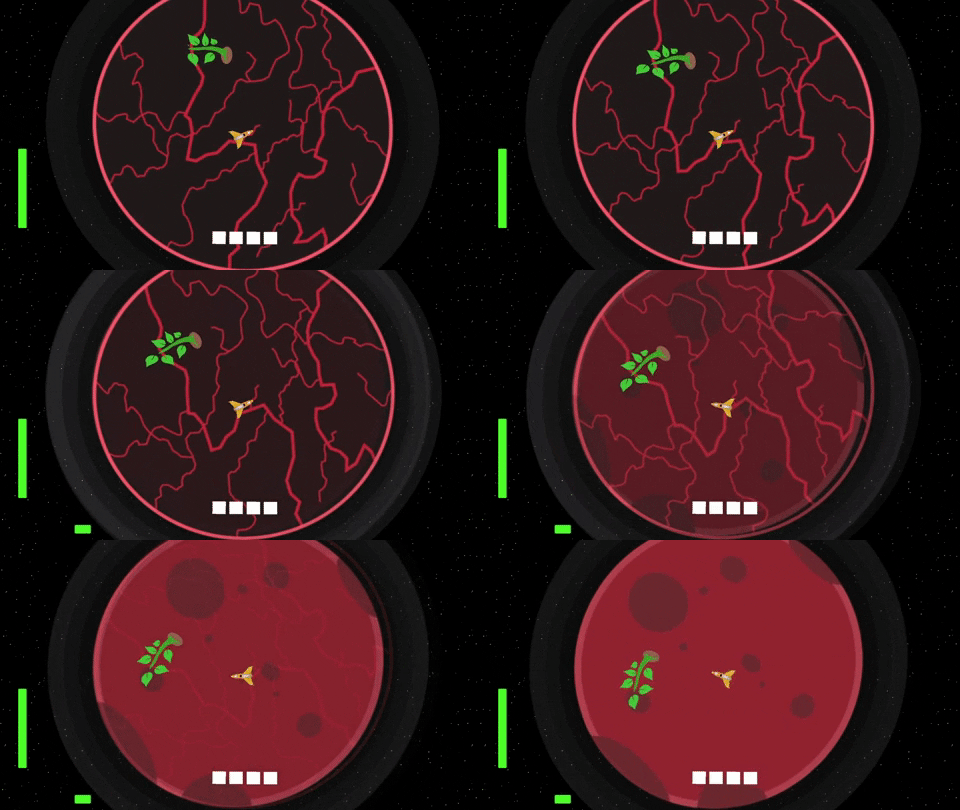
Speaking of progressing the game, you can see I have changed the planet sprite. That is because there are now six different versions of the planet that the player will see as they progress. Essentially, as the player plants and grows more trees, the planet will start to look more and more like a vegetated planet and "earth" like. The final "earth" like planet will then showcase the "recovery" aspect of the game and prove that the planet recover force was a success! 

Bugs

With the tree growth mechanic done, I can start fixing some of the bugs... lol... in the bugs themselves. Currently, they are able to go and look for the seed once it is planted, but it seems pretty unnatural if the seed is picked up since they just sit and wait for another seed to spawn. I would like to create some form of script (maybe using the NavMesh Agent?) for the bugs to naturally fly around in space if there is no seed for them to pick up.

Additionally, it is pretty confusing to understand where the bugs are coming from when playing the game. Do you think adding a mini map with enemy locations would make it too easy? Or would it be better to just show arrows on the screen where the enemies are? I need to make the bug battles more balanced, but still trying to figure out what would be the best way to account for the advantage the bugs have.

When Will I Be Done?

I am still hoping to be done by the end of the month so I can submit the game for the jam. I have some time off from work in the next few weeks, so hopefully I can use that time to finish putting this game together.

Realistically, the version of the game for the jam will not be mobile friendly, but I would still like to make a version of the game for mobile after I submit it for the jam. This way the game could reach a larger audience. It is pretty wild how many more play sessions I received for Tip Tap Cat since I put it on the Apple App Store in addition to launching the game on itch itself. 

Bug AI Update

Buuuuuuugs

After work I have been able to dive into the bug AI some more and feel like the improvements are really adding to the combat fun of the game! Unfortunately, I could not figure out how to get the NavMesh Agent to work with 2D games in Unity, and there really didn't seem to be a "wander" method that I could invoke. Therefore, to adjust for this I now have the bugs follow the player if there are no seeds in the scene. Otherwise, they will look through the scene for a seed and go to pick the seed. 

After playing around with this for a bit I started to have some more fun avoiding and shooting the bugs as they came towards me. It felt more "bullet hell" like and I was really enjoying it. I also turned up the spawn time and had a crazy moment with over 200 bugs on screen and it was pretty wild. I definitely need to figure out a good balance for how many bugs should be in scene and how often the should spawn.

Player Health

Since I couldn't figure out the wander mechanic for the bugs, and leaned right into bullet-hell, I felt it would only be appropriate and balancing to create a health system for the player so they have to keep moving. Currently the player has health (I will most likely add the health bar at the top of the screen) and each time a bug hits the ship the player will lose an integer of health. I also want to add an effect where the bug with bounce back maybe if it hits the ship to give some recovery time.

Let's Finish The Fight

I am looking forward to the next few days since I have off work and I can focus more on this game development before the end of the month. I feel like I have made "meh" progress the last few updates, but I am really looking forward to putting a lot of the final mechanics together and complete v0.1.0 of the game for the jam. Like I said before, I would like to iterate after the end of the month for a mobile deployment, but we will get there when the time comes. 

I look forward to sharing more in the next week and hope to have the game on my itch page before the end of the month!

Planet Healing

Animated GIF

How Progression Works

Today was an extremely productive day and I was able to iron out a lot of the core mechanics I had worked on in the previous weeks! Additionally, I finally got around to create the main progression system of the game. I built out the framework that will allow the planet to heal as more trees are fully planted. You can see in the gif above what one of the healing animations will look like.

There are roughly 8 planet variations that the player will experience as they are recovering the planet. Each recovery state will require more trees in order to activate. Further, I added a planet health bar in the bottom of screen (I will update the UI to be easier to interpret) so the player will have an idea of how far they have progressed, and how much longer they have until victory!

Player Health

You will also see that there is a new green health bar on the left hand side of the screen. That is the player health. I have updated the bug swarm to do damage each time they come into contact with the player. I also added a fun force field effect to repel the bugs after they have done damage. Before I added this the bugs would swarm you way to easily and it was easy to become overwhelmed. This way you get a chance to breath and plan your next move.

I thought long and hard about how the player would be able to heal. Ultimately I decided that the planet atmosphere will be where the player heals. Currently if the player is within the planets atmosphere, they will gain a single health point every 10 seconds. I found that this was the most balanced way to achieve these mechanic.

Oh yeah, I also added an orbit effect to really sell the world. It is wild how something as small as making the planet rotate helps elevate the game to a whole new level!

Last Tasks to Finish

  • Spawning seeds on the trees every so often.
    • This will make sure there is a good supply of seeds over time
  • Working out how frequent the bugs will spawn
  • Adding final sprites
  • Adding more plots for seeds on the planet
  • A game over and menu screen
  • A short cinematic in the beginning to set the mood and act as a tutorial for the player

Is there anything else you think would be good to add before finishing up this project? Let me know what you think would be good to add, or just let me know how you think I am doing on this jam!

Scene Hierarchy Improvement

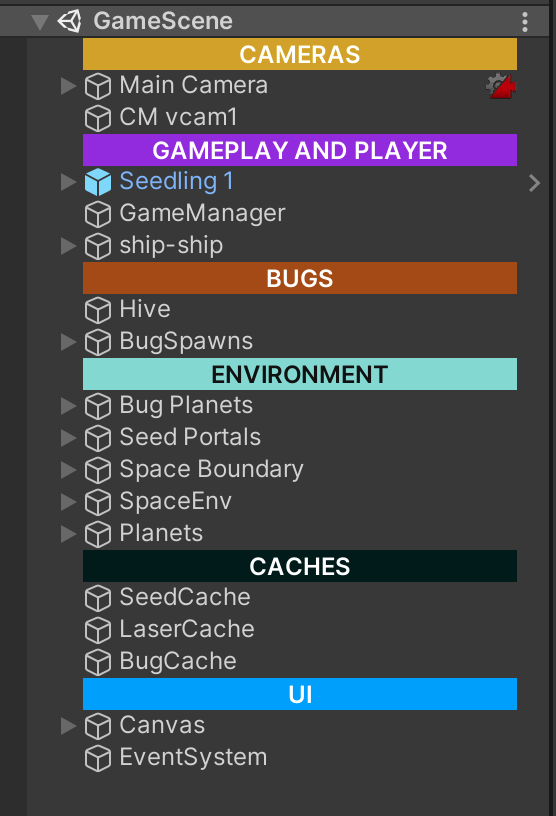
What is this Screenshot?

I had noticed my scene hierarchy always tends to get incredibly cluttered by the time I am close to finishing the first build of a game. Therefore, I did some research on how other indie devs structure their hierarchies and found there are a bunch of Assets on the Unity Asset store that can help organize your hierarchy and make understanding your hierarchy incredible easy and pretty seamless.

I found a free Asset on the Unity Asset store called Colourful Hierarchy Category GameObject. Essentially it works by adding in an empty game object and applying a color and name. This then helps you break your hierarchy into logical sections. It has seriously improved my development in the latter half of this game. I highly recommend you try this asset out and see how much it improves your development experience.

Is the Game Almost Done?

YES! WAHOO! I am extremely close to finishing the first build of the game for the jam. It will not be the extremely polished version, but it will be fun and structured enough to submit for the jam. I can then work on it with less time restrictions after to port to mobile and add some more features if I end up wanting to work on it some more. 

Otherwise, this game has been a fun experience and I have loved doing a game jam again. The pressure and creativity is really something I love to take part in. However, I do sense that I am wanting to spend some time on a bigger project. However, that will be a task for after the 6 Games in 12 Months game jam.

The Final Push

Planet Recovery Force Logo
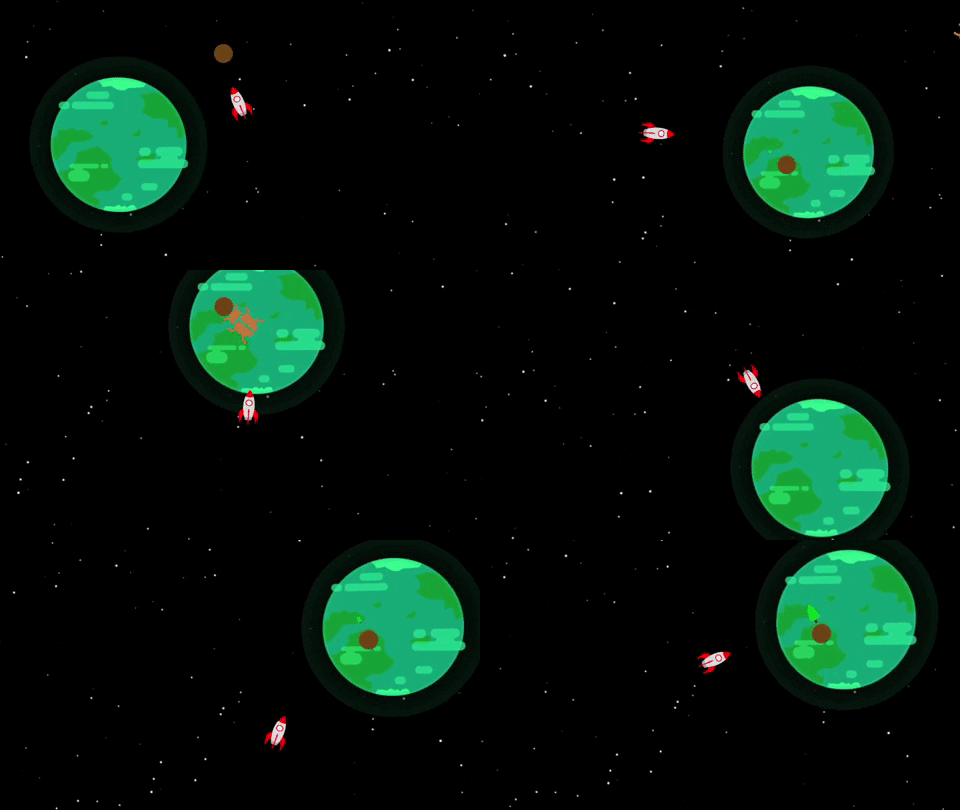
The icon for the Planet Recovery Force game

Summary

With December 31st close approaching, I have been working hard to finish the first version of the Planet Recovery Force game for the Game Devcember game jam. I have been able to close out a lot of the loose threads that I have mentioned in previous posts, but due to the time restraints, I have also had to cut a lot from the game. Notably, a part of the game that is currently lacking quite significantly is the main menu and the story elements.

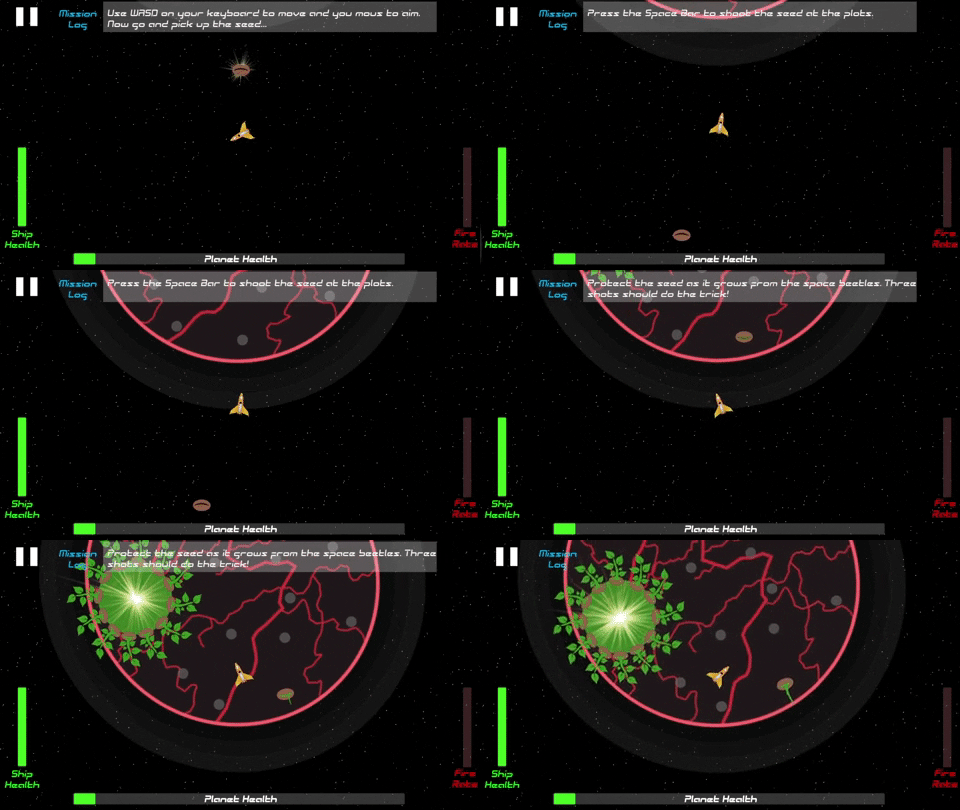
I had originally intended for the game to have a dialog system (similar to Star Fox) where an NPC would give you updates and tell the player what is going on and how to play the game and inform the player on the story. However, I do not have enough time to implement that into this version of the game. However, I have added a “mission log” feature that displays critical information to the player when it is needed. This works for the first version of the game, but if I end up coming back to this game then I would love to add more to this mechanic. 

In the end, I plan to release the game on my itch page before the weekend. I do have a lot of fun playing the game when I am play testing it; however, I can’t help but feel there is more I can add and improve with this game. Nevertheless, the beauty of a game jam game is that you have to fully complete the game and that is something I do truly enjoy about this process. I hope you all enjoy the short jam game when I release it this week, and would love all your feedback. As critical feedback is what ultimately makes me (and all of us) better game developers.

Stay tuned for when the game goes live!!

Play Testing and Mission Log

Summary

With nearly completing the game, I decided to spend some much needed time play testing. One thing that was immediately evident was the lack of understanding of what the player is actually supposed to do. Therefore, I quickly put together a "Mission Log" that will appear at the top part of the screen for the player to refer to at key moments in the game. I also added a sound effect to notify the player that something happened. This has really helped highlight what the player needs to do and how they may recover the planet.

What are your thoughts on the mission log being at the top? I worry it may be a bit too noisy of a UI, but can't think of a better location for these mission logs to appear. 

 Another note on the mission log is the fact that I wanted to implement a true dialog system for the player to interact with. However, I was a bit scrappy with being strapped for time and used the below logic to implement the mission log feature. Essentially, I have a GameObject array with the various mission logs. I then have a few functions in the game manager that will be triggered at key moments. These functions then deactivate all the logs, but then activate the one I want. I just had to make sure I know where the logs are located within the array. The Coroutine is simply an IEnumerator to deactivate after the specified seconds.public void HealthHelper() {

  foreach (var helper in helperLogs) {
helper.SetActive(false);
}
logSound.Play();
helperLogs[0].SetActive(true);
helperLogs[3].SetActive(true); StartCoroutine(DeactivateMissionLog(7));
}

Sure it is quite scrappy, but hey it gets the job done!

Sound Effects

I found a sound effect pack on the Unity Asset Store that was discounted like crazy and I have had a blast adding sound effects to a variety of features in the game. I hope you enjoy the sound effects when you play the game after release. I truly think adding sound really elevates a game!

Planet Recovery Force Completed!

Nick dancing in space. (gif) | Funny pictures, Funny gif, Giphy

Achievement Unlocked

I was cutting it pretty close, but I finished and submitted the game for the GameDevcemeber game jam with 8 hours to spare. This is a pretty great way to finish out 2021 and looking forward to starting 2022 with more game development! With the completion of Planet Recovery Force I now only have two games remaining in my 6 Games in 12 Months challenge. I look forward to working on those games in 2022, and then trying to work on a larger project at the end of this challenge. 

Final Touches I Added

I spent the majority of today applying some final touches to Planet Recovery Force. A few of the additions/overhauls that I made are:

  • Play tested more than I ever have to ensure the difficulty was just challenging and fun.
  • Added a bunch of sound effects to really make the game feel more alive
  • Changed the game music to be more up beat and exciting to experience
  • Squashed a large number of bugs
  • Scattered the seed portal and bug portals around the planet instead of having them be on two separate sides. This evened out the game play a lot

Anything More?

I had mentioned earlier that I may want to add more to this game. After completing it, I don't really see myself spending more time on this game. This was a fun jam game, but I feel I have made better games. I would like to close this chapter of my game development journey and look forward to my next game. 

Play the Game!

I hope you take the time to play the game I created! I would love your feedback and thoughts on how I did in this jam creation. I look forward to my next challenge. Feel free to drop any comments below on a type of game you think I should try and tackle next!

Game Jam Results

Overall Rating

Yup, the bronze medal is correct! The Planet Recovery Force submission for the GameDevcember 2021 Game Jam came in 3rd overall place! Honestly this is better than I was even expecting for this game. There were not many submission in the game jam (around 30), but I am incredibly proud of the work I put into this game, and overwhelmed with excitement in grabbing 3rd overall place. I want to sincerely thank everyone who played my game and who submitted a review of the game before the deadline. 

This is the first time I have made the "podium" so to speak in a game jam, and I hope it isn't my last time! This was such a fun experience, and honestly the community of game developers in this jam were very helpful and fun to collaborate with. Although I did receive the bronze medal place for this game, there was a lot of incredible constructive feedback I received for the game. While I most likely wont be going back and updating the game, there were a few key things people pointed out that I wanted to highlight.

Feedback

Overall it seemed everyone enjoyed the gameplay loop of flying around the planet, shooting seeds, and blowing up the space beetles. I was extremely happy that people felt the sound effects really helped make the game feel alive. This is exactly what I was going for, and will be sure to continue to focus on adding relevant sound effects in my future games. This was also my first kinetic and action oriented game and it was great to see that people had fun playing this game. This sounds so obvious, but I didn't realize how important and hard it is to make your game fun. It can be so easy to be lost in getting the game to work as you imagine it in your head, but it is even more important to stop and play test your game to ensure it is actually fun. In this games case, I made sure to play my game as often as I could, and even had my fiance play the game to receive constant feedback. However, there were some areas of feedback I want to improve on in future titles as well.

Some constructive criticisms I received was that there were some aspects of the game that weren't very clear. Specifically, people were unsure what the portals were. They then spent time flying around trying to go in them, but nothing happened. I could have made this a bit more clear by having a more traditional tutorial section explaining what was happening. Additionally, people felt the bugs overwhelmed the player to quickly and should have been a one hit kill. After playing the game some more I 100% agree. The final plant state of the game is a bit chaotic (not in a good way). They also mentioned that the trees shouldn't have absorbed the bullets. Again, this is something I agree with. It makes the game harder than it should be and there is no feedback to the player that the trees will block shots. Finally, I would have liked to make it more clear when a tree is rooted and won't move. When all the trees are growing it can be confusing which trees you don't need to care about protecting.

With this feedback, I feel really great about what I will want to remember when creating my next game. Most importantly, some sort of tutorial experience for the player to learn how to play the game will be most important. I have struggled with this in the past, and it seems that is one of the main areas I need to spend more time on to ensure players are able to fully enjoy the games I create. 

Closing out Game #4

Thanks again to everyone in the GameDevcember jam who played, reviewed, and provided feedback for my Planet Recovery Force game jam submission. It was a blast developing this game, and even greater treat that it made 3rd place overall. To anyone reading these devlog posts, thank you! I hope you enjoy them, and I look forward to closing out the last two and providing updates to you on those as I progress. I wish everyone a happy 2022 and look forward to a year of more game development. Thank you!

(+1)

Wow a game a month, that's intense! Congrats on finishing another one. Managed to beat planet recovery force on my first try, although things got pretty hectic there at the end! I pretty much agree with the feedback you already got that you listed.

Terrier Tennis was really cute, especially liked the dogs in the crowd. A majestic shepherd losing to an inferior terrier though? Shocking!

What's Next?

Batman Sticker - Batman - Discover & Share GIFs

Looking Back

With games #1 - #4 completed, I took some time to think about the different types of games I have made and what I have learned along the way. I have been able to make 2 3D games and 2 2D games with new features added to each consecutive game. I feel like I have gotten a lot of good practice in making a suite of different types of games. So what is there that I still want to try? 

My Next Challenge

The one thing that was blatantly obvious to me when looking at my previous games is that they were all developed in maybe a month or so. I have been able to work quick and fast and release a rough version of a game. While that has been great for me to understand the entire process of developing a game, I haven't been able to make anything quite substantial. 

Therefore, my next challenge is going to revolve around working on a game for a bit longer than my usual month long sprint. I started this challenge back in July.. That means I still have roughly 6 month left to develop 2 more games. I would really like to approach this final half of the challenge working on a game for the entire remaining duration. I really want to make a full scale game in the future, and I believe this type of challenge will be a great way for me to get experience with working on a game and iterating on it for almost half a year! I am really excited for this challenge.

But You Still Have 2 Games Left?

You bet I do! I will plan to have the second of the #5 and #6 games be a game jam game (similar to the previous ones) that will be developed in the midst of the long developed game. The Brackey's winter game jam is in February and that may be a perfect jam to take part in and take a break from the long game while also knocking out another game in this challenge.

So What is This Longer Developed Game?

This is still being "noodled" on by myself. I know I want this game to have more character and substance. Therefore, this will likely be a 3D story first action/adventure game. Ideally, I would love for this game to be episodic as well. It would be great if I can get a working version of my game in three months time and release the first chapter of the game. Then continue to support and release more chapters as this challenge runs out. 

This will hopefully help drive more players to my game and keep interest alive. This will truly be a challenge and one that will help me with my next large project in the future. Stay tuned for more details on these next two games. I am super excited about them and I hope you are as well!

(2 edits)

Game #? Development Has Begun

Game Idea

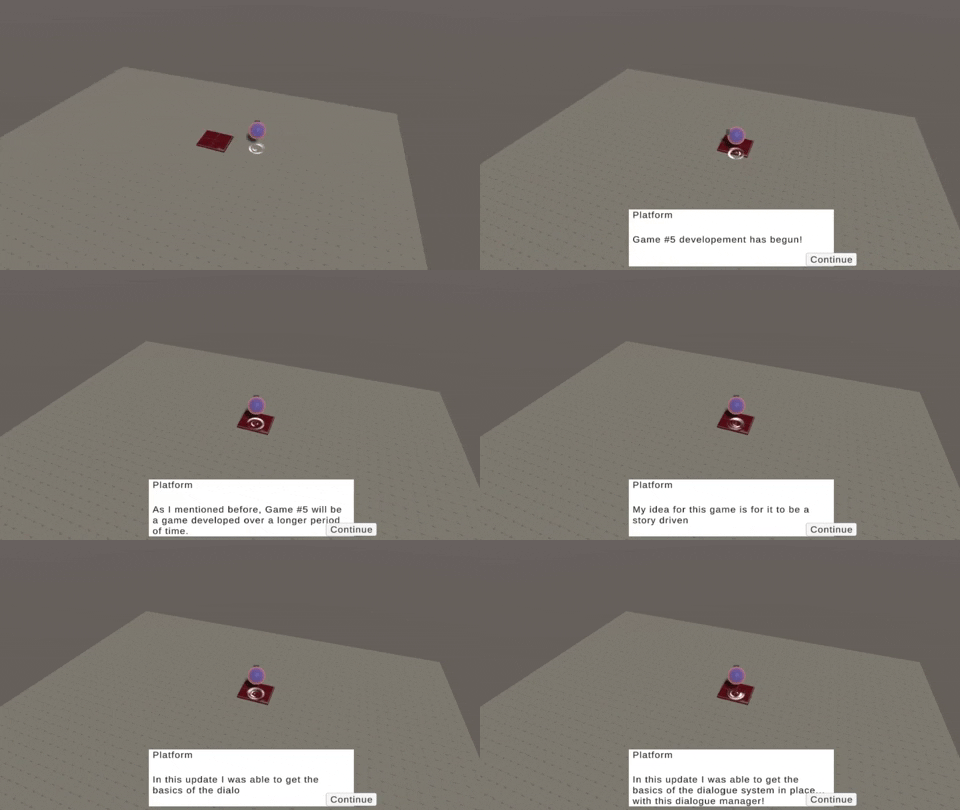
Following my previous post, I have begun my development on the fifth game in my 12 month challenge! I spent the last two days "noodling" on the idea of what this game will be. While I am still thinking through a lot of what the game will be, I have a general idea. My general idea for this game is that it will be an story based action adventure game that plays like a rogue-like. However, I do not want the game to be a rogue-like. The best comparison of a game I am thinking about is the game Bastion by SuperGiant Games.

I am imaging the game will play out in levels where you progress through the map and fight off enemies. As you progress through the levels you also will uncover more of the story. I want to hold off on sharing components of the story for the time being, as I would like to share once I have a more concrete narrative. In the meantime,  I will share some game dev progress!

What's Been Implemented?

As you can see from the gif above, I have been able to implement a quick and easy dialogue system into the game. I actually lifted a majority of the code I used for my previous game Stronger To Gather for the dialogue system. I then overhauled it a bit to make it a bit more scalable and work for what my vision of this game is. Additionally, I added basic movement controls and a ball with a hover particle effect below. This is the rough outline of what I am thinking for a character, but more is to come of course!

Things to Learn

This time around I am really looking forward to learning some new skills with this game. For one, I am really excited to start doing some more 3D modeling to build out the assets of this game. In the previous games, I have primarily focused on 2D art or just purchased assets from the Unity Asset store. However, in this game I want to go for a low poly feel and really spend some time improving my Blender skills by making some of my own assets. Yesterday I spent some time with a friend just working in Blender and modeling assets and it was some of the most fun I have had in a long time. Looking forward to doing that more!

Additionally, I have not really made a 3D action centric game. I am really excited to try my best to make some tight and response action gameplay in this game. There is more that I am looking forward to working on, and I will continue to share all my updates, thoughts, and progress in these devlogs. Thanks as always!

Dynamic Camera

The New Camera System

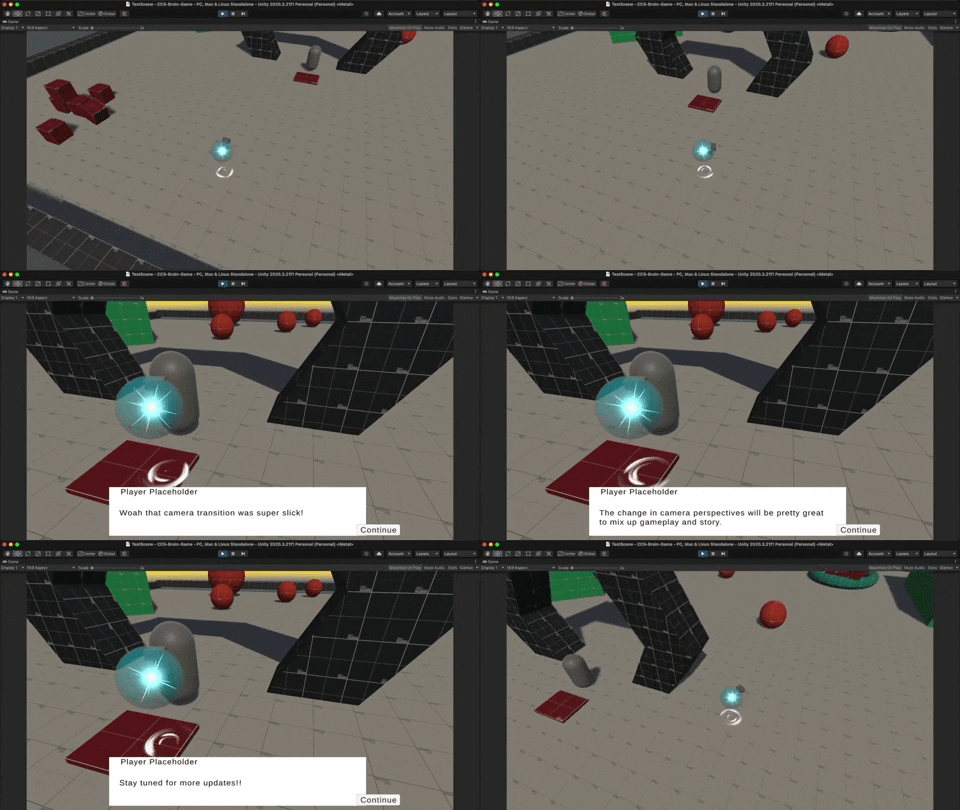
In this update I was able to implement a few key features that I feel will be integral to this game down the road. Since this game is going to have an equal emphasis on gameplay and story, I wanted to make sure the two beats in the game had a very different feel. I didn't want the gameplay to have a dynamic isometric camera and then the story had the same feel. There would be no time for the player to get up and close with the character or have a moment to breathe.

Therefore, I really leveraged the Cinemachine State camera and created a blend state between two cameras that I set up. One camera for the gameplay and one for the story beats. Already, I can feel that this dynamic camera blend really creates an intimate scene with the character and allows you to be in their shoes for when unveiling more about the story. I also feel it makes the game seem really polished. It is wild how such a small feature can go a long way.

The Sandbox

Another task I worked on in the last few days was just putting together a sandbox environment to test out the various features I am planning to add into the game. The sandbox was created with Pro Builder and I have a series of rigidbodies, dialogue tests, and more. This will really help once I start implementing combat to the game and test out the various combat actions.

The Movement

You can't see it in the gif above, but I actually completely overhauled the movement system of my character since the first post. Initially, I had the character moving by modifying the velocity of the player. This worked great and was super sharp; however, I found it to be quite limiting when it came to interacting with the character rigidbody. For example, I wanted to player to have a dash ability. Sadly, I was not able to both manipulate the velocity AND apply an AddForce to the rigidbody. Looking down the road, I see myself wanting to affect the rigidbody for more features. Therefore, I decided to change the movement system to be build on rigidbody AddForce -> Impulse and it has been working great so far!

The Character

As you can tell I am starting to slowly piece the main character together. One feature that I literally spent an entire afternoon on (that you probably can't see in the gif) is adding a "jiggle" effect to the character when it moves. This was extremely involved and was done by altering the vertices of the mesh via a script. I actually really like how the jiggle works and may try and improve on the script down the road to sell the effect even more!


Adjusted Movement and Attacking

Movement Updates

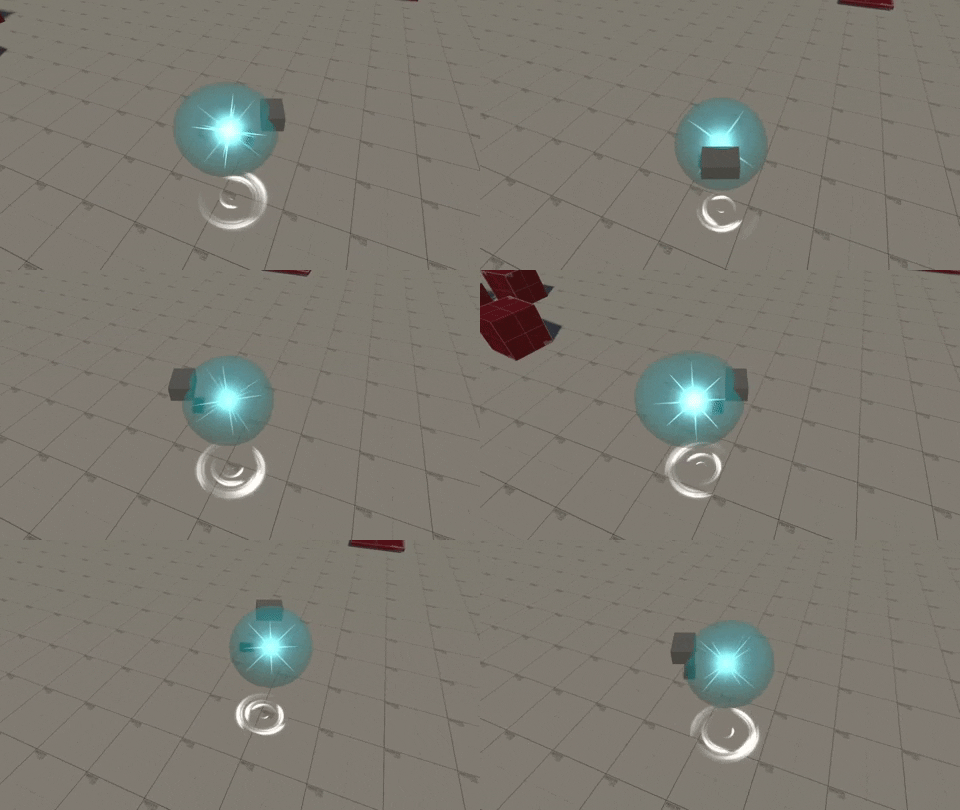
I spent a lot of time the last few days working on making the movement feel more responsive, and also fit with the gameplay I am wanting for the game. Instead of being a choppy movement that can be hard to aim, I created a mix of Rigidbody AddForce for movement and directional mouse click for rotation. Now the player can zip around the environment and wherever they click on the screen the player will look for a moment. This momentary pause is where the combat action will take place. This momentary pause is also crucial for balancing the gameplay. In the small testing I have done so far, without the movement being paused for a quick second the player would be way to over powered. This pause will help ensure there is balance in the combat gameplay loop.

Attacking

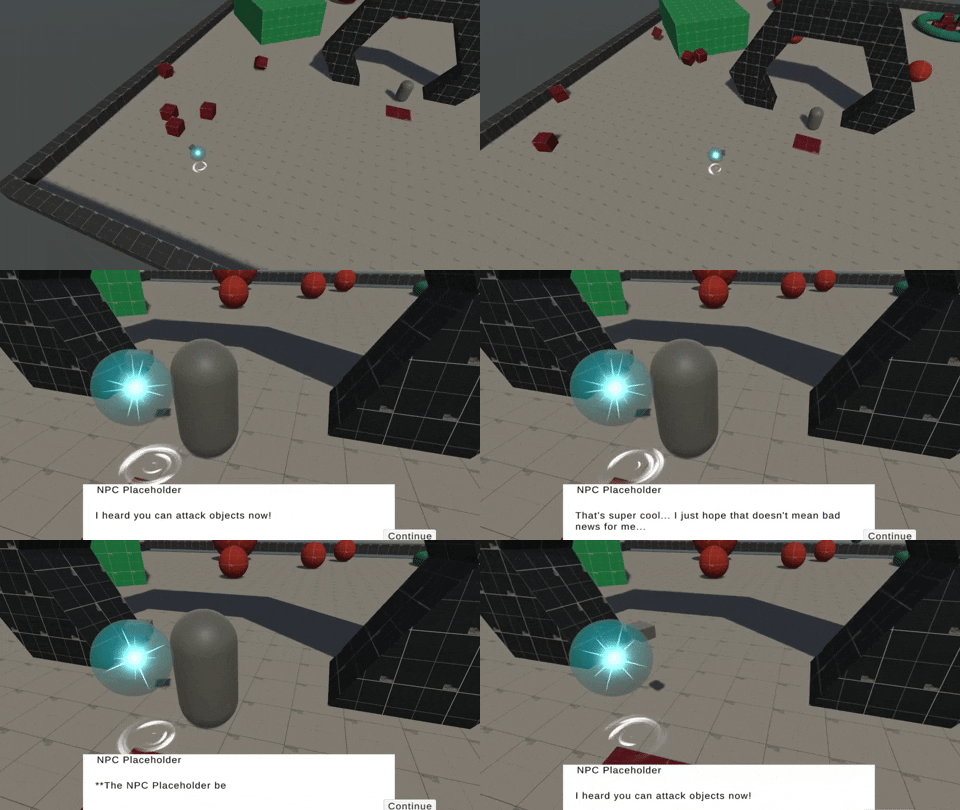
As you can see in the gif, I was able to add a quick placeholder block to show where the attack animation will be and also applied a script that will lower health and apply a pushback on death. I obviously added way too much force in the gif, but it was a lot of fun to manipulate. The attack is also targeted in the direction the player clicks on the screen. This is a super small update to add a basic attack ability, but this made sandbox fun to play around in. I would be lying if I said I didn't spend 15 minutes just punching all of the objects in the scene.

Projectiles

Quick Update

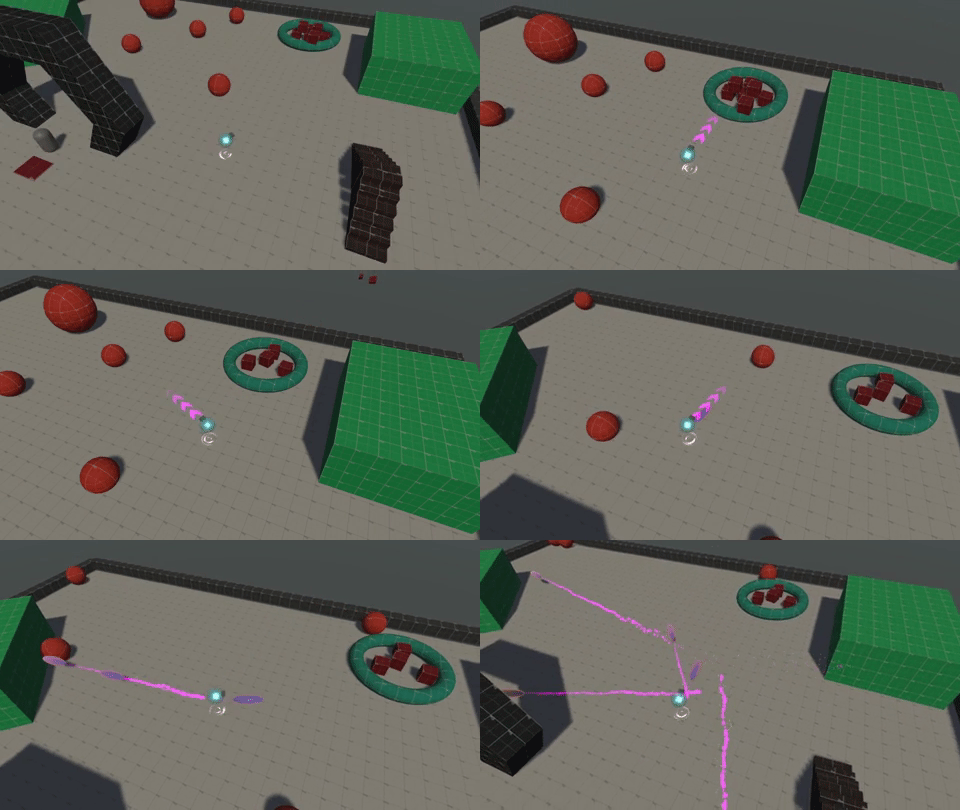
As you can see from the gif above, I decided to add a projectile action for the player. How this action works is the player will press and hold the right mouse button to aim and then the release is what actually fires off the projectile in the direction you are aiming. Additionally, the player movement pauses momentarily when you aim to help balance the combat and aid the player in lining up the shot. Further, I added a quick particle system that produces arrows to show the player where they are aiming.

I am actually quite proud of myself for implementing this feature in only an hour or so, and also without any tutorials! I think I am actually getting the hang of the Unity input system pretty well and understood how to handle the press and hold, then release actions pretty seamlessly. For the actual code to fire off the projectile I was actually able to just lift the code I had in Planet Recovery Force for the laser shot and add it into this placeholder projectile prefab. All I had to do was change Vector2.down to Vector3.forward and I was good to go!

This is just a quick update, and excited to keep adding more to this game!

Viewing posts 41 to 60 of 65 · Next page · Previous page · First page · Last page