Indie game storeFree gamesFun gamesHorror games
Game developmentAssetsComics
SalesBundles
Jobs
TagsGame Engines

HONK: VTuber Lipsync Suite

All-in-one suite for mic-only lip-syncing characters! · By DreamToaster

Bug Submission Sticky

A topic by DreamToaster created Aug 31, 2021 Views: 14,385 Replies: 141
Viewing posts 21 to 40 of 89 · Next page · Previous page · First page · Last page
(+1)

My Hotkeys keep remapping to Ctrl + [num] even while i have the program open. I've set them back several times, also saved, I cant even pinpoint when they are set back. As a programmer, i use Ctrl + num pretty often so I change emotes while programming this way.
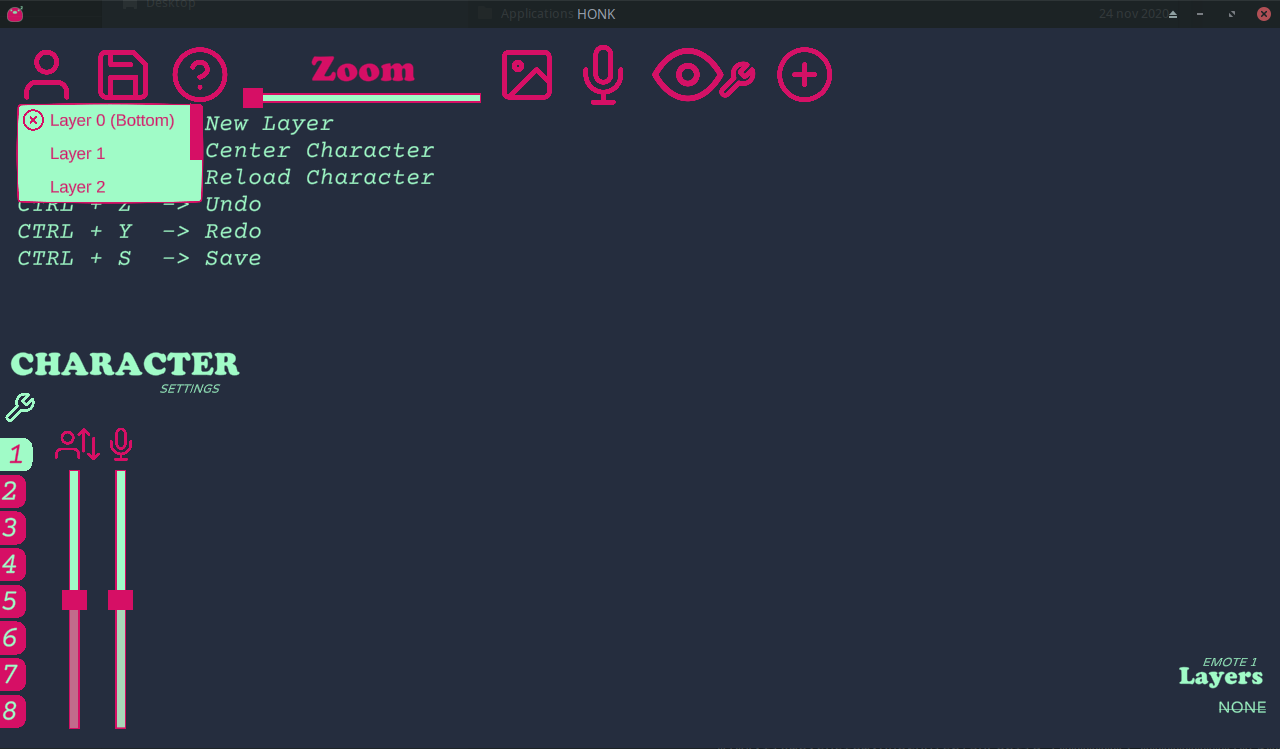
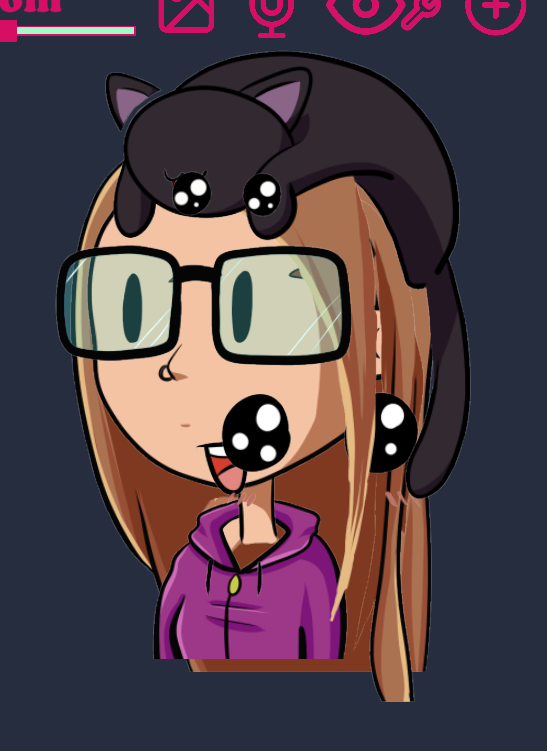
I’m on linux, so i “ported” the “new character” script to bash, and in doing so found a bug. When a character.json file is completely empty, the program starts acting very weird:

On startup, it loads an empty character. Makes sense, no images are mapped in the file. However, the “change character” menu now contains a list of layers instead of character names. If i try to select a layer from the dropdown, the program tries to load whatever character would be there if the list didn’t contain layer names, but fails. It just hangs.

The hanging may be a linux/wine issue (wine reports that it hits a stub), but the weird dropdown feels like a bug.

For reference, here’s the bash script (without the bug):

#!/bin/bash 

# Usage: ./new_character.sh "Character name"
# If omitted, character name defaults to "New Character"

char_name=${1-"New Character"}
count=$(( $(ls -d */ | wc -l) + 1 ))
dir_name="$count $char_name"

mkdir -p "$dir_name/images"

echo '{}' > "$dir_name/character.json"
Deleted 4 years ago

Booted up HONK this morning and my layers are not aligned anymore. I didn't change anything from the last time I used it. And all of my emotes are showing at once, too. (only have two right now, neutral and excited.) It's like the settings were forgotten somehow.

hi! I just recently downloaded Honk but im really sad because the mic sensitivity doesn't seem to pick up anything from my mic, is there any solution to this or any way for my mic to be picked up by honk? Its picked up by other applications its only honk that i have this problem with

(1 edit)

ive been having the same problem did you find a soulotion?

(+1)

Howdy! Been working on a prototype model so I can get used to the program and been enjoying it so far! Have one bump on the road that I've been stuck in and not sure if this is something that can be fixed within HONK, or something to do with my files on Photoshop

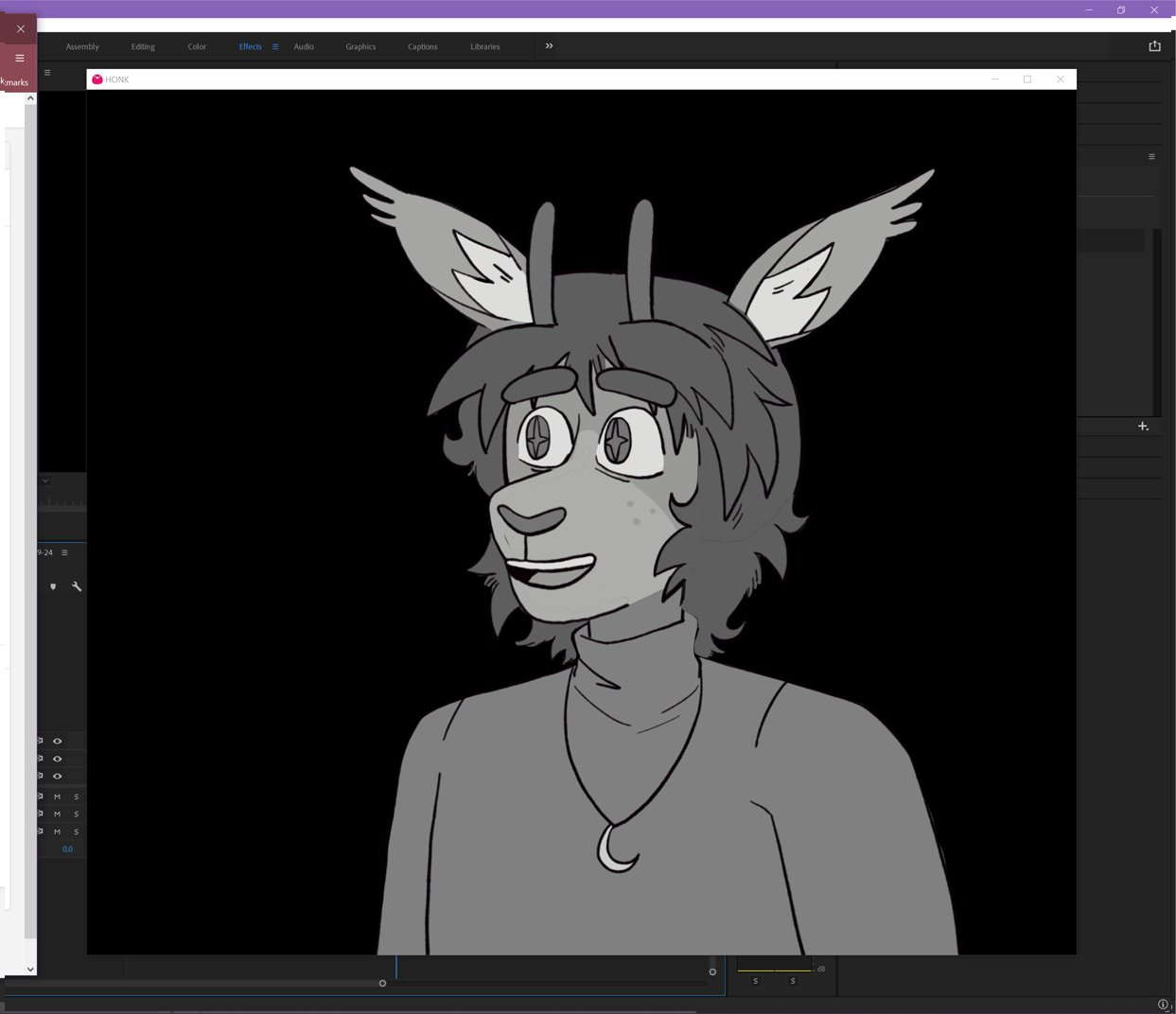
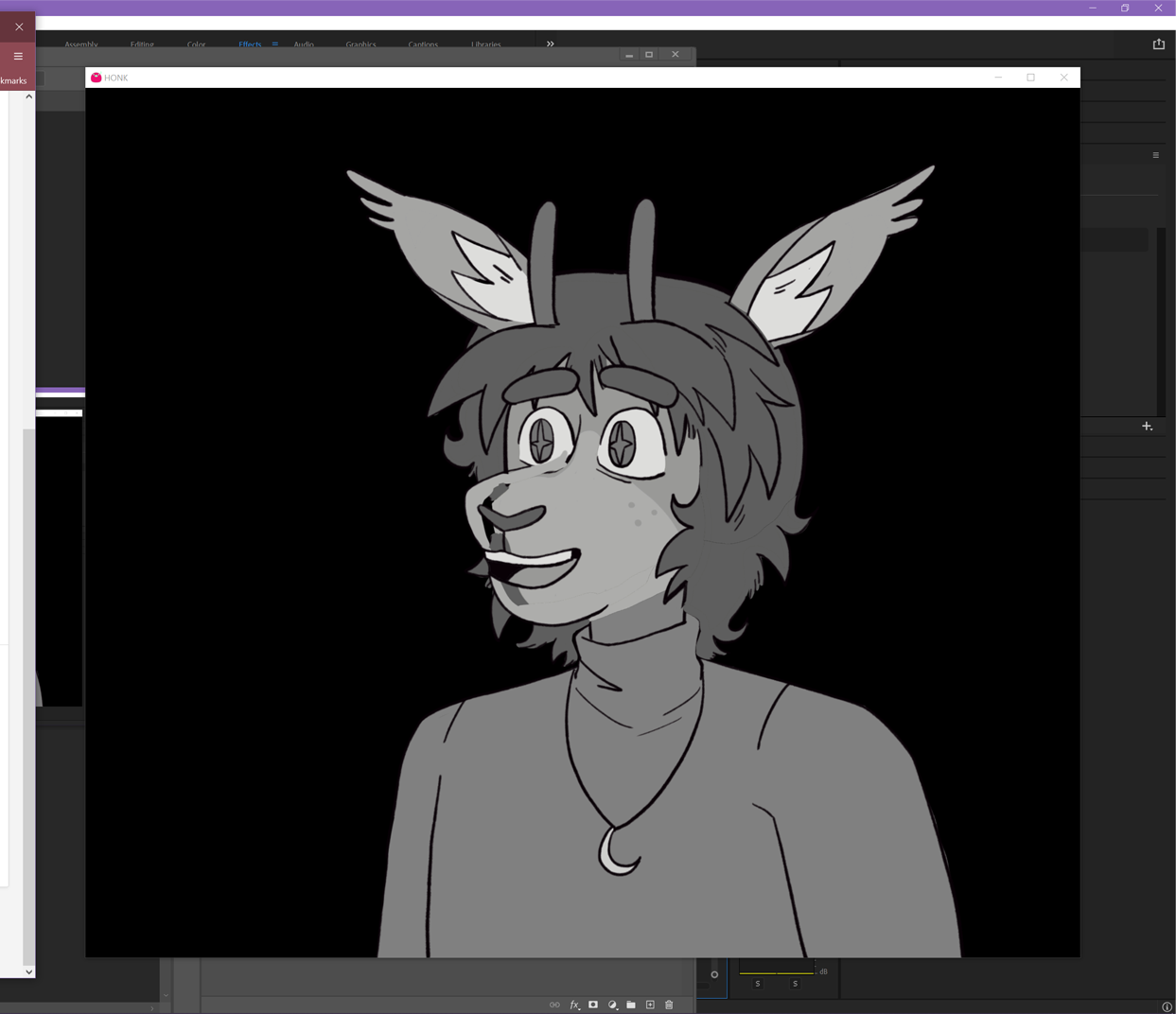
Description: I have one part of the lipsync that reacts correctly, but the rest are shifted away from the mouth/look like they are set in the wrong position and look off. I tried to redo the layering in HONK, repositioned and exported the png files from Photoshop, and I still encounter the issue.

Steps taken before encoutering the bug: I set up my layers after I export all layers from the Photoshop file from a 4500 x 4500 canvas. I don't move the mouth base in case that was the issue, but the problem still occurs with the mouth out of sync when speaking.

Screenshots:

Normal mouth sync that works. This one labeled as the constanant mouth (C, D, K, etc sounds.)


Lipsync shifted left from the face. This is an issue with the rest of the mouth lipsync images

I also have a video that showcases the issue before/after I add one more mouth sprite.

From what I've read, I understand that the lipsync feature is still in the works, but I'd like to know if there is any step that I may have overlooked to resolve this issue if possible. If there is anything else you need from me, let me know. Thank you again!

Developer

A late response, but thank you for reaching out. I'm working through bug reports I missed over my break.

If you're still needing to address this, let me know. I may need you to ZIP and send me your character folder though.

(1 edit)

I've run into a bug. One item will move randomly to the center of the screen once my character starts talking. The item doesn't move until the mouth movements start. :/ It's really frustrating as it's otherwise pretty perfect.


By the way, I'm using HONK 2.0 so I can use the emotes. :/

how do you reset eye calibration? It was fine before, but I tried calibrating it to see if it could be better and it just broke D: 

(+1)

For those who have the Eyes Going out of their sockets issue:

I have been testing a way around this really annoying bug (for us artists who use HONK while streaming, we use CTRL+Z OFTEN. This is why the eyes bug out. All. The. time.)

I know it gets some getting used to, but until a fix is done for this, I've assigned my CTRL+Z to SHIFT+Z instead. My model hasn't had any issues since then. I hope it helps some of you as well!

Developer

This should be addressed in 3.0 : )

That's awesome, thank you so much! <3

(+2)

An even better solution for the Ctrl + Z bug that I've found - it only moves things around if you have actions to undo. If you get your character in a good place and save, then close the window entirely and re-open, there will be nothing in the undo stack, so as long as you don't accidentally shift any layers around, the undo actions will do nothing. 

Still looking forward to this being fixed officially though!

Big problem with the lip sync in 3.0: it's wayyyy too quick. The mouth moves like an electrocuted cartoon and can't seem to recognize tones properly, as if it is being far more sensitive than it needs to be. Higher and lower gain levels only worsen the problem, with lower gain causing the mouth to not move at all, and higher making it move far too quick.

Here's a video demonstrating the issue. Honk 2.0, by contrast, follows the sounds through the mic very well(aside from the delay issue, which is supposedly fixed in 3.0a.) I have also tried different mics and different jacks, and it's the same problem. 

An additional error is if you have .gif images in a character folder, which will cause the entire program to malfunction. All drop down menus will turn into "layer" menus, and all characters will refuse to load. No idea why, but it could just be a bad image on my end.

On the bright side, the delay between speaking and the character responding seems to be fixed. 

Developer (1 edit) (+1)

Thank you for the video! I'll try out some different mics and framerates.

It definitely gets more "shock"-y the faster your computer is. I've got an idea of how to fix it.

Developer

I can't reproduce on my end to be as extreme as it is in the clip. But, I was able to recreate it a bit and address what I saw on my end. Let me know if 3.0.2a (just released) looks better on your machine/character.

This is something that will continue to need tuning over time with the new audio system, but hopefully this patch addresses the worst of it.

Deleted 4 years ago
(1 edit)

Issue is still present, but there is a noticeable difference. Character isn't as "shocky", but it still has issues with following the sounds being produced.

Edit: I should also mention I tested this with default characters as well. My CPU is an Fx-8350, but I'm not sure if that matters.

Developer

There's an auto-gain in the new system that may be causing this. I'll make it a toggle in the next patch. TY again for the videos, it's very helpful!

I know this is super late but do you have 2 monitors, if so try turning one off when you have honk open

Hi, I'm not sure what happened but ever since updating to 3.0, my keyboard shortcuts to switch emotes only function in Edit Mode. So if I want to switch my emotions or actions I have to first alt tab and target the HONK window. Before I could do it while in a game and such without issue :3. 

Developer

Ah! I can't believe I missed this. Diving into this now. Thank you for the report.

Developer

Fixed!

Thank you so much!

(1 edit)

i can't remember if this was an issue before 3.0, but when putting a model together in 3.0 i noticed that it becomes really hard to place items. my model parts are built with a lot of transparent space around them (everything is saved from the same large canvas) and it seemed like there was an issue with those hitboxes overlapping. here's a quick rundown of what kept happening:

1. i would pick up a piece -- for example, SILENT MOUTH on layer 3 -- try to move it.

2. EXACTLY when i let go of my mouse click, i would instead get the notification in the top right that a different piece had been moved -- i.e. "moved GLASSES" or "moved UPPER HAIR," from different layers, and that piece would become selected.

3. then, when clicking away from honk to test, the piece i was trying to move would LOOK like it was in the right place, but the moment i started talking (activating the mouth movements), it would snap back to where it was before. this did also happen even before i had a mouth sprite set, voice activation just seems like the precise thing that would kind of "knock" pieces back to where they were before.

you can see it happening a lot throughout this entire video, but for quick reference there's some repeated examples at about the 31 minute mark, and then again at around 38 mins: https://www.twitch.tv/videos/1495247409 

i managed to get things in place anyway by grabbing the very very edges of the piece hitboxes and scooting them into place bit by bit (this is why me + my twitch chat ended up thinking maybe it was an overlap issue), so while i haven't had time to test it yet, i'm sure a workaround for now is just to resave all my pngs with the excess transparency cropped away. but because the selection switch seems to happen when i let go of mouse clicks, i wonder if there's a way to tweak things so that once you select a piece and drag it, another piece won't be selected until you do a new click, or something similar? especially since some pieces will always overlap no matter what, and it makes adjustments pretty tough. 

Developer

Thank you for the video link! I'll look into this.

I've been struggling to reproduce some of these bugs (I've heard of them before), but the video helps a lot. I should be able to sort this out now.

hi, i wanted to give a quick update on this! i tried out the temporary workaround i mentioned (trimming down all my separate png parts to remove excess transparency) and re-rigged my model. it definitely helped with placing larger parts, but i found it was still really difficult to work with smaller parts that overlap each other - eyes/mouth/glasses/etc was a pretty rough time. 

i also found while working on different emotes that the "unclick" selection (idk what else to call it, but the fact that it will select a nearby piece as soon as i RELEASE the mouse after dragging a different piece into place) will grab pieces that are invisible on the emote you're working on. i don't remember if this happened at all in the video i sent initially -- i don't think so, but i also think i just didn't work on emotes during that session. sorry that i don't have a video this time! i'll just try to explain as best as i can... let's say there's an arm piece that's enabled for emote 2, but not emote 1. while trying to move pieces on emote 1, sometimes the "unclick" would grab that emote 2 arm, even though it's not even visible on the emote 1 layer. (this would also become a mildly annoying issue when i was trying to click away/into blank space on the honk screen just to deselect stuff, and instead i'd end up selecting a hidden piece from a different emote that i didn't realize was there). i figured i'd mention it since it seems like it's potentially related to the overlap issue!

thank you again for all your work on this!

Hello!

Just a heads up of what I found and how I fixed it.

I downloaded the latest 3.0 patch, copied my character over, fired it up and was greeted with a blank screen. All of the menus on the top presented the Choose Layer dropdown options rather than whatever they were supposed to. Selecting one of the layer options on the character tab tried to load the character, but froze completely.

The culprit was extra non-image files in the images folder of the character I brought over. Stuff like PSD files that I just copied and pasted when I originally made it. In 2.0, the extra files weren't an issue, and the character worked fine. In 3.0, though, the extra files apparently break everything. Deleting the extra files and relaunching the program fixed everything.

Cheers!

Developer(+1)

Ah! That's a fun one. I'll add the ability to ignore non-supported file extensions.

HONK was trying its best! Nice catch.

(1 edit)

The only issue that I've ever encountered or noticed so far is that the mouth movement is a little off in 3.0.2. Other than that AMAZING WORK!!! Thank you so much for creating this wonderful tool!! <3

Developer

The side by side is very helpful! And thank you for the vibes!

The new audio system definitely has some quirks with the lip-sync that will improve over time.

(1 edit) (+1)

Working with 3.0.2a I'm having an issue where the character will periodically "talk" with no audio.
I've tried making new character files and using the default characters.
I've also made sure to test other audio inputs making sure nothing is coming through them when the character animates.
There also might be a connection between the "talking" and mouse movement. it will happen without touching anything every 15-30sec but if i'm moving my mouse around it appears to happen more frequently but its hard to say for certain. This is with and without any sprites set to follow cursor.

(+1)

I'm also having this issue. The character just randomly 'chitters' when the mic is muted. I haven't timed it. Relaunching sometimes fixes it, most the time, not. I don't have any sprite follows on my character. Just blinking and lip syncing.

I'm getting a UnityPlayer not found error. Tried fixing it but with no luck on download can't get the program to launch any idea on how to resolve this? 

(1 edit)

HEY! C;

im not sure if im messing this up with too heavy a load? or if this counts as a bug but, ive been trying to save positions and it keeps reverting back to initial center placement upon voice active. usually when this happens i can eventually get it to stick if im persistient but its an ongoing error that idk if im causing or >~> 

I am also getting this issue but with one layer on any emote. It'll ping up or reset position everytime i speak + It still happens when i only have 3 layers on there.

(+2)

Hi! I've been noticing while streaming that my character's mouth will continue to animate consistently in small bursts even when I'm not talking/there's no sound being input. It seems to happen specifically when I'm in certain games - I'm not sure if its a borderless windowed bug or if its even tied to those specific games. Of the two that I know for sure, it happens whenever Elden Ring or Slime Rancher are the focused/active window. I have a video here of it happening, it seems to activate in two quick blips back to back for as long as the game is focused. Not sure if this has already been resolved, but I figured I'd ask. Using 3.0.2a right now.

https://www.twitch.tv/videos/1532265074

i'm experiencing this problem with Valheim. same version of the software 

Have either of you come across any fixes?

for me, with valheim, it seems like an issue with the game being in fullscreen mode. I've recently had it happen in another game, but i'm not sure if it's because it was in full screen. either way, Honk still seems to act up a little when i put the game in windowed mode, just significantly less.

(+3)

Been having the same bug mentioned by bravemustaine- sometimes my character's mouth will animate constantly when gaming. 

Additionally, my program crashes when I change between characters and not sure why. I'm using the latest version of HONK.

Viewing posts 21 to 40 of 89 · Next page · Previous page · First page · Last page