


windows 64
issues: NPCs wont take weapons, weapons get stuck in crafting table
have a system capable of running AAA titles at 120 frames or more
sometimes costumers has a special list of parts and if they don't match up they wont take it read what they say carefully and the shield has 5 parts to it that through me for a loop for well over a few real life days to figure out why my shields wouldn't sell oh and if the customer ask for a common grip you have to go to the part shop just head out the front door look a little to the right and there is a house behind a well that's the part store grab wooden grips those are common and just make the weapon to how the want the rest of it and now if your tools get stuck press v on the bench and move it and it will leave the items there and they will drop to the floor then you can move them after you can move your bench back
First: the file coming back is likely based on how the save was handled - if you had multiple versions of it, at any time, - to completely start fresh, I would go to the game folder, and delete the slots along with the saves - Slot file stores the header info for the game to associate with the new save files, if it says a save slot exists, it exists, if it doesn't, even if the file is there, the save doesn't exist to the game/engine.
As for lag spike - If you join the discord and dm me, I can help you out with that, when the time arises, as well as the other thing you mentioned, I can tell you what contributes to the lag, and how to mitigate some of it, and also what may be contributing to the other thing (more or less speculation)
not entirely sure the issue being reported here, but, if you join the discord, and DM me with the save file and potentially an image of the issue, I can probably help you work around the issue and fix it from hanging. (I'm not actually sure the issue you described, and the hanging, are actually related, also, There's other things that are more likely to be at play, but I can help you with fixing those, too)
The dev team is impossibly small, So public hotfixes are few and far inbetween. Patrons tend to get updates every so often, which would usually include "the hotfix" - unless its something that completely borked the game period, not just for some.
However. you can mitigate/workaround the issue on your own end by incinerating the items from the bedroom (you can do it one by one, or, you can manuever the furnace into place so that the majority of the bedroom items just spawn inside the furnace, and then you can just press the button until they're clear, every so often
You can also purge them, and the firewood, and other things, via the save file - if you want, you can also join the discord and dm me your save file(s) and I can do that for you, I know what I'm looking for and can do it quicker. (within reason, if i'm actively present)
A different bug can also be used to mitigate geoff's firewood, You can place the furnace within the "detection" area, and it will stop Geoff's spawns from despawning, and, respawning, even if you leave.
this will prevent his firewood from just spawning everytime you enter and exit his detection box -though, in a good, and bad, way it will also stop all guards and grips, too. - Good, because you can keep some rares or choice grips present until you can easily pick them up, bad, because you have to remove the furnace any time you want him to spawn fresh. (I do not recommend leaving the furnace within the detection area, and saving - there's no telling what problems that could cause, and they would be a bug derived from a bug, so, they wouldn't even be within the scope of reporting.)
You can workaround this by incinerating the items, however unless you have a lot of the items in the bedroom, they're not likely the cause of crash or playability, I recommend joining the discord and dming me the save-file you wish to rescue, as I suspect a different issue is causing the trouble, or a combination of multiple things - after we see what is the issue, I can address some of the things and others to hopefully keep you running smoother and with less issues
Hey! I found a bug!
1 Alpha 0.1.1 2.Whenever I load into a save, the horse trailer appears in front of me, in the shop. The anvil ,furnace and others are gone. The game keeps on loading, I can't do anything..3. Image:(srry for quality) 4.no idea 5. i7 3770s 3.1 ghz, gtx 1060, 8gb ram. The game can normaly run with everything on epic, at 60fps..
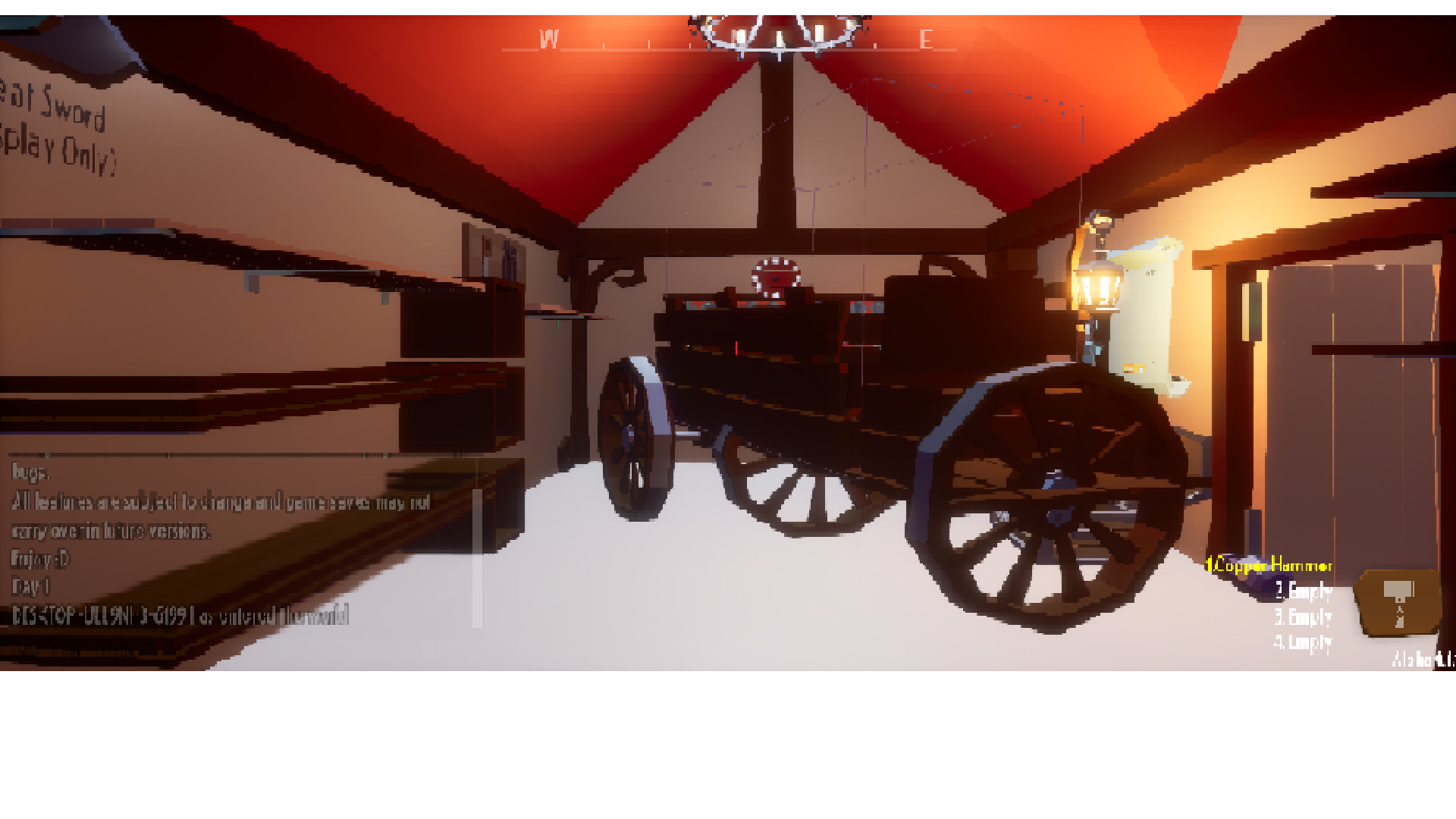
I also have this problem. If I save again and reload, ANOTHER carriage appears clipped into the one that is already clipped into the shop. This is gamebreaking and it seems a decent amount of folks have this error.
Win7 64bit, 16gb RAM, Intel i5-7600k @ 3.8GHz, GTX 1050 Ti 4gb.
All of my drivers are updated.
Eidt: Was originally playing the 32bit version of the game because people said it was more stable. I DL the 64bit version and the cart in room bug was gone. now, I get the bug where the items in the bedroom multiply upon saving and loading a game. It is playable at least.
I'd recommend joining the discord for the reload problem you described, I can help you about if you dm me your savefile, More than likely, I can tell you what seems to be going on, as well as advise you on some things that may help keep you running smoothly and some potential things that may help the situation (but don't put too much weight in that)
Hey I really love the game, it's so much fun and cool. I play version 0.1.1
These are the problems I have:
1. Sometimes from day 6 or 7 on I can't sleep anymore. Somehow it doesn't do anything when I click on the bed.
2. Almost everytime when I try to reload a save (it doesn't matter if it's just a few minutes or hours or even days) it gets frozen on the loading screen (see picture underneath) furthermore does the music keep playing.
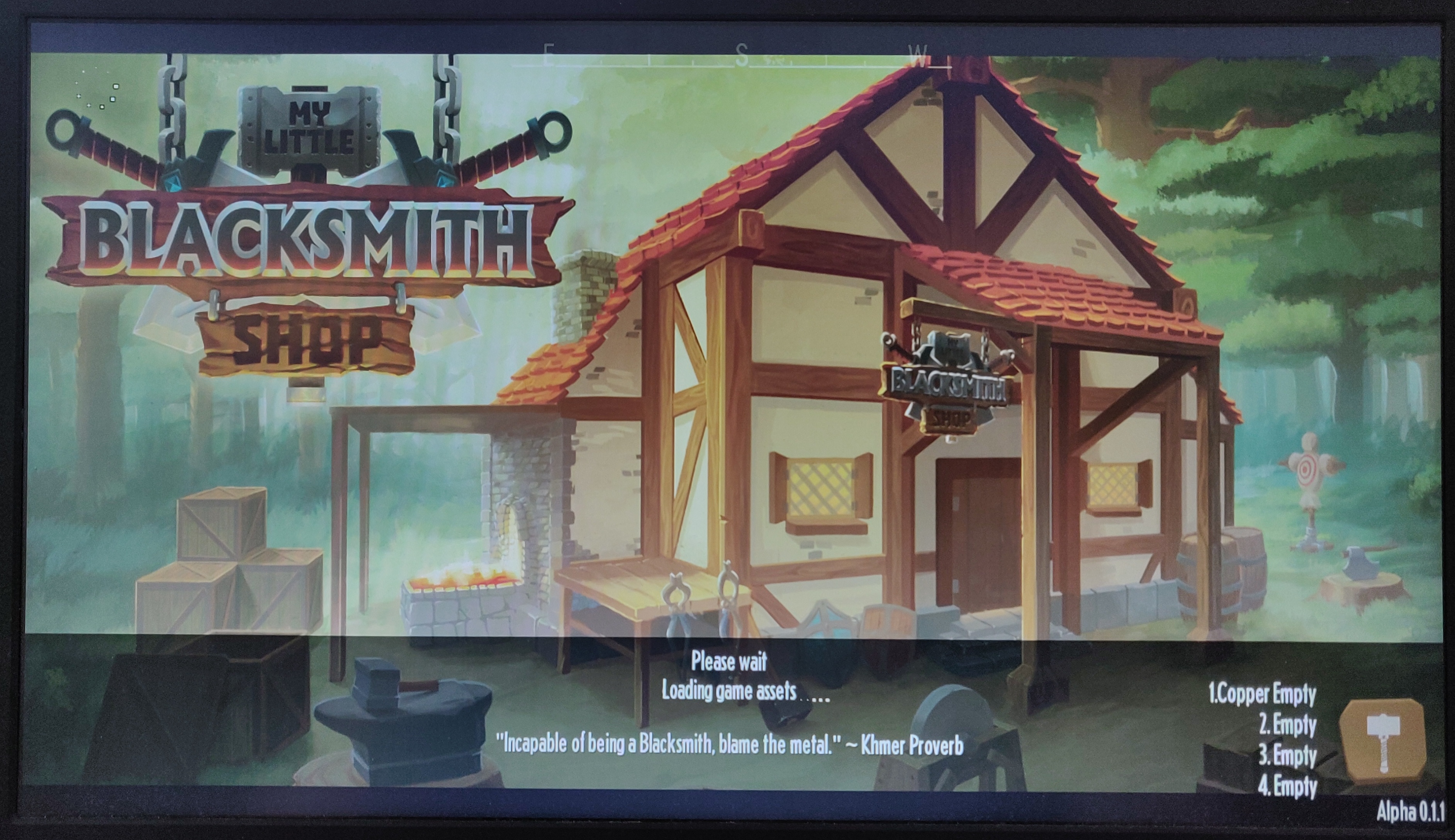
If you haven't joined the discord yet, I recommend doing that, And then dming me your savefile in question that is freezing, I do have some ideas for your issue(s), and I can go over what the specific issue is when I see the file, and some things that would hopefully help you stay running more smoothly, and not being faced with 'bug after bug' - hopefully.
For the "can't sleep anymore" issue - Its the wagon. 9/10 times it'll more than likely be the wagon, with the other time being something related to the game, items, and when it takes an item away from you suddenly, or you lose it unnaturally (releasing it yourself) - Which can be fixed almost immediately by playing around with another item.
the wagon variant must be saved and reloaded, though you can avoid having that by not driving the wagon, if you want to use it, just have the deer follow you instead, for now. (at least the deer isn't like the horse was, the horse identified as an Apache attack helicopter, and used your items as ammunition)
For the later half, I recommend the same to you as the person who replied to you, Please head over to the discord, if you haven't already, and dm me, particularly with the save file that is having trouble - I have ideas on what it is, but until I see it, I can't know for sure, Once that's handled, I can relay the same info to you as I do to everyone I try and help, between what seems to be accurate, and speculation gathered from others and myself
(Apologies, this is going to be reposted info quite a bit of times)
you can either
A) check the stickied "FAQ 0.1.1"
B) check the confirmed bug list ported from discord (paraphrased, should have confirm and discord in the title though) (on here)
C) Get on the discord and check #confirmed-bugs under "new version, new save"
D) https://discordapp.com/channels/285355434741858306/285595458750119937/5819297630... (this is a lcomment link, of an image/comment I posted for the location, as well)
E) Alternative workaround (not a fix in the slightest) Change what difficulty you're playing on. (this will most of the time, work, As its usually your old saves that are causing the issue, and unless you have saves of every difficulty, it will avoid creating the conflict when you choose a new save difficulty that you didn't have previously)
If you still have issue past that, feel free to tell me (you can get faster results over discord)
Custom difficulty part sounds like new version new save issue
Particular with you saying this is one of your favorite games, I would assume you've played older versions and have older saves
(Below is repeated info)
(Apologies, this is going to be reposted info quite a bit of times)
you can either
A) check the stickied "FAQ 0.1.1"
B) check the confirmed bug list ported from discord (paraphrased, should have confirm and discord in the title though) (on here)
C) Get on the discord and check #confirmed-bugs under "new version, new save"
D) https://discordapp.com/channels/285355434741858306/285595458750119937/5819297630... (this is a lcomment link, of an image/comment I posted for the location, as well)
E) Alternative workaround (not a fix in the slightest) Change what difficulty you're playing on. (this will most of the time, work, As its usually your old saves that are causing the issue, and unless you have saves of every difficulty, it will avoid creating the conflict when you choose a new save difficulty that you didn't have previously)
If you still have issue past that, feel free to tell me (you can get faster results over discord)
Ore veins
All ore veins start as stone on a fresh save/new player - anytime "new player" bug occurs, it'll be stone again (along side all the duplications that occur)
Your two options here are either wait around for the "Depleted vein" to kick in and recycle them, or, save and reload - which would end up forcing them to unload and reload, usually resulting in various ores - Non-depleted vein recycle time is shorter (usually occurs at midnight/turn of the new day), depleted vein is longer, though I can't swear to how long
I've had reports of people waiting and getting veins, even though I myself wouldn't be that patient.
The latter part of your post is why the first part has FPS drop - If you DM me the save file over on Discord, I can help you fix that part.
Someone, whether it is me or not, must absolutely fix one of your saves, or give you a non-afflicted save, For the few people that have the issue you have, it always happens no matter what when saving the initial time.
As for the windowed mode.
It boots in fullscreen by default, but the settings file it creates is a small resolution + windowed mode - have you not altered your in-game graphics settings...? Personally I recommend making it match your desktop resolution, and leaving it windowed
with a matching resolution, you won't even barely be able to tell its not fullscreen.
(Apologies, this is going to be reposted info quite a bit of times)
you can either
A) check the stickied "FAQ 0.1.1"
B) check the confirmed bug list ported from discord (paraphrased, should have confirm and discord in the title though) (on here)
C) Get on the discord and check #confirmed-bugs under "new version, new save"
D) https://discordapp.com/channels/285355434741858306/285595458750119937/5819297630... (this is a lcomment link, of an image/comment I posted for the location, as well)
E) Alternative workaround (not a fix in the slightest) Change what difficulty you're playing on. (this will most of the time, work, As its usually your old saves that are causing the issue, and unless you have saves of every difficulty, it will avoid creating the conflict when you choose a new save difficulty that you didn't have previously)
If you still have issue past that, feel free to tell me (you can get faster results over discord)
(same for ya too)
Unfortunately I do not, and afaik, no one does, know what triggers "New Player bug"
If you dm me on the discord with a savefile and tell me the issue(s) you want fixed/looked at, I can help - in this case I can help clear out the duplicates, restore lost gear and levels (maybe) (and if not, add replacement that makes it like I did) and potentially some other things that may or may not need to be addressed.
Other than recommending the discord route
I would say do the "standard" "failsafe" type "debugging" actions you might do with any game
backup save
Delete the existing Data from the game-folder and local Appdata folder (ShopSim in appdata's "Local" folder), and then redownload the zip and extract it again - I recommend not downloading it to, nor extracting it on/to, the Desktop - I recommend that it be placed somewhere else, and preferably a place where you would assume you have full access to (read, write, rewrite, etc) - as well I often recommend games have their own drive, if you have multiple drives.
and with erased settings, I would often also recommend trying to use windowed mode, with a resolution in game, that matches your desktop resolution, Resulting in a borderless windowed fullscreen looking game, that is hard to tell is windowed. (this is unlikely to be factoring into the issue at hand)
(sorry for reposting, but same information for you if you're having "new player" bug (as I call it))
Unfortunately I do not, and afaik, no one does, know what triggers "New Player bug" If you dm me on the discord with a savefile and tell me the issue(s) you want fixed/looked at, I can help - in this case I can help clear out the duplicates, restore lost gear and levels (maybe) (and if not, add replacement that makes it like I did) and potentially some other things that may or may not need to be addressed. Other than recommending the discord route I would say do the "standard" "failsafe" type "debugging" actions you might do with any game backup save Delete the existing Data from the game-folder and local Appdata folder (ShopSim in appdata's "Local" folder), and then redownload the zip and extract it again - I recommend not downloading it to, nor extracting it on/to, the Desktop - I recommend that it be placed somewhere else, and preferably a place where you would assume you have full access to (read, write, rewrite, etc) - as well I often recommend games have their own drive, if you have multiple drives.
and with erased settings, I would often also recommend trying to use windowed mode, with a resolution in game, that matches your desktop resolution, Resulting in a borderless windowed fullscreen looking game, that is hard to tell is windowed. (this is unlikely to be factoring into the issue at hand)
If you used the deer and wagon, This is likely what caused your issue
driving the wagon leads to a lot of interaction breaking, particularly the bed's ability to activate sleep - save and reload is the only thing known to reset it if it was a seat on the wagon.
The wagon's lock sorta somewhat overrides/replaces the crate's lock.
If you lock the crate and then set it, contents full, on the wagon, and lock the wagon - the items interaction will, largely, break. - if you instead "lock the crate, place it on the wagon * AND THEN * *unlock* the crate, you will likely have no further issue
you don't need to worry about the crates contents going nuts just because you unlocked the crate, because when you lock the wagon, the contents will get locked again, anyway.
So instead of Crate -> Lock applied -> Wagon -> wagon Lock applied to "Lock applied items" - you'll be crate -> locked applied -> wagon -> crate unlock applied -> wagon lock applied
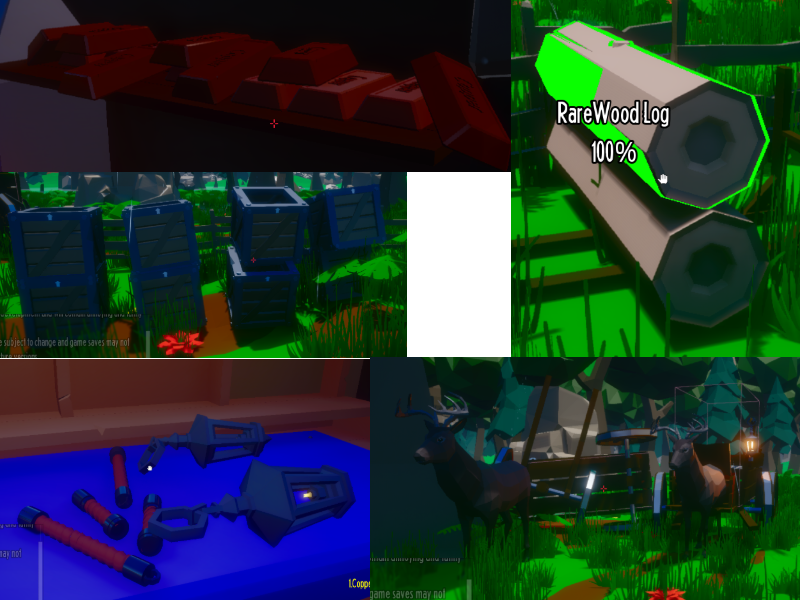
I really like the game but the Save and Load system is whack. When I load in one of my games, everything that your only supposed to get in the beginning re-spawns. the un-common grips. copper bars, lantern, one piece of wood, the 5 crates, and even the deer spawns again.
Unfortunately I do not, and afaik, no one does, know what triggers "New Player bug" If you dm me on the discord with a savefile and tell me the issue(s) you want fixed/looked at, I can help - in this case I can help clear out the duplicates, restore lost gear and levels (maybe) (and if not, add replacement that makes it like I did) and potentially some other things that may or may not need to be addressed. Other than recommending the discord route I would say do the "standard" "failsafe" type "debugging" actions you might do with any game backup save Delete the existing Data from the game-folder and local Appdata folder (ShopSim in appdata's "Local" folder), and then redownload the zip and extract it again - I recommend not downloading it to, nor extracting it on/to, the Desktop - I recommend that it be placed somewhere else, and preferably a place where you would assume you have full access to (read, write, rewrite, etc) - as well I often recommend games have their own drive, if you have multiple drives.
and with erased settings, I would often also recommend trying to use windowed mode, with a resolution in game, that matches your desktop resolution, Resulting in a borderless windowed fullscreen looking game, that is hard to tell is windowed. (this is unlikely to be factoring into the issue at hand)
(reposting similar information for yourself, sorry)
Unfortunately I do not, and afaik, no one does, know what triggers "New Player bug"
If you dm me on the discord with a savefile and tell me the issue(s) you want fixed/looked at, I can help - in this case I can help clear out the duplicates, restore lost gear and levels (maybe) (and if not, add replacement that makes it like I did) and potentially some other things that may or may not need to be addressed.
Other than recommending the discord route
I would say do the "standard" "failsafe" type "debugging" actions you might do with any game
backup save
Delete the existing Data from the game-folder and local Appdata folder (ShopSim in appdata's "Local" folder), and then redownload the zip and extract it again - I recommend not downloading it to, nor extracting it on/to, the Desktop - I recommend that it be placed somewhere else, and preferably a place where you would assume you have full access to (read, write, rewrite, etc) - as well I often recommend games have their own drive, if you have multiple drives.
and with erased settings, I would often also recommend trying to use windowed mode, with a resolution in game, that matches your desktop resolution, Resulting in a borderless windowed fullscreen looking game, that is hard to tell is windowed. (this is unlikely to be factoring into the issue at hand)