Indie game storeFree gamesFun gamesHorror games
Game developmentAssetsComics
SalesBundles
Jobs
TagsGame Engines

Bug reports Sticky

A topic by JessicoChan created Jan 28, 2022 Views: 28,264 Replies: 491
Viewing posts 121 to 140 of 151 · Next page · Previous page · First page · Last page

I report as the player from another game. The creator said that his game crash when play on window 11.Can you please investigate it?

Developer

If I can't reproduce the bug - I can't fix it. If it just crashes - it's something with the game files or scripts. I can't do anything here.

Sorry to waste your time, if there anybody could tell me how to get some text appear when player moving on a special floor?
I tried to use script and trigger but the text just appear again and again, so I gave up. I would appreciate it if you can give me a solution.
(by the way, I am not a English speaker, so I am sorry if there are something wrong with my express)

The best solution is to read a manual, you know. It says:
map return - return to map. Use only in triggers, terminals or active decorations with scripts.

It's my fault. Thanks a lot for your reply. It really helps me a lot!!! 

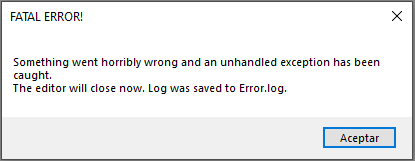
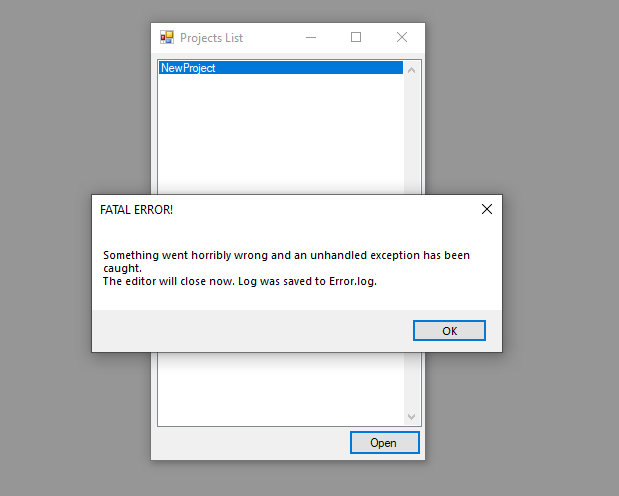
Hello, I have a problem that is when I open a project of mine that I already believe gives me a fatal error, I don't know why it is, if you want I'll send you the video, but I don't know how to send it, maybe by gmail

That error literally says you what you need to send.

I don't know if you're referring to this but I'll send it anyway.

Source: System.Drawing

Reason: El parámetro no es válido.

Stack trace:    en System.Drawing.Bitmap..ctor(String filename)

   en EasyFPSEditor15.ResourceTexture.Load(String path)

   en EasyFPSEditor15.Resources.LoadSinglelineResource(String path, Int32 type)

   en EasyFPSEditor15.Resources.LoadAllResources(String dataPath)

   en EasyFPSEditor15.Editor.OpenProject()

   en EasyFPSEditor15.MainForm.OpenProjectToolStripMenuItemClick(Object sender, EventArgs e)

   en System.Windows.Forms.ToolStripItem.RaiseEvent(Object key, EventArgs e)

   en System.Windows.Forms.ToolStripMenuItem.OnClick(EventArgs e)

   en System.Windows.Forms.ToolStripItem.HandleClick(EventArgs e)

   en System.Windows.Forms.ToolStripItem.HandleMouseUp(MouseEventArgs e)

   en System.Windows.Forms.ToolStripItem.FireEventInteractive(EventArgs e, ToolStripItemEventType met)

   en System.Windows.Forms.ToolStripItem.FireEvent(EventArgs e, ToolStripItemEventType met)

   en System.Windows.Forms.ToolStrip.OnMouseUp(MouseEventArgs mea)

   en System.Windows.Forms.ToolStripDropDown.OnMouseUp(MouseEventArgs mea)

   en System.Windows.Forms.Control.WmMouseUp(Message& m, MouseButtons button, Int32 clicks)

   en System.Windows.Forms.Control.WndProc(Message& m)

   en System.Windows.Forms.ScrollableControl.WndProc(Message& m)

   en System.Windows.Forms.ToolStrip.WndProc(Message& m)

   en System.Windows.Forms.ToolStripDropDown.WndProc(Message& m)

   en System.Windows.Forms.Control.ControlNativeWindow.OnMessage(Message& m)

   en System.Windows.Forms.Control.ControlNativeWindow.WndProc(Message& m)

   en System.Windows.Forms.NativeWindow.Callback(IntPtr hWnd, Int32 msg, IntPtr wparam, IntPtr lparam)


Where did you created a project?

I created it inside the projects folder and then in the projects folder I put another folder that belonged to my project, now I don't know how to open it because it closes

(1 edit)

Game freezes and crashes when i try to change audio volume  in settings what could be causing this

Music absence, that's what.

Hiya does this make executables? Sorry if I posted this in the wrong section but I couldnt find out how to ask this anywhere you see somehow.. ? Thank you

If you building your project, then yes.

(1 edit)

i cannot load the file game how do i fix this

the error :

ource: System.Drawing

Reason: Parameter is not valid.

Stack trace:    at System.Drawing.Bitmap..ctor(String filename)

   at EasyFPSEditor15.ResourceTexture.Load(String path)

   at EasyFPSEditor15.Resources.LoadSinglelineResource(String path, Int32 type)

   at EasyFPSEditor15.Resources.LoadAllResources(String dataPath)

   at EasyFPSEditor15.Editor.OpenProject()

   at EasyFPSEditor15.MainForm.OpenProjectToolStripMenuItemClick(Object sender, EventArgs e)

   at System.Windows.Forms.ToolStripItem.RaiseEvent(Object key, EventArgs e)

   at System.Windows.Forms.ToolStripMenuItem.OnClick(EventArgs e)

   at System.Windows.Forms.ToolStripItem.HandleClick(EventArgs e)

   at System.Windows.Forms.ToolStripItem.HandleMouseUp(MouseEventArgs e)

   at System.Windows.Forms.ToolStripItem.FireEventInteractive(EventArgs e, ToolStripItemEventType met)

   at System.Windows.Forms.ToolStripItem.FireEvent(EventArgs e, ToolStripItemEventType met)

   at System.Windows.Forms.ToolStrip.OnMouseUp(MouseEventArgs mea)

   at System.Windows.Forms.ToolStripDropDown.OnMouseUp(MouseEventArgs mea)

   at System.Windows.Forms.Control.WmMouseUp(Message& m, MouseButtons button, Int32 clicks)

   at System.Windows.Forms.Control.WndProc(Message& m)

   at System.Windows.Forms.ScrollableControl.WndProc(Message& m)

   at System.Windows.Forms.ToolStrip.WndProc(Message& m)

   at System.Windows.Forms.ToolStripDropDown.WndProc(Message& m)

   at System.Windows.Forms.Control.ControlNativeWindow.OnMessage(Message& m)

   at System.Windows.Forms.Control.ControlNativeWindow.WndProc(Message& m)

   at System.Windows.Forms.NativeWindow.Callback(IntPtr hWnd, Int32 msg, IntPtr wparam, IntPtr lparam)

its it possible to turn off the  camera swaying when move left and right in new update?since thats just another game feel

How to fix this?

Developer (1 edit)

At least send us the log file?

hi, i have problems un rgm Game maker V5.30 cuz i change mi Windows 10 to windows11, i cant shoot and enemies Sprites cant run.

Is your fps editor compatible with windows11?

Developer

Should be

I tried using the script:

vn 1

light create 5 20 0 256 255 0 0

there is this in the manual but it doesn't work

---------------------------------------------------------------------------------

light create [tileX] [tileY] [tileZ] [radius] [r] [g] [b] - creates a light source at tile coordinates (as shown in map editor) with your own preferences.

light move [tileX] [tileY] [tileZ] [offsetX] [offsetY] [offsetZ] - shifts any light source.

light status [on/off] [tileX] [tileY] [tileZ] - turns on/off any light source.

-------------------------------------------------------------------------------------

I also noticed that light move does not work, --- example: [offsetX] 1 to [offsetX] 2 (he makes almost no movement), but [offsetX] 64 (moves light about one block)

Developer

Y is not horizontal. Y is the number of floor

(1 edit)

when I use it on the light that is on given on the map editor, it stops shining

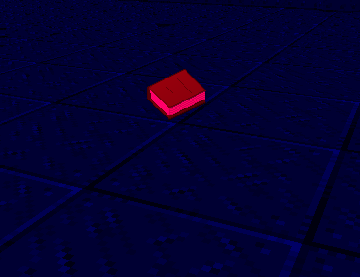
light status off 3 20 0 (photo)

----------

but i tried to create a light and it doesn't do anything (I tried multiple options)

light create 5 20 0 256 255 0 0

light create 5 0 20 256 255 0 0

light create 5 1 20 256 255 0 0

light create 5 20 1 256 255 0 0


Developer

I don't really remember it but it might be that coordinates are not in tiles but in proper coordinates and you'll have to multiply your values by 64

I found out that the light is created but only decorations and enemies light up

Developer

If radius of light is small, pixel shaders are disabled and lighting settings is set to 1, this might happen.

Deleted 2 years ago

And why the hell you're coming with CE in this thread?

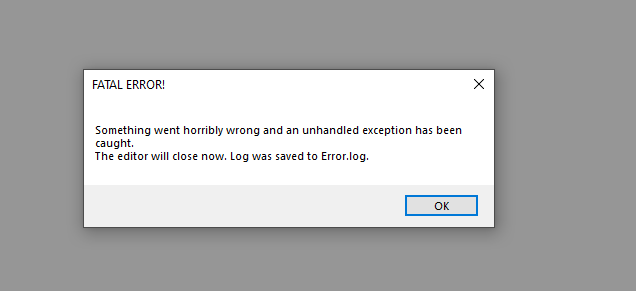
i have an issue with where when i attempt to open my project it says "fatal error" when I look at the issue in the log, it says "

Reason: Input string was not in a correct format.

Stack trace:    at System.Number.StringToNumber(String str, NumberStyles options, NumberBuffer& number, NumberFormatInfo info, Boolean parseDecimal)

   at System.Number.ParseInt32(String s, NumberStyles style, NumberFormatInfo info)

   at System.Convert.ToInt32(String value)

   at EasyFPSEditor15.ResourceDecoration.FromStrings(ArrayList strings)

   at EasyFPSEditor15.Resources.LoadMultilineResource(String path, Int32 linesNumber, Int32 type)

   at EasyFPSEditor15.Resources.LoadAllResources(String dataPath)

   at EasyFPSEditor15.Editor.OpenProject(String name)

   at EasyFPSEditor15.ProjectsList.Button1Click(Object sender, EventArgs e)

   at System.Windows.Forms.Control.OnClick(EventArgs e)

   at System.Windows.Forms.Button.OnClick(EventArgs e)

   at System.Windows.Forms.Button.OnMouseUp(MouseEventArgs mevent)

   at System.Windows.Forms.Control.WmMouseUp(Message& m, MouseButtons button, Int32 clicks)

   at System.Windows.Forms.Control.WndProc(Message& m)

   at System.Windows.Forms.ButtonBase.WndProc(Message& m)

   at System.Windows.Forms.Button.WndProc(Message& m)

   at System.Windows.Forms.Control.ControlNativeWindow.OnMessage(Message& m)

   at System.Windows.Forms.Control.ControlNativeWindow.WndProc(Message& m)

   at System.Windows.Forms.NativeWindow.Callback(IntPtr hWnd, Int32 msg, IntPtr wparam, IntPtr lparam)"

can someone help me figure this out?

Developer

Probably entered some unsupported symbols or added a spacebar in you sprites names.

Use CE version, it's more stable in this regard. 1.6 is heavily outdated compared to CE.

thank you for responding, last night I ran the EFPSE unofficial bug fixer tool in the directory, and it solved the problem!

When i test the game and reach the exit for my first map, when it loads the second it's just a black screen with the health bar. Help

im not a developer, but i can give a small answer. oh wait this was 239 days ago.... oops.

When a level has both a sky and fog enabled, where the fog should be you instead see the sky, which just makes it look like the level hasn't finished loading yet, when fog should be masking and covering things up, rather loaded or unloaded.

Deleted 2 years ago

Ahem...

I changed the font in my game and in the settings, square brackets get on the text and spoil the all beauty.If this can be fixed, please help

\/_\/

I'm afraid there's nothing to be done about it. You'll have to try a different font.

Well thanks

I added a cutscene to the  level and when I get to it, there's an empty LVL

Viewing posts 121 to 140 of 151 · Next page · Previous page · First page · Last page