Indie game storeFree gamesFun gamesHorror games
Game developmentAssetsComics
SalesBundles
Jobs
TagsGame Engines

Bug Reports Sticky

A topic by AR14 created Jun 30, 2016 Views: 11,504 Replies: 245
Viewing posts 21 to 40 of 75 · Next page · Previous page · First page · Last page
(2 edits)

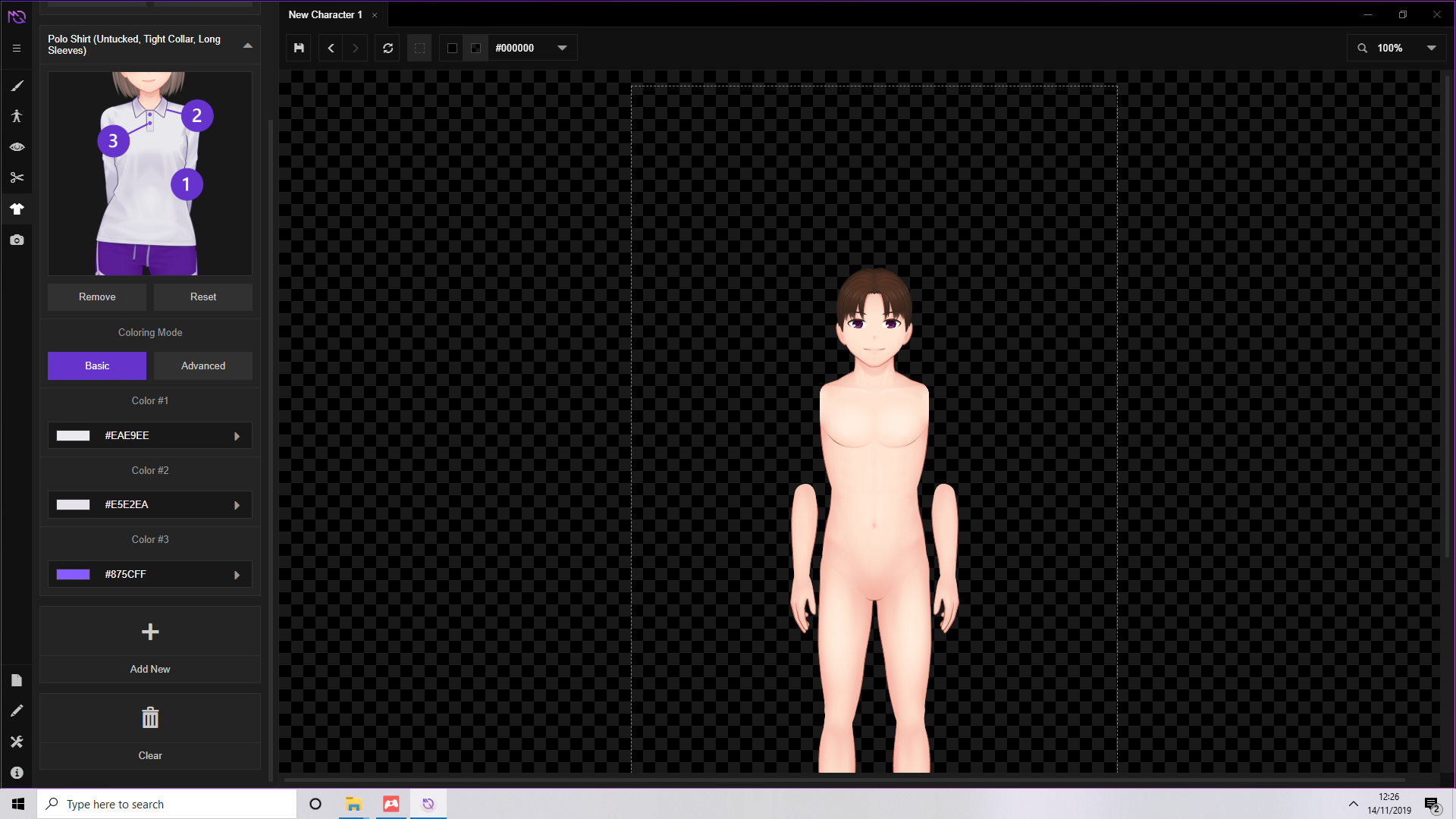
I've been playing with the demo version and it seems when I try to put the Tucked Shirt (Long Sleeves, Tight Collar) on a female model, it adds the short-sleeved variant to the model rather than the long-sleeved one. When I add the short-sleeved one, it works as intended.
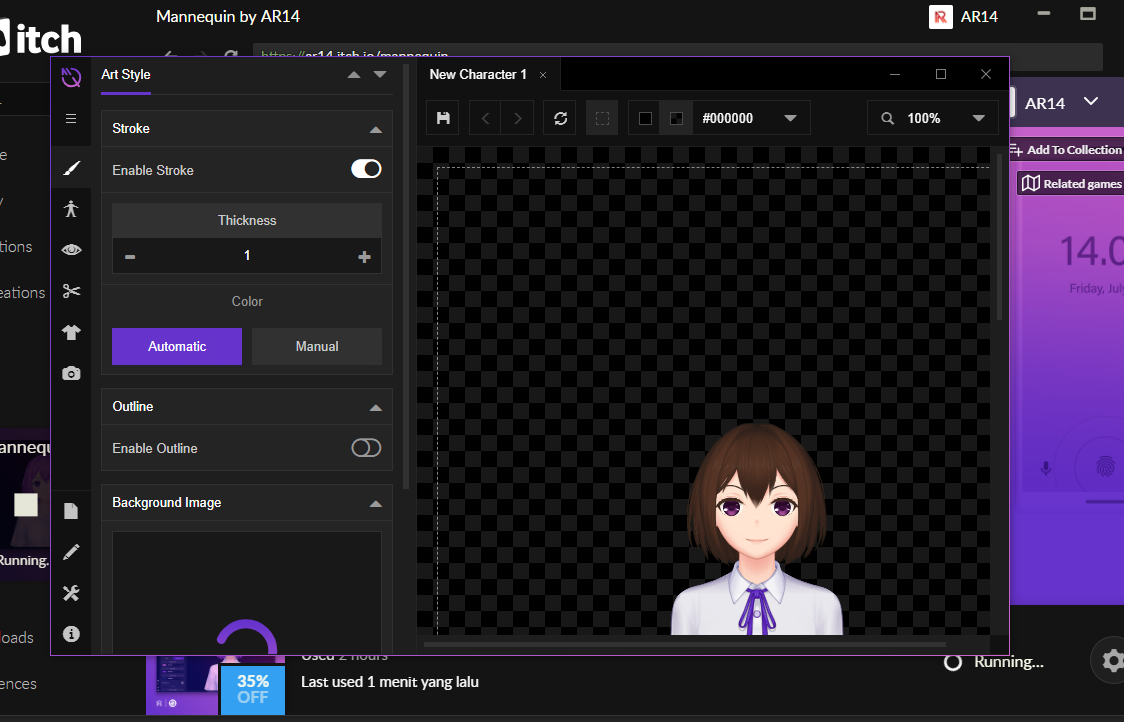
Developer

That's certainly a mix-up from our part. Thanks for the info! Will make sure that it's fixed on the next update.

I know you're dealing with a lot on your end, but I feel I should put this in here for when the time comes so that you can look into this (and before I forget about it and run into it again... ;-_-): on my machine, the current Nightly build just stops between the start-up screen and the editing window. I click New character, the window changes to the editing window with a dark gray over it, and...nothing. It doesn't budge from there. It stayed like that during a 30-minute wait. I had to force quit it to make it stop.

If you need more info about my machine, let me know.

Developer (2 edits)

Sorry for your inconvenience!

We'll take a look into it right away.

Based on your previous post, I'm assuming you are running in Windows 10? Are you using the latest version of itch app?
(1 edit)

Yes, Windows 10.
I don't think the version of the itch app (which, BTW, is still 23; don't know why it won't update) matters, because this happened when I launched the Nightly build from the Mannequin icon.

Developer(+1)

The bug should be fixed by now, thanks for your info! The latest version of itch app needs to be installed manually if I'm not mistaken. It has nothing to do with this bug, however it also has a quite nice new feature which lets you install both Mannequin's stable and nightly build on one machine (and auto-update them both).

Again, thank you very much!

:o
I wasn't expecting a response this soon!

Hello! Very excited to see an update to the program, or at least the nightly version. Unfortunately, there are some hiccups I want to report:

For starters, whenever I try to hit "new" character, I get this error. It will not open a blank character, I just get this or the program crashing. For that reason, for whatever reason, I'm not able to start a new character from scratch.

On the other hand, it does seem like I'm able to load up characters I've made in the current stable build... but what I get as soon as the image loads is this, and upon trying to change clothes I just get more like this.

After some experimenting, I did finally get something that wasn't ripping through parts of itself like this, but from what I can tell it looks like the bodies are now shaped differently than some of the clothes/poses, so some things just don't sync up like I suspect they're supposed to. From what I can gather, this means carrying over characters from previous builds won't work out well, if at all, as they'll end up shaped differently or be missing clothes that were previously available.

On the bright side, I noticed there were some new options for male characters added! But, well, this is all that would show up of them.

All that said, I do like how everything looks smoother now, and I love all the new pants options! Unfortunately for me, I think I'm so deep into my current game using characters from the previous stable build that I'd basically have to start everything over from scratch from the looks of things.

Developer

The bug regarding 'new character' should be fixed by now, but the various 'errors' that you see regarding the image is due to our ongoing redraws. Some clothing items also has new code names which resulted in the alert box shown in your screenshots.

Once the redraws are finished we will be adding a compatibility layer to automatically adjust older files to the new version without losing any clothing items, but that's still for the next time.

Thank you very much for your detailed info, and sorry for your inconvenience!

Same issue here, latest macOS stable build. I look forward to seeing how it works following the redraws.

Thanks for the awesome software!

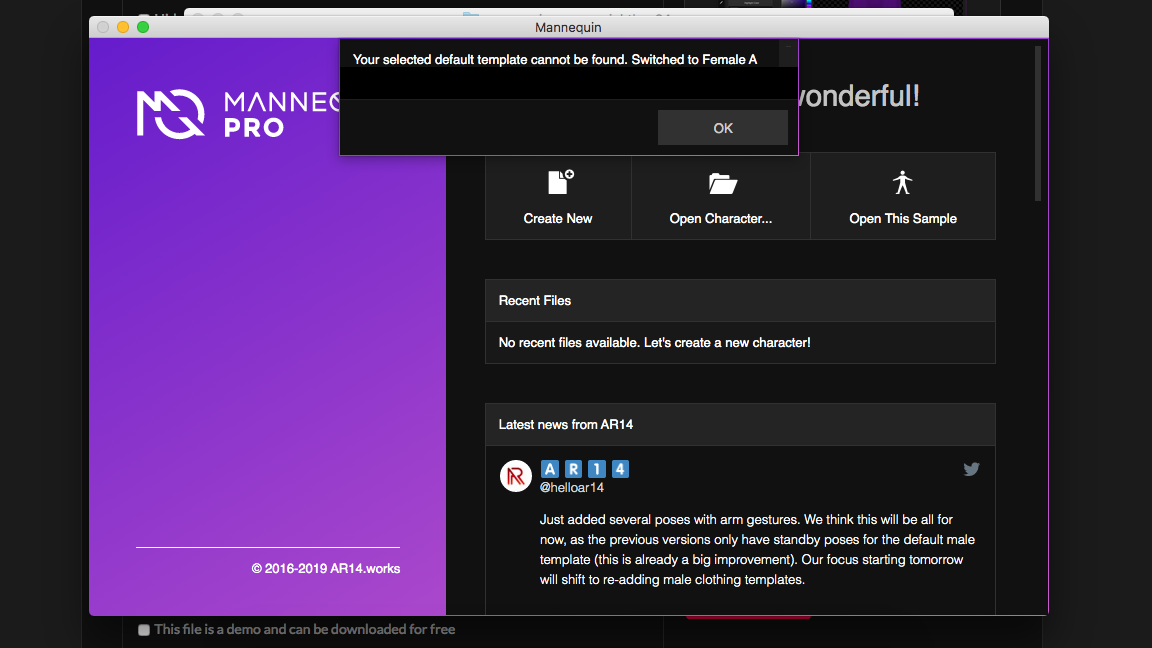
Just purchased this.  Tried both the stable and nightly mac versions, and I'm stuck at the title screen.  When I try to create a new character, it just says the template cannot be found. 

MacOS High Sierra

Developer

Hello! Sorry for this inconvenience, but did you install it using the itch.io app? Unfortunately this is the only working install method that works on macOS (for now).

Excellent!  Thank you, I will do that now.

Nightly build not working, just gets stuck on loading when creating a new character. Stable build works fine, Windows 10 x64

Developer

Hello! We're sorry for this inconvenience. We have tested it in our test sytems and it appears to be working fine.


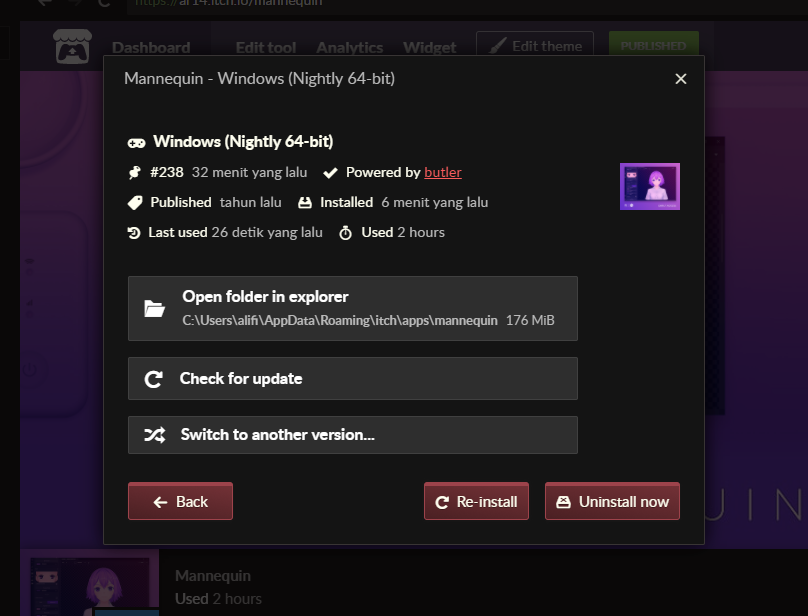
Are you already running the latest update? If so, you can try to reinstall the app using the option provided by the itch.io app:

Let me know if you're still experiencing problems, and thanks for the feedback!

Meant to reply about a year ago but yes, re-installing fixed it. Thank you!

Deleted 7 years ago
Developer

Hello! Thanks for the notice. We'll look into it and see what caused the problem.

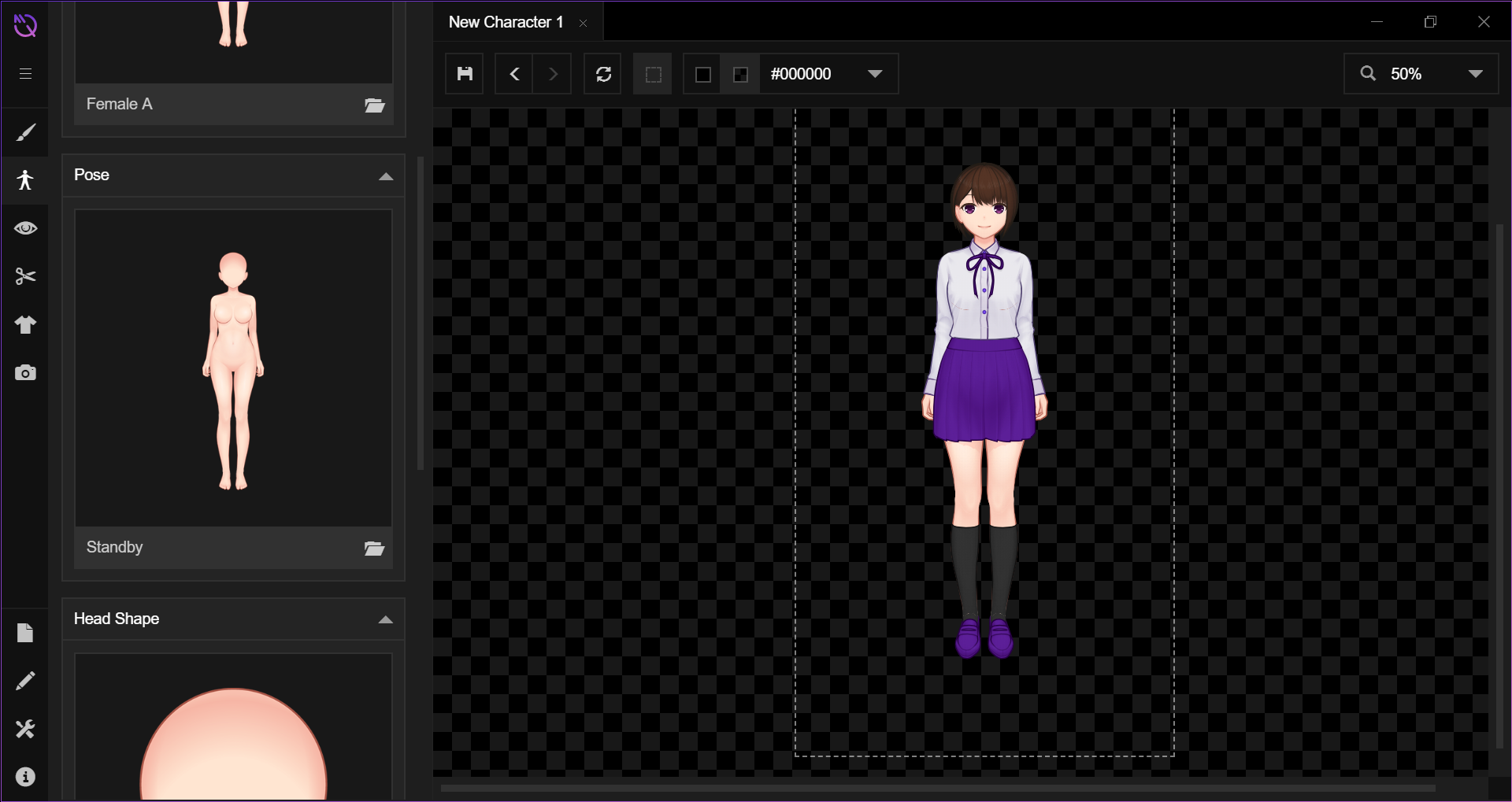
So I just bought this and downloaded it for the first time. Every single pose does something similar to this and shows as a ? in previews. I've noticed the same ? when looking at the gender defaults as well. There could be a couple other items doing this.

Developer (2 edits)

Hello! That's certainly bad. Can you give us more info about your system? Based on this screenshot I assume you're running the nightly version, but on what OS? Did you run the app via direct download or did you install it via the itch.io app? If you're installing via the itch.io app, then reinstalling it might help (you can do this by clicking the gear icon in the bottom right of the app page, and click the 'Manage' button).

Please note that the nightly version *do* has a lot of thumbnails that doesn't show up yet, and poses other than standby will not work with various clothing templates because we're still working on it as we speak (should be ready after this weekend, though). The nightly version is updated frequently with work-in-progress things, so these kinds of things do occur.

But at least creating a default female character should be fine, also changing poses to other standby variants too.

I'm using a Windows 10 computer and I've actually tried uninstalling and installing several times. I have downloaded it from the site and on itch.io and tried reinstalling it. Also, that picture isn't the default pose, but the default pose is just as broken. Like before, I've tried every single pose and they all are messed up in some way with just the default spawning clothes. I've also notice some of the eye brows are messed up as well, although not all of them like the poses.
Thank you for taking the time to help me, I'm personally using this app to create a visual novel and I'd love to have access to the newer stuff on the nightly version.

Developer (1 edit)

Hi! Thanks for the additional information. We have tested the latest nightly build, reinstalling it from scratch in the itch.io app, downloading the .zip and running from the extracted folder, and can't seem to reproduce the problem. Can you provide additional screenshots (preferably showing the entire app window) so we can analyze it further?

Also, are you running a multi-monitor setup with different display scaling for each display? For example: one display is 1920x1080 with 100% display scaling, and the other is 4K with 200% display scaling.

Below is the screenshot of our testing with the app freshly installed:


We're really sorry for this problem. Hopefully we can find a solution as fast as possible.

So since last night I have done nothing to change anything on the app, but I did see that you updated which seemed to help but not entirely fix the problem. The poses and stuff all now have thumbnails. The standby pose now is normal, aside from some of her skin clipping through her socks at her ankles. That clipping seems to be a problem on every pose. Some of the poses are now fixed, but not all of them. I'll try to get pictures of each problem I find and give you a full workup of everything. Also, I am not running dual monitors nor is it on a different resolution other than the default.

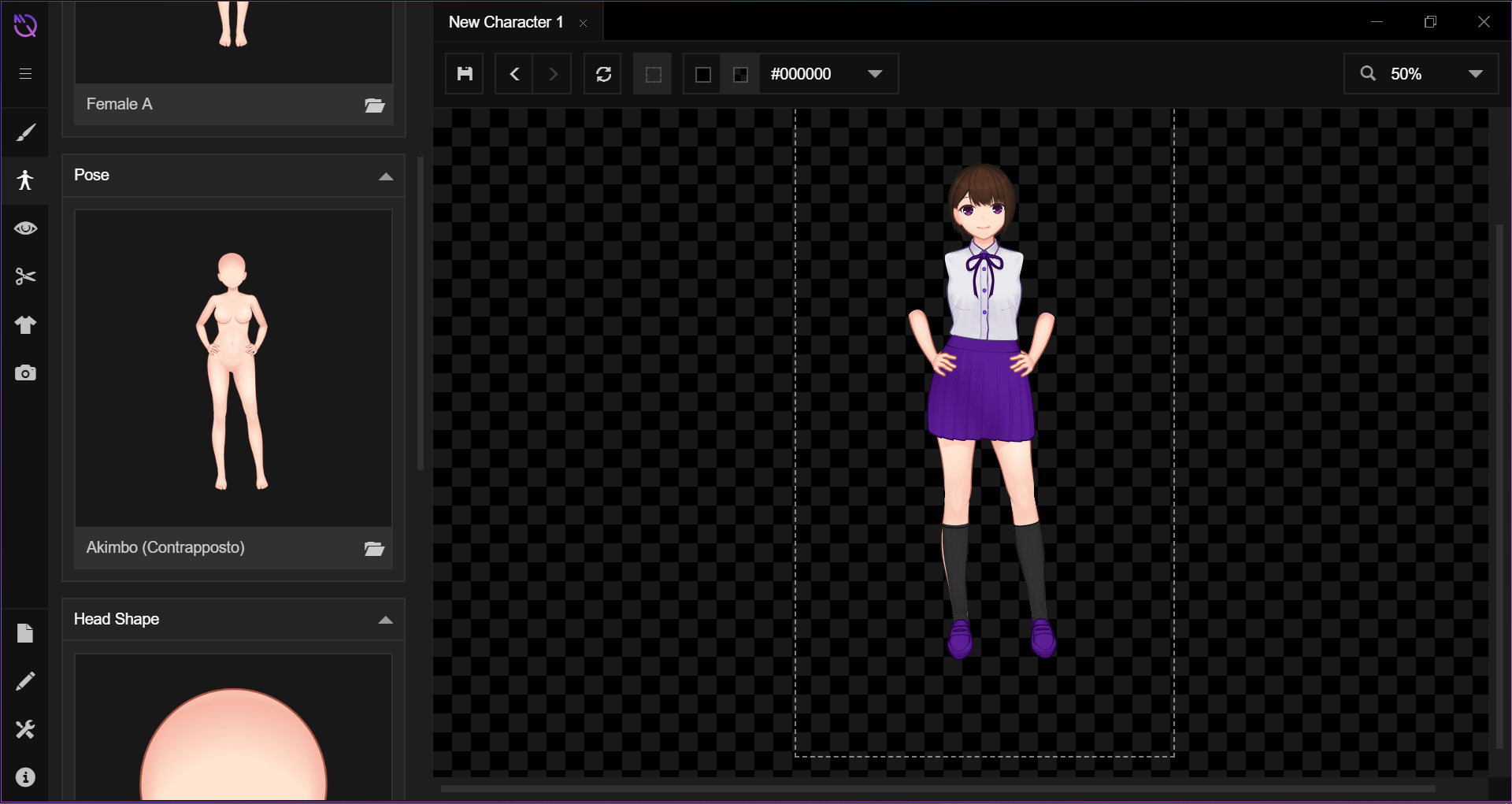
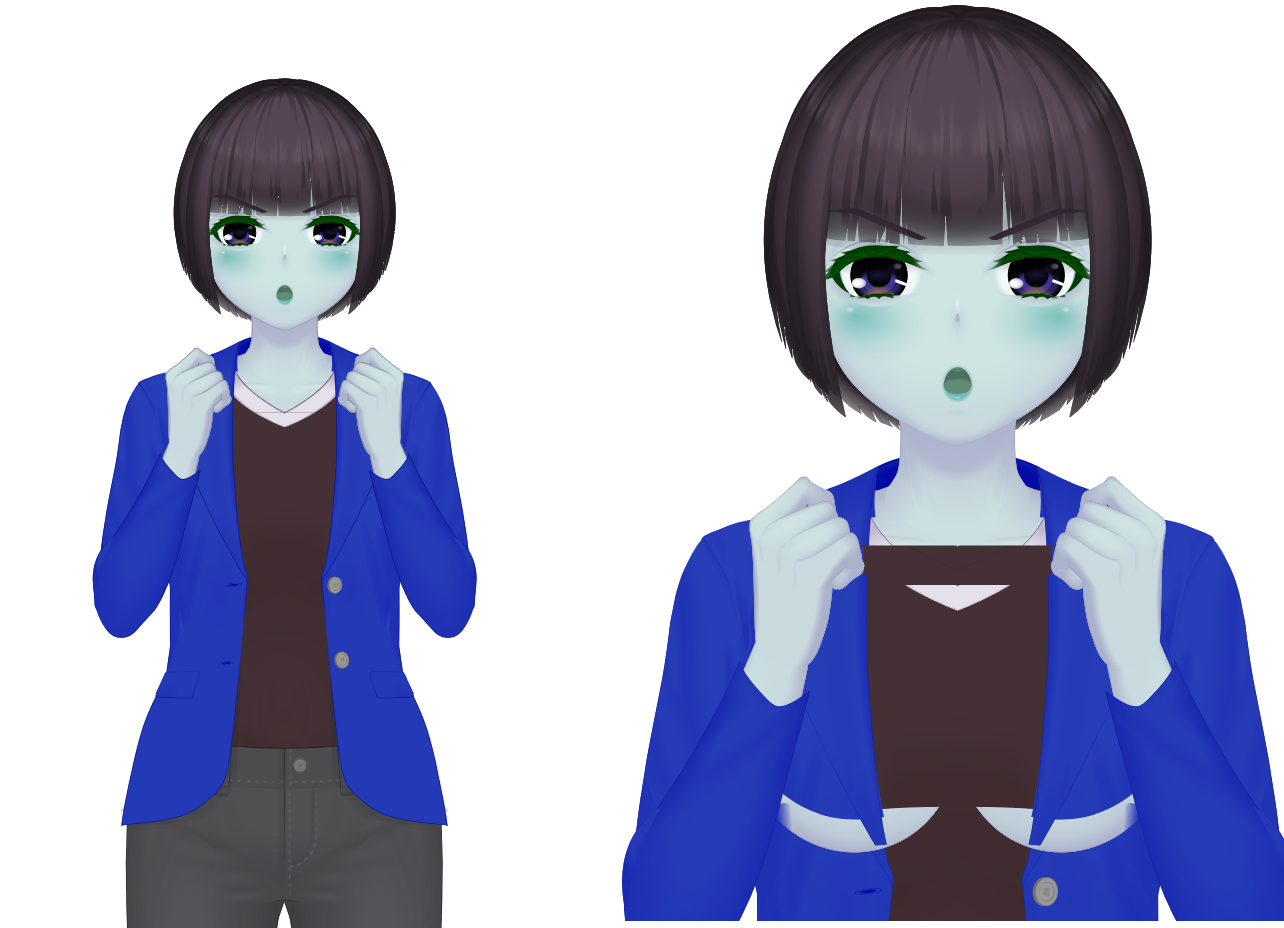
Next one appears to be missing the upper arms. (so did the tilted Akimbo)

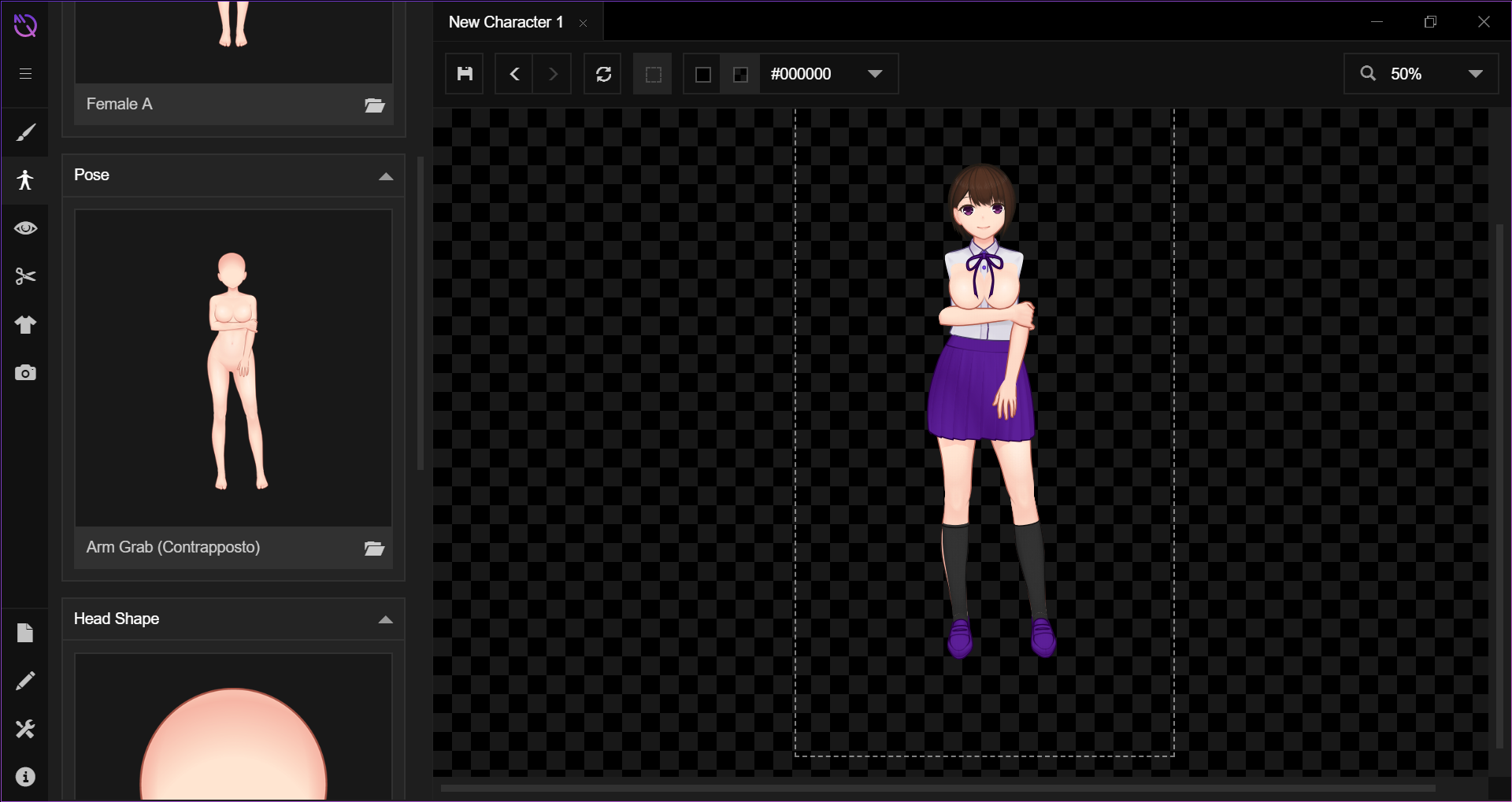
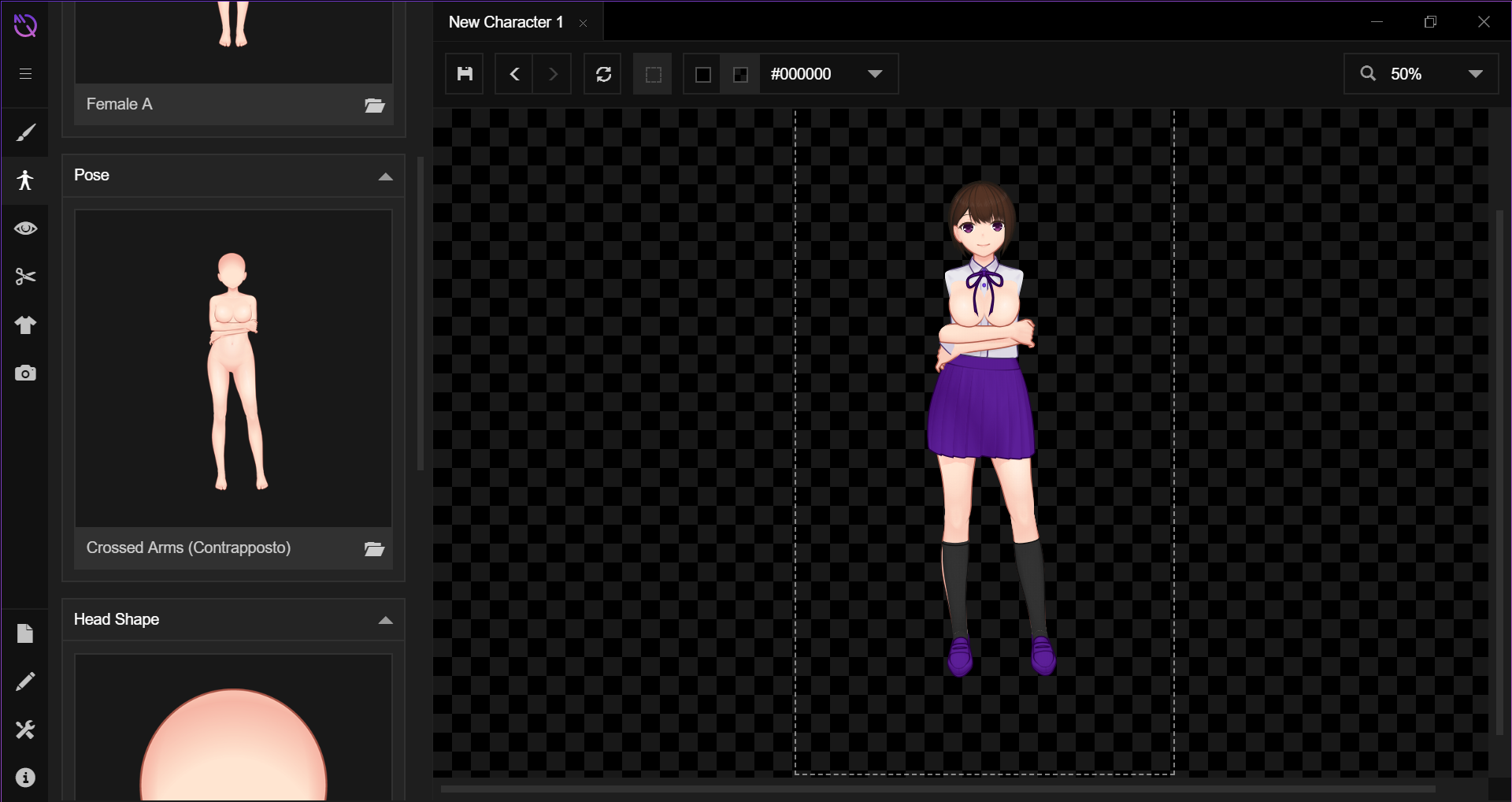
I'll be honest with you, this next one made me laugh when it loaded it. Just caught me off guard. (it appears all arm grab poses phase her breasts through her shirt...)

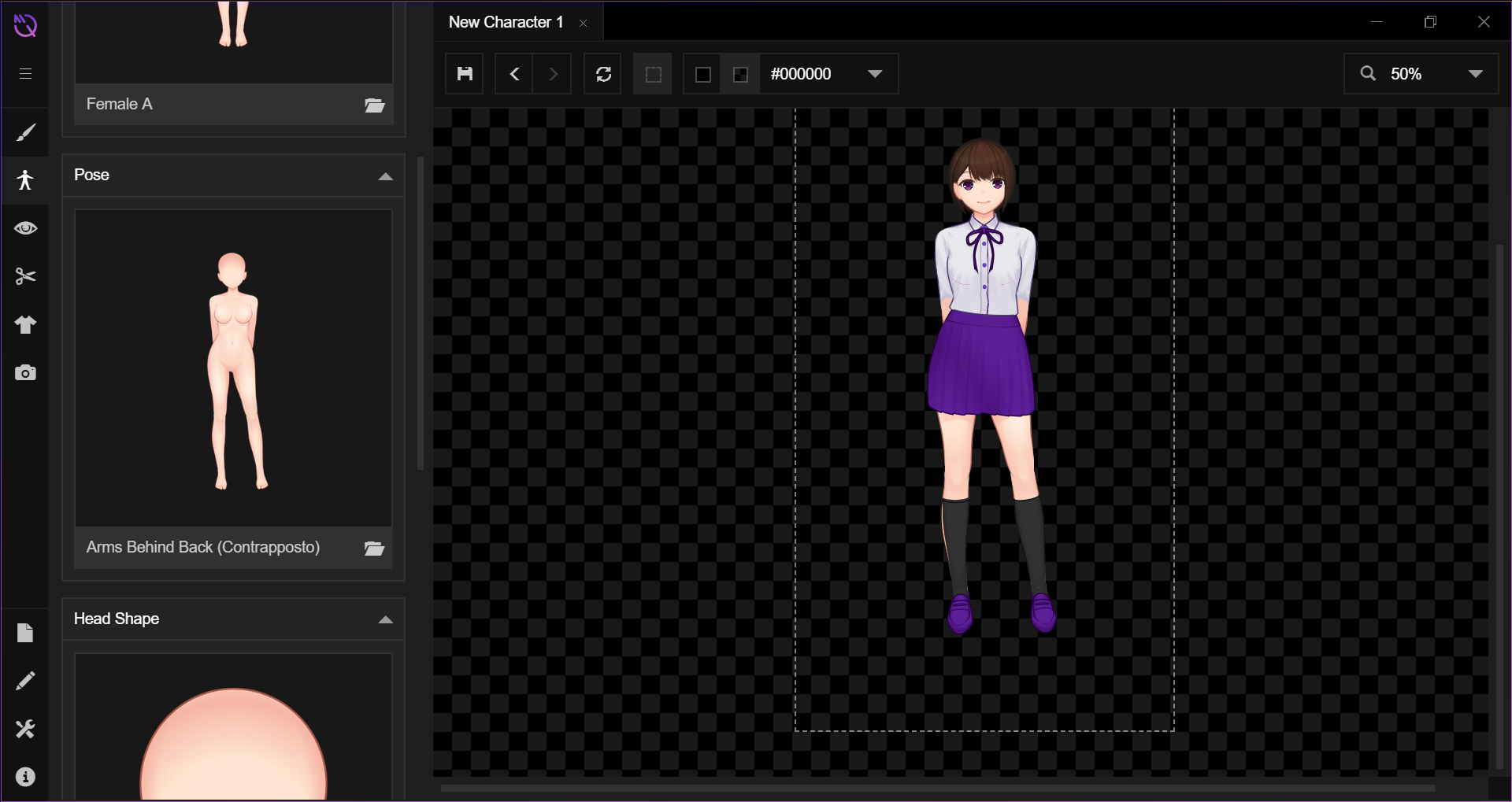
Arms behind back appears to be just fine, save for some skin clipping around the socks. (same result for its variations)

Crossed Arms brings back the breast phasing. (same with tilted variation)


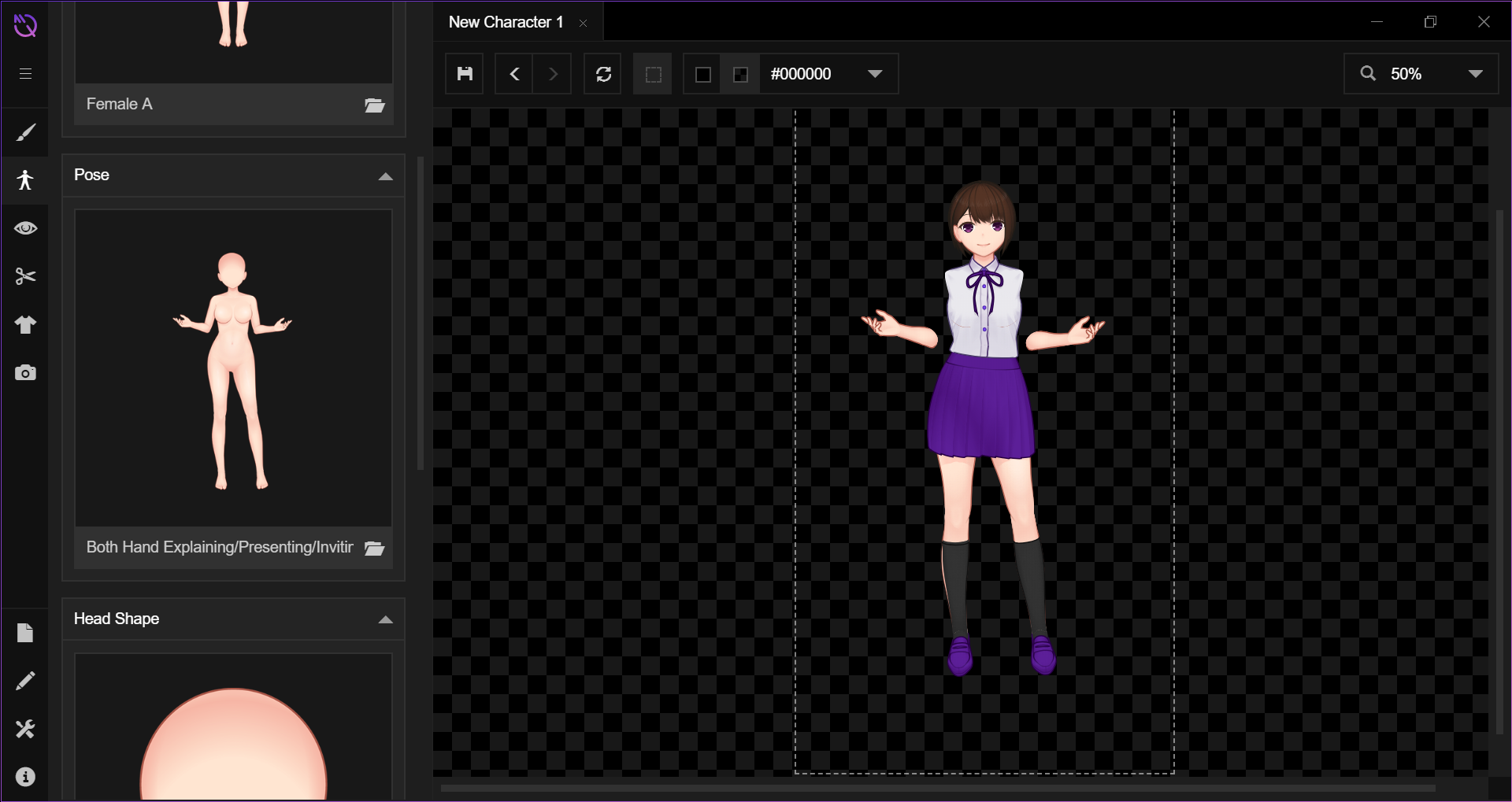
Both Hands Explaining appears to be missing the upper arms. (same result with its 2 variations) I've noticed the one-handed variation of this has the same problem but with only the arm that is presenting.

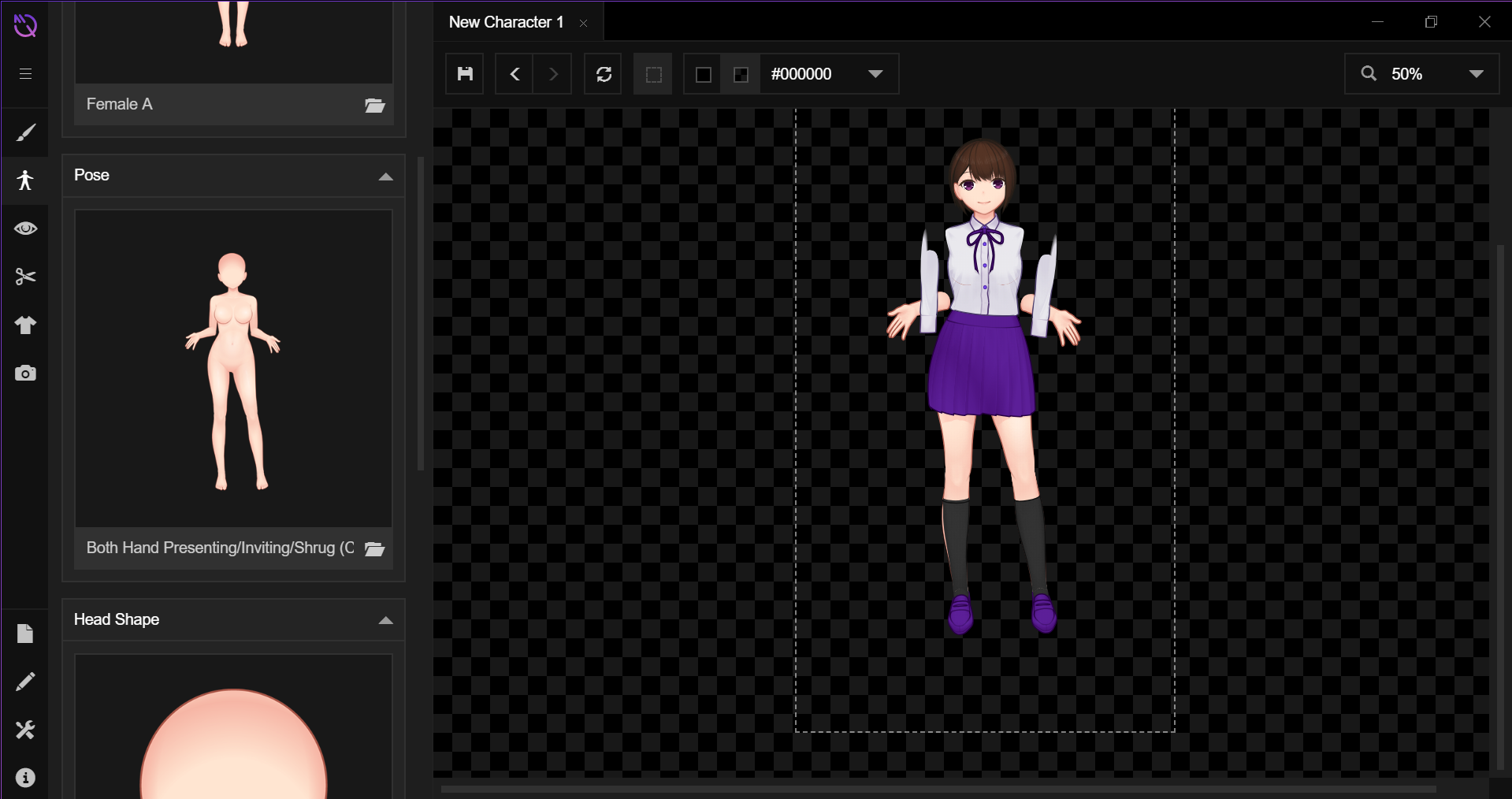
Both Hands Presenting shows a new problem with her upper arms showing up to the party in the wrong spot. (same with variations)

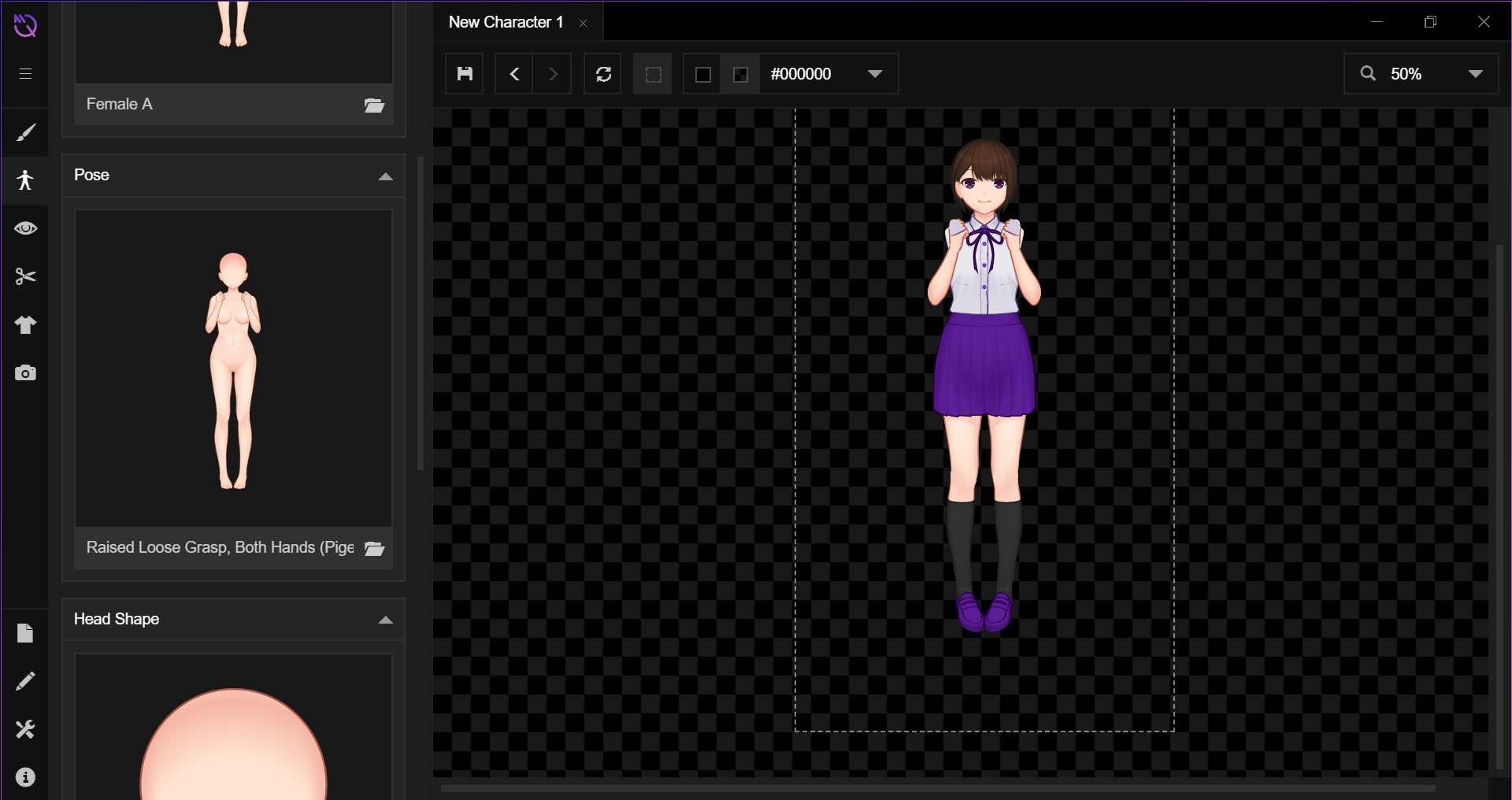
Raised Loose Grasp is interesting. Her upper arms appear to be missing but I think those things on her hands might be part of them... (same result with variations)

Hand on Hip is missing the upper arm and its explaining variant is missing both upper arms.

One arm raised grasp has the problem with the double arm, but is only missing one upper arm.

The pointing one I thought looked fine at first, but I went back and noticed the upper arm is actually missing.

That's pretty much all. I hope this helps.

Developer

Aha! That's the right behavior of the app, at least for now. We has just finished finalizing those additional poses, so clothing templates *do* indeed behave like that.

 Tomorrow will be the start of the adjustment process of clothing templates so every item can fit properly. If you're interested for more periodic updates about what we're currently working on, you can always check our Twitter account (unfortunately this will be the most active news source for a while as we don't have enough resources to maintain a lot of communication channels right now).

Let us know if there's any other problem, and thanks for your support!

Deleted 6 years ago

Oh, not sure if it'll help, but the stable version works perfectly. I forgot to mention that earlier.

(1 edit)

Hello! I saw the Nightly version updated and I'm checking it out now, and here are two things I've noticed so far:

- When exporting, it will sometimes decide to just... keep exporting over and over, even if you press cancel, try to close, whatever. You have to force the program to close to get it to stop.

- You can click SVG for exports, but this just makes the character disappear.

Actually, a third- I seem to be experiencing the same issue TGK is with some of the poses:


Developer(+1)

Hello, thanks for the feedback! The issue pictured above is happening due to templates that are not finished yet. Those templates should be marked by question mark in the corresponding thumbnail. Just a couple days more and it should be fixed.

As for the export problems, we'll have to check it out. If it's not a problem, can you provide more details if there's any pattern for the first issue (for example, it only happens when exporting in batch, or when option X is selected) or it's totally random?

As always, thanks for your feedback and support!

Developer (1 edit) (+1)

Hello! Just a quick update: the arm problems should now gone with the latest nightly build. We'll continue to check on the other problems regarding the exporting behavior.

Thank you again for your feedback!

EDIT: The SVG export problem is also fixed by now.

Oh wow, yeah, this is working so much more smoothly now!

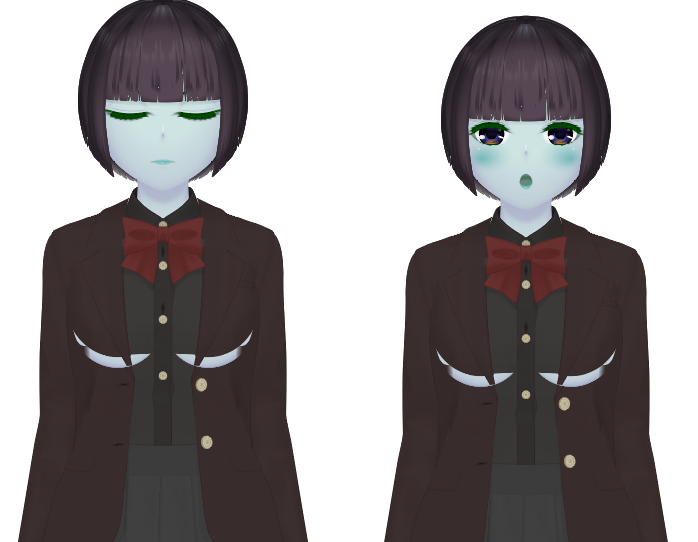
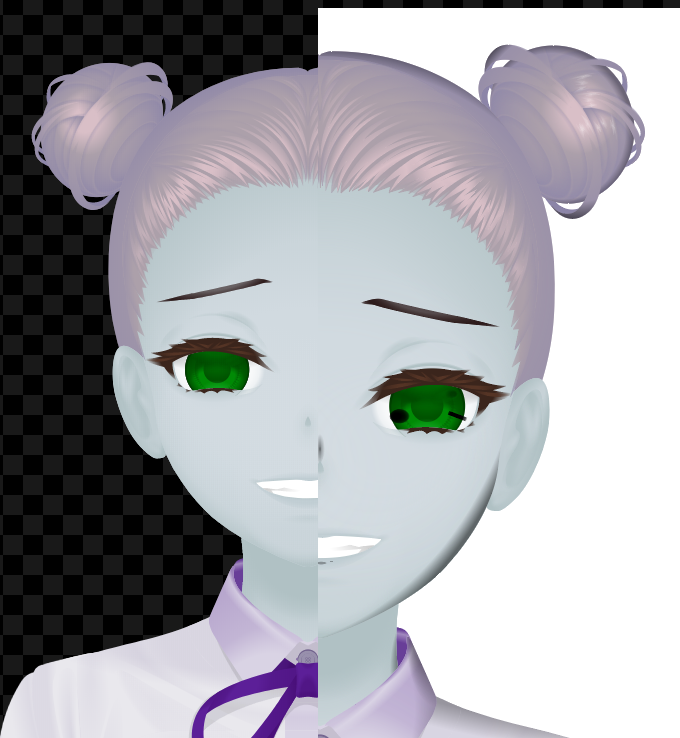
Now that I'm actually able to get my old files loaded into the new version proper, I am noticing one issue that was really prevalent in the old one still around: When you switch poses, the faces can get... squished, I guess? Here's what I mean in both the new build and the current stable build:


On the left is the expression I made, and on the right is how it looks just by changing the pose to another one.

Developer (1 edit)

Oh wow, that's definitely bad. We're really sorry for this issue! We'll check it out and try to find the underlying problem. If it's not a hassle for you, would you mind to tell us if your characters in the example above has face position adjustments (such as eye separation/size/height or mouth size/height)?

As always, thanks for your feedback and support!

They do! When there aren't any changes, it doesn't seem to happen, but even little things (how far eyes are from the bangs/ears) crop up, and when you work with the sprites for long enough they start standing out.

I haven't had a chance to try out the eyebrow adjustments from the latest version, but this has pretty consistently been a thing. From what I can see in the current stable build, it seems like there are two "groups" of faces: ones that match Standby, Hands on Hips, etc., and then ones that match up with Both Hands Raised, One Hand Raised, etc. When you take a face you've customized more from the former group and change its body to one of the ones in the second, that's usually when I've gotten that to happen.

If you want I can boot up the stable build and put some other examples together for you!

Also, on an unrelated note, there seems to be a minor bug with the SVG exporting:


I exported about ten expressions individually (not as a batch- it got through five expressions in a batch export then froze up and stopped working) but they all seem to have this same visual error. The image quality also seems to have suffered a bit compared to the stable build's SVG exports.

Developer

Alright, thanks for the information! We'll check it out ASAP, and will inform you when there's updates regariding this matter.

Awesome, thanks!

So I'm working with the nightly build now, and I'm noticing that if you just change the nose placement (it may even be this way for the default), export an image in each pose, then flip through them (by putting them all on separate layers and toggling visibility for example), you can see how even the nose is changing positions. I don't know if that information might help any, but I thought I should mention since I'm working with it right now.

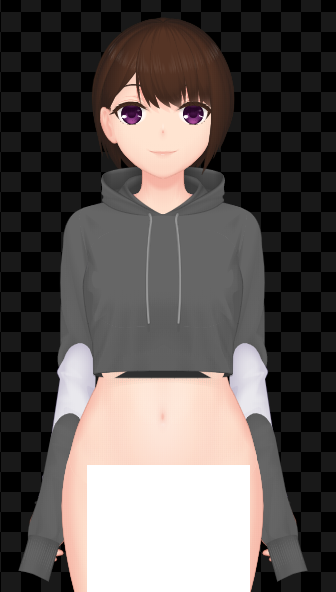
I'm not sure if this is related to the previous one, but I get this issue with the cropped hoodie near the waist. I tried to put in a shirt to see if it would go away, but that somehow made things worse.


Developer (1 edit)

Hello there! Just wanted to tell that face adjustments should now fixed in the latest nightly build. We'll keep you up to date with the other issues as soon as there's new developments.


Thank you very much for your feedback!

(1 edit)

Hi! I purchased and downloaded this a few days ago and everything starts up fine. However, when I go to create a new character, it says "Error opening file: Template file not found." I'm really confused, can someone help?

Developer

Hello! We're sorry for your problems with the app. We've checked the latest build on our test machines and found that this error shouldn't be happened if the app installation is problem-free. To fix this, you can try these steps:

  • If you're installing via the itch.io desktop app:
    • Open the app page;
    • Click the gear icon in the bottom right of the screen;
    • In the pop-up window, click 'Manage', and then click 'Re-Install'.
  • If you're installing via .ZIP file download, then you can try to re-download it from the store page.

Hopefully these methods will fix your problem. If it still persists, then we hope that we're able to know more about your system (i.e. what OS are you running, what method of installation that you did).

As always, thanks for your support and feedback!

(1 edit)

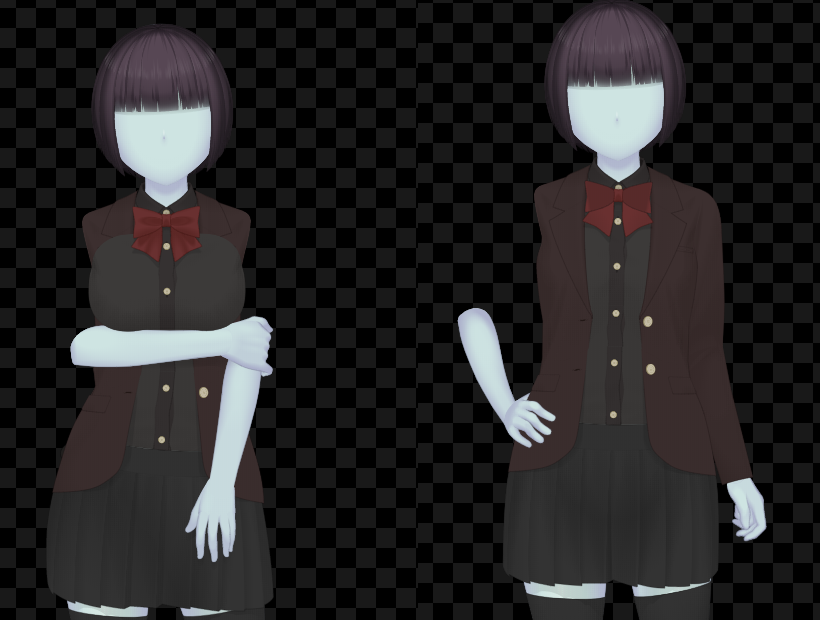
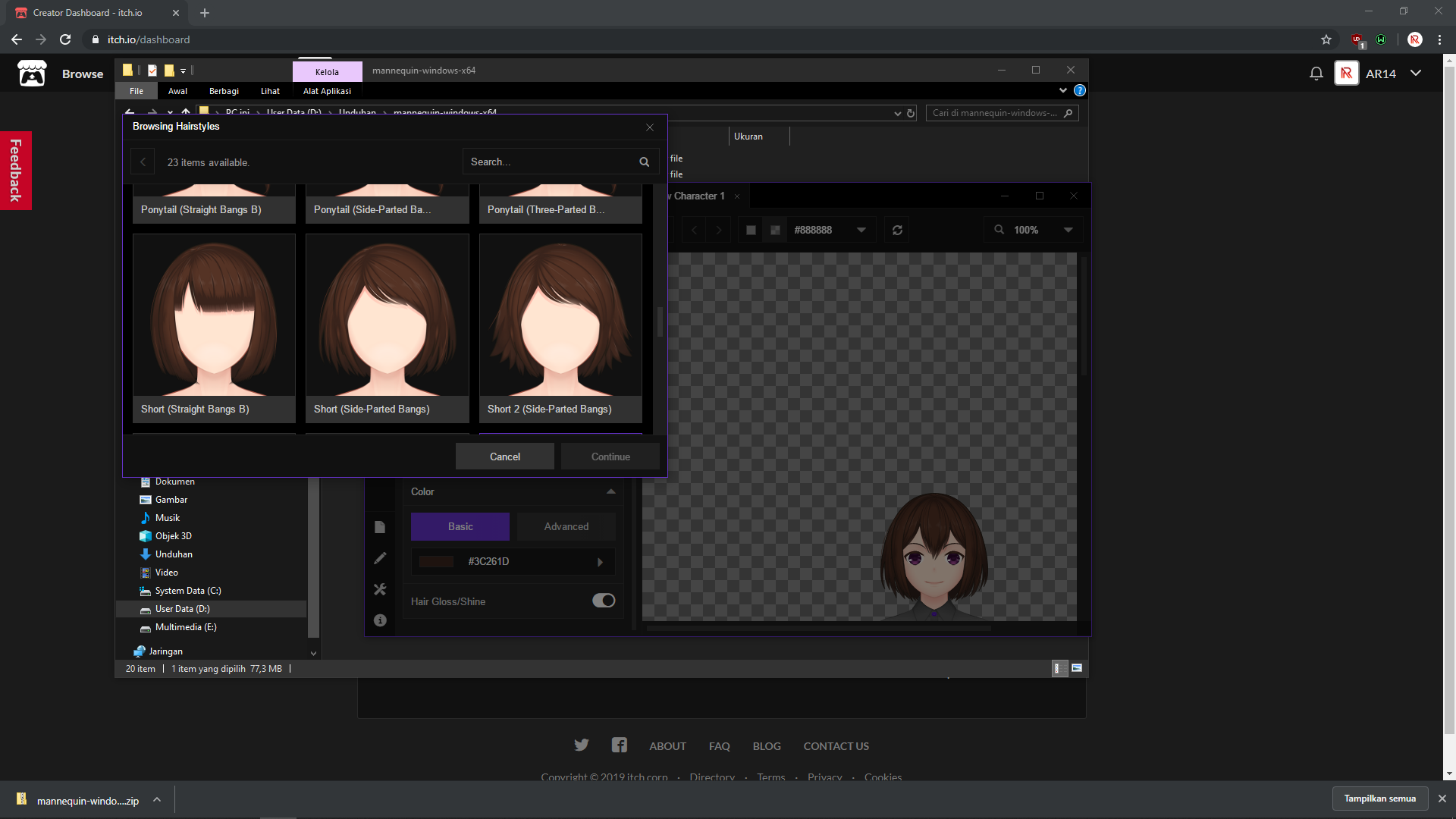
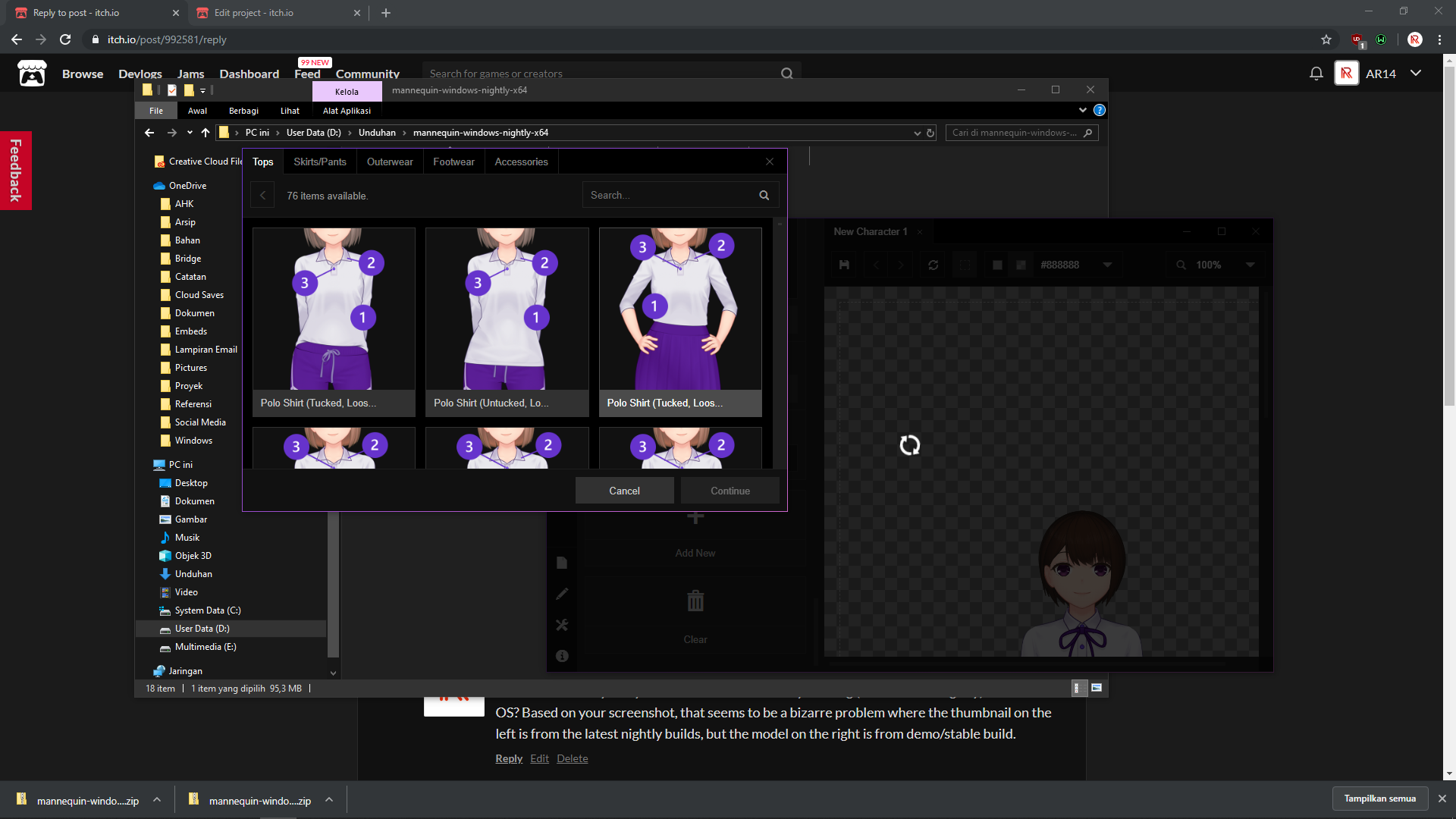
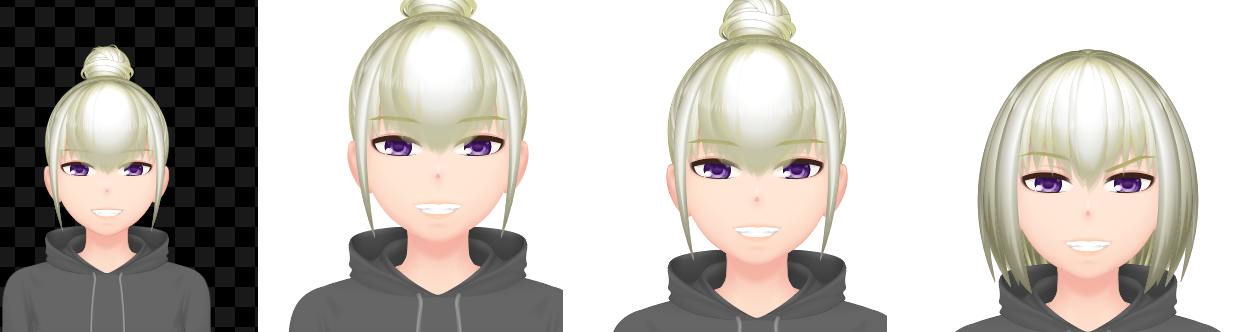
It seems like short haircuts like bobs for example have this weird layering issue where they are place partially in front and partially behind the head. I can't seem to find a fix for this. and some hairs don't even appear close to what they are supposed to be.  

Wrong hair style with floating side tail? Hair layering issue.
Developer (1 edit)

Hello! We're really sorry for this. What version are you using (stable/demo/nightly) and in what OS? Based on your screenshot, that seems to be a bizarre problem where the thumbnail on the left is from the latest nightly builds, but the model on the right is from demo/stable build.

I am on Windows 10 OS. And I downloaded the most recent stable build. I did download the nightly build but I didn't bother with it since I wasn't sure how to get that to work as it didn't have an exe and I wasn't sure how to properly transfer the files so I just left it all as is because I didn't want to break anything.

Developer (2 edits)

Hello, thanks for the reply. Maybe there's something wrong with itch's download server when you're downloading it the last time, as the nightly build should also contain an .exe

We did re-download all builds from the itch's download page to verify if it's working and it's currently working fine, both the stable and nightly build:


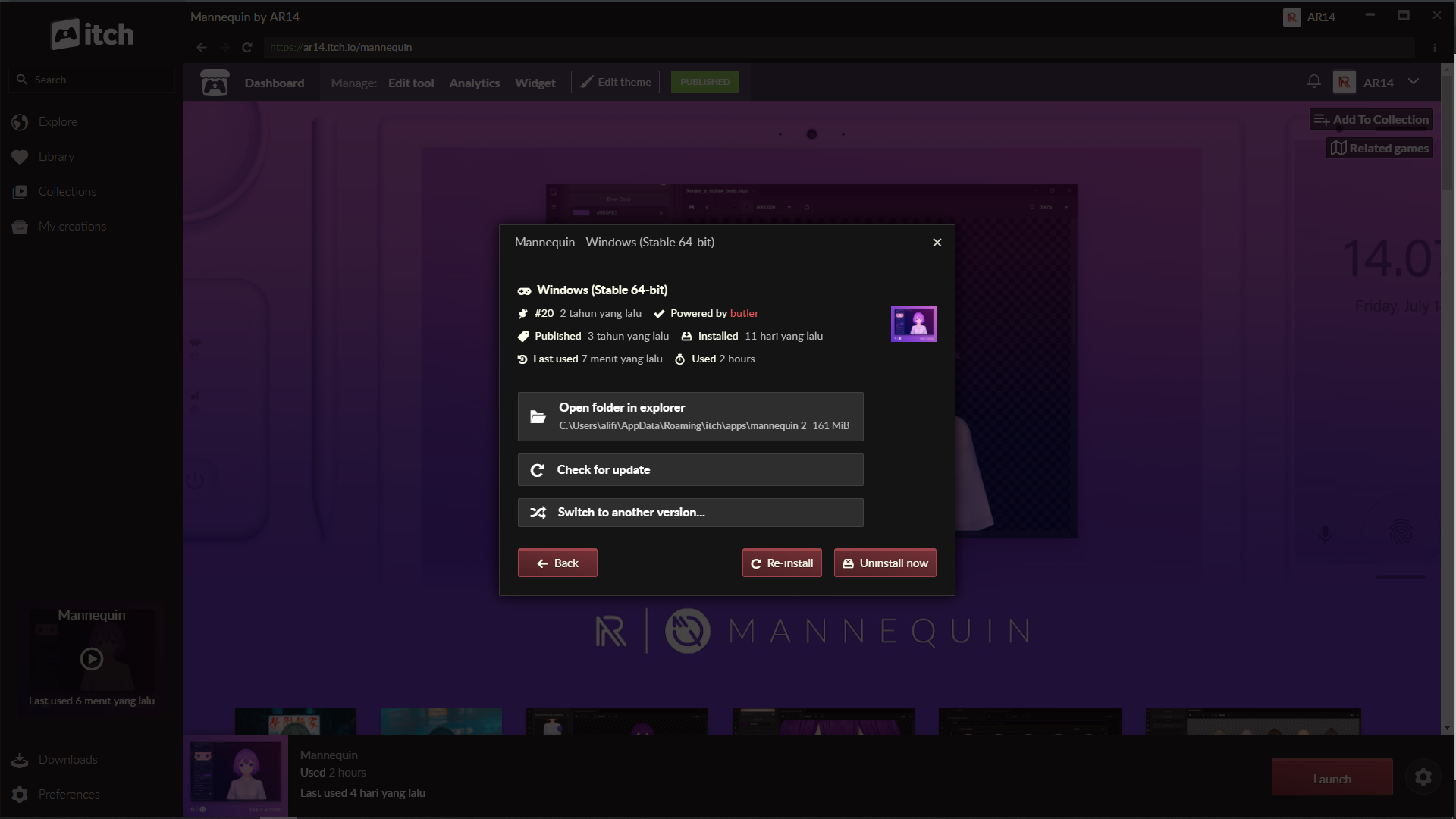
You can try re-downloading the app from itch.io download page; or if you're installing it through the itch.io desktop app, you can open the app page, click the gear icon on the lower right corner, followed by clicking 'Manage' on the popup window that showed up, and then click 'Re-install'.


Let us know if this is still happening. Thanks!


EDIT: For extra safety, you can delete the folder C:\Users\[yourusername]\AppData\Roaming\Mannequin to ensure the old installation is cleaned up before re-downloading the app.

Alright I will give it a try and see if it works.

Alright I removed the folder and re downloaded the nightly and this time the nightly did have the exe and everything is working properly now. I am guessing somehow files must have got mixed up since I had one before that was a year old.

Developer

Glad to hear that, and thanks for the updates!

Hello again! So there's a new bug in the latest nightly build that wasn't there in the one I was using prior:

Simply put, the hair does not fit on "Head B" anymore. Switching to A fixes it, but back to B gives you this again.

Developer(+1)

Thanks for the notice! We'll check it out and provide fixes soon.

(1 edit)

Thanks!

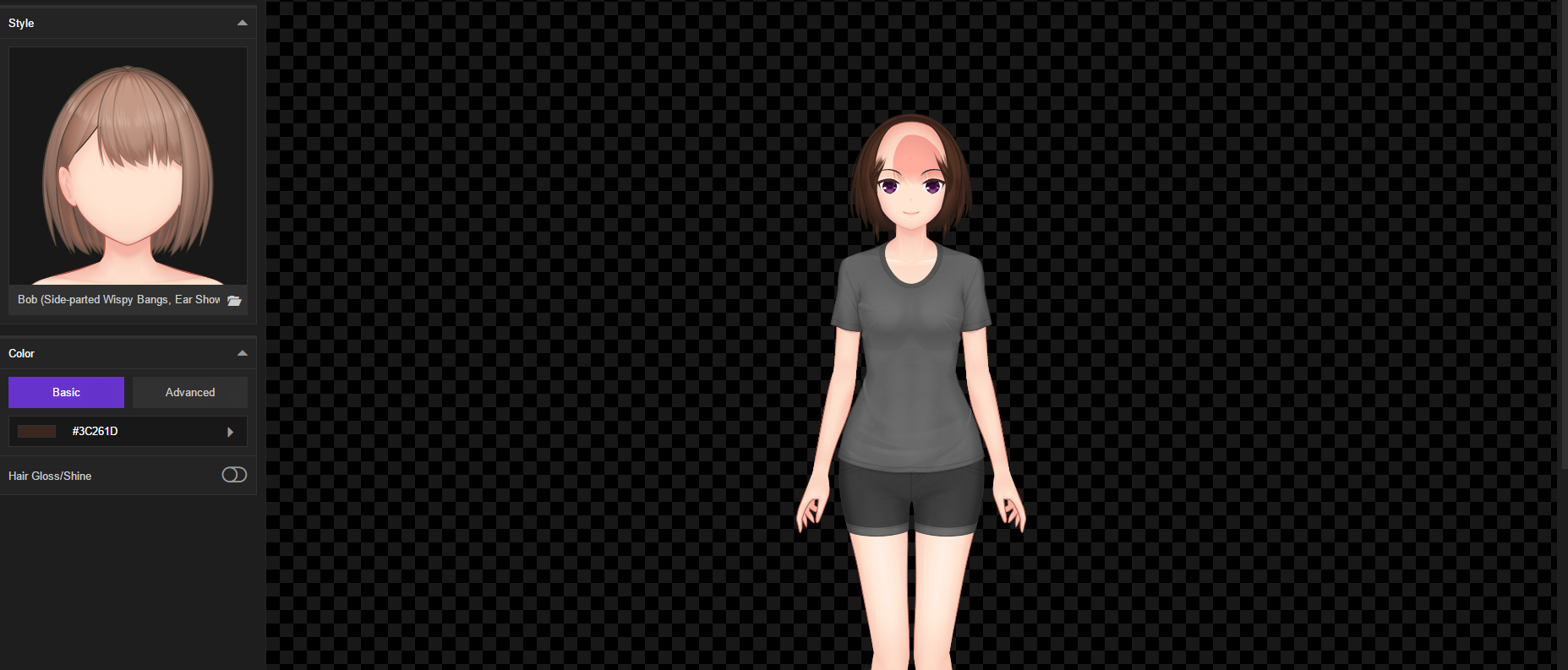
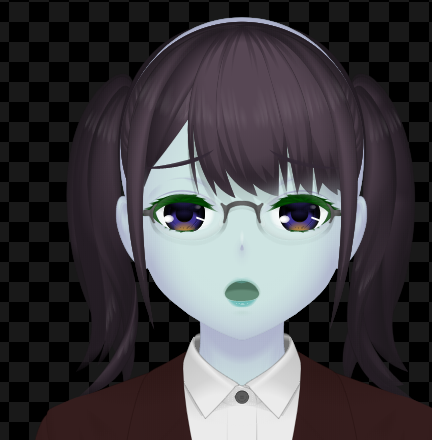
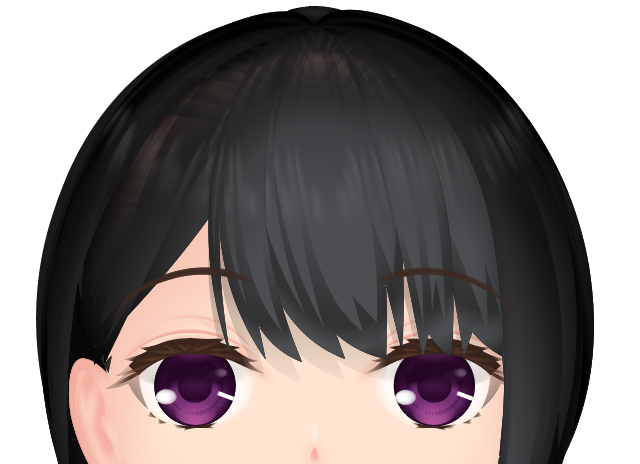
I'm not sure if this is related, but I'm also noticing that the top part of some of the hair is really transparent- enough so that you can basically see through to the scalp, like this:

(and the image quality is still kind of pixely compared to in the stable version)

Developer (3 edits)

Hi there! Is this screenshot based from an SVG export or something else?

EDIT: After checking it out, we have noticed that gradients are quite a mess when opening exported SVG file in Illustrator. We'll try to find the underlying problem and fix this ASAP. For short-term solutions, if what you primarily need is layers and less of infinite resizability of vector graphics, the PSD export is now available.

Developer(+1)

Hello! Just wanted to let you know about the progress on issues that has been reported (as always, thank you very much for the feedback).

  • Cropped hoodie should be fine right now, not clipping into the lower torso body anymore.
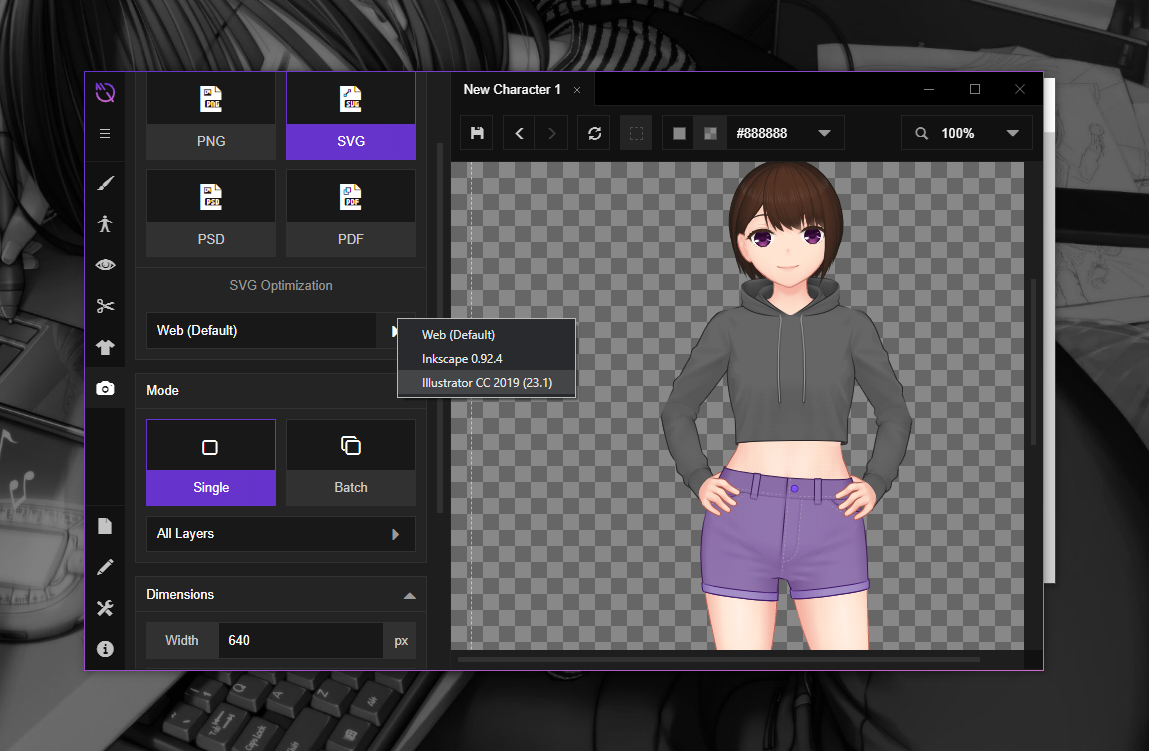
  • SVG issues in illustrator has been addressed by a new option: SVG optimization. We are forced to use this right now because various apps render SVGs differently, so we have to tailor the code for each specific app. For now, there are 3 options available: Web (default), Inkscape (a free vector graphics editor) and finally the 'industry-standard' Illustrator.

We'll keep tracking the remaining issues, and let you know if there are new developments.

Again, thank you very much.

Hi again! So it looks like the SVG optimization has done the trick for the most part, which I really appreciate! With some clever resizing and rearranging, I've been able to mix some of the new stuff with the models from the old build now that the image quality is closer together, and it's turning out pretty well!

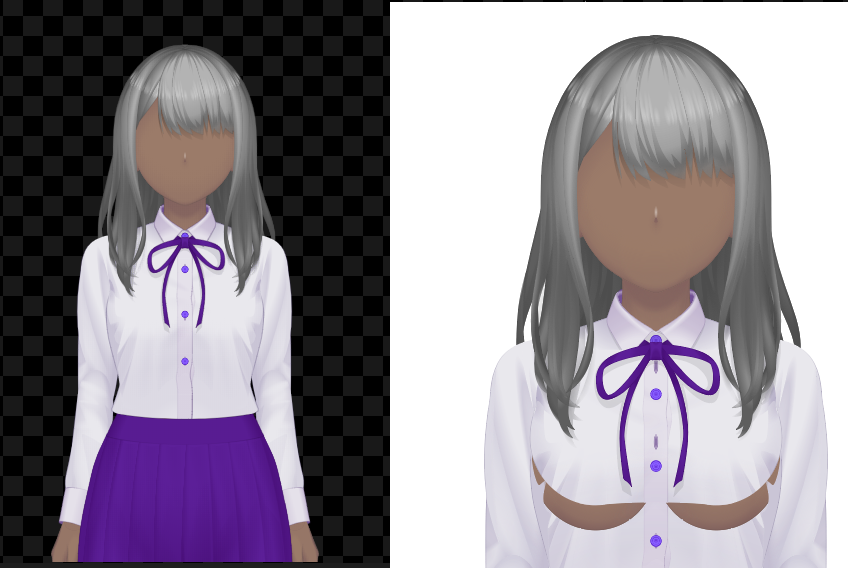
That said, this bug seems to keep rearing its head when I export:

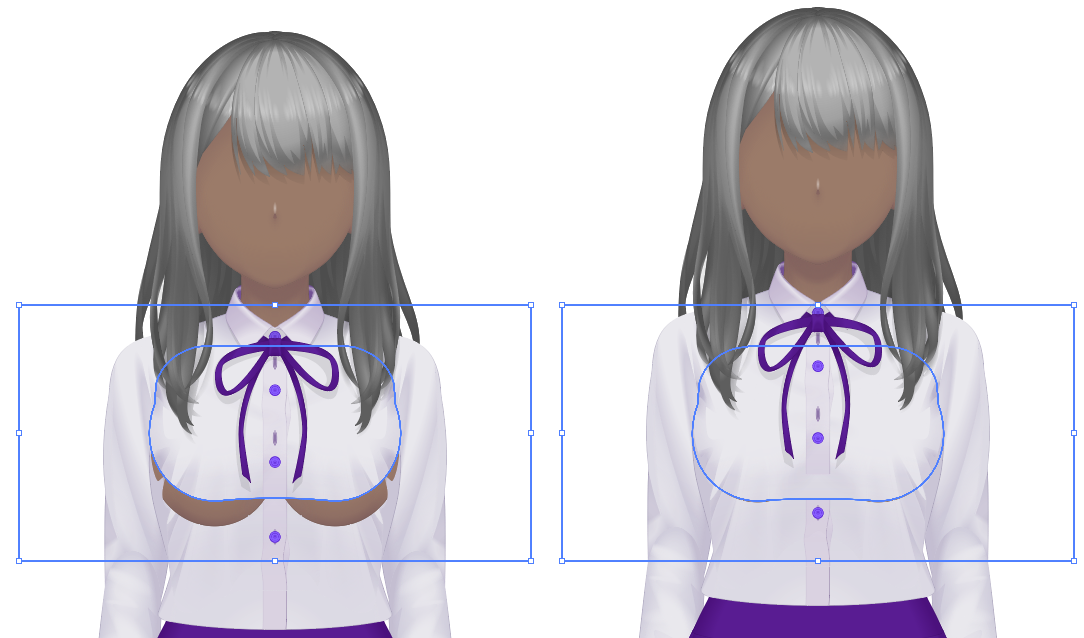
Any ideas? If it helps at all, from what I can tell from looking at the SVG file myself, it looks like what's happening is some of the chest clothing parts seem to move up forsome reason when it exports, since it seems like if you just move some of them down, it fits together just fine (line this):


It doesn't do this when I export to PNG though, so it looks like it's just an SVG-related problem.

Developer

We'll have to check it out first, since it seems you are exporting with the default clothing preset that is generated when creating a new character and we haven't experienced that kind of problem so far. We'll let you know if we made some findings regarding the cause of this matter.

Sorry for this inconvenience, and as always, thank you very much for your continued support and feedback!

Hi again! So I've figured out what seems to be causing it- Are/Were you exporting scaled svgs? I've been exporting larger ones from the start, so I hadn't thought to try them at 100%. I was just trying out the latest update, and lo and behold, exporting at 100% had no problem, but scaled up, the problem appeared again:

Developer

Hello, thank you very much for this information! Totally slipped our mind, we rarely tested scaled SVGs due to the nature of it being scalable by default. We'll definitely work on this ASAP. Much appreciated!

Happy to help! Good luck.

On mac, when I try to create a new character, it says something along the lines of "Error: template not found." Can anyone explain this?

Developer

Hello, did you install the app via downloading a ZIP file? If so, that might be the cause. Unfortunately, the only way for Mac users to be able to install the app for now is via the itch.io desktop app.

Below is the screenshot of the app failing to read the template file:


And below is the app working if installed via the itch.io app:


Let us know if you have tried this and still encounter problems. Thanks!

Ah! Thank you! I'll keep you updated!

Running the nightly version Windows 10, and when I try to add clothes to the male model, they don't take. Basically, he remains naked, but part of his arms disappear. Thsi is happening both launching it as a standalone and from the itch app.


Developer

The male template in the nightly version is still under reworking, so it's currently not compatible with any clothing template for now. Hopefully we'll finish that in a few weeks!

Some things regarding the latest updates:

The Christmas DLC appears as options to choose once I put them into the mannequin folder (and this is the brand new updated version), but they don't appear on any of my characters or new ones.

This set of bangs keeps having this weird problem where it will turn into this floofy blob. I have to keep changing things around for it to turn back to normal. It doesn't seem to just be an in-program bug since even exporting it has it looking like that.


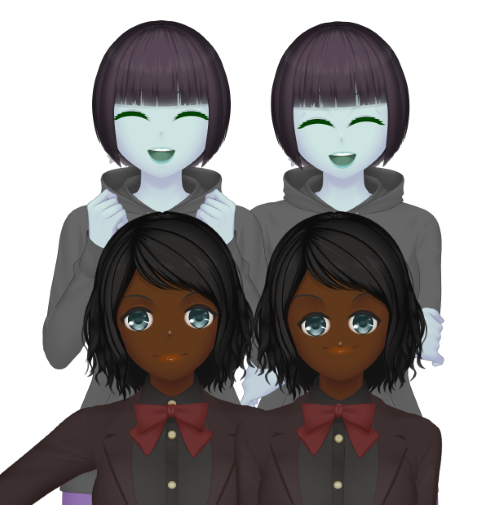
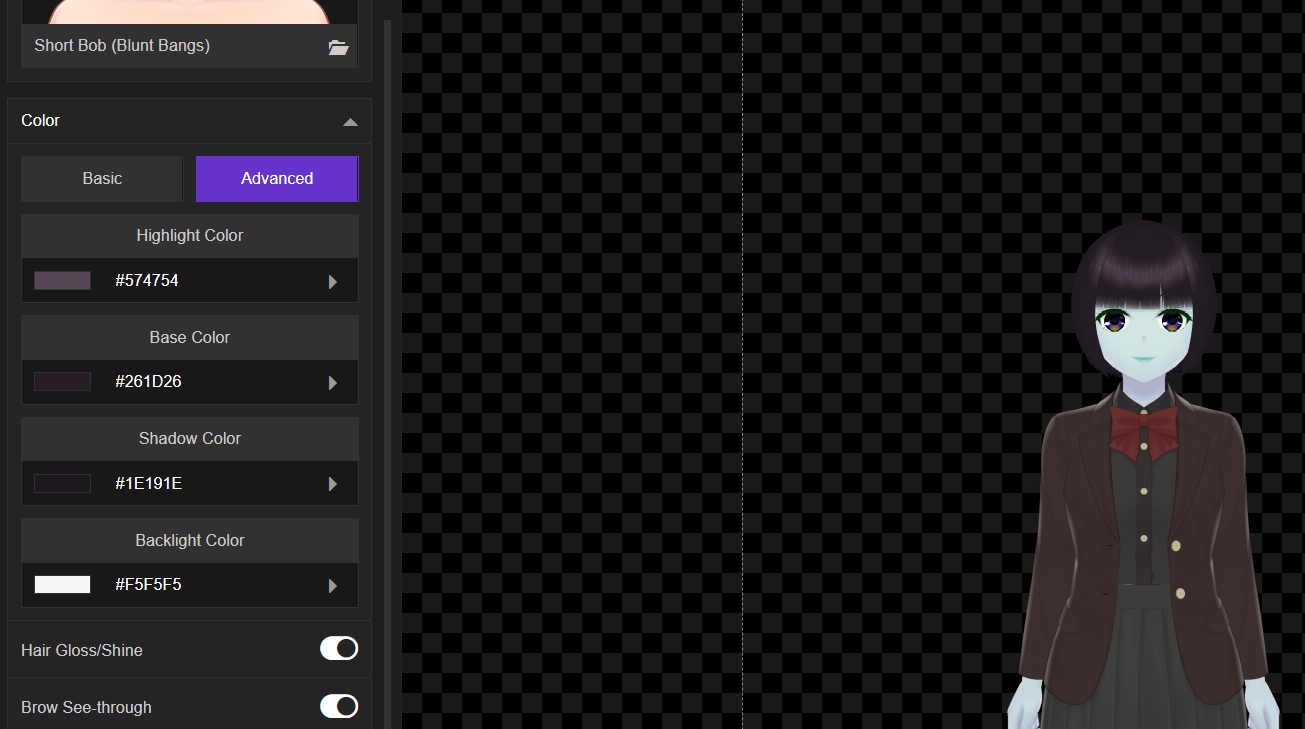
Also, this is less a bug and more a comment, but I can't help but feel like there really is something off now with how advanced coloring works in the latest version? 

Here's what I mean: These are the same character, with the same hair settings (as far as colors), but it just.. kind of looks, well, icky in the new version?

Obviously things will change from version to version, but it feels like something got thrown out of whack with how it distributes the colors, if that makes sense? I dunno.

In any case, thank you very much for the continuous updates- Happy Holidays, and Happy New Year as well!


Developer

Hello. Just wanted to confirm, did you downloaded the DLC test manually or are you using the itch.io desktop app? We've shared the easiest method for installing it if you're using the itch.io desktop app to install everything (both the main app and also the DLC), but not manual install.

If you're using manual install (via ZIP file download), then you have to create a a specific folder to store all the downloadable content (say C:\Mannequin-DLC for example) and then put the extracted DLC folder there. Afterwards, you'll have to add the folder that you've created before in the 'Custom Library Locations' section in the 'Preferences' tab. Putting the DLC folder into Mannequin's installation folder is not supposed to be the right way.

As for the second feedback, yes, we are aware about that, and that's one of the reasons that prompted us to add the 'Sample Character' feature in the homescreen. As more and more sample characters created, we can evaluate various color configurations, from auto to advanced color modes. We're currently working with skin colors first, and it will be available soon in the nightly build alongside more sample characters to show off better coloring with darker skin variations. We hope to introduce similar fixes to hair colors as soon as possible after that.

As always, thank you for your continued feedback and support, Happy Holidays, and have a great New Year!

I tried downloading the Christmas DLC, but I feel like I missed something because when I try to open the app through itch, it just opens the DLC folder and never the app itself.

Developer (1 edit)

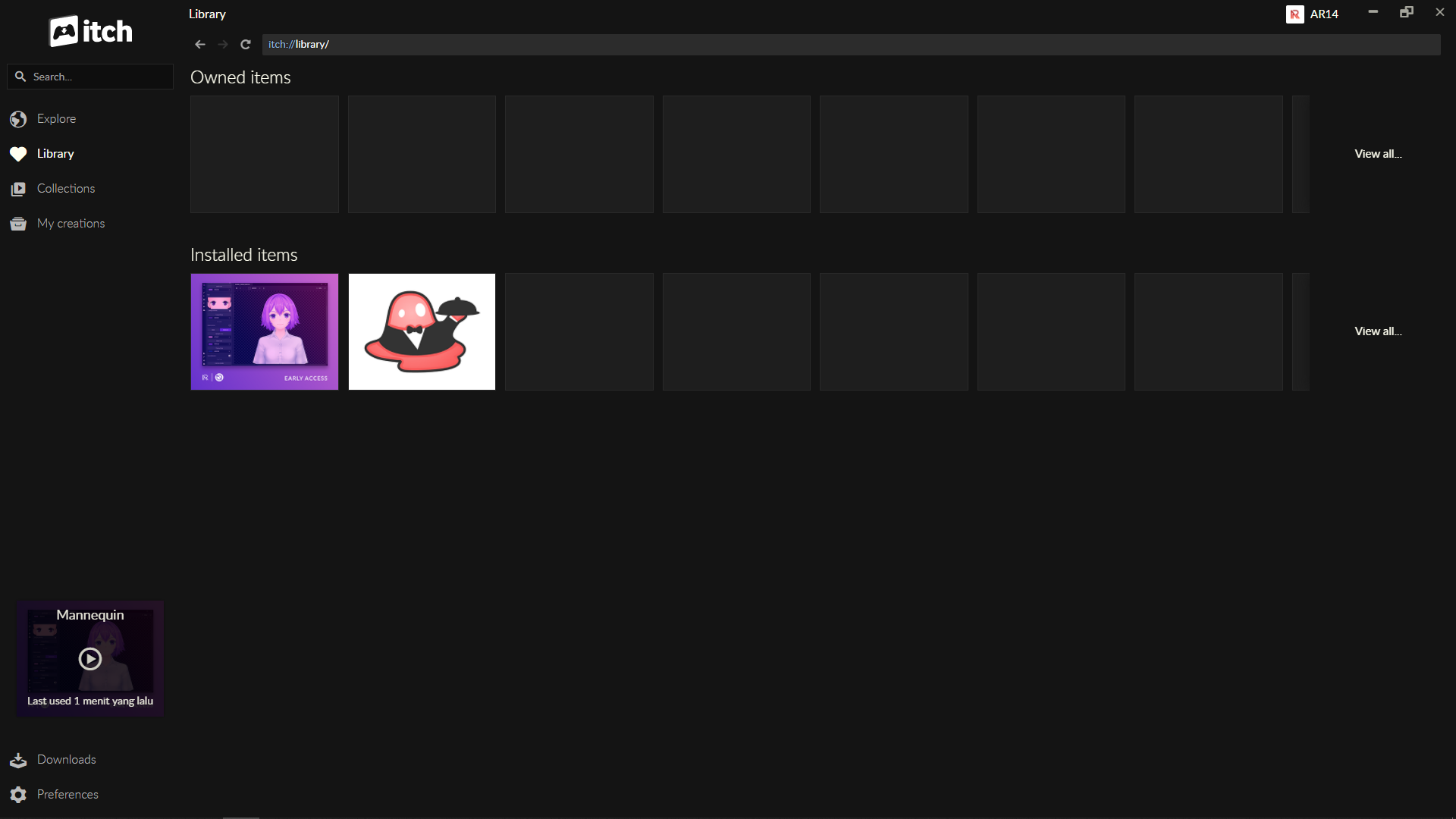
Hello. When opening via the itch.io app, make sure to open it via the 'Library' menu:


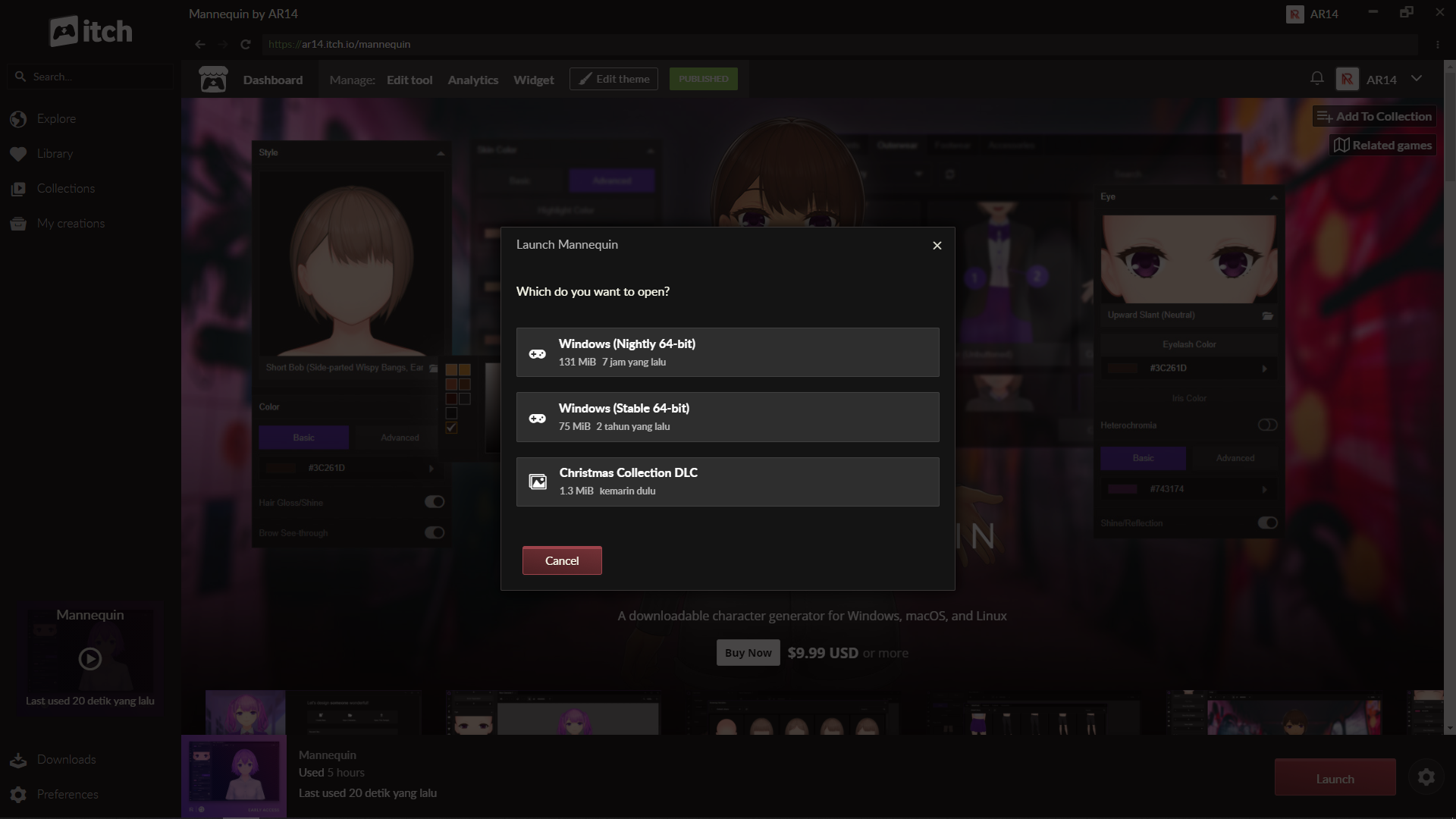
The clicking the 'Launch' button in the lower right corner. This menu will show up:

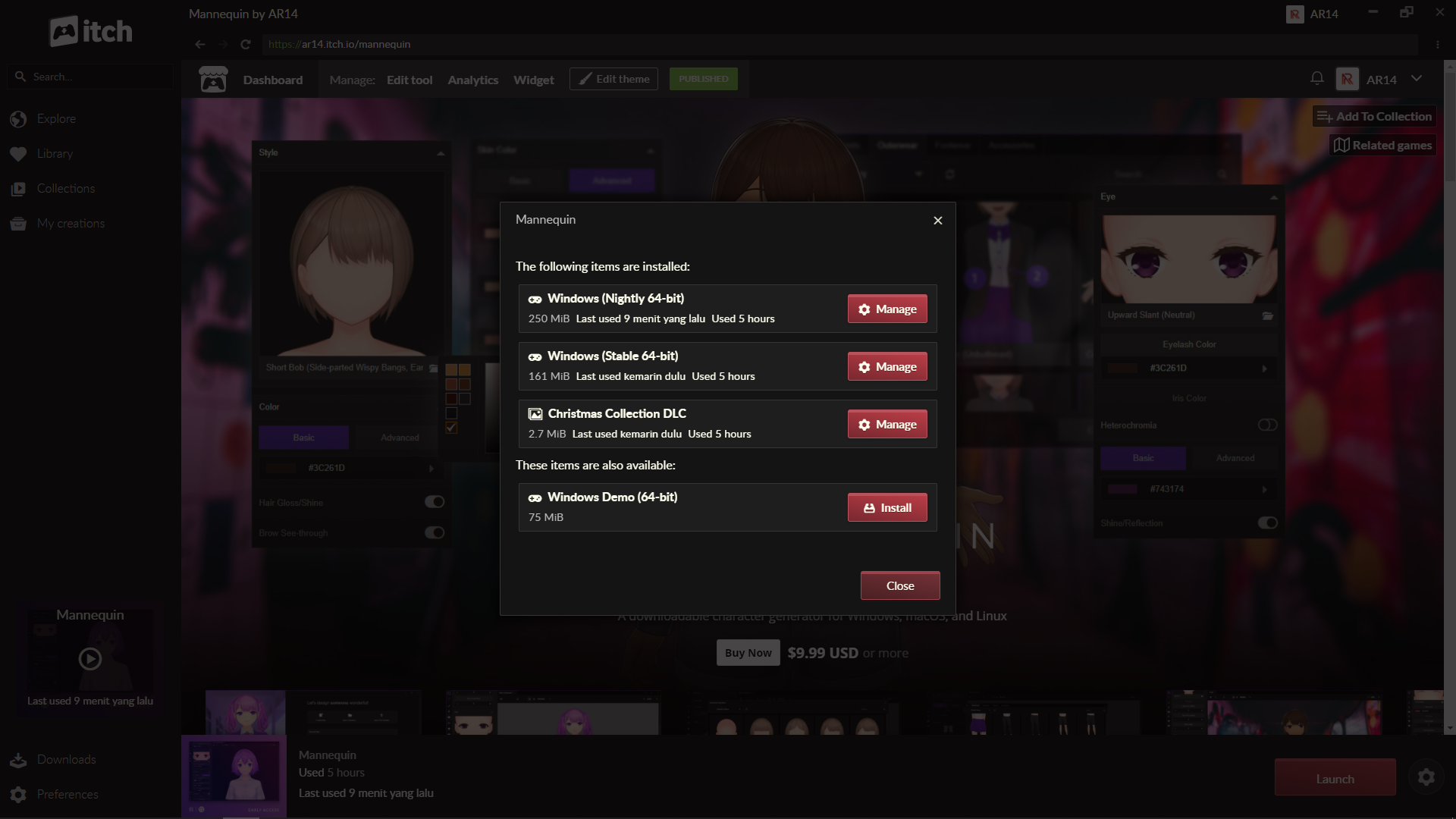
Then you can launch by clicking the Nightly option. Alternatively, you can click the gear icon:


Then click the 'Manage' button, and click 'Open folder in Explorer' afterwards. From there, you can find Mannequin.exe and create shortcut for it on the Desktop, or just launch directly by double-clicking the executable.

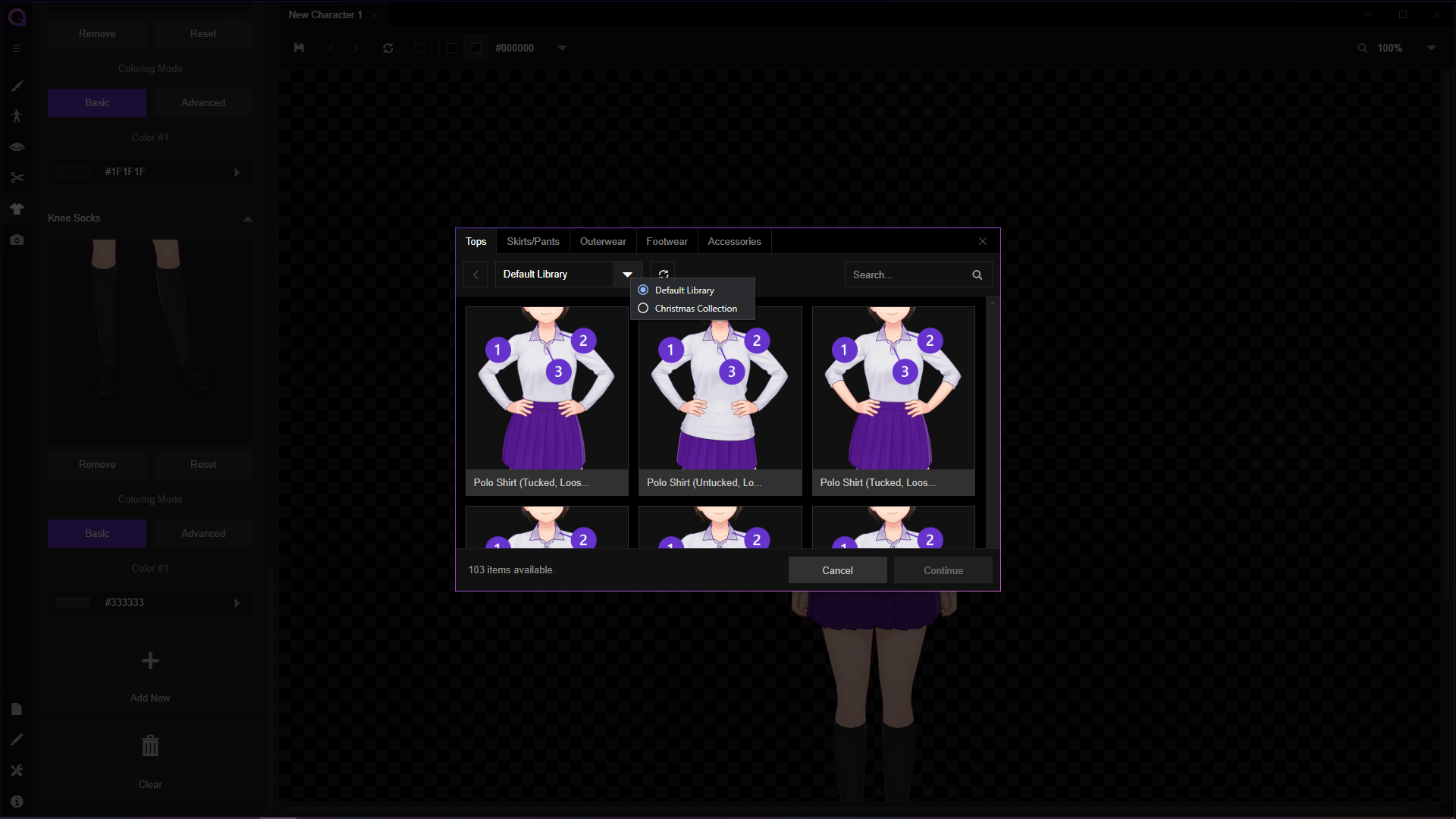
The DLC is only usable with the Nightly builds for now as it's a new feature; you can find it at the top of the library window:


Let us know if there's any other problem!

Thank you for your response!

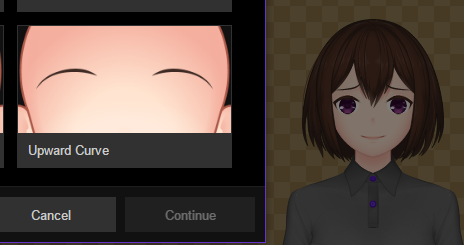
Found an incongruity in the UI and the character view. The preview image on the left doesn't match what the option actually displays on the right.

Developer(+1)

This has been fixed in the latest nightly build. We recommend you to try it out! It is currently quite stable, and will be released as stable around next week.

(1 edit)

Noted. Thank you!

I had the character view at 150% or 200% when I exported this character as a PNG, which is probably why this was the result.

Developer(+1)

Really sorry for your inconvenience! That sure looks terrible. We'll try to fix it ASAP, but did you manage to fix it by switching back character view to 100% before exporting?

Thank you very much for your feedback!

Yeah, it did. Just have to keep that in mind in the meantime.

Developer(+1)

Glad that there's some workaround for now. We'll examine it as quickly as possible. Again, thanks for your feedback!

Oh, dear... This one was set to 100% when I exported.

Developer(+1)

Sorry for this problem! Did this happen constantly or it's intermittent? We have never found this behavior in our test systems, so we'll need to gather more info as much as possible.

I'm not sure. But I do know that when I clicked the Undo/Redo buttons, then exported the PNG, the character rendered properly.

Developer(+1)

Understood. We'll keep trying to find out the underlying problem for this, and patch the app accordingly. Thank you again for your feedback!

It seems like the backlight feature has made the loading times increase by a lot compared to before. The separate backlight on the hair also seems to be confusing the program? Right now it feels like I'm just fighting with the program to get the same setting across the board - for example, I've got it set to "on" on both right now, but it won't come back on the hair. What's more, it also ESPECIALLY makes loading up files from older builds a massive problem.

Would there be a way to set everything to "off" as a default, maybe?

Developer(+1)

The partially irresponsive backlight settings should be fixed in the latest nightly update and will be pushed to stable later this week. If you're running in the stable build, refreshing should work as a workaround.

 As for loading times, backlight should not impact the performance too much (based on our experience, but we haven't done any specific test regarding that). Outline, though, seems to impact performance massively. If outline is switched on, we recommend to disable it while editing and maybe turning it on again before exporting if it's needed.
Thank you very much for your feedback!

Sounds good! Thanks for being so quick.

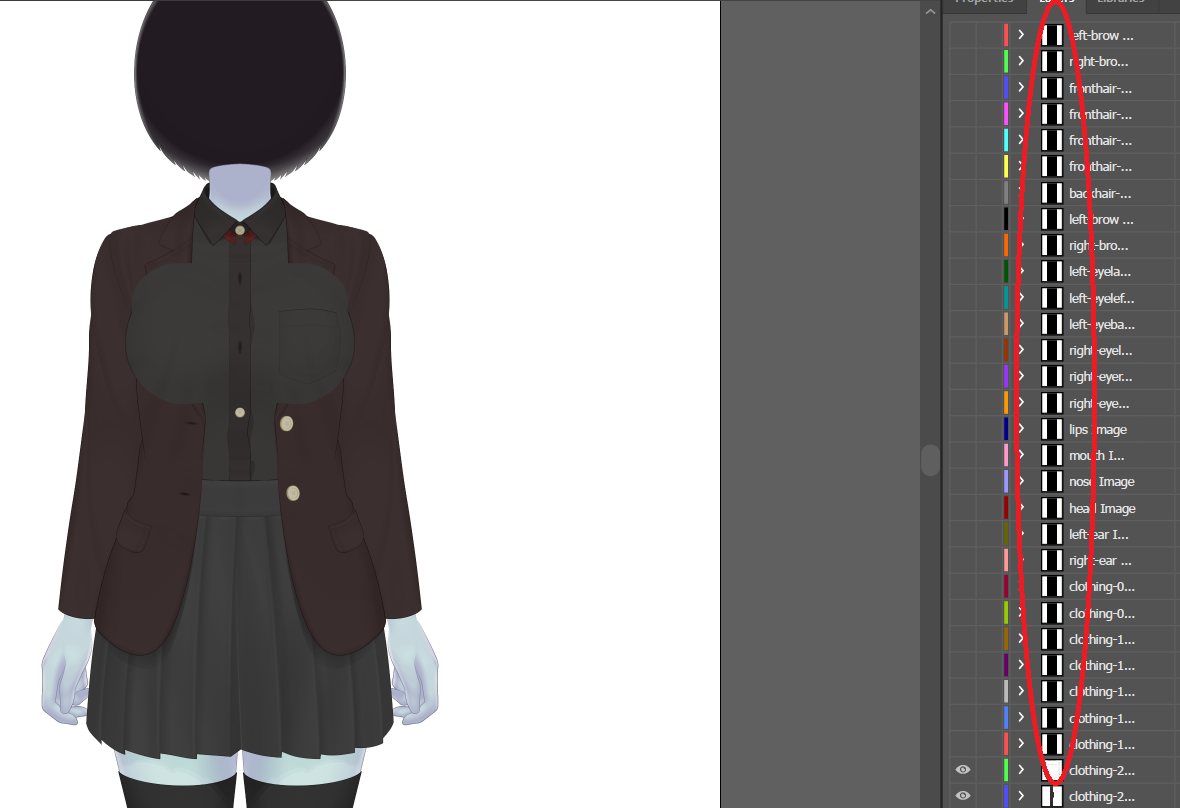
Another bug that just seems to happen intermittently is exports not finishing: With PNGs and SVGs in older builds, parts of the image/layers just wouldn't load, but it looks like with PSDs it just prints out entirely black layers instead.

Developer

Thanks again for the feedback! Is this happening with PNG and SVG too? Also, what size the exported image is? Right now our analysis with PSD is that using large export size (300% and up, especially with supersampling) will increase the chance of components not rendered, or even generating blank PSD file with export size at 500% or larger. But we haven't found any problem with SVGs and/or PNG.
(1 edit)

I generally only go as high as 150%, and this was that. It seems like what happens is that it lets you save the file before it actually finishes exporting the last layers properly, maybe? I'm not quite sure.

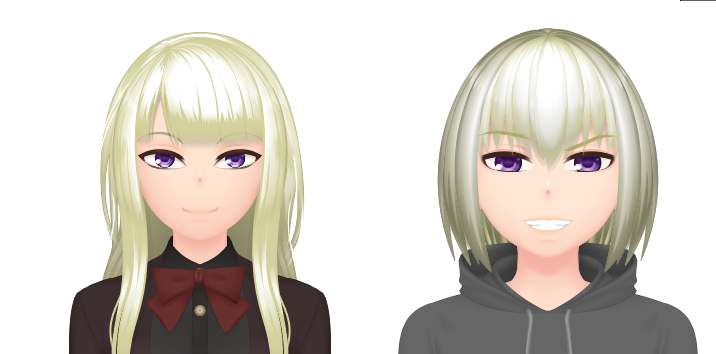
While I'm here, I'd like to ask another question: Is this supposed to do this (hair gaining its own darker shadow on exporting)?


Developer

Thanks for the info! The darker shadows seems to be originally the backlight color. What settings are you using regarding the backlight?

I have the backlight set to off, and the color was never changed from the default white.

Developer (1 edit)

Understood. One more question, if it doesn't inconvenience you: What export format did you use (regarding the screenshot above), is it PNG, SVG or PSD? If SVG and/or PSD, what app did you use to view the results?

Thank you again for your feedback, we'll try our best to solve this!

We have fixed this in the latest nightly build! You can check it out now or wait for the stable update which should arrive later this week. Thank you for your feedback!

Developer

This should be fixed by now in the latest nightly build! You can try it out now, or wait for updates in the stable channel later this week. Thank you very much for your feedback!

Viewing posts 21 to 40 of 75 · Next page · Previous page · First page · Last page