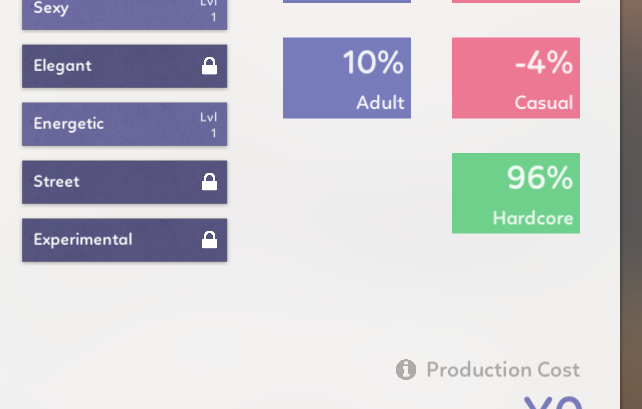

According to the Tool-Tip (and pretty sure it worked that way before), Energetic Dance-Style should push Hardcore appeal and lower Casual Appeal, notthe other way around as it appears here.
Or the Tool-Tip is wrong. ;)

Idol Manager is a business sim about conquering the entertainment industry using any means you deem necessary. · By
Yeah, that's a bug. If you want you can edit your save file
C:\Users\*username*\AppData\LocalLow\Glitch Pitch\Idol Manager\data\manual_saves
Find "data_girls__Girls", find your idol in there and change "status": 6 to "status": 0
Just a note, I was having the same problem and this worked great for me, but I also had to edit the auto_save file to save my hiatus'd idol--I think because I used "save and quit" when I quit out of the game before editing the save files. So, yeah, if anyone tries this and it doesn't work, I'm guessing editing both the manual AND auto save will do the trick.
Please upload this file somewhere, or just send it to me at sadambober@gmail.com
C:\Users\*username*\AppData\LocalLow\Glitch Pitch\Idol Manager\Player.log
And also this folder:
C:\Users\*username*\AppData\LocalLow\Glitch Pitch\Idol Manager\Crashes
There's one other person having this issue, I wasn't able to figure out why yet
Hi, I'm seeing a glitch where after an event happens and I click out of the screen, it blurs out the rest of the game and I'm not able to do anything else so have to force close the game and restart. Sample screenshot attached - this happened immediately after one of my idols graduated. I'm playing on the latest version, 10.1. 
Do you have any mods enabled? If not, please upload Player.log and Player-prev.log to https://file.coffee/
from here C:\Users\*username*\AppData\LocalLow\Glitch Pitch\Idol Manager
And maybe try deleting everything in this folder
C:\Users\*username*\AppData\LocalLow\Glitch Pitch\Idol Manager\data\cache\portraits
This actually happens if you played before the update but started a new game after updating.
You can try to load an old save once (this will "reset" the game) and then continue playing your new save, or delete everything from this folder
C:\Users\*username*\AppData\LocalLow\Glitch Pitch\Idol Manager\data\cache\portraits
Another option is to open your new save file with a text editor and replace "version":"Beta #11" with "version":"Beta #10"
Unfortunately, none of these things worked :(
Something I noticed was that although only the blurry screen came up, I could still hover my mouse over where the portraits would be and click there - but doing so would crash the game immediately.
After I changed Beta #11 to Beta #10, it no longer crashed when I clicked the ghost portraits, but I couldn't get out of the screen either
Okay, that's weird. Are you playing on a laptop?
Please upload Player.log and Player-prev.log to https://file.coffee/ after it happens again
from here C:\Users\*username*\AppData\LocalLow\Glitch Pitch\Idol Manager
 Hi, in the new version released today, I'm not able to load into my previously saved up file when I click Continue from the main menu. I can hear the game music and I see lines appear on the loading screen. It almost looks like the game has loaded behind the loading screen, but I'm not able to access anything.
If I try to load the same save from version 10, it's working normally.
Please upload your save file here: https://file.coffee/
C:\Users\*username*\AppData\LocalLow\Glitch Pitch\Idol Manager\data\auto_save.json
Okay, instead of deleting the entire cache folder try deleting everything inside this folder instead
C:\Users\sadambober\AppData\LocalLow\Glitch Pitch\Idol Manager\data\cache\portraits
(or create this folder if you don't have it)
Then try to load this save again. Maybe try waiting a bit longer (initial loading now can take longer, but the game should work faster). If it doesn't work, please let me know what folders you have in data\cache\portraits. It looks like this for me after I load your save:
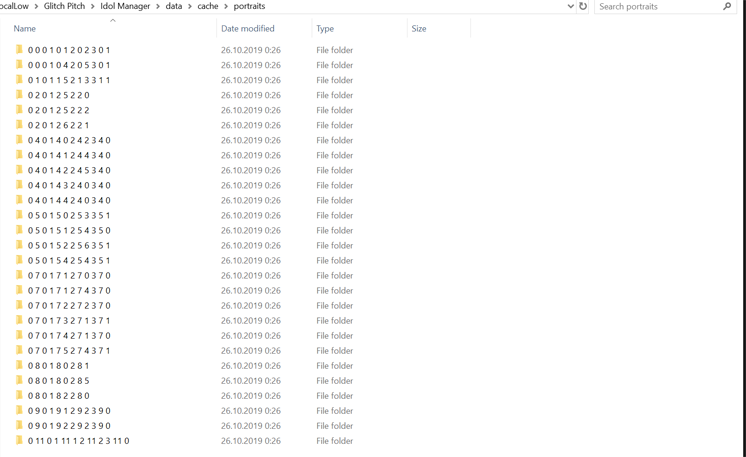
Okay, I removed everything from the portraits folder and reloaded the save. I waited about 5 minutes this time since I do have a large save file. These are the folders that I have in portraits now so it looks the same as what you have. But unfortunately I'm still seeing the issue and not able to load this particular file.
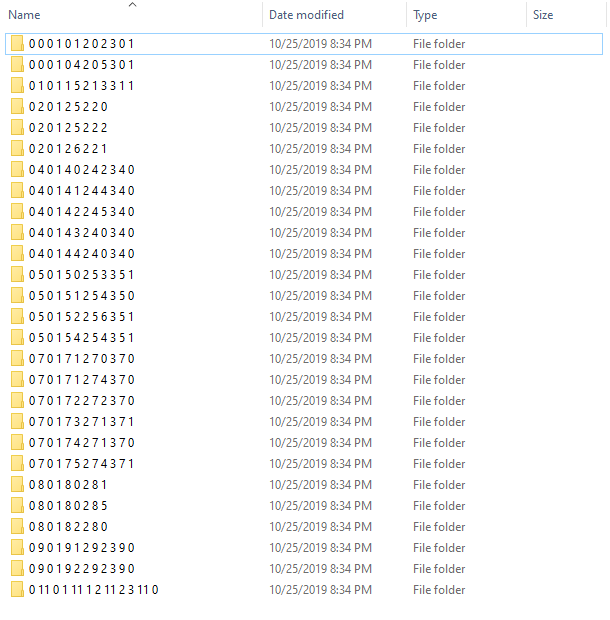
Yeah, this looks good. There are 3 images inside each folder, right?
Now don't clear this folder, but try adding "version":"Beta #11", in the beginning of your save file https://file.coffee/ZNr11l3dF.json

If it fails once, try again. If that doesn't help, please upload your log files
C:\Users\*username*\AppData\LocalLow\Glitch Pitch\Idol Manager\Player.log
C:\Users\*username*\AppData\LocalLow\Glitch Pitch\Idol Manager\Player-prev.log
Thanks very much for your help, after adding the version to the save file and restarting twice I was able to access my save :)
I agree about auto save having gotten worse. Before, auto save would bring me right to the moment before the game crashed. Now I'm losing entire concert performances, upgrading song genres, song releases, etc. I was fine with the game crashing before because auto save was so good but now I lose so much!
Here you go: https://file.coffee/O3zenjrOZ.log
I got one broken shoplifting event, then two broken cosplay scandals in a row. Do let me know if you see anything wrong with the file.
I'll try replacing those files with their original versions, see if that fixes it. Just for some extra context, I managed to play Beta #11 for over 2h with the updated, translated files before this issue started happening. Maybe it was something I changed in one of the files between last night and today, but either way, I'll send you the translated files.
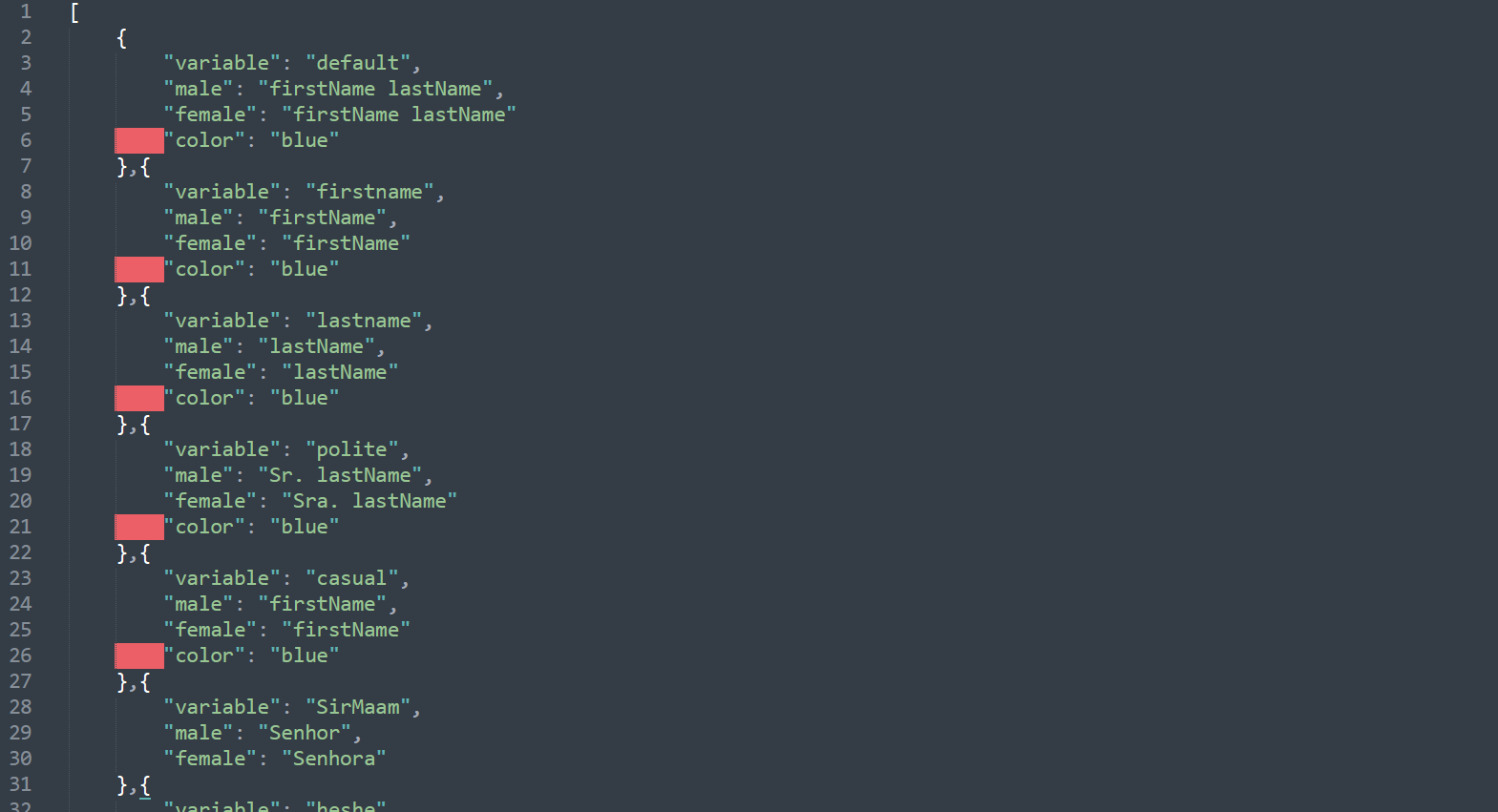
Okay, you just missed commas in vars.json, adding them should fix it. Btw you can use something like Sublime Text to edit files, it can highlight errors
Just realized as well that the game definitely isn’t awarding those same awards that aren’t upticking (gravure, variety, fashion). They were awarded the first year but not the two after that. Also iirc the hosts/game doesn’t give out awards for anything your own group isn’t nominated for? (Ie the first year every award was assigned to a group but now only things you are eligible for are mentioned.) Is that a bug or purposeful?
Yeah, that's on purpose, I thought it would get annoying to sit through the same thing every year
Player.log : https://file.coffee/JualBUXGY.log
Player-prev.log : https://file.coffee/k9_iWR-4H.log