Oct 23 to Nov 16, 2026
Build a game that lasts exactly 20 seconds. No time for tutorials. No time for warm-ups. Hook the player from the first frame.


Can you create something unforgettable that takes less time to play than it takes to tie your shoes? With only 20 seconds, there's no time for tutorials or warm-ups. You need to hook the player from the first moment. Make them laugh, surprise them, challenge them, delight them. You don't have much time to grab the player's attention, so make every second count!
This jam is relaxed and beginner friendly. You have three full weeks to make a short game. There are no judges, rankings or prizes. Join the 20 Second Game Jam Discord to get news, ask questions, join a team, share progress or just hang out with other jammers!
#1
Submitted games must last for 20 seconds or less, start to finish. From the moment gameplay begins, the clock is ticking. See the FAQ for details.
#2
All submissions must be playable video games and you must include a free version that runs in web browsers, hosted on itch.io. More info in the FAQ.
#3
Be respectful and tolerant towards participants and players. Don't be a jerk. Submissions are bound by the itch.io Terms of Service, and our Discord by the Discord Terms of Service.
#4
Mark mature content on your game page and in the game itself, and disclose any generative AI. See the FAQ.
The 20 Second Survival Guide will help you make it through the jam and emerge victorious! It contains extra details not found in the FAQ, tips about surviving game jams and some useful hints for making tiny games.
Four optional themes to spark ideas. Take one, combine them all, or ignore them entirely.
#1
🌍 The End of the World is Nice
#2
🎲 Double or Quits
#3
🍽️ You Are What You Eat
#4
🛠️ Out of Order
 Join the 20 Second Game Jam Discord
Get help, find teammates, share progress, and hang out with fellow jammers!
20 Second Game Jam began life in 2020 as the TeenyTiny DragonRuby MiniGameJam. After two successful jams, we thought the concept was too much fun not to share with everyone! In 2022, we changed the name and made it open to everyone using any game engine.
Check out these awesome games from past jams:
And there's even more great games from previous jams!

To celebrate the 20 Second Game Jam, DragonRuby Game Toolkit is giving away free, lifetime licenses to all participants shortly before the jam begins.
News: DragonRuby Standard Edition is currently free (until August 29) for Nokia Jam 8! Go and grab a copy early.
If you would like to start before the jam, DragonRuby recently released a new, free Jam License, which gives you all the power of the Standard edition. The only difference is that the Jam License is limited to Web exports (note that games started with the Jam License can be continued later with the Standard License). Download it here.
DragonRuby is a 2D game engine that's super easy to get to grips with but powerful enough to make professional strength games. It uses the awesome Ruby programming language and it can build games for Windows, Mac, Linux, Web, mobile, consoles and VR.
DragonRuby includes hundreds of samples for various genres and techniques, including a 20s Sample as a starting point. These are provided with the game engine or can be seen on GitHub.
For help with DragonRuby and Ruby code, visit the DragonRuby Discord: discord.dragonruby.org
In twenty seconds, you don't have time to waste a single frame. Make every moment count, make every pixel sing, and leave them wanting more.
No, it has to be 20 seconds or less. Shorter is absolutely fine. What matters is that the whole game fits inside 20 seconds, because that's the whole point of the jam (although we won't be checking games with a stopwatch)
There should be 20 seconds of gameplay, not including titles, menus or cutscenes. You are highly encouraged to minimize these elements or make them skippable to let the player get into the game as quickly as possible.
Yes! We're asking for a complete game in 20 seconds or less but if you want to add more 20-second levels to it, that's fine.
Every play-through or level should be a separate, self-contained, 20-second experience. Don't carry pick-ups or learned skills from one play-through or level to the next. Sorry Mario, you can't keep that fire flower.
Absolutely. Just make sure the default mode is the 20 Second version.
You can use any engine to make your game (but please see the next question).
Your game must be free, playable in the browser and hosted on itch.io (not linked from an external site). You are encouraged to provide downloads for additional platforms.
Yes, most engines have web exporters or tools provided by their communities to help:
| Game Engine | Web Export Instructions |
|---|---|
| Bitsy | Web-based editor; click "download game" to get HTML file (game is already web-ready). Documentation |
| Cocos Creator | Web Mobile and Web Desktop targets with WebGL/Canvas. Publishing Guide v3.8 |
| Construct 2 | HTML5 export via File → Export Project → HTML5 Website. Tutorial |
| Construct 3 | Native HTML5 engine with instant export. Publishing Guide |
| Defold | Lightweight WebAssembly/asm.js builds. HTML5 Manual |
| DragonRuby GTK | Build command creates HTML5 export as .zip file; upload to itch.io with SharedArrayBuffer support enabled. Documentation, Shipping Guide |
| GameMaker | HTML5 export included in all tiers (including free). HTML5 Game Options, Setup Guide |
| GDevelop | One-click export to HTML5 using PixiJS/Three.js. Publishing Documentation, Web Export Guide |
| Godot | Export templates required; offers single-threaded (maximum compatibility) or multi-threaded modes. Web Export Guide, 4.3 Improvements |
| LÖVE (Love2D) | Use Love Web Builder to compile to WebAssembly. |
| MakeCode Arcade | Click Share → Publish Project → > Embed → Simulator tab, copy embed code and save as HTML file. Publishing Guide (see "HTML Embed" section) |
| Phaser | Pure HTML5 JavaScript framework (games are inherently web-ready). Getting Started, GitHub |
| PICO-8 | Command: export gamename.html creates .html and .js files. Export Documentation, Manual. Use export -f gamename.html for itch.io (creates index.html). |
| Pygame | Use Pygbag to package for web (runs Python via Pyodide/WebAssembly). |
| PuzzleScript | Web-based editor; games are already HTML5. Click "Share" to get URL, or use standalone export instructions. Editor |
| Raylib | Compile for web using Emscripten. Official Guide, CMake Template |
| Ren'Py | WebAssembly export via Launcher's "Web (Beta)" option. Web Export Documentation, RenPyWeb Info |
| RPG Maker MV/MZ | MV and MZ export to HTML5 natively; MV project folder IS the web version. Output Formats (MZ). For MV: project folder contains index.html, upload entire folder. |
| Scratch | Use TurboWarp Packager to convert Scratch projects to HTML5. |
| TIC-80 | Command: export html creates .zip with HTML/JS/WASM files. Console Commands, Export Template. Requires local server or hosting to run. |
| Unity | Export to WebGL via Build Settings → WebGL platform. Getting Started Guide, Build Process |
| Unreal Engine | No native HTML5 export in UE5. UE4.24-4.27 had HTML5 support. Use community fork UnrealEngine-HTML5-ES3 for UE 4.24-4.27 only. |
Yes! If you don't already have a team, join the Discord server and post in the #team-up channel to find teammates.
We want to see games made by our fellow humans rather than AI. If there's something you can't do for yourself, join our Discord server and post in the #team-up channel. We'll do our best to help you find teammates.
In your game's project page under "AI generation disclosure", indicate if your game does or does not include the output of Generative AI.
Additionally, you should make it known if your game contains flashing lights or other effects that could cause seizures.
Yes!
You can submit as many games as you like but if you do, please ensure that they follow the rules and are made to a reasonable standard. Flooding the jam with very low effort entries risks having them removed.
Yes, but please submit it near the end of the jam. Do not submit non-functional games.
By default, yes, but contact a host if you are in this situation.
That's the work of bored-cube, who built it for last year's logo and colours and kindly let us adapt it for 2026. You can see the original in the Discord. Used with permission — thank you!
The Long Jam for Short Games


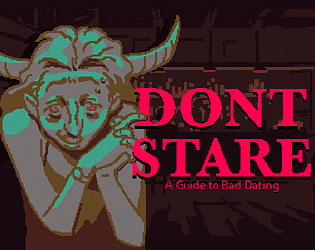 Don't Stare
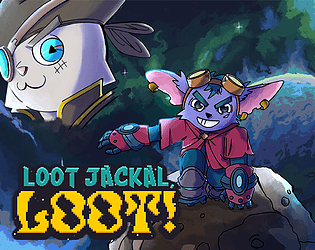 LOOT JACKAL, LOOT!
 Rush Boss: CurseRime
 Spirit Travels
 PIG in HELL
 Exterminator Gnome Service
 MONADI.SYS
 Bug Castle
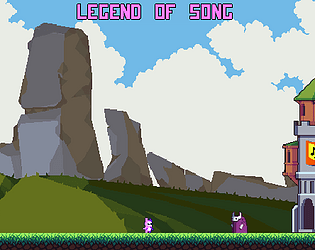 Legend of Song
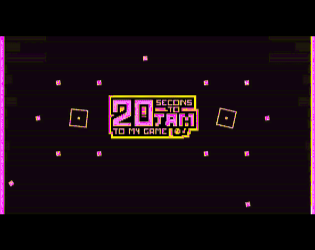 20 Seconds to Jam to my game
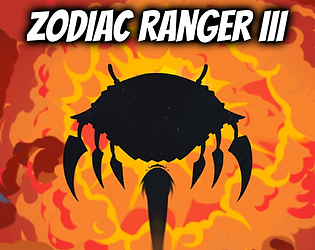 Zodiac Ranger III
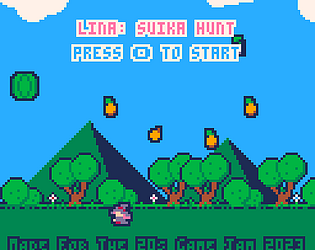 Lina: Suika Hunt
 Rubblar
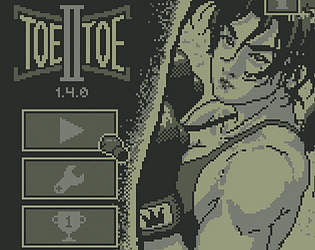 Toe II Toe
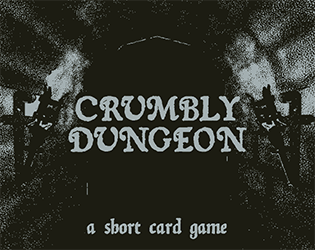 Crumbly Dungeon
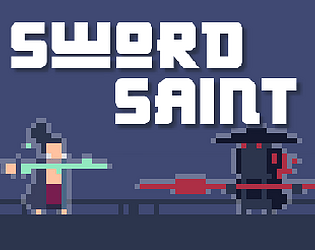 Sword Saint