


Play game
My Home is My Castle's itch.io pageResults
| Criteria | Rank | Score* | Raw Score |
| Audio | #374 | 3.857 | 3.857 |
| Artwork | #1089 | 3.929 | 3.929 |
| Creativity | #2023 | 3.714 | 3.714 |
| Narrative | #2080 | 2.786 | 2.786 |
| Enjoyment | #2370 | 3.286 | 3.286 |
Ranked from 14 ratings. Score is adjusted from raw score by the median number of ratings per game in the jam.
How does your game fit the theme?
Endless battle
(Optional) What would you like to be called if GMTK features your game?
4Daily
Leave a comment
Log in with itch.io to leave a comment.
Comments
I love the retro aesthetic, the soundtrack aswell ^^
Cool mechanics, I could see this being expanded with special dice types or upgrades. The music also goes hard.
Got the game idea but it’s kinda difficult to grasp at what is going on. And what to do as a newbie in this kinda genera. but everything else cool, Music, artwork and game play machenics.
really cool game love the whole attack system with the dice
I picked it up pretty quickly but I never really learnt what the differences were between my people and the enemy types. An explanation would be helpful. Nice work :)
Thank you for your comment. We’ll do our best to release the tutorial on time in the next time.
ヽ(o^ ^o)ノ
Short manual:
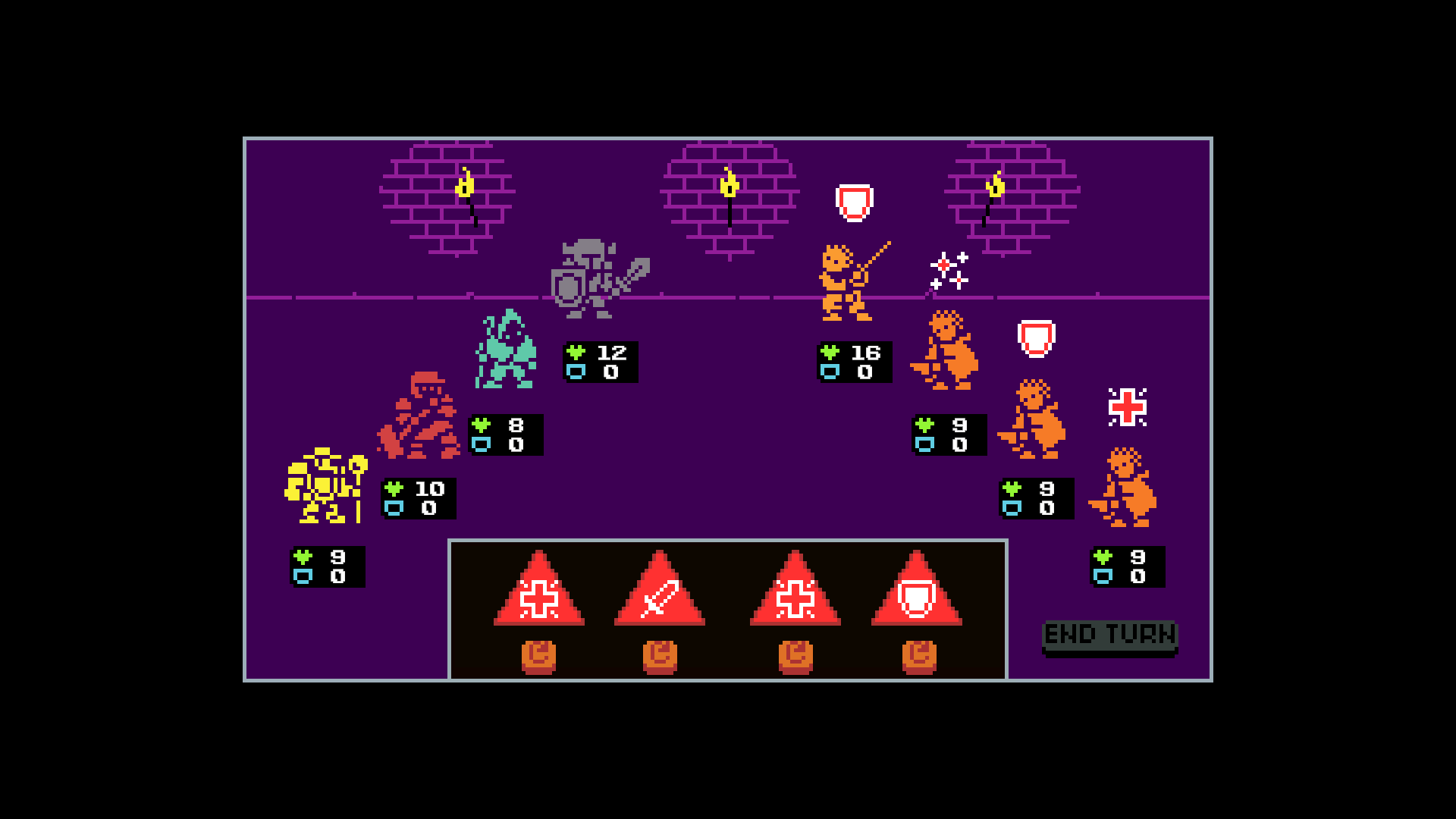
On the left – your characters, on the right – enemies. The triangles at the bottom are dice. There are 4 types of dice: attack, defense, heal, and buff.
To use defense, click on the die, then on one of your allies.
To use attack, click on the die, then on the ally you want to attack with, and with the third click, select an enemy.
To use heal or buff, click on the die, then on the ally you want to act with, and with the third click – choose which ally to heal (you can heal yourself).
If you don’t like the die result, you can reroll it. Only 1 reroll per turn is allowed.
After using all dice, press the "end turn" button.
Turn order:
At the start of the turn, you can see the enemies intentions and act accordingly. After pressing "End Turn," allies act first, then act enemies (exception - enemy heals or defends).
After everyone performs their actions, a new turn begins.
When I try to link a character to a die, it doesn't seem like it works? I am clicking on the die and then on the character. Am I missing a control?
Неllo. Did you use dice of attack, heal, or 'stars' (attack buff)? For these actions, you need to first click on the dice, then on the ally character, and only after that, click a third time on the enemy/other ally/yourself.