

Play Story
We Were Here Only Briefly's itch.io pageResults
| Criteria | Rank | Score* | Raw Score |
| Visuals & Audio | #10 | 2.423 | 2.867 |
| Polish | #16 | 2.085 | 2.467 |
| Theme | #17 | 2.254 | 2.667 |
| Gameplay | #22 | 1.859 | 2.200 |
Ranked from 15 ratings. Score is adjusted from raw score by the median number of ratings per game in the jam.
Please leave your messenger nickname or email so we can easily contact you!
listokisdark tg
Feel free to show your other games!
https://krokozavrgame.itch.io/hunt-cycle
Leave a comment
Log in with itch.io to leave a comment.
Comments
love it!, wish you all the luck with the jam
Thank you)
The atmosphere and visuals are very appealing. A bit more onboarding could really help players engage with the core idea. Great work!
Thank you)
I read all the instructions on the game page and all the comments from other players, but I still don't understand how to play.
Beautiful room and pleasant music.
This feels a lot like Sudoku for the most part. Either way, I uploaded a playthrough of the game. Thanks!
What was my problem? I didn't understand that I had to give the item to the person and that I had to click on the person specifically. It wasn't obvious.
In the full version, you'll definitely need a tutorial, and probably help the player through the gameplay loop over and over again.
Forcing the player to make mistakes is a bad idea.
The game should let the player know what they did right and what they did wrong. Your game doesn't do a good job of this. The green and red lights are kind of muted and appear for literally a couple of seconds. The sound doesn't help either. If the game automatically entered this result into the book, it would be intuitive. And of course, it would be nice to immediately show it to the player.
The game has a nice atmosphere. But I quickly got tired. Constantly rotating the camera, constantly opening and closing the book, constantly memorizing the fear-item pair and the fear-item-result trio, forcing myself to enter the result into the book at the right moment.
I'd recommend getting rid of the camera rotation. Place everything that's needed in the window in front of the player. Perhaps even keep the book open at all times (if the book is needed at all).
Well, I hope you give the player a clear goal in the full version of the game.
(And by the way, after closing the book, the player needs to click on the game to restore the camera rotation.)
Thank you for such detailed feedback and for being so engaged — let us try to respond.
From the start, our main goal for this jam was to combine 2D and 3D space. We found an interesting collaborator and wanted to merge that approach with our artist’s work, so we decided not to put everything on a single screen (as in the early sketches) because it didn’t match the original concept.
We also wanted the game to be as intuitive as possible. The characters speak an unintelligible language on purpose — we were trying to explore the theme of fears and show that understanding someone’s words isn’t always necessary. That’s why we initially avoided giving a straightforward text explanation (although later we still had to add one in the game description).
Early on, we modeled a version with automatic filling for fears and answers, but it made the game finish extremely quickly. So we moved that part to the player to increase engagement in the process.
Choosing a 10×10 grid was our way of embracing the jam theme “as a whole.” However, the larger number of cells also made balancing much harder.
And yes — that’s an absolutely fair point: we had very little time for testing (almost none, to be honest). Because of that, the “Tutorial/Onboarding” task on our to-do list had to be reduced to the basics, and we also forgot to add one NPC line that was supposed to mention the key under the doormat.
I think that if the visual direction is interesting on its own, the game could be reworked later — for example into a simulator or something with a similar structure.
The camera was the most painful part: in WebGL, the system cursor doesn’t get restored properly. I searched for solutions online, and the most reasonable approach would be to never release the cursor at all (or to redesign the controls / input system). But by the time I fully realized this, it was too late to refactor, so we had to leave it as it is.
The graphics are very nice.
Simply, it's such a good game.
Thank you)
Among the best visuals of the game jam! I loved it. I was a bit confused by the gameplay at first. Maybe a tutorial is needed? In any case, once I understood how the notebook works, I had a great time. Thanks for the experience.
You’re welcome — thanks for the kind words!
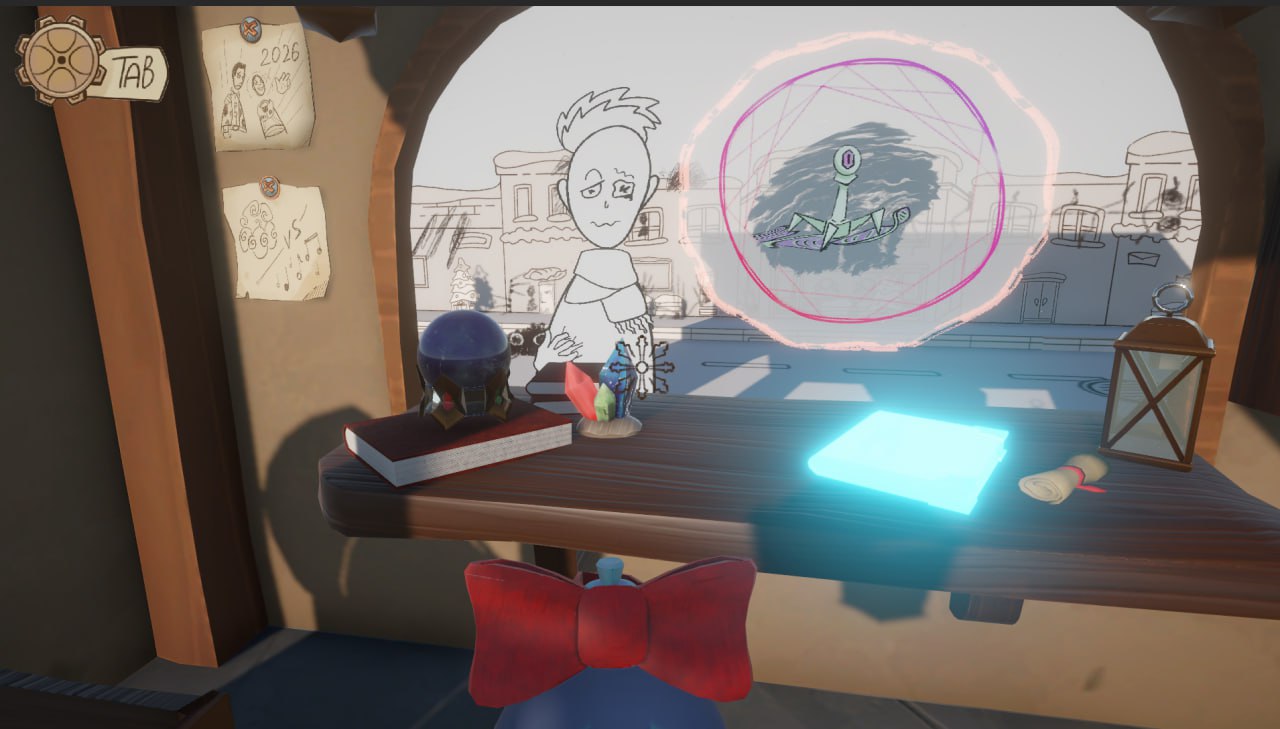
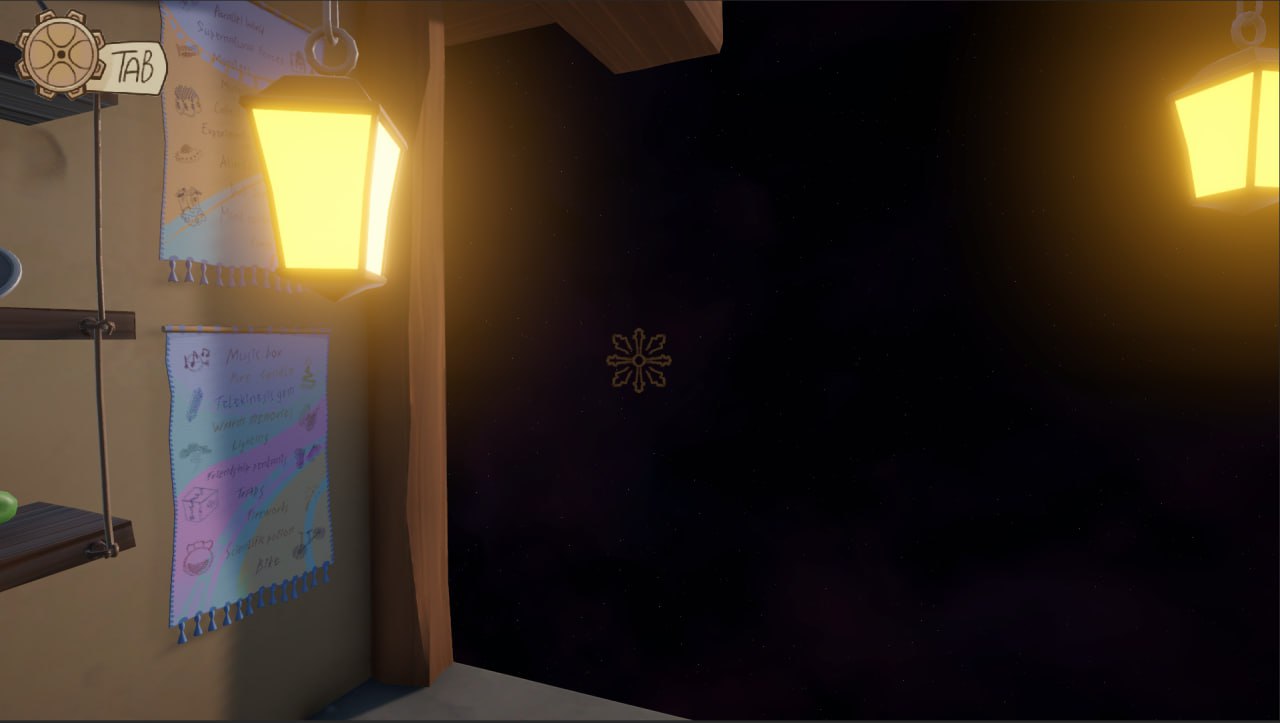
Gorgeous visuals! I noticed you can toggle the controls with TAB, but once I pick up a gift from the shelf, I’m not sure how to use it. Do I give it to the customers? Use it on the book? Is there a specific key for it? Also, you can write things in the book, but to what end? I know this game has a lot to offer and I don't want to rate it yet until I figure out how to play properly.
Yes, I actually had my developer friend evaluate the game, and it turned out that not everything is as obvious as we thought. So I’ll explain it both in the description and to you personally.
We fully adopted the jam theme: we have 10 fears that enslave people and get in their way. We run a magical little shop and want to help people get rid of them. We have 10 items, and our task is to figure out how to properly fight each fear and choose the correct item.
Inside the shop there are hints that reveal the correct answers in a notebook. Unfortunately, the 10th customer who was supposed to hint that there’s a key under the carpet broke (didn’t work). That key would open a lock, which would let you hang up posters, and those posters would contain another hint.
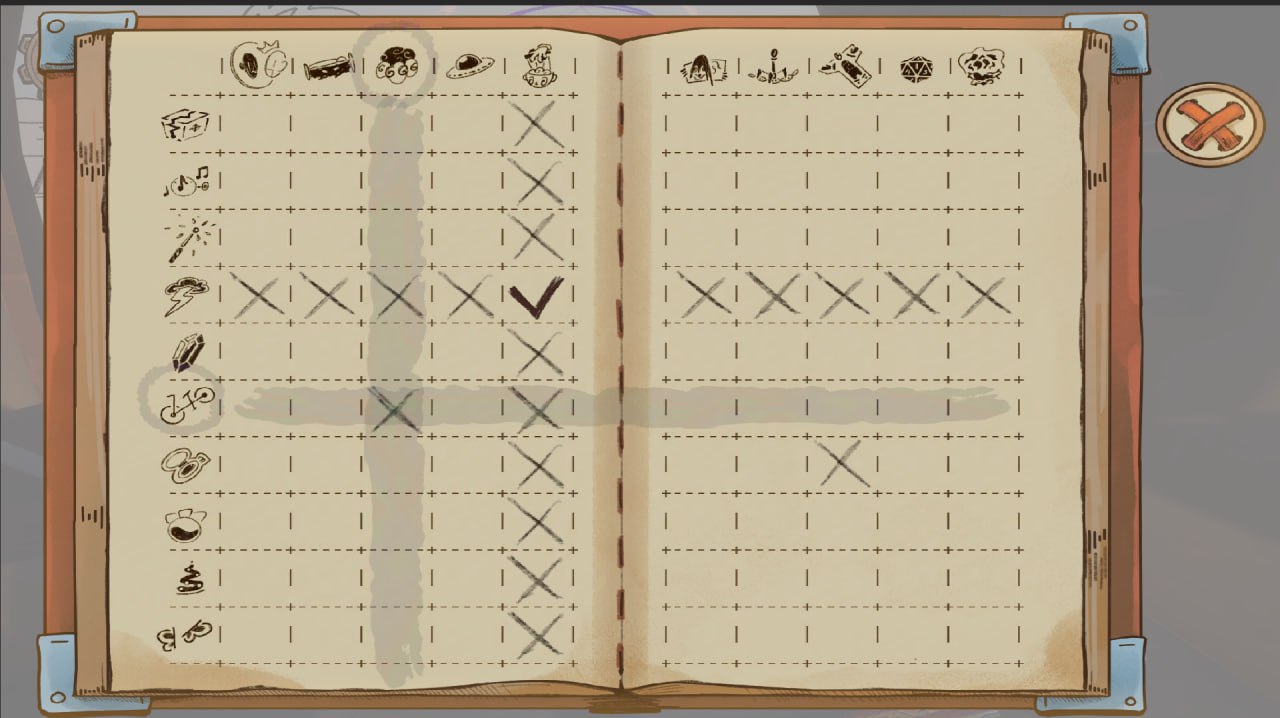
In the end we don’t have many slots left, and like in Sudoku, we have to fill in the table using trial-and-error deduction. The game ends when we give 12 correct answers.
Anyway, from a game design point of view, I made a mistake and provided too little additional information.
I can see lots of effort went into this. Loved the storyboards at the start and the music. Wasn't sure how to play the game itself. I did open the notebook and I could see I could check and cross things, but wasn't sure what the left column of icons were referring to. Looked interesting though and great submission!
Hello, At the top of the notebook you have the fears (i.e., the issue a visitor comes to you with). On the left side of the notebook there are items (the ones displayed on the store shelf—there’s a tooltip when you hover over them). We had hoped this would be easy to understand overall. Thank you for your time.