
Indie game storeFree gamesFun gamesHorror games
Game developmentAssetsComics
SalesBundles
Jobs
TagsGame Engines

2026 Quest Calendar - Souls of Saraku

Print & Play for a year of villainous RPG adventure in a desktop calendar. · By SundialGamesLLC

PDF not matching order of calendar pages

A topic by Smalltar created Jan 07, 2026 Views: 385 Replies: 8
Viewing posts 1 to 6

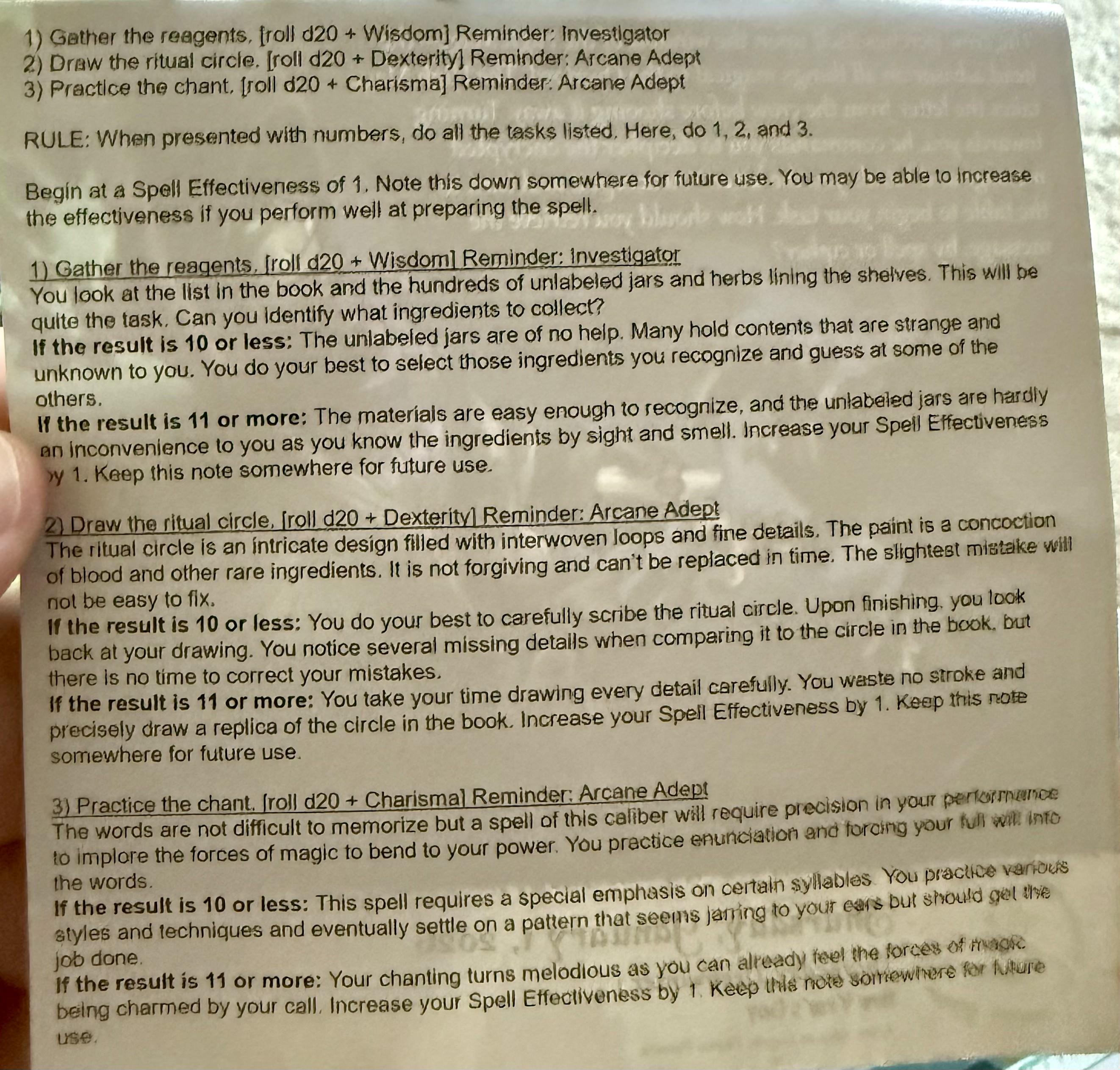
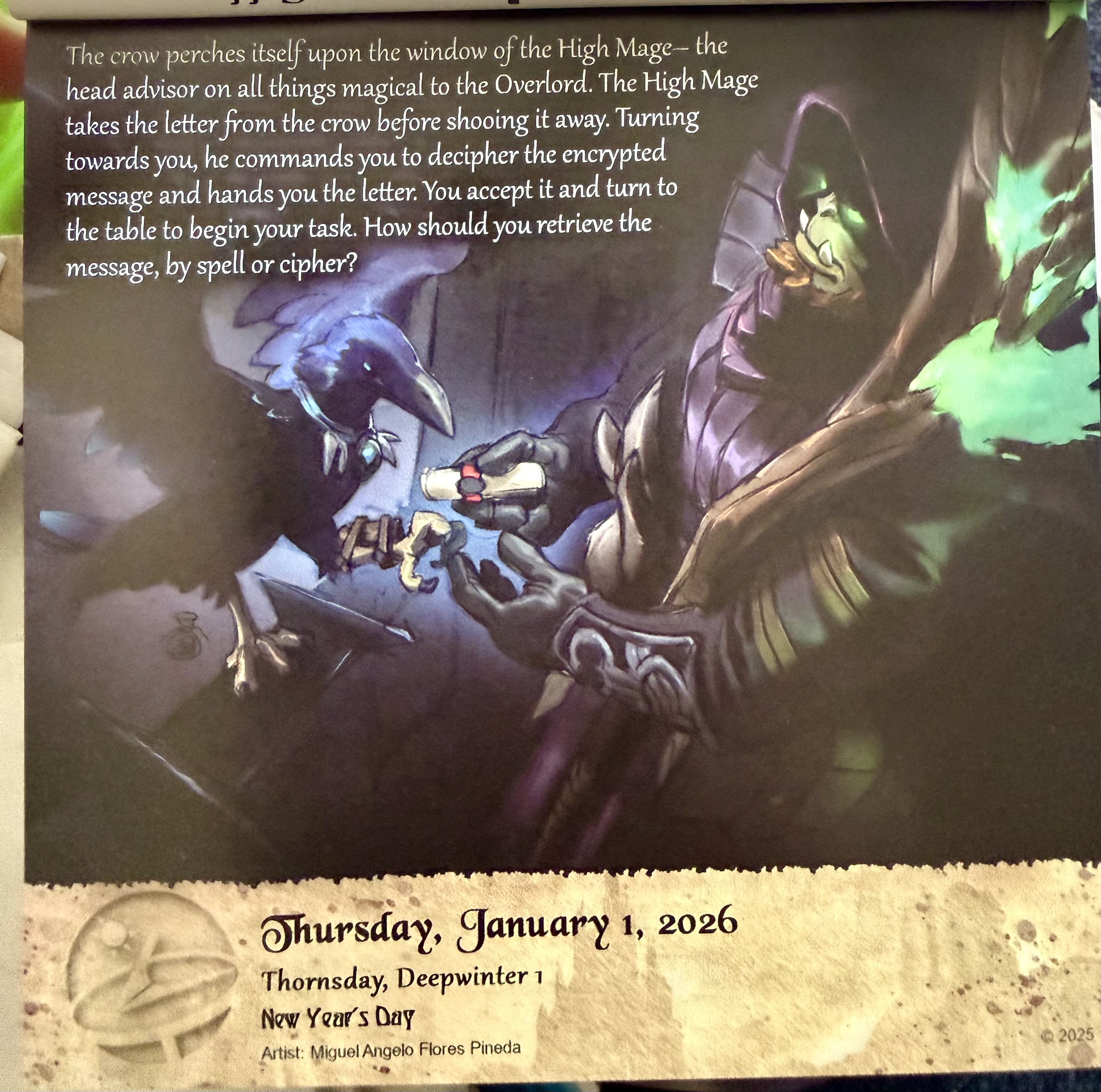
I'm doing a deep dive right now to confirm that the calendar pages content and order matches the PDFs. The "01_Jan.PDF" file has some discrepancies I've found. For example, Jan 1 on the calendar: if you turn the page over, it starts with "1) Gather the reagents..."  but the page after Jan 1st in the PDF begins with "A) Decrypt the message with magic". I did find the content for the calendar back page in the PDF, but on the page after Jan 2. I think the PDF maker needs to redo it to be in sync with the calendar, or if the calendar is wrong, a re-print needs to happen and be sent out to everyone.
Developer

In the printed version, the resolution to the current day is on the back of the previous day. This is to prevent spoilers so you don't have to flip over the page to see the resolution.

Which should be the "correct" version to follow? The calendar version (where you look at the back side to carry out the activity) or the PDF?

Just noticed that the PDF is radically different from the printed calendar--printed on the 7th talks about a "hail of arrows" and next page is an Orc battlemaster; PDF goes on to more spellcasting and a goblin.  App seems to have the 2 main characters and app only deals with character creation/mgt.  How to proceed?  Thanks.

Developer

There is no "Correct" or "Wrong" version.

The printed version is ordered so that the resolution to the current day is on the back of the previous day. This is to prevent spoilers. You don't have to tear off the page and reveal the next day to resolve the current day.

Example: It just turned Jan 8th. You tear off yesterday's page, Jan 7th, and see the back is the resolution to today, Jan 8th.

The PDF (1x1 version) is ordered the way it is because you don't have to worry about revealing/scrolling too far to avoid spoilers. The other versions to come (1x1_reversed and 2x1_reversed) will be designed for printing in the same way as the physical calendar. 

Wait, I'm confused then.  Because today's listing from the PDF is in fact different than the one on the physical calendar--will check the weekend/last few days sheets and see if I can make it make sense.

(+1)

Wish I could upvote this.

ok. This makes sense. Thanks!

Developer

The App is for character management only.

You will need to create the characters you wish to play/manage via the "New Character"  button and select the character from teh list.