
Indie game storeFree gamesFun gamesHorror games
Game developmentAssetsComics
SalesBundles
Jobs
TagsGame Engines

Hakuen Studio Screen Manager for RPG Maker MZ

Manage screen resolutions, screen scales and fullscreen on your game! · By Hakuen Studio

[SOLVED] Getting a error idk what's wrong Locked

A topic by bluepuppy created Jan 26, 2026 Views: 281 Replies: 4
This topic was locked by Hakuen Studio Feb 02, 2026

Plugin was with a wrong default parameter value for screen resolution. Causing a crash. Fixed!

Viewing posts 1 to 6

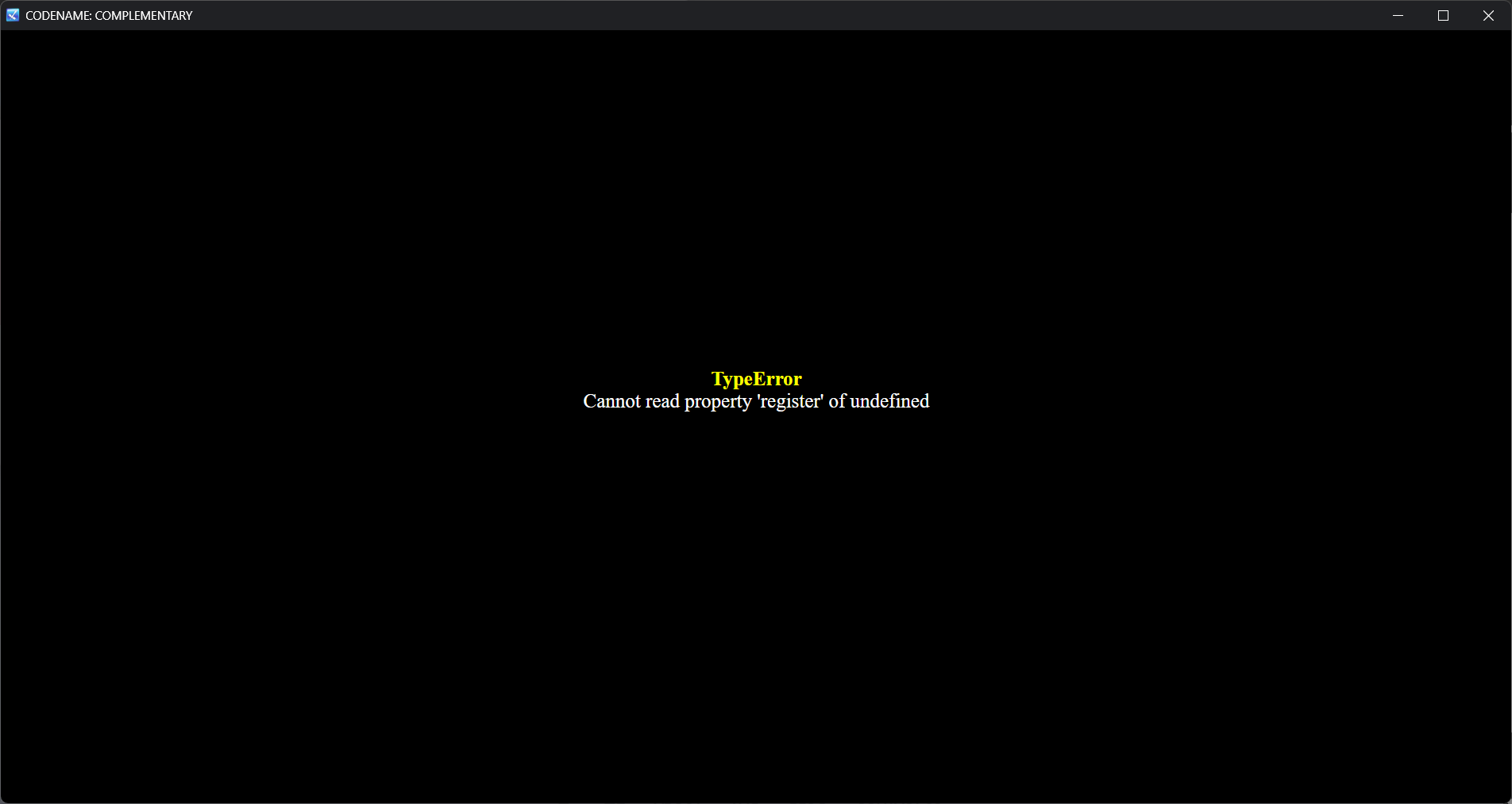
So when I run the game I get this error message D: I only have this plugin and eli book installed turned on
Developer

Hi there!

You need to update Eli Book. Probably you are using an old version.

When you update, go to the plugin manager, open the Eli Book plugin and see if every parameter is proper configurated.

And keep in mind that EliMZ_Book must be above all other Eli Plugins

Thank you, so I don't get that error anymore, but now when I run the game, everything is pitch black. Every setting is default for both plugins.

Developer

Hi there!

I see! Thanks for the feedback! I did some investigation and it was my bad. The plugin parameter "Resolution list" under the ScreenManager plugin has a wrong default value.

Please open it, remove the commas, and set each resolution on each line. When you open, each should look like this:
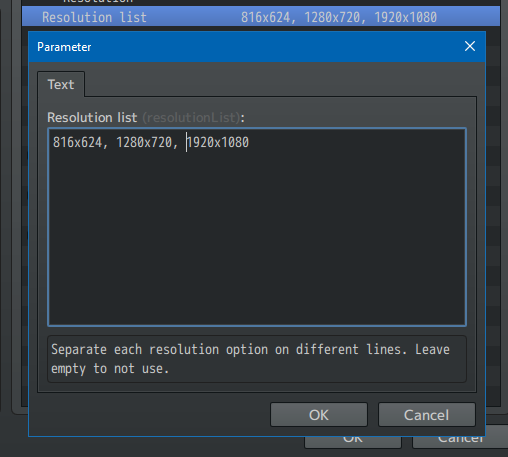

Change to this:
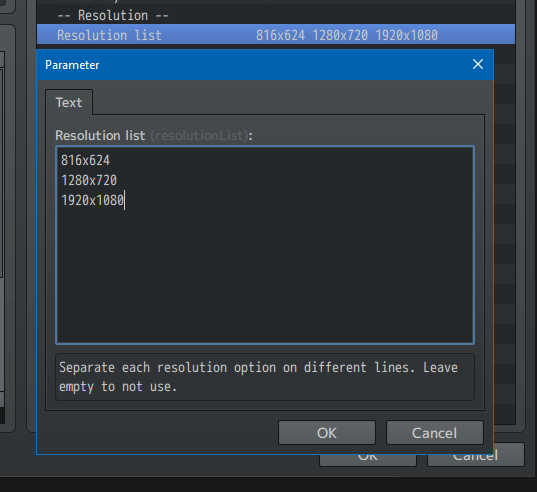

I will update the plugin too! But since you already have it on your project, you may need to change that parameter.

ok thank you!

Developer locked this topic