

Play soundtrack
What Lies Beyond's itch.io pageResults
| Criteria | Rank | Score* | Raw Score |
| Composition | #4 | 4.118 | 4.118 |
| Overall | #8 | 3.559 | 3.559 |
| Execution | #8 | 3.706 | 3.706 |
| Correlation to Theme | #11 | 3.765 | 3.765 |
| Listenability | #11 | 3.647 | 3.647 |
| Innovation | #16 | 2.882 | 2.882 |
| Uniqueness | #19 | 3.235 | 3.235 |
Ranked from 17 ratings. Score is adjusted from raw score by the median number of ratings per game in the jam.
Description
As usual, kept a devlog/journal during the jam:
https://eetusuikkanen.github.io/blog/impressions-composing-jam-imagination-4/
About the track:
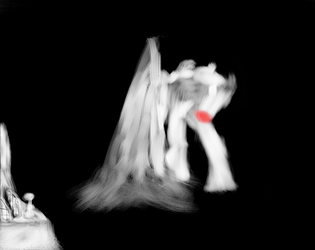
I tried to write for both themes, with the first 70% or so of the track being for traveling through the factory in the mountain leading up to the little tempo slowdown for when the door is opened and after that, the part for theme 2, where I tried to have the sudden loud tutti stabs be for the colossus appearing.
SOUNDS/GEAR Used:
Started this in Cubase and then ported the project to Reaper later.
Stock reaper effects, slate fresh air + also the oxford inflator plugin js_script clone for mixing and mastering,
Valhalla Vintage Verb and EastWest Spaces II for Reverbs
EastWest Hollywood Orchestra for pretty much all of the instruments used
Made a couple small Decent Sampler sample instruments during the jam, and used the metal hit one from those for some background hits.
They're pretty basic single sample sounds, but if anyone wants to give them a try:
https://codeberg.org/eetusuikkanen/ES_DecentSampler_Instruments
Also tested the new Reaper articulation manager by
Jesper Ankarfeldt for this track, and it's GREAT! It has support for negative track delays per articulation, which makes working with samples in the DAW a lot easier, can't recommend it more.
https://forum.cockos.com/showthread.php?t=306590
As usual any feedback is very much welcomed!
How did you Innovate? (Complete later if you need to submit on time)
I tried to and failed i guess, since this is pretty samey to all the other orchestral stuff I've done for last years Impressions jams 😅
Link to Streaming Service
https://www.youtube.com/watch?v=bwQBFZuEjz8
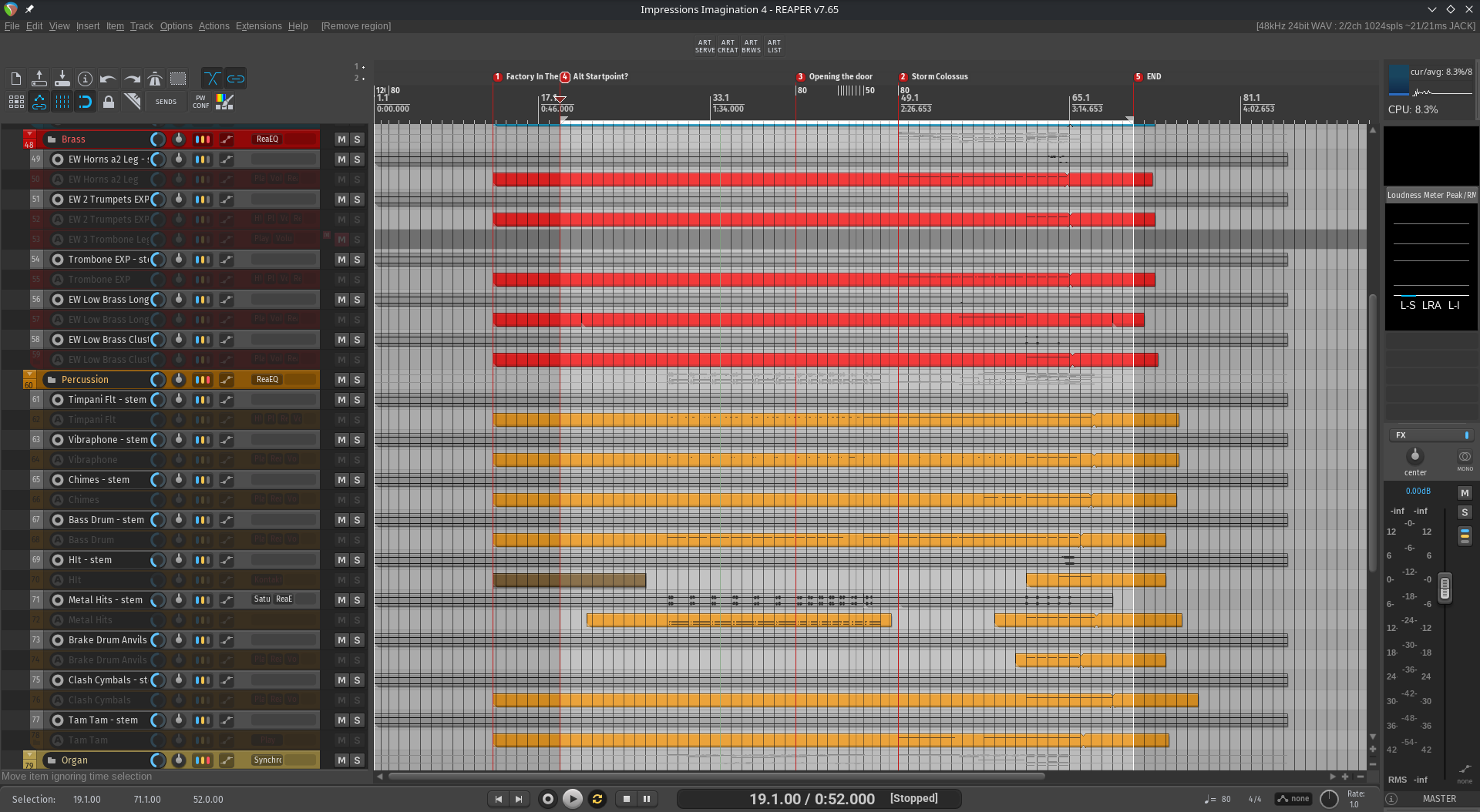
DAW Screenshot - Demonstrate that this is your own work
<---
Did originally start this in Cubase, but ported the project to Reaper and finished it there
Discord Tag
iatu
Leave a comment
Log in with itch.io to leave a comment.
Comments
those movements right at the start are pure Vivaldi and Shostakovich, which makes me think of Piotr Musical's Frostpunk ost (which someone else mentioned). Uncanny resemblence but it feels done in good faith and is lovely to listen to! I picked up the leitmotif early and was pleased to hear it played around throughout the track, superb writing.
Totally the same same sort of up-down-up figure used for the motif in the main theme in Frostpunk 1 😲
Funnily enough have never played the Frostpunk games before, since I never really been into city builder games and more of a CIV and Total War enjoyer, but might be the time to give it a shot 😄
The more chamber sound of the Frostpunk music was really nice, maybe should've used that for the string sound myself as well, could've maybe help make the big bangs for the colossus feel more fitting with the distant sound of the "not chamber" feeling brass representing the big colossus boy in the distance.
Glad you liked it!
this reminds me of the frostpunk ost- and thats a compliment. love the huge drum roll at 1:30 and the progression of ideas. you do sick shit with the contrast between the flutes and the low percussion
i cant think of anything id do different with this its just a really well done orchestral arrangement and it gets the jam concept 100%
Thanks, glad you liked it!
Solid orchestration with nice change of pacing and exploring your melodical idea in different arrangements and contexts. It still felt very cohesive and had a very nice story telling.
🙏
Lovely composition, very nice orchestration and arrangement, only the voicing at 0:27-0:30 is questionable gotta look into it. Nice leitmotiv it's really well implemented through your story telling. The orchestration at the end with the big hits is nicely done, good spacing between the chords it sounds very wide, of course you already know, your metal hits are a bit too loud, easy fix. Also, I think I'll need a video from you because I just cannot manage myself to do MIDI in Reaper, playing in Nuendo and trying to go back in Reaper for the same thing is insanely difficult, if you have settings/workflow that works wonders, I will take anything.
Yeah, porting the project to Reaper took a while, since Reaper does not support the DAWProject format and the converter to turn the dawproject file from Cubase to a reaperproject did not really work that well, so just imported the midi and set up all the tracks/insruments manually 😂. The sound is probably not 1 to 1 to my initial Cubase version since I had to swap out the Cubase stock plugins for reaper ones.
I've found some helpful tools and guides that have helped get the Reaper midi editing feel a bit better, but Cubase is still the king with how smooth the workflow is natively in it.
The first tool that I found and has helped me, is the multi tool script from Julian Sader. This script adds most of the same midi value manipulation that Cubase has out of the box + it also works in the arrangement view, so you can use it there for automation
https://forums.cockos.com/showthread.php?p=2211574
The other good resource has been Seventh Sam's blog guides on setting up the MIDI Editor, I found from there how to make a button for toggling multi track editing on/off in the MIDI Editor, which has also saved me a lot of head ache, also found out about the Multi Tool script for those. Seems like he has some new guides on a script to set up CC lane preset buttons to the bottom of the MIDI editor which I think I'll have to try to set up.
https://seventhsam.com/blogs/tutorials/posts/6791049/how-to-set-up-reaper-s-midi...
Binding the action to change the grid sizes is also handy, I did that in cubase too (1/4, 1/6), but there is a user made script tool to dynamically change the grid size based on zoom level thats great too.
https://forum.cockos.com/showthread.php?t=260388
Probably the one thing that helped me the most on this one, specifically in regards to working with orchestral/sample sounds, was the new Articulation System by Jesper Ankarfeldt, since before the jam I had set up expression maps with negative track delays per articulation for all my sounds in Cubase, as that was finally a function in the newer updates, and this reaper script also makes it possible to have per articulation delay values as well,
I still had to remake all my Cubase expression maps again in this Reaper script, but luckily this one has a easy to use GUI editor compared to the older Reaticulate script where you had to edit a config file and assign the keyswitch note values with their actual midi numbers 😩 (so not C#3, but 86 or whatever the corresponding number for it is...).
https://forum.cockos.com/showthread.php?t=306590
One script that's not really just for MIDI but I like a lot is nvk_SEARCH, which adds a handy search window that you can use to pretty much quickly search anything in your project, be it actions, track, trackpresets etc. They make some other sound design focused scripts too that are iirc heavily used and recommended by game audio people, but I haven't done much sound design so cant say much about those.
https://store.nvk.tools/l/nvk_SEARCH
This is not MIDI related too, but a handy script to get the track disabling/enabling functionality that Cubase has that I use on my orchestral template to turn off tracks not in use
https://forums.cockos.com/showthread.php?p=2203958
And pairing that with custom scripts that hide and show those disabled tracks, helps keep the project not looking too cluttered. I have bound the hide and show scripts to shift + Q and shift + W respectively myself.
https://forum.cockos.com/showpost.php?p=2651508&postcount=4
The theme I'm using is the Reapertips theme
https://forum.cockos.com/showthread.php?p=2701211
----------------------------------------------------------------------------
Those have helped me a bit to make the editing feel smoother, but I've only used Cubase for years before Reaper so it's probably going to just take time to get as comfortable with Reaper as I had gotten in Cubase over the years. The only real annoyance I still have with Reaper is that the whole program gets really laggy graphically in bigger size projects, like in my project file for this jam the GUI feels really low frame rate when scrolling around in the MIDI Editor and Arrangement view.
If I could somehow get the lag fixed I'd be pretty happy with my Reaper setup, but from what I've read on the forums there is no solution to fixing the laggyness unfortunately...
But anyway, that's all the scripts/tweaks I've found to help, still not as fluid feeling workflow as I had in Cubase, but probably just need to keep using Reaper more to get comfortable with it (hopefully🤞).
Yoo this is awesome thanks for sharing! Been slow to customize my reaper workflow, definitely checking some of these out
Just been starting to customize Reaper during this jam too, since I'm coming from Cubase a lot of things feel a bit janky out of the box 😄
I made a thread in the jam discord under the #production-resources text channel, I posted these there and will be posting other workflow stuff I'm coming across and finding useful if you're interested. If you come across any other good scripts/tweaks etc. that are not mentioned in there, please share there 🙏 hopefully will build up to a good resource for people to read through.
Cool will do
Wow, what a hitter you got here. Great composition. Very epic sounding and orchestral! Great work. I loved it. But near the end, those cymbals were a bit loud! Blew my ears out almost! Great work here.
🙏 Glad you liked it!
This is a great composition, and I think you captured both scenes well orchestrally. The hits from 2:10 and on jumpscared me quite a bit
The volume shift is a bit too much 😅
Glad you liked it 🙏
I heard this one before and i think i commented on the video but i’m still gonna say it here, this is really beautiful man! Very tense, very curious, overall a very exciting and nice track to listen to, i think maybe at the end those perc hits might be a bitttt too harsh, but otherwise it sounds great!
I’d say musically you’ve created a really nice coherent scene, which of course- sounds great, but i would’ve maybe liked to hear some more texture or references to the environment via sound, because the musical side conveys more emotion, and conveys the situation the listener is currently in, but not, what the environment is like, or where you are or anything contextual to the scene.
Despite that, this is a really awesome submission man, i really enjoyed listening to this one, thanks so much for sharing! :D
Yea, going to try to do more electronic and soun-designy stuff in this years jam's to hopefully get better with making and using textures in stuff, since I'm pretty bad at that and haven't done much of sound design stuff 😄
Glad you liked it!
Hey there, this sounded awesome! Although one of my compositions so far, I think the start of the song need some texture, ok to start that way, but I believe it woul benefit the entire composition. That ending was just wonderfull, caught me of guard on how big it all felt, which I believe makes this very fitting for the theme.
Execution was pretty good!
Another wonderfull work! Take care :)
Yep, when the motivation to continue working on a track hits the nice round 0 mark, a lot gets left unfinished 😅
Didn't remember to post in the jam discord, but I installed and tried your game. Worked well on my phone, although I quickly remembered how bad I was at flappy bird when I tried to play it in the past 😂 the addition of the gliding feature which iirc flappy bird didn't have was a good addition imo
Glad you liked it!
Around 35 sec in I'm hearing some right channel artifacts, persists for about 30 seconds. My guess is that they're not part of the mix but rather an issue during rendering or perhaps compression? I'll have a listen at home later on my monitors to make sure itsnot on my end.
Loved the crescendo and the arrival of the brass section, I wasn't expecting such an explosive change, it was great! I do think it made the first half a bit bland by comparison, variations and articulations especially can be difficult to produce digitally but some variety by introducing or removing elements would do the trick.
And I wasnt here last year so you're getting innovation points there from me!
Didnt notice those when I was doing the final tweaks... I freezed the woodwind tracks to save on RAM, but reaper propably messed something up during the rendering the freezed stems.
Completely agree with you on the blandness of the first half, lost the plot a bit after the first few days of the jam and only managed to add the tutti hits to it later on 😅
Glad you liked it, hope to see you in the next ones!
Critical feedback - opening is a little dry, could use more reverb. A lot of people shy away from reverb, but if you listen to soundtracks of movies, they tend to have lush reverbs where they do some tricks to take care of it.
Among these methods are having a long delay. I've seen some people do envelope shaping, something I researched but didn't implement in mine (didn't end up on that path, but it's something I could revisit).
What I actually did in mine was put a compressor on my reverb that dims down the reverb as the clean signal comes through (and painfully rendered and listened and rendered and listened due to my latency issue).
The ending felt like it was wetter in yours, I thought it was a bit more appropriate.
Overall though the composition was good. Solid work!
I last minute tweaked the volumes of the parallel compression busses I have for all the instruments and since those are using the dry/no added reverb signals, it kinda made the dry sound a bit too prominent. It's a fun/usefull trick to add presence and punch to orchestral samples in the DAW though, tried it after seeing it in a few mockup/template videos on YouTube and has felt a great technique (in moderation/tastefully used though 😉.
Working with orchestral sounds in the DAW, especially getting the sounds i use to feel lush and not in your face took me the whole of last year to finally get a bit comfortable with, since the hollywood orchestra package has a really dry-ish in your face tone. I'm probably going to start keeping a spreadsheet with the different send values to my reverb's, so I can have some reference for what values felt good for a distant, medium, close, etc sound 😄
I've done sidechained reverb only for vocals before, but usually I try to just use reverbs with built in ducking instead, like the one in Cubase's vocal chain plugin or in Reaper, the free Tukan Studios Lexicon clone reverb jsfx plugin that also has a ducking option 😅
Glad you liked it!