Indie game storeFree gamesFun gamesHorror games
Game developmentAssetsComics
SalesBundles
Jobs
TagsGame Engines

TP System Questions

A topic by K-apple created Mar 11, 2026 Views: 592 Replies: 33
Viewing posts 1 to 3

With your plugin I was wondering if it was possible to change the tp system where players gain a set amount of TP when landing a critical hit, targeting an enemy weakness, and/or avoiding an attack. Inversely I also wanted to create a system where players would lose TP if they miss an attack or receive a critical hit or a have their elemental weaknesses exploited.
Developer (2 edits)

Hi there!

Yes, you can do all this. 

1 - Set the plugin parameters Charge Tp By Action and Charge Tp When Miss to true.

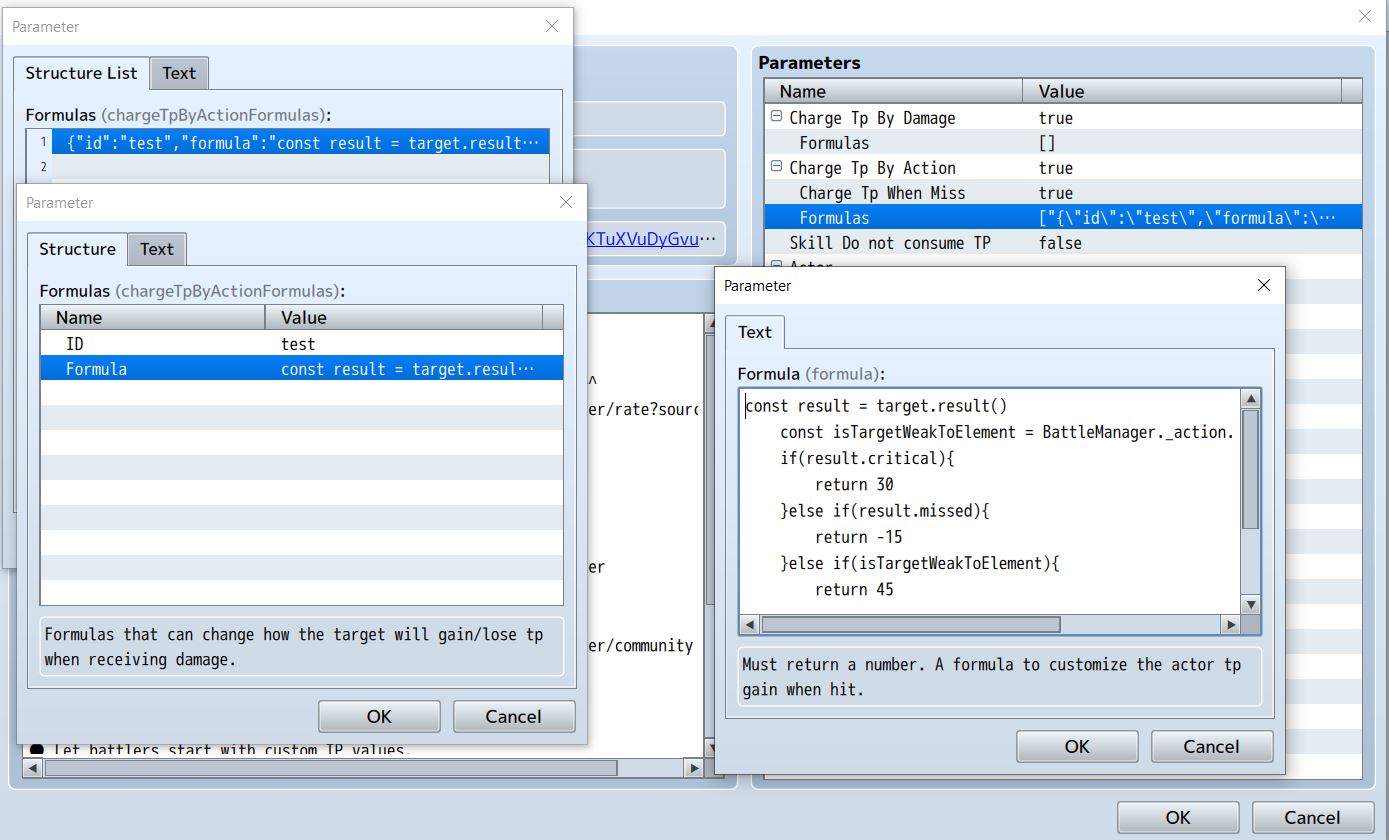
2 - Create a new entry on the Formulas parameter, under the Charge Tp By Action:

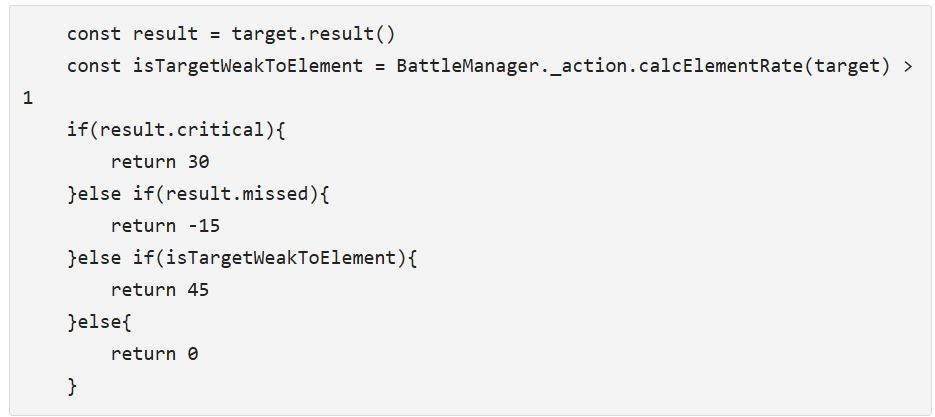
    const result = target.result()
    const isTargetWeakToElement = BattleManager._action.calcElementRate(target) > 1
    if(result.critical){
        return 30
    }else if(result.missed){
        return -15
    }else if(isTargetWeakToElement){
        return 45
        
    }else{
        return 0
    }

3 - Apply that formula ID on the note tag of what you want to use that formula (actor, enemy, skill, weapon, armor). 

That should do the trick. Since you can use formulas, you can do almost everything to change the behavior of how the user gains/loses tp when using an action.

[EDIT] Just for reference, this may be helpful for you. The meaning of each thing on the Charge Tp By Action Formula:

  • this = The one who is attacking/using action(user).
  • target = The one who is receiving the attack/action
  • item = The skill or item used on the action
  • item.tpGain = The TP Gain field from the database(skills and items)
  • this.tcr = The user/attacker TP Charge Rate
  • Now to get access to the action results, we can do this:
  • const result = target.result()
  • result.critical = returns true if the action was critical
  • result.evaded = returns true if the target has evaded the attack
  • result.missed = returns true if the user misses the action on the target
  • const isTargetWeakToElement = BattleManager._action.calcElementRate(target) > 1
(+1)

Thank you so much for this and especially the code. I'll purchase this plugin as soon as I can.

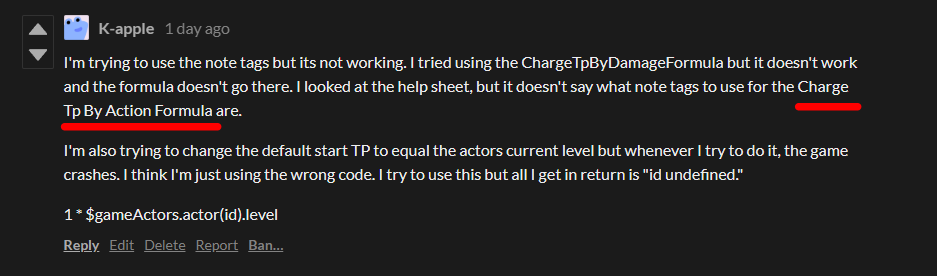
I'm trying to use the note tags but its not working. I tried using the ChargeTpByDamageFormula but it doesn't work and the formula doesn't go there. I looked at the help sheet, but it doesn't say what note tags to use for the Charge Tp By Action Formula are.

I'm also trying to change the default start TP to equal the actors current level but whenever I try to do it, the game crashes. I think I'm just using the wrong code. I try to use this but all I get in return is "id undefined."

1 * $gameActors.actor(id).level

Developer (1 edit)

Hi there!

Formula

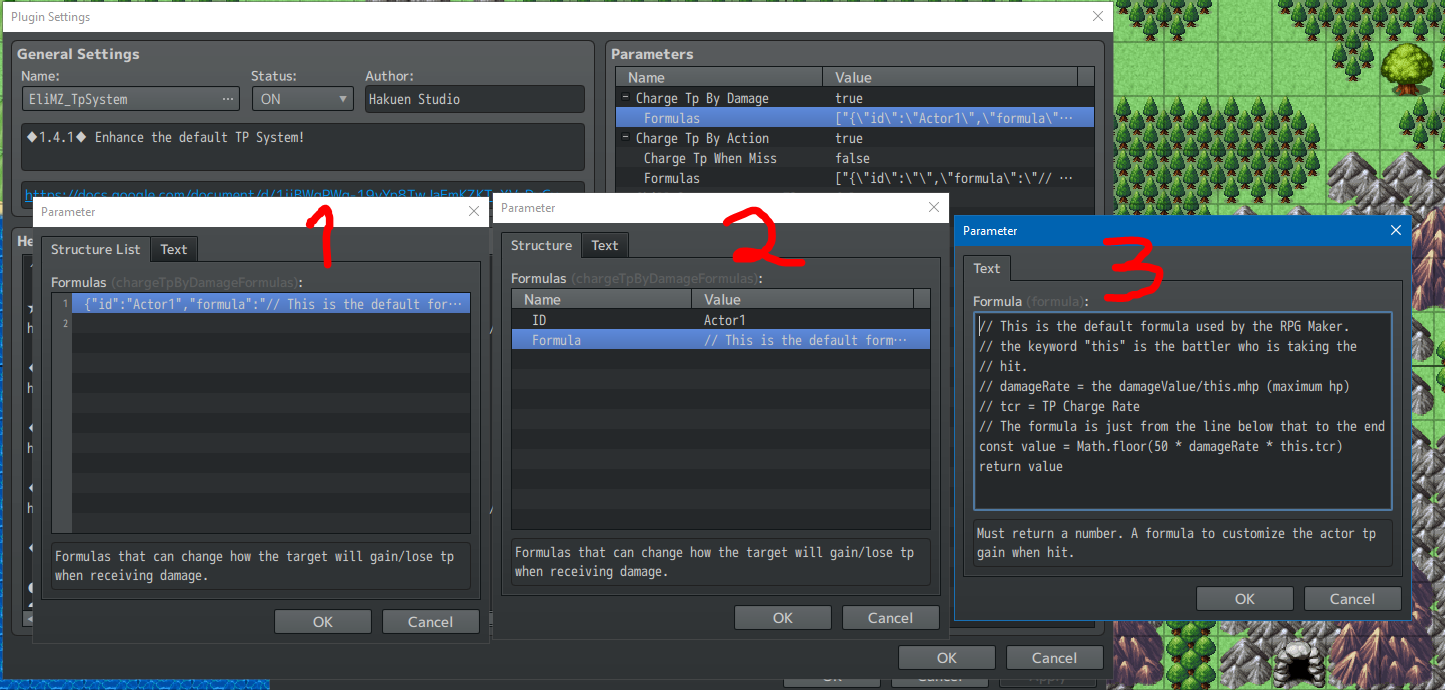
You need to show me what you did with the ChargeTpByDamageFormula note tag. Because indeed you can't write code on that note tag. The right thing to do is to write the formula on the plugin parameters, and set the Charge Tp By Damage to true:

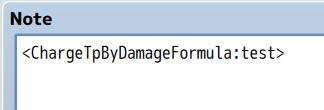
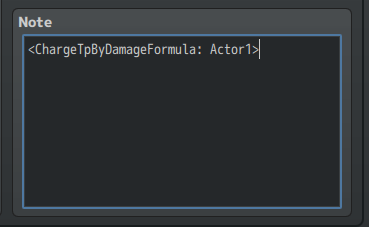
Then, reference that formula on the note tag by it's ID:


As so, if that still does not work, I need for you to send me a screenshot of what you did so i can see what is wrong. Always nice to test on a clean project or on my sample project to see if the problem is a plugin conflict.

Start Tp

1 * $gameActors.actor(id).level

Yes, ID is undefined by default, unless you define it on the formula you are using.

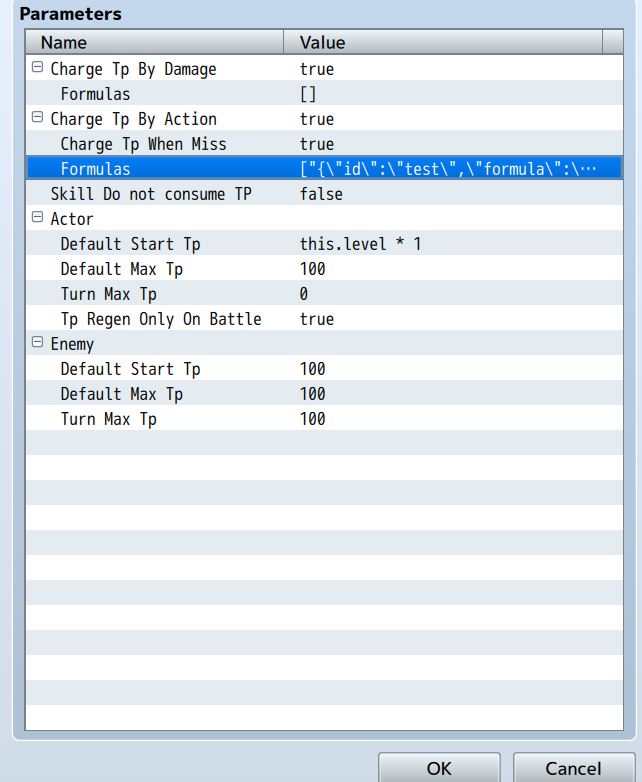
If you want for all actors to follow the level rule, you can just use the plugin parameter "Default Start Tp" on the Actor section. And you can just put there:

this.level * 1

The this keyword will point to the actor who is using that formula, on your case all of them.

But, if you want that formula for specific actors, just use the same formula on the note tag field of the actor:

<StartTp: this.level * 1>

Let me know the results!

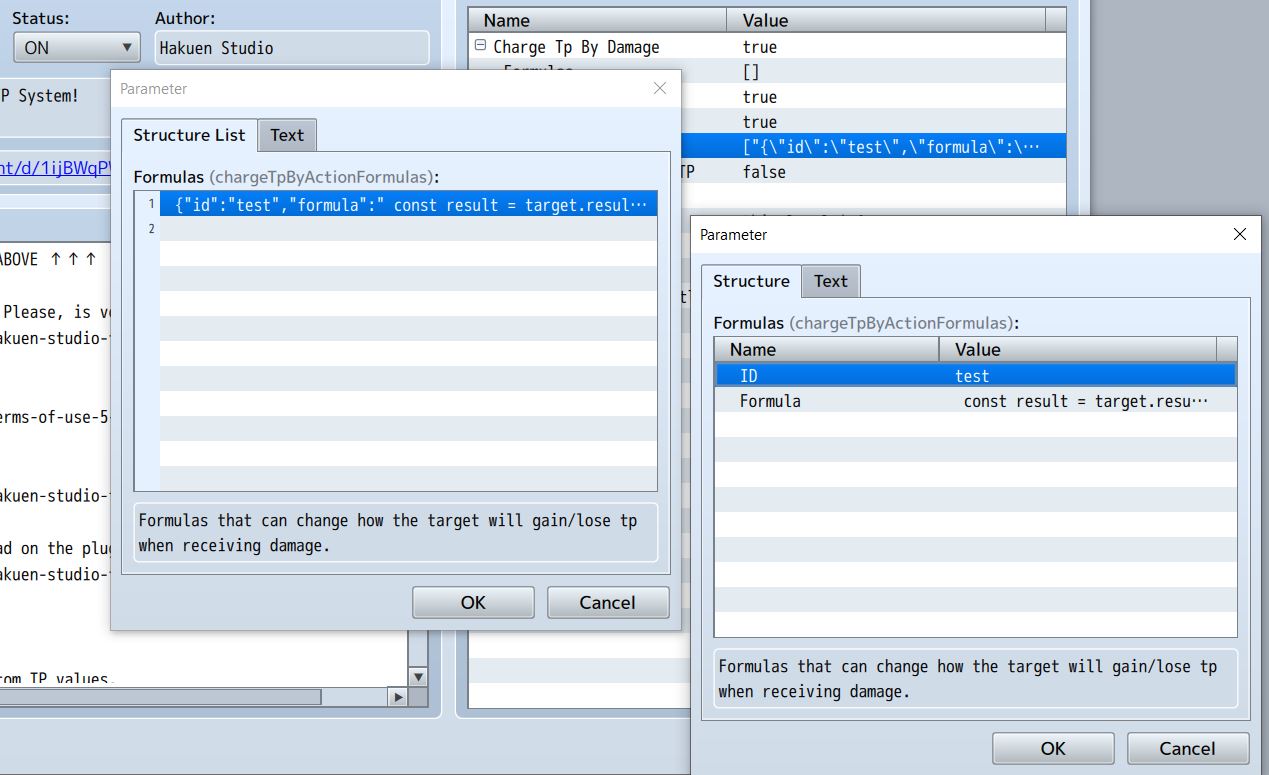
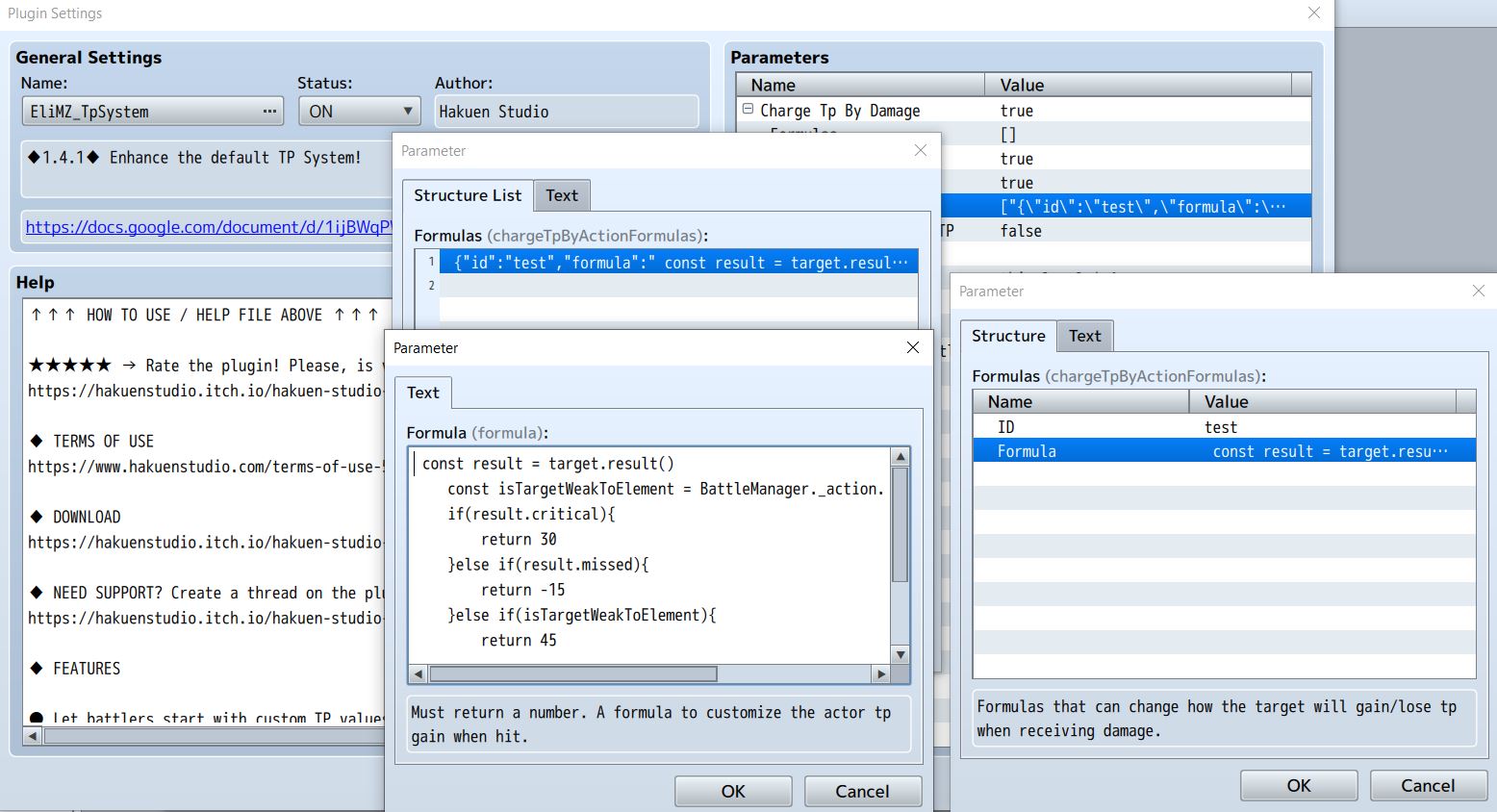
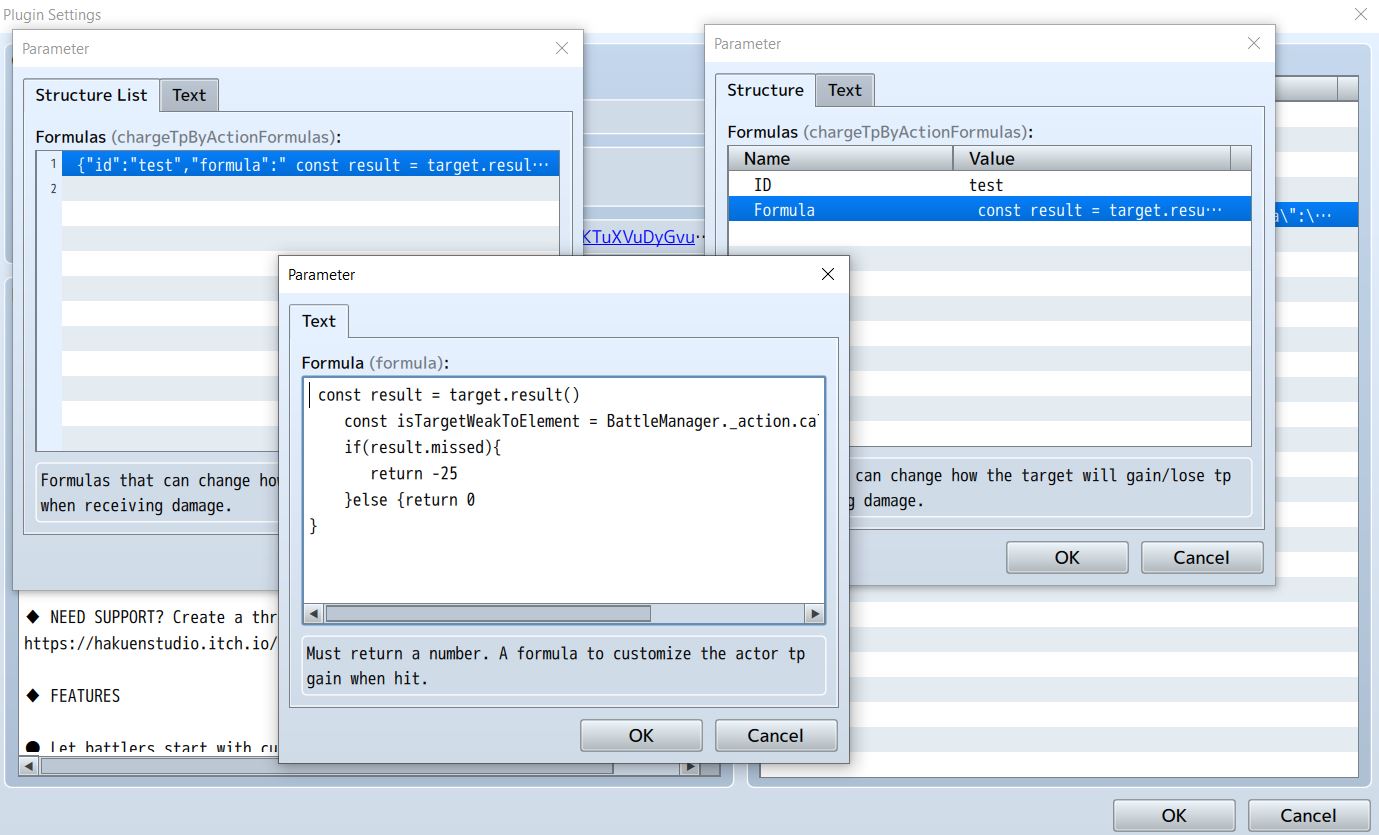
The TP equals level thing worked but here are the images of my plugin settings.


Developer

So the level works. But the formula does not work? Where is the screenshot of the note tag ChargeTpByDamageFormula?

On the formula, you put exactly that?

    const result = target.result()
    const isTargetWeakToElement = BattleManager._action.calcElementRate(target) > 1
    if(result.critical){
        return 30
    }else if(result.missed){
        return -15
    }else if(isTargetWeakToElement){
        return 45
    }else{
        return 0
    }

When you say it does not work, what is happening? And what do you want to happen?

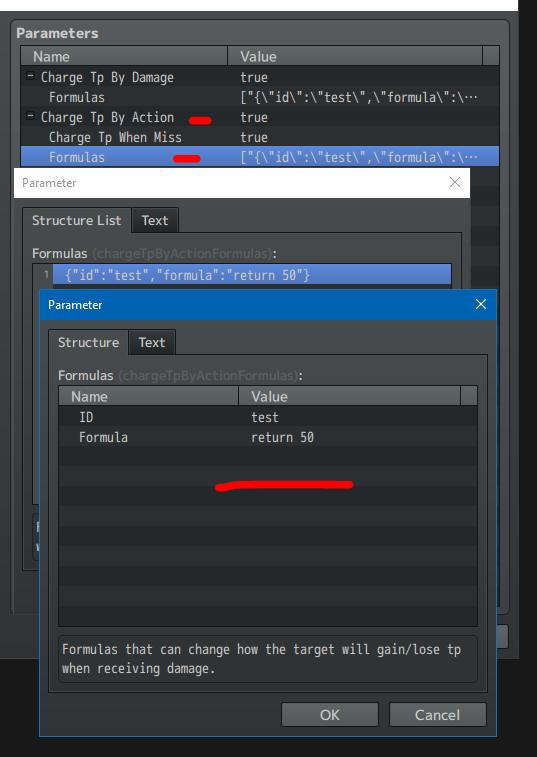
It acts as though its not been implemented. The game plays normally but the code just doesn't go into effect. Here are the screen shots.


Developer

Where did you put this note tag?

 Let's make a test: Create another entry on the formulas, and just put a flat value like

return 10

Then use that formula and see if when you hit someone on battle, you will raise tp by 10. if it raises, then the problem it's not the plugin, but the formula. Can you copy and paste the entire formula for me here? Beause on your screenshot I cannot see the entire formula.

Or send me a sample project replicating the issue on discord so I can try to see what is the problem.

My discord: hakuenstudio

The return 10 formula didn't work either.  I even tried placing it in the ChargeTpByDamageFormula and the then the ChargeTpByActionFormula. Neither of them worked.

Developer

It could be a compatibility problem then. I will need a sample project replicaring the issue so I can figure this out. You can add me on discord: hakuenstudio

Upload the project somewhere and send me the link on the discord chat

Okay. Give me a moment.

(2 edits)

For some reason, Discord won't let me long in. I made it available via Itch. I put a password behind it so you can download and see the issue. the password is just password (all lower case.) I made an entirely new sample project with only the neccessary plugins for it to make sure it wasn't a compatibility issue.

Developer

Ok, I just downloaded it. You could also just put a link to a google drive or something like that on those cases ^^"'

Oh, I didn't know that. Thanks.

Developer

Hi there!

Well, I just tested with your project and everything seems to work just fine. But I think I know what the problem is. I think we both are misunderstood each other. On your answer here, your question was suppose to be set on the Charge Tp By Action, because what you want is:

When an actor inflicts damage on the enemies, the actor gains a custom amount of TP, right? I got that on the first time:

But on your recent reply you told me that:


I totally miss you saying about the Charge Tp By Action Formula note tag, And I'm trying to guide you the wrong way since then. Also, just checked the help file and indeed the note tag for the Charge Tp by Action is missing there.

So: I'm so sorry. Sorry to waste your time =/ It was my mistake :(

  • For what you want, you can use the note tag on the actor field(I updated the help file now):
  • <ChargeTpByActionFormula: test>

And then put the formula on this plugin parameter:


  • The Charge Tp By Damage works for when the actor receives the damage. 
  • The Charge Tp By Action works for when the actor inflicts the damage,

Its alright. Thanks for all the help with this. I used the new note tag and it works but the code you given me has 1 issue. The right value is given when it inflicts a critical hit and exploit a weakness (they don't stack and it appears what takes priority is what's first in the code, but after testing that, I don't think its true) That being said when an attack misses it still gives tp when targeting a weakness instead of subtracting it. I tried making a 2nd formula using that part of the code alone, and while it works. It negates the 1st formula. 


I attempted to just write in the part of the code that subtracts TP and that works just fine but it doesn't take the right value. It just subtracts 5.


Developer

Oh, if do you want to stack, then we need to change the formula:

const result = target.result()
const isTargetWeakToElement = BattleManager._action.calcElementRate(target) > 1
let tpValue = 0
if(result.critical){
    tpValue += 30
}
if(result.missed){
    tpValue += -15
}
if(isTargetWeakToElement){
    tpValue += 45
}
return tpValue

The way it was before, it has an order to check. So the first condition that matches, it would run. But now, it will run all conditions and store the amount of tp that each condition provides, and then return the sum at the end.

If you want to combine conditions, you can use something:

(This means: if missed and targe is weak, add XX value)

if(result.missed && isTargetWeakToElement){
tpValue += XX
}

If you want to negate something, like if the target not missed, just add an "!" before the statement:

if(!result.missed)

Now the reason for it to subtract only 5, I don't know... maybe is default behavior of the engine? Or your skill is using 5 tp? Well, give it a shot on the new formula I put, and let me know the results.

Sorry for the late reply but its working fine. Had an issue with the code stacking but I just put the if (result.critical) and the if (isTargetWeakToElement) in one code with an or (||) statement and that fixed it.  One last question. is coding in a resistance and/or immunity worded like if(isTargetResistantToElement) or if(isTargetImmuneToElement)? I tried it and got an error saying its undefined.