

🚀 TriStar Update 5: Offline AI Backgrounds & Shorts Mode
It’s been a while since the last devlog, and I’ve been putting in a lot of work behind the scenes. For Update 5, I had to completely tear down and rebuild a massive chunk of the app's engine, making this by far the biggest upgrade we've pushed yet.
We are officially bringing AI completely offline and optimizing the workspace for modern creators. Here is what just went live:
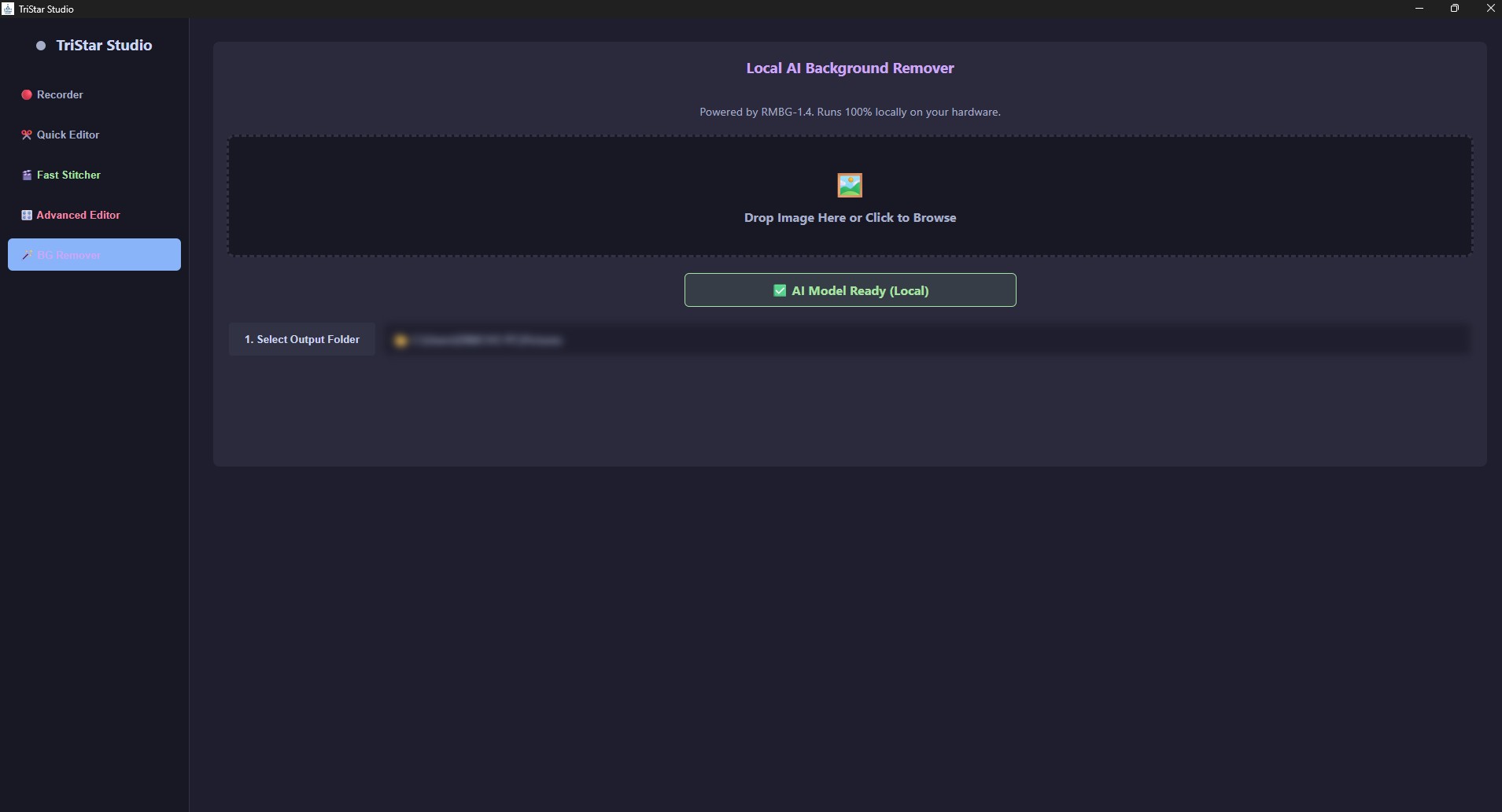
🪄 1. Local AI Background Remover
You can now drag and drop any image into TriStar, and the AI will instantly slice out the background. and the best part is that It runs 100% locally on your hardware. No cloud APIs, no subscriptions, and zero internet required. It downloads a highly-optimized 170MB model on your first run, caches it to your machine, and is instantly ready every time you open the app.
📱 2. Shorts Mode & Visual Overlays
Tristar Studio is now fully adaptable for TikTok and YouTube Shorts!
- 9:16 Shorts Mode: One toggle snaps your preview window into a strict vertical layout, perfectly framing your content for mobile platforms.
- Complex Overlays: You can now drag, drop, and freely resize Picture-in-Picture videos, images, and custom text overlays directly on top of your main footage.
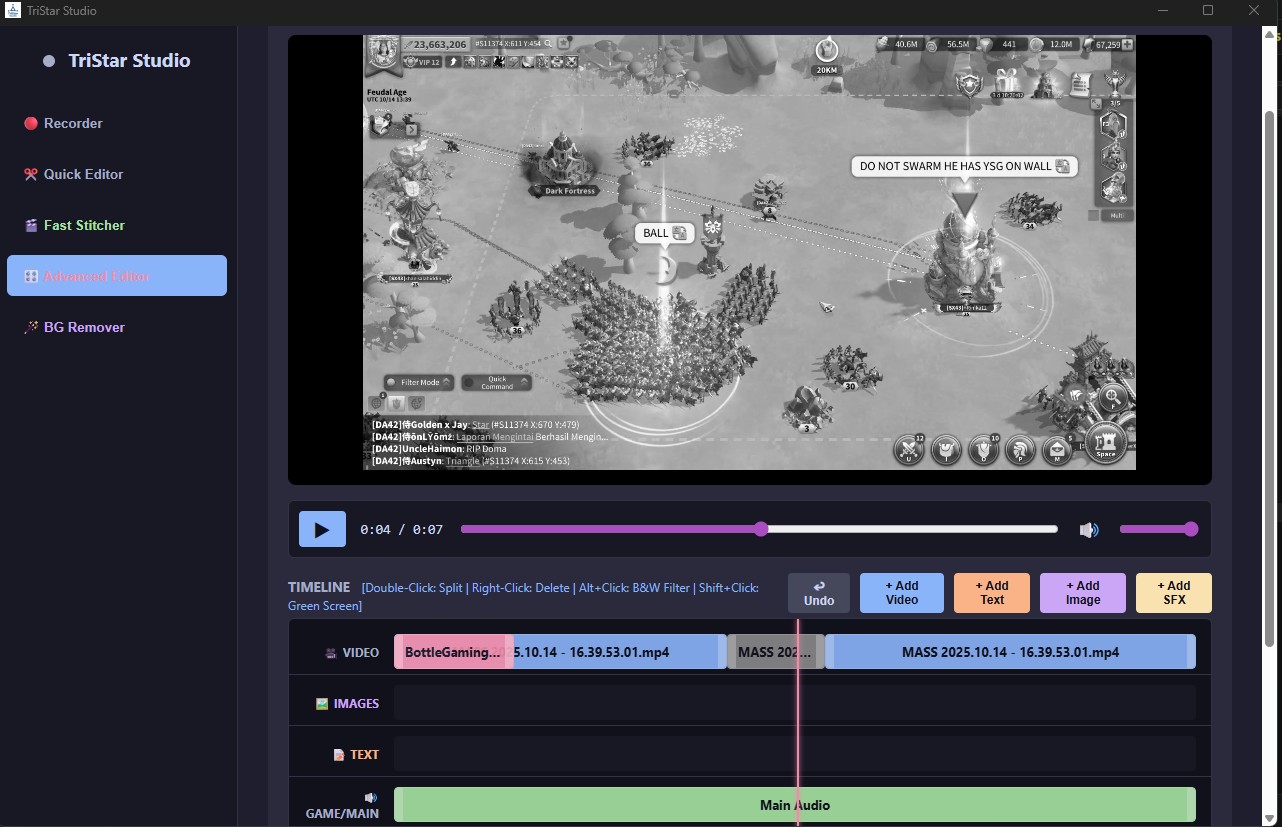
🎬 4. Timeline Filters (B&W & Green Screen)
The Advanced Editor timeline just got some serious quality-of-life upgrades. You can now use quick keyboard shortcuts to apply instant visual effects to any video clip on your timeline:
- Alt+Click: Instantly toggle a Black & White filter.
- Shift+Click: Instantly trigger a Green Screen cutout effect (highlighted in red on your timeline).
It took over two weeks of work, but I'm really happy with how these features turned out and it finally feels like everything you need to record, edit, and clip is all in one place.
Download Update 5, test out the new background remover, and let me know what you think in the comments!
Grab for free here: https://karto33.itch.io/tristar-studio