Indie game storeFree gamesFun gamesHorror games
Game developmentAssetsComics
SalesBundles
Jobs
TagsGame Engines

Karto33

8
Posts
7
Topics
1
Followers
A member registered Apr 22, 2026 · View creator page →

Creator of

Recent community posts

🚀 TriStar Update 5: Offline AI Backgrounds & Shorts Mode

It’s been a while since the last devlog, and I’ve been putting in a lot of work behind the scenes. For Update 5, I had to completely tear down and rebuild a massive chunk of the app's engine, making this by far the biggest upgrade we've pushed yet.

We are officially bringing AI completely offline and optimizing the workspace for modern creators. Here is what just went live:

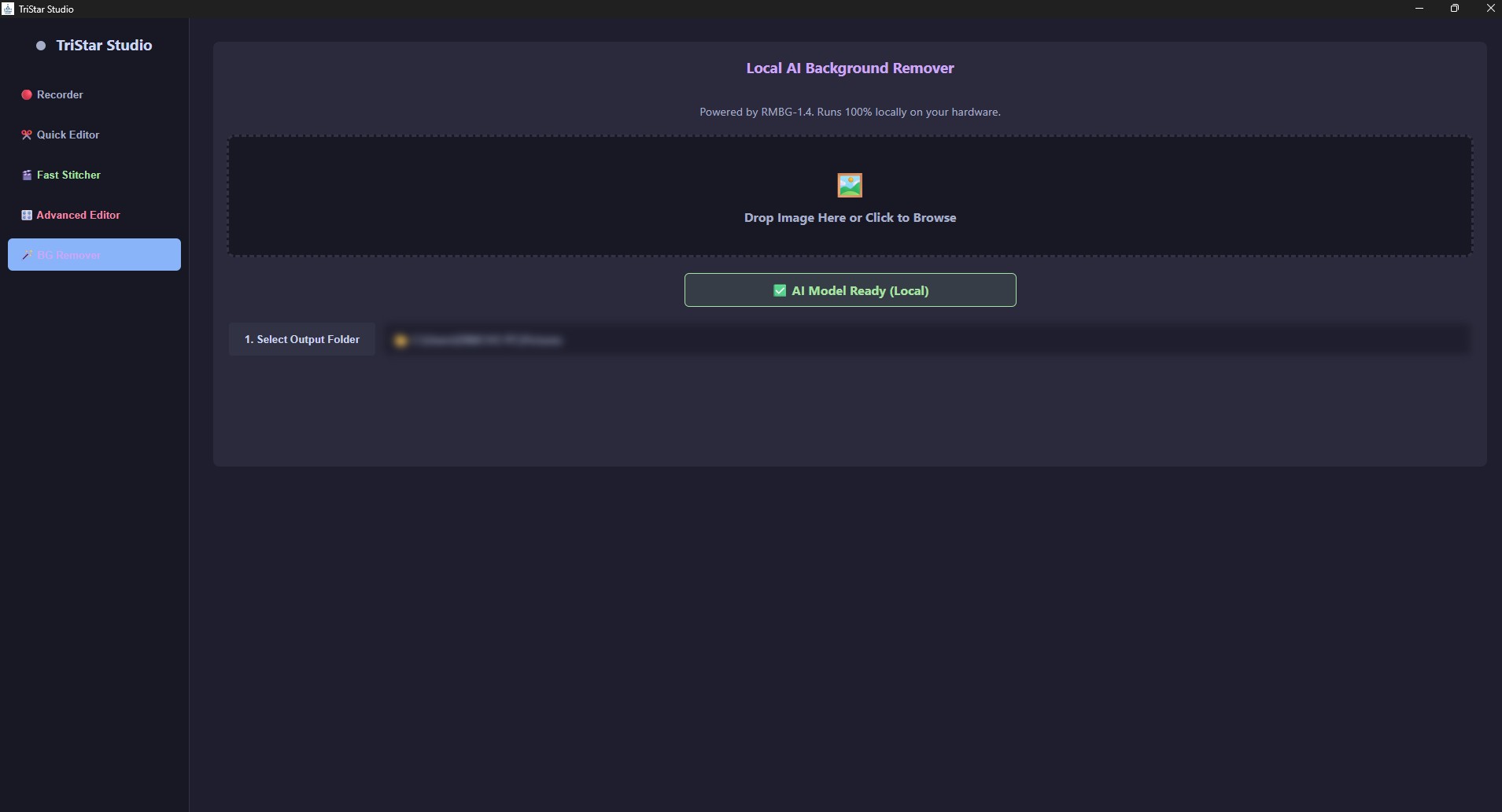
🪄 1. Local AI Background Remover

You can now drag and drop any image into TriStar, and the AI will instantly slice out the background. and the best part is that It runs 100% locally on your hardware. No cloud APIs, no subscriptions, and zero internet required. It downloads a highly-optimized 170MB model on your first run, caches it to your machine, and is instantly ready every time you open the app.

📱 2. Shorts Mode & Visual Overlays

Tristar Studio is now fully adaptable for TikTok and YouTube Shorts!

  • 9:16 Shorts Mode: One toggle snaps your preview window into a strict vertical layout, perfectly framing your content for mobile platforms.
  • Complex Overlays: You can now drag, drop, and freely resize Picture-in-Picture videos, images, and custom text overlays directly on top of your main footage.

🎬 4. Timeline Filters (B&W & Green Screen)

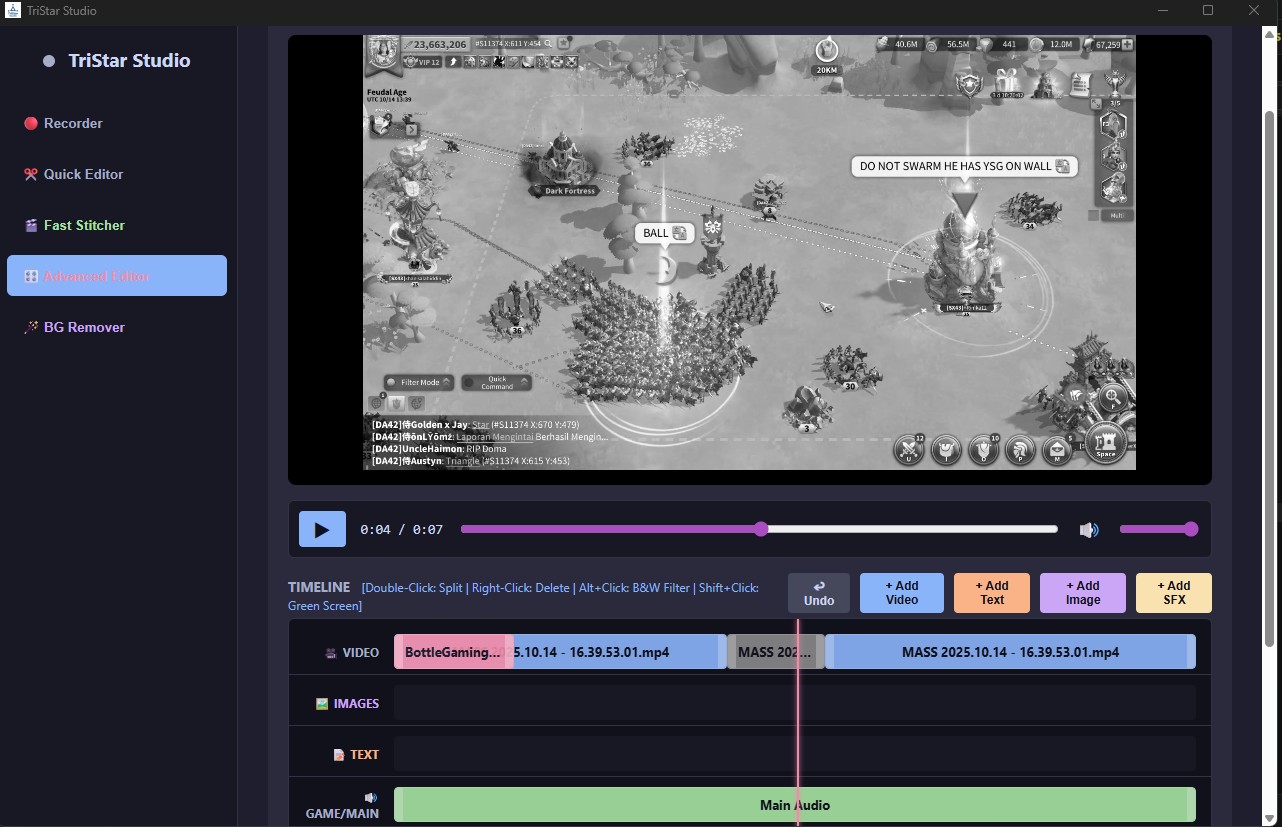
The Advanced Editor timeline just got some serious quality-of-life upgrades. You can now use quick keyboard shortcuts to apply instant visual effects to any video clip on your timeline:

  • Alt+Click: Instantly toggle a Black & White filter.
  • Shift+Click: Instantly trigger a Green Screen cutout effect (highlighted in red on your timeline).

It took over two weeks of work, but I'm really happy with how these features turned out and it finally feels like everything you need to record, edit, and clip is all in one place. Download Update 5, test out the new background remover, and let me know what you think in the comments!

Grab for free here: https://karto33.itch.io/tristar-studio
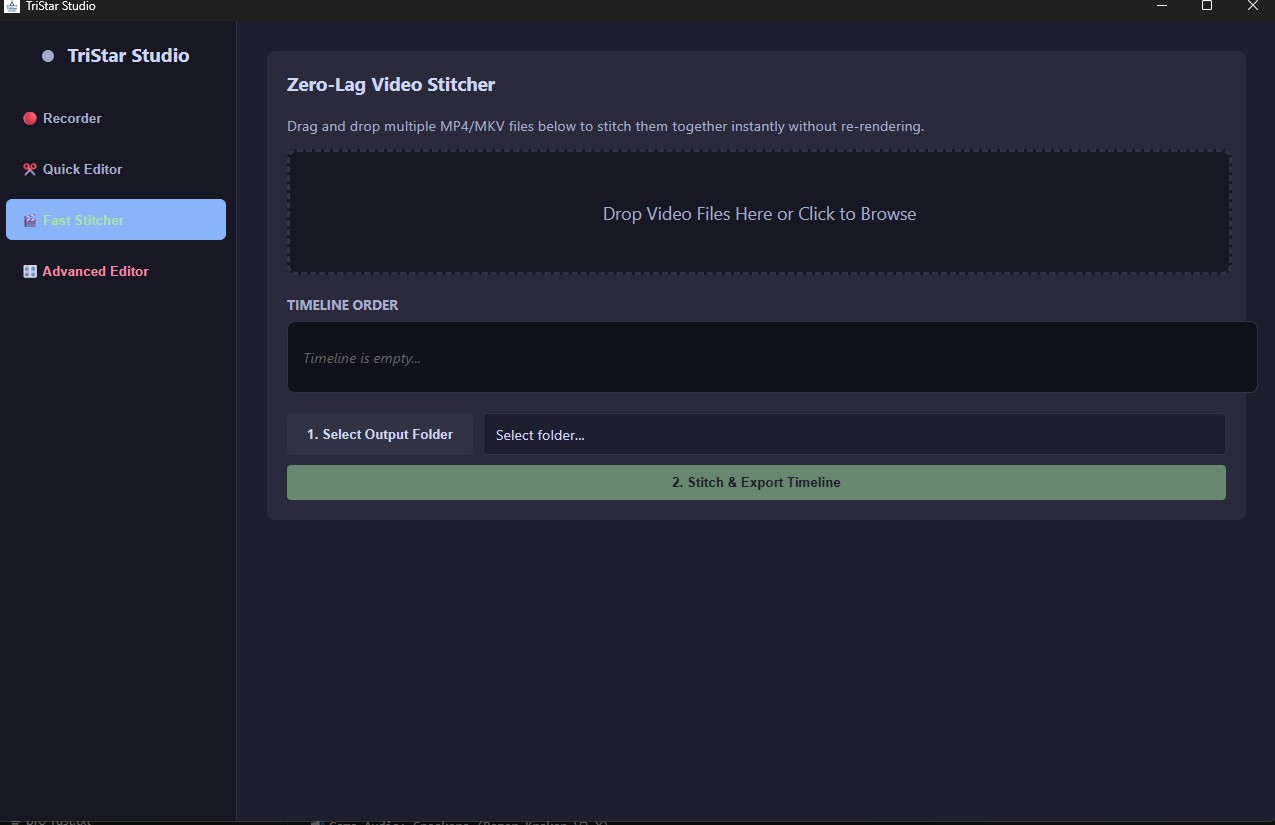
What is up, guys, 5th update in 2 weeks Hype. Today’s update brings a brand new tool to TriStar Studio: the Zero-Lag Fast Stitcher.

If your OBS crashes halfway through a long recording or stream, you end up with two separate video files. Dropping them into a normal editor just to stick them back together sucks because it forces your PC to re-render the entire video. If you're on a lower-end rig, that pegs your CPU at 100% and takes hours just to export a video that was already finished.

To fix this, I built a dedicated Stitcher tab that runs entirely on raw binary manipulation.

How it works: Instead of re-rendering frames, the custom Rust backend silently stitches the files using a direct data-copying method (-c copy).

  • Zero Re-encoding: It literally just takes the raw data of Video 1 and glues it directly to the raw data of Video 2.
  • Instant Speeds: You can stitch together massive, multi-gigabyte gameplay recordings, and TriStar will export the final file in about 3 to 4 seconds.
  • Zero Lag: Because it's copying data instead of rendering, it uses almost zero CPU. You can run it in the background while actively gaming without dropping frames.

Just drag and drop your .mp4 or .mkv files into the dropzone, order them, and hit export.

TriStar Studio is still 100% Free. Grab the update over on the main page.

We are making massive changes today.

When TriStar was first built, the most powerful tools—like the multi-track timeline and the Discord compressor—were locked behind a Pro paywall. But the goal of this software is to be the ultimate, frictionless tool for content creators and gamers. Friction is the enemy.

So, as of Update 0.1.0, the paywall is completely gone. Every single premium feature is now unlocked for everyone, forever.

Here is everything new in this massive update:

Upgrades & Changes:

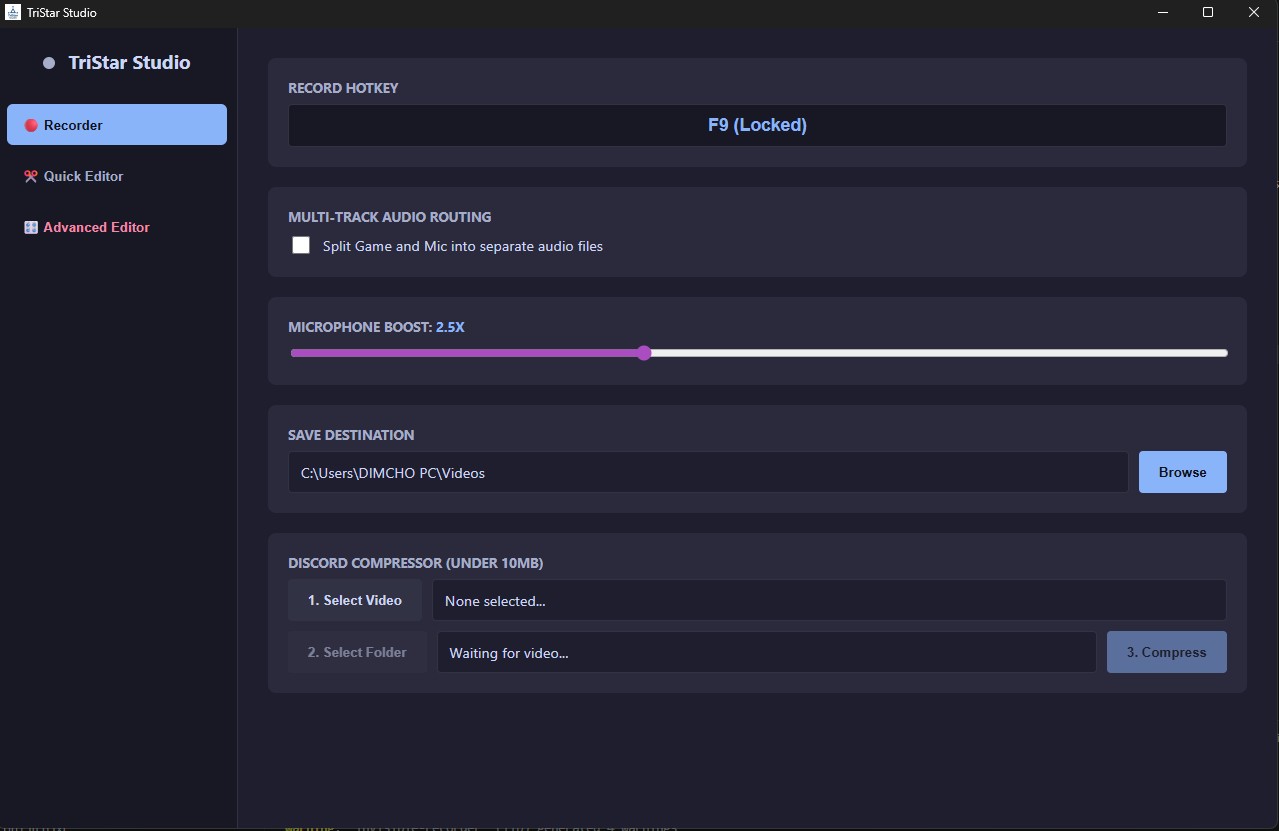
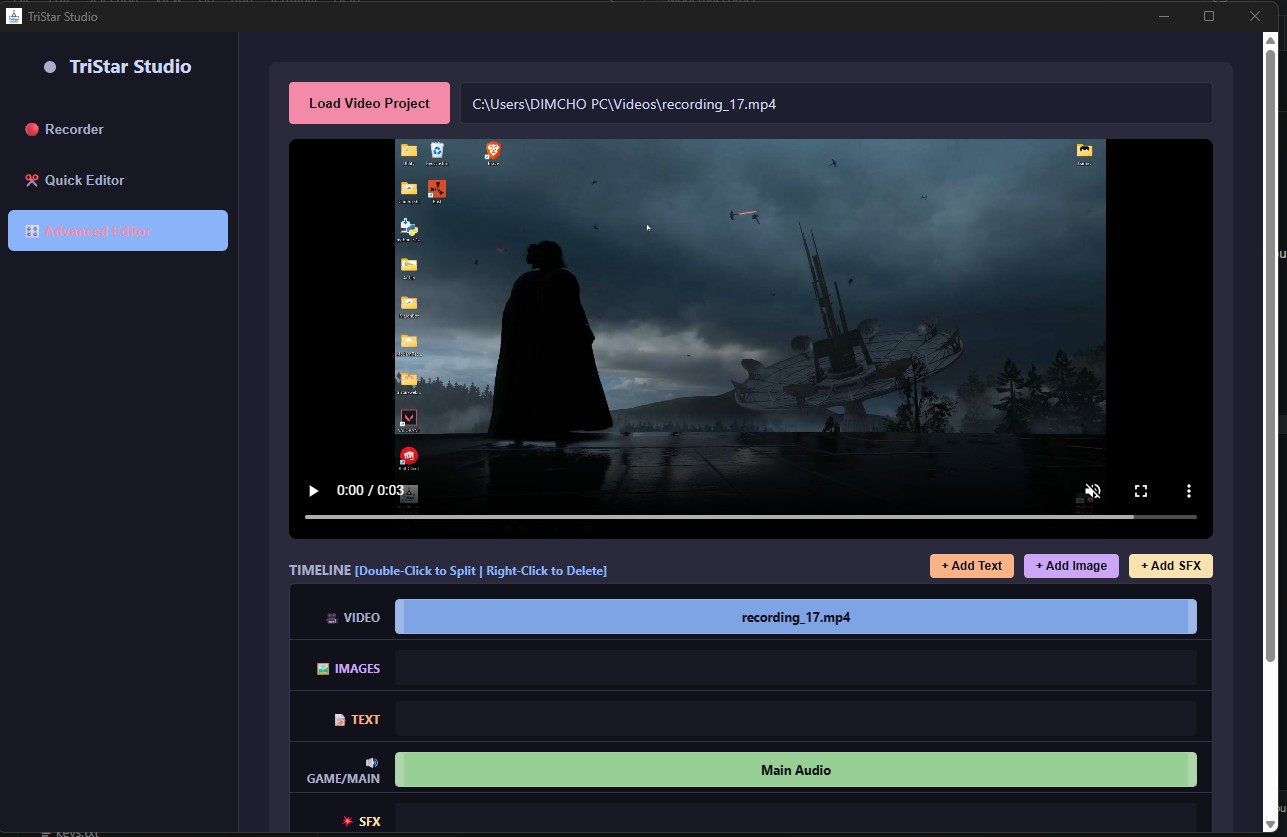
  • Everything is FREE: The store, license keys, and lock screens have been nuked. The Advanced Editor, Audio Routing, and Discord Compressor are fully unlocked.
  • "Advanced Editor" Overhaul: The Studio Editor has been renamed and upgraded. You can now resize text overlays by directly clicking and dragging them on the preview screen, just like in a professional editor. We also added a Quick Color palette and high-contrast text outlines so your captions pop on any background.
  • Natively Bundled Engine: TriStar now carries its own video rendering engine natively. If you download this on a fresh PC or laptop, it just works. No more crashes when trying to compress or render files.
  • Smart Auto-Saving: Completely overhauled the saving logic. The app now defaults straight to your Windows Videos folder and automatically generates safe file names using timestamps so you never accidentally overwrite your old clips.
  • UI Tweaks: Cleaned up the button styling.

Enjoy the completely unlocked editor! Let me know what you think of the new text dragging tools in the comments.
link: https://karto33.itch.io/tristar-studio-quick

 hey y'all , got a new update out for TriStar Quick  with some needed changes . here is what's new in this version:

  • Bundled FFmpeg natively: the app now carries its own video engine inside the installer. if you download it on a fresh pc or laptop that doesn't have ffmpeg installed, it works now and won't just crash when you hit compress.
  • New convenient save system:  overhauled how saving works. it now defaults straight to your Windows Videos folder so you don't have to pick a folder.
  • Customizable folder paths: Made it so now you can choose where your edited and compressed videos can go.

Hey everyone! I just released TriStar Studio Quick — a free, lightweight screen recorder built for people who don't want to deal with OBS just to record a quick clip.

It does three things in one app:

— Screen recording with a single hotkey (F9)

— Built-in Discord compressor to shrink clips under 10MB instantly

— Quick Editor for trimming and cutting your footage

I also just shipped an update to the Quick Editor:

— Undo button added — no more ruined cuts

— Split clips in half with one click

It's completely free, Windows only, no account needed. If you've been looking for something simpler than OBS or ShareX, give it a try and let me know what you think — feedback is genuinely appreciated since it's a fresh release.
link: https://karto33.itch.io/tristar-studio-quick

Hey guys, new upgrades. First, the quick editing has been improved with now being able to cut parts in half and also an undo button if you have made a mistake and want to go back. Also I have removed the keys that were used before. Anyways, enjoy!

Ah yeah my bad. 

OBS is great but It's also a spaceship cockpit when you just need to record a 2-minute clip.

So I built TriStar Quick — a free screen recorder + compressor + editor, all in one tiny app.

Free download: https://karto33.itch.io/tristar-studio-quick

Windows-Free