Indie game storeFree gamesFun gamesHorror games
Game developmentAssetsComics
SalesBundles
Jobs
TagsGame Engines

You must be 18+ to view this content

!Ω Factorial Omega: My Dystopian Robot Girlfriend may contain content you must be 18+ to view.

The creator of this page has specified that it contains mature themes and content. Please enter your birthdate to verify you are 18 or older:

or Return to itch.io

Cant Open The game on PC While it opens on browser

A topic by Lynex created Apr 10, 2026 Views: 1,380 Replies: 11
Viewing posts 1 to 4

i played for a while in browser then i wanted to play it on pc to so i downloaded it but for some reason it just crashes everytime i try to open it it works compleatly fine on web tho. and i tried to download again to see maybe i did smth to the files but it didnt work again. it just opens with a white screen then the unity crash window pops for 0.1 seconds then everything just closes.
This usually happens when something on your PC is preventing the game from launching properly, even though the web version works fine.

Let’s go through a few things you can check:

🔧 Try these steps:

  • 1. Extract the game properly
    • Make sure you fully extract the downloaded .zip file
    • Do NOT run the game directly from inside the zip
  • 2. Move the game folder
    • Place the game in a simple path like:
      • C:\Games\MDRG\
    • Avoid folders like Desktop, Downloads, or folders with special characters
  • 3. Check antivirus / Windows Defender
    • Your antivirus may be blocking or deleting files silently
    • Try temporarily disabling it or adding the game folder to exclusions
  • 4. Install / update required runtimes
    • Install:
      • Microsoft Visual C++ Redistributables (both x86 & x64)
      • .NET Runtime
  • 5. Run as Administrator
    • Right-click the game .exe → Run as Administrator
  • 6. Check for corrupted download
    • Re-download the game from the official page
    • Make sure the file size matches

⚠️ Important:

Since the web version works, your save is fine — this is most likely a local PC issue, not a game bug.

💡 If it still crashes:

Please provide:

  • Your Windows version
  • A screenshot of the game folder
  • Whether you’re using any external mods (MelonLoader, etc.)

That will help us narrow it down further.

(3 edits)

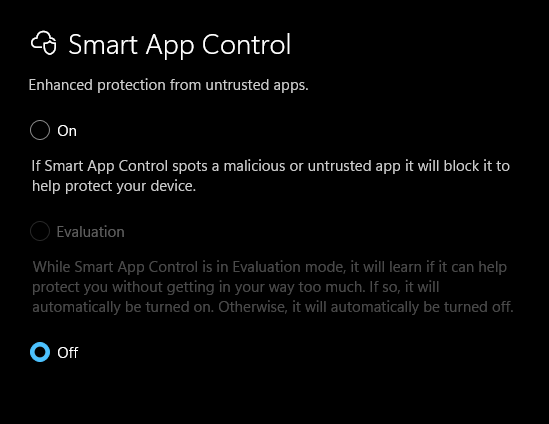
I tried everthing you listed still game crashed first i forgot to turn of smart app protection so it said failed to load il2cpp idk if its important after i turned that off to and downloaded again it just started to crash i even formated my laptop to try again but there was no changes

Windows Version: 25H2

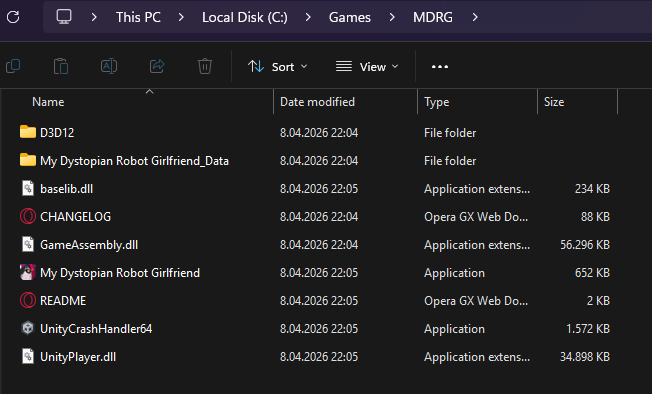
Game Folder :

image.png

i dont use any external mods

and sry for late reply

(1 edit)

Have you tried these yet?
You should try the number 5, Launch the game as Administrator.

  • 1. Extract the game properly
    • Make sure you fully extract the downloaded .zip file
    • Do NOT run the game directly from inside the zip
  • 2. Move the game folder
    • Place the game in a simple path like:
      • C:\Games\MDRG\
    • Avoid folders like Desktop, Downloads, or folders with special characters
  • 3. Check antivirus / Windows Defender
    • Your antivirus may be blocking or deleting files silently
    • Try temporarily disabling it or adding the game folder to exclusions
  • 4. Install / update required runtimes
    • Install:
      • Microsoft Visual C++ Redistributables (both x86 & x64)
      • .NET Runtime
  • 5. Run as Administrator
    • Right-click the game .exe → Run as Administrator
  • 6. Check for corrupted download
    • Re-download the game from the official page
    • Make sure the file size matches

yes i did everthing you listed

  1. im sure i extracted it properly
  2. i moved it to a simpler folder like you said
  3. i disabled windows defender and i dont use any other antivirus and i disabled it while downloading to
  4. i installed both microsoft visual C++ and .NET Runtime
  5. i tried to run it as administrator several times
  6. i did download it from the offical page 3 to 4 times when it didnt work and made sure file size matches and when i extract it it goes up to 1,15 GB i cant confirm if it should be this much bc i couldnt find any confirmation abt it in the official page

Thank you for providing all the details, this helps a lot.

Since you have already:

  • Extracted properly
  • Moved to a clean path (C:\Games\MDRG)
  • Disabled antivirus
  • Installed VC++ and .NET
  • Tried running as admin
  • Re-downloaded multiple times

👉🏻 This is no longer a basic setup issue

🔍 Most likely causes at this point:

1. ⚠️ Windows Security / Smart App Control (VERY likely):

You mentioned earlier:

“failed to load il2cpp” after Smart App Protection

Even if you turned it off, Windows may have already blocked or quarantined files

👉🏻 Please check:

  • Windows Security → Protection History
  • Look for anything related to:
    • GameAssembly.dll
    • UnityPlayer.dll
    • the game .exe

If found: 👉🏻 Restore the file and add the game folder to exclusions

2. ⚠️ Missing / blocked game files:

From your screenshot, your folder looks correct, but:

👉🏻 The key file is:

  • GameAssembly.dll

If this file is:

  • Missing
  • 0 KB
  • Or corrupted

👉🏻 The game will instantly crash like you described

3. ⚠️ Extraction issue (very common on Windows 11):

Even if you extracted it:

👉🏻 Try this:

  • Delete the entire game folder
  • Re-download again
  • Use 7-Zip or WinRAR (NOT Windows default extractor)
  • Extract to:
C:\Games\MDRG\

4. ⚠️ File size confirmation:

You mentioned:

“it goes up to ~1.15 GB”

👉🏻 That is normal after extraction
So your download is likely not the issue

❗ Important conclusion:

Since:

  • Web version works
  • Fresh install didn’t fix it
  • You even formatted your PC

👉🏻 This strongly points to:

Windows blocking or interfering with Unity IL2CPP files

👉🏻 Final thing to try:

    • Disable:
      • Smart App Control
      • Windows Defender (temporarily)
    • Re-download + re-extract using 7-Zip
    • Add this folder to exclusions:
    C:\Games\MDRG\
    
      • Run the game again

      💬 If it STILL crashes:

      Please send:

      • Screenshot of Protection History
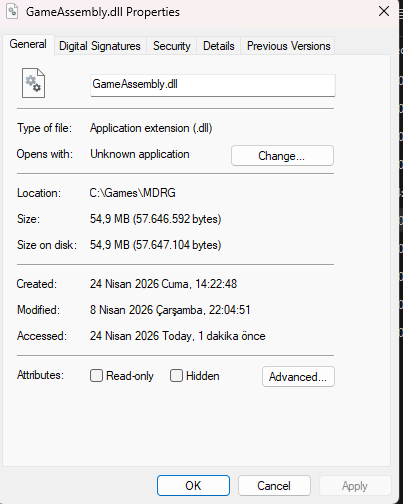
      • Screenshot of GameAssembly.dll properties (size)
      • Confirmation if Smart App Control is OFF

      We’ll go deeper from there 👍🏻

      Bro I am facing the same issue 

      It opens with an red exclamation mark for a sec and vanishes

      How did you get rid of this error?
      Tell me man plse

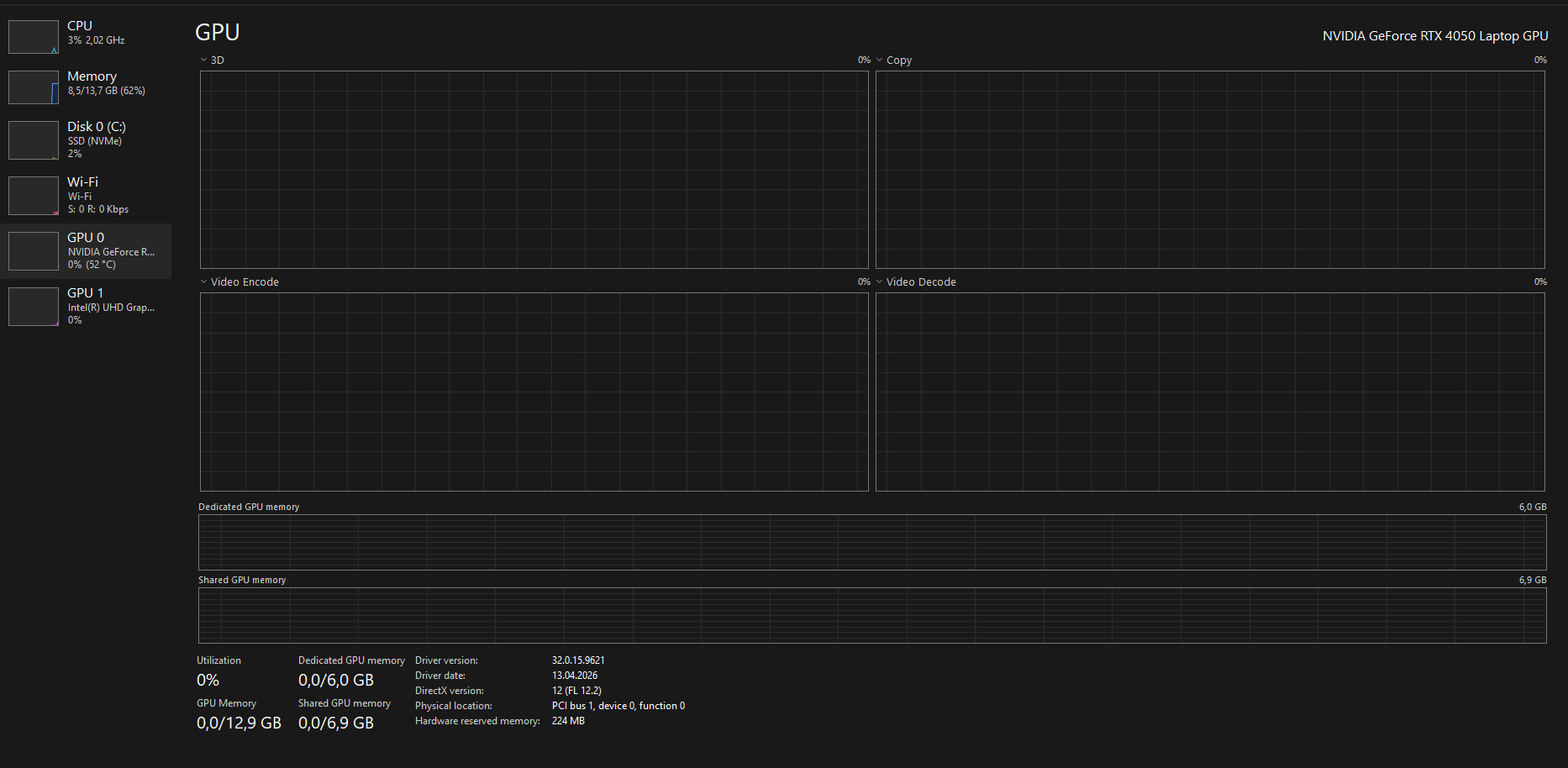
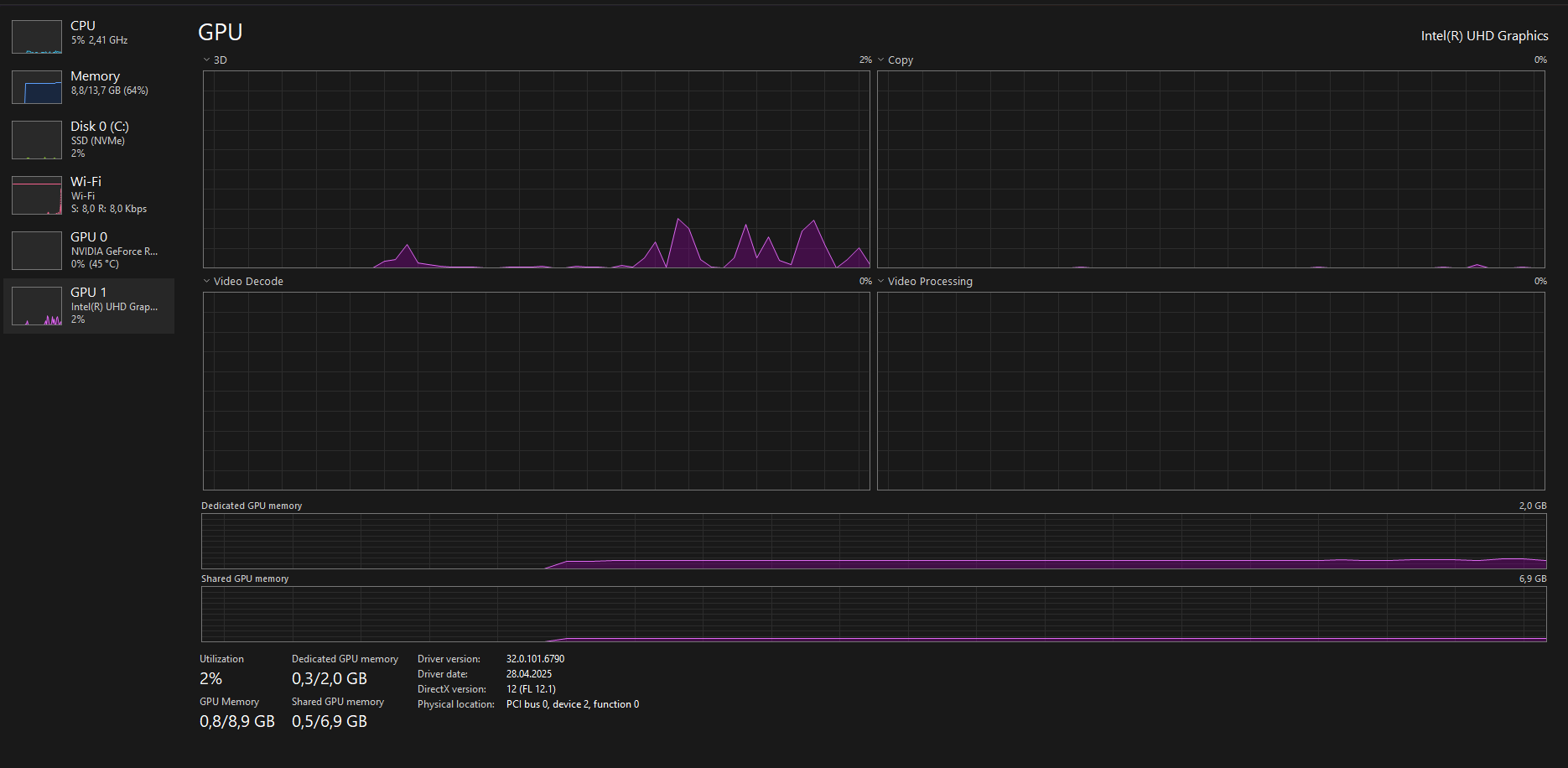
      My error was bc i was using 2 gpus in my laptop in hybrid mode(1 intel 1 nvdia) your error might be bc of something different

      RIP
      Well I will just play on website then
      Thx bro

      (2 edits)

      sry for late reply… again. I read what you writen but i formated my laptop again for another issue and did everything you said on the previus messages and got a diff result this time the first time i opened the game after i formated even after i reinstalled it didnt gave me the same result it gave me the title screen in fullscreen for like 3 sc then exited fullscreen then it got stuck in not responding state for 1 minute after that i forced it to close this didnt happen more than once since i formated anyways

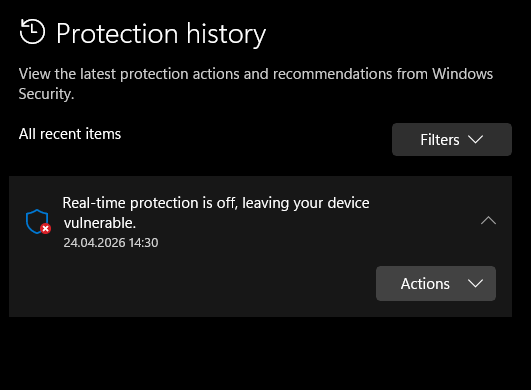
      1. i checked my defender history there was only real time protection being off image.png
      2. i checked its not missing or 0kb i dont know how to check its corrupted tho
      3. i used winrar extractor from the beginging
      4. i checked if the size is correct every single time i downloaded
      5. i tried using 7-Zip to extract the files it gave me the same result image.png image.png image.png

      its probly not important but the reason i formated my laptop is bc of google play games not instaling or opening the games. it worked when i downloaded it after a format but if i reboot my pc it stops working again and no matter how many times i reinstall it doesnt work.this might be happening bc my laptop has smth broken or smth bc this is not the first app to cause problems when it should work smoothly

      Deleted 73 days ago
      (1 edit)

      soo i tried the suggestions but it didnt work

      1. i gone to nvdia app and intel graphics software to update my drivers
      2. i installed directx from https://www.microsoft.com/en-us/download/details.aspx?id=35
      3. i removed and installed x86 and x64 versions of visual C++
      4. i run a system check but i didnt find any anomalies

      image.png image.png product number: 9J254EA#AB8

      Deleted 73 days ago
      (1 edit)

      thank you so much disabling hybird worked you are the best. thank you so much again i realy appreciate it.

      Deleted 73 days ago