
Indie game storeFree gamesFun gamesHorror games
Game developmentAssetsComics
SalesBundles
Jobs
TagsGame Engines

Metroidvania | Tileset & Characters

HUGE Assetpack Characters, Tileset in an dark metroidvania setting · By Sam

I bought this pack for the tiles and I have no clue how to set the tileset in Godot

A topic by varepato created 54 days ago Views: 50 Replies: 2
Viewing posts 1 to 3

Hi.

I'm having issues to set this pack in godot 4.7. I'm not understanding how to set up the terrains or which tile correspond to what part. 

I created a tileset of 8x8 but i wanted 16 by 16 tiles, and these are not 16 by 16. When i try to do that i select things that are not part of the big tile i want to make. I'm finding it very difficult to use even when setting it up to 8x8 because im not sure if a tile belongs to the middle part or the center or the bottom, etc.

What i'm doing is editing it in aseprite and putting together something simpler.

If anyone has any advice for godot let me know.
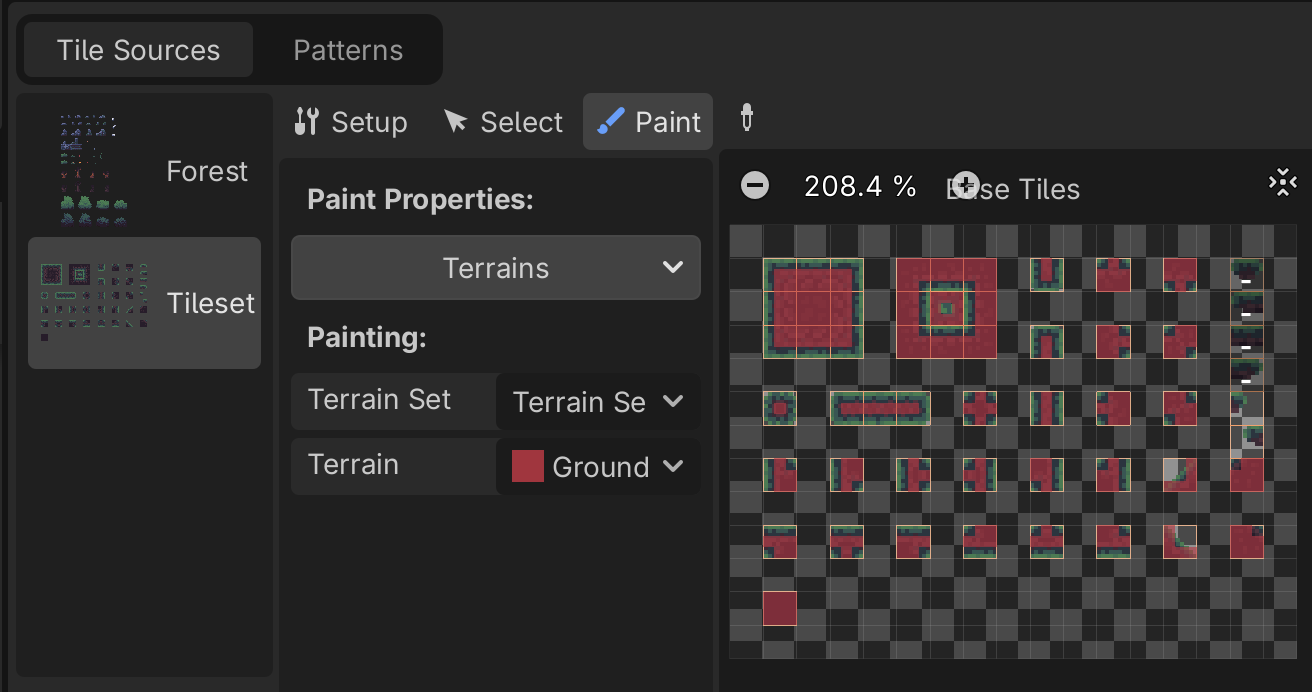
For example this is something i expected to do. but i cannot wrap my head around the tileset to order it like this.

Developer

Hey Varepo,

It's an 8x8 grid you have to use. You can have a look in tiled and open the "s4m_ur4i_dark_metroidvania_example_tilemap.tmx" it's an example to show you the exact setup. 8x8 is the base tile size while there are 16x16 tiles (4 times 8x8) tiles in all the sets to visually have smaller and bigger corresponding blocks.

Hope that helps
- Sam