

Hey thanks StarDDDude!
Yeah I built it to create renders for music videos initially! You should be able to get away with all sorts of tricks with the tool, let me know how it goes - You can toggle the FPS in the output settings.
It went… somewhat well. The main issue is that I am unsure if I actually prefer it over just having a 3D Model. But I’ll have to check back on that when I have more visually distinct rooms.
You can catch a little glimpse of the effect in this video: Link to Video on Bluesky
And here’s a more focused render:
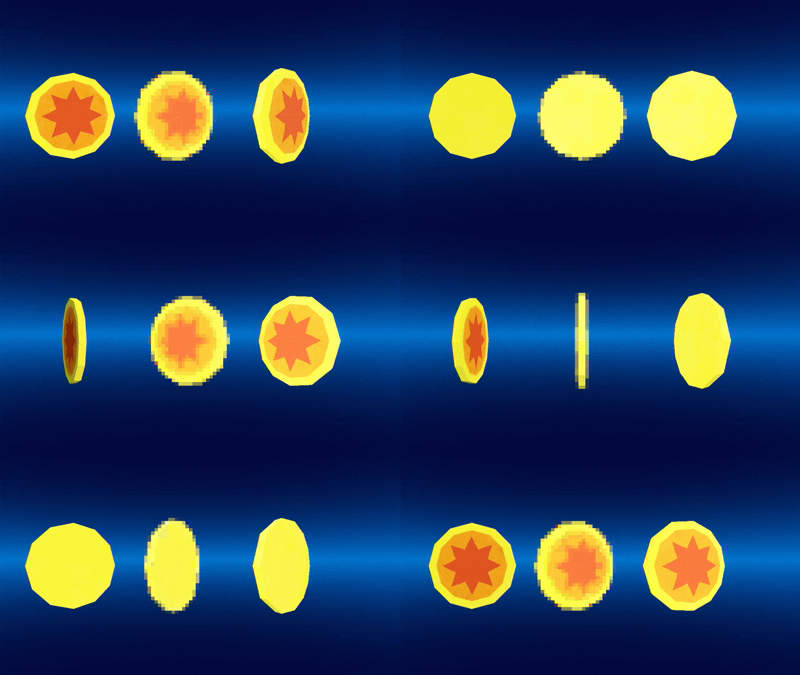
I know the framerate can be changed, but there’s just a few presets. I was aiming for a very specific low framerate. I ended up just animating 24 fps for 1 second and discarding every second frame, resulting in 12 frames (writing that I realized I could’ve just gone with 24 fps at 0.5 seconds).
I did actually find a little issue on the tool. Though it is a very unusual edge case.
On very very low resolutions (32x32) when using a transparent background, the edges of the render are still blended with a back-ground color, resulting in a faint shaded outside:
Output

Corrected

With my knowledge on rendering I expect that’s either 2 lines being executed in the “wrong” order, or the most impossible thing to fix in 3D graphics.
Hey StarDDDude, thank you for the detailed feedback!
The alpha blending with background issue, I can't do too much about unfortunately, it's a limitation of web - but the artifacting I can definitely look into! (Might need an anti-aliasing pass and some form of "nearest neighbour" toggle)
I'll prod around with the anti-aliasing this week, and I'll see about unlocking the frame rate to have as many (or as little) frames as you like!
Thanks again for your feedback!