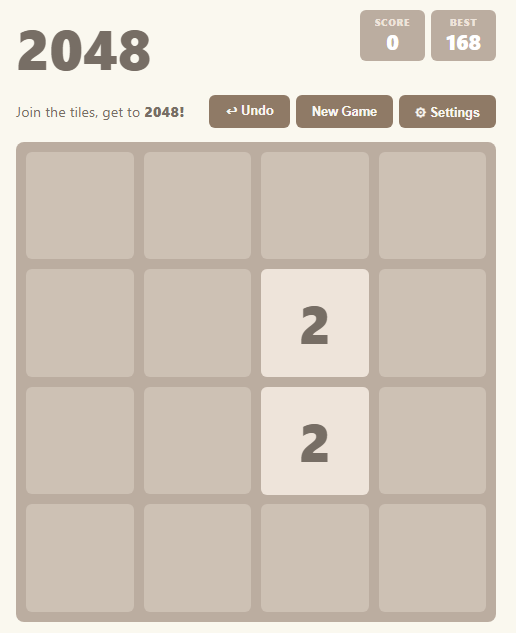
I played a normal run for 20+ moves, then tested the 3×3 board and Undo. Keyboard input felt immediate, merges were smooth, the grid-size switch correctly started a fresh board, and Undo restored the previous state as expected. The per-grid best score plus speed controls are good quality-of-life details.
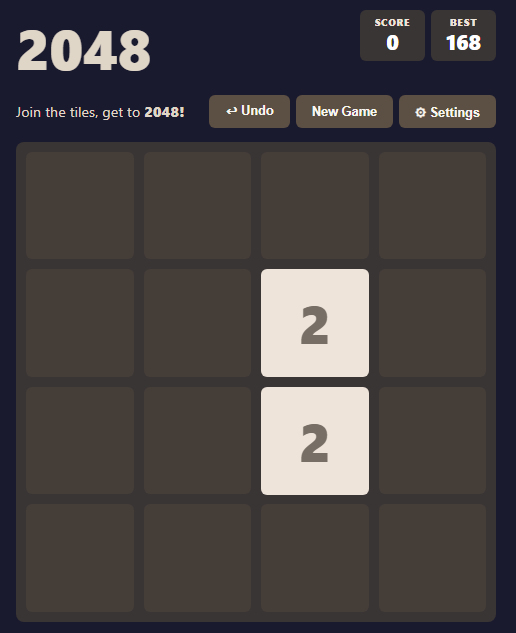
The settings are the main differentiator from standard 2048, but the panel presents many novelty modes at once. I would group them into “Board”, “Accessibility”, and “Fun/Chaos”, or reveal the joke modes under an Advanced/Fun section so a new player sees the important controls first.
Accessibility issue: during active play, the page’s accessibility tree still exposes the hidden “Game Over!” and Settings headings, while the Dark/Emoji/Party/Drunk/Chaos toggles are not exposed as clearly named buttons or switches. Screen-reader users may hear a game-over state that is not visible and may be unable to operate the toggles. Adding proper hidden-state handling and labelled switch semantics would improve this a lot. The game itself works cleanly; the next step is making the settings feel curated rather than simply numerous.
I thing I have actually never player 2048 before. I have heard about it, but not played, until now.
I got to 512 with the first and only try.
I can see why people like this game, although didnt see it that interesting to myself.
So, now comes the question of what is your aim for this game?
If it was just to make a simple game to see if you are able to do it. Then yes, you did it, and it is a fine product.
If aim is to make commercial game, then comes the question of, does this offer something worthy, compared to other similar ones? And right now, except for the possibility that you can change the size of the grid (which is an idea I like very much) it doesnt.
But, this is a simple game and there is only so much you can do for something like this.
If planning to just keep it as it is, and wanting to make it better.
First thing that comes to my mind is that somehow that movement didnt work very well. I often times had to try to do the movement several times before pieces actually moved. Not sure if problem was with your interface, or on my machine somehow.
But how I want the movement to work, is to simply click mouse button down on any location on the board, and pull it to the direction I want pieces to move. It shouldnt matter if is is edge piece, or middle piece, or whatever, as long as I push the mouse down, and move my mouse to certain direction, I expect pieces to move.
As long as that works smoothly, if I am looking for a game of 2048 to play, that will already take you a long way.
After that it is to give just all kind of animation. Like make pieces shine when they are waiting for something to happen. give them some animation when they move, other than just actually moving. When they merge, make some animation and fire crackers for that etc.
That is basically the way to make this kind of game better, unless you are going for something more special, like different kind of levels, as in, you could have some sort of story, or challenge mode, where yo are not aiming at 2048 directly, but first level just 16, next level 32, then 64, and add some permanent blocks to the board etc. to make different kind of challenges. That could bring something more to a game like this.
But, once again, what is your aim? If it is simply to have some exercive in making a simple game, then in that you succeeded already, and with the additional grid sizing, you could even say that you overdid it a bit.
this game will stay how ti si but the ovment issue is because if you want to pkay on mobile touch control and laptop/pc you can use arrow keys and wasd.
Ah, didnt realise the Arrow key option. That is a good option when playing with computer. Would solve the problem of not reacting to mouse movement (which I assume probably had to do with my computer somehow, rather than problem with the code)



Comments
I played a normal run for 20+ moves, then tested the 3×3 board and Undo. Keyboard input felt immediate, merges were smooth, the grid-size switch correctly started a fresh board, and Undo restored the previous state as expected. The per-grid best score plus speed controls are good quality-of-life details.
The settings are the main differentiator from standard 2048, but the panel presents many novelty modes at once. I would group them into “Board”, “Accessibility”, and “Fun/Chaos”, or reveal the joke modes under an Advanced/Fun section so a new player sees the important controls first.
Accessibility issue: during active play, the page’s accessibility tree still exposes the hidden “Game Over!” and Settings headings, while the Dark/Emoji/Party/Drunk/Chaos toggles are not exposed as clearly named buttons or switches. Screen-reader users may hear a game-over state that is not visible and may be unable to operate the toggles. Adding proper hidden-state handling and labelled switch semantics would improve this a lot. The game itself works cleanly; the next step is making the settings feel curated rather than simply numerous.
thanks for feadback.
I thing I have actually never player 2048 before. I have heard about it, but not played, until now.
I got to 512 with the first and only try.
I can see why people like this game, although didnt see it that interesting to myself.
So, now comes the question of what is your aim for this game?
If it was just to make a simple game to see if you are able to do it. Then yes, you did it, and it is a fine product.
If aim is to make commercial game, then comes the question of, does this offer something worthy, compared to other similar ones? And right now, except for the possibility that you can change the size of the grid (which is an idea I like very much) it doesnt.
But, this is a simple game and there is only so much you can do for something like this.
If planning to just keep it as it is, and wanting to make it better.
First thing that comes to my mind is that somehow that movement didnt work very well. I often times had to try to do the movement several times before pieces actually moved. Not sure if problem was with your interface, or on my machine somehow.
But how I want the movement to work, is to simply click mouse button down on any location on the board, and pull it to the direction I want pieces to move. It shouldnt matter if is is edge piece, or middle piece, or whatever, as long as I push the mouse down, and move my mouse to certain direction, I expect pieces to move.
As long as that works smoothly, if I am looking for a game of 2048 to play, that will already take you a long way.
After that it is to give just all kind of animation. Like make pieces shine when they are waiting for something to happen. give them some animation when they move, other than just actually moving. When they merge, make some animation and fire crackers for that etc.
That is basically the way to make this kind of game better, unless you are going for something more special, like different kind of levels, as in, you could have some sort of story, or challenge mode, where yo are not aiming at 2048 directly, but first level just 16, next level 32, then 64, and add some permanent blocks to the board etc. to make different kind of challenges. That could bring something more to a game like this.
But, once again, what is your aim? If it is simply to have some exercive in making a simple game, then in that you succeeded already, and with the additional grid sizing, you could even say that you overdid it a bit.
this game will stay how ti si but the ovment issue is because if you want to pkay on mobile touch control and laptop/pc you can use arrow keys and wasd.
Ah, didnt realise the Arrow key option. That is a good option when playing with computer. Would solve the problem of not reacting to mouse movement (which I assume probably had to do with my computer somehow, rather than problem with the code)
sorry for my writing i was writing in dark at night.