

It’s really rare for that to happen, and while I’m not 100% sure it will work, I recommend this:
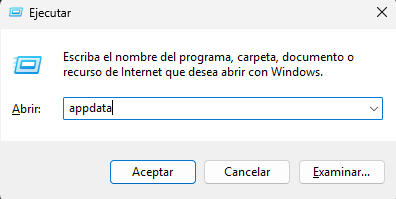
First, open AppData (Win + R), type ‘appdata’, and press Enter.
Navigate to the LocalLow folder until you find the ‘Arvus Games’ folder. Delete all the files in that folder. This will delete your saved games (which, if the game crashes at the beginning, will result in no progress), as well as any corrupted files.
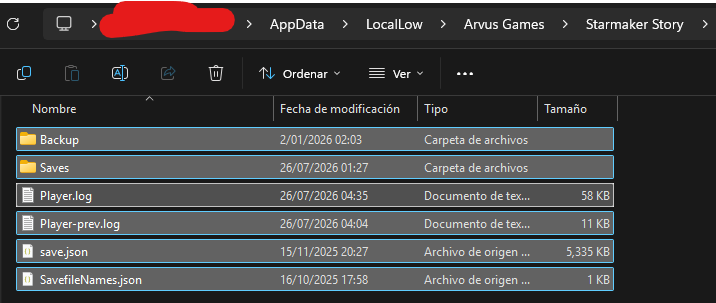
That should be enough, and when you start a new game, everything should be fine. But if it isn’t, you can try running the game as administrator to avoid any potential conflicts. Let’s hope it works.