
Indie game storeFree gamesFun gamesHorror games
Game developmentAssetsComics
SalesBundles
Jobs
TagsGame Engines

The Choicer Voicer

Match your voice against your choice of audio clips in a mini-gameshow! · By YeahMaybe

Discuss mic issues here Sticky

A topic by YeahMaybe created 33 days ago Views: 47,798 Replies: 187
Viewing posts 41 to 60 of 114 · Next page · Previous page · First page · Last page

i cant download it on my phone put i already bought it

(+4)

I keep seeing people having problems with the mic not picking up, I'm not seeing a whole lot about not being able to hear the recording.

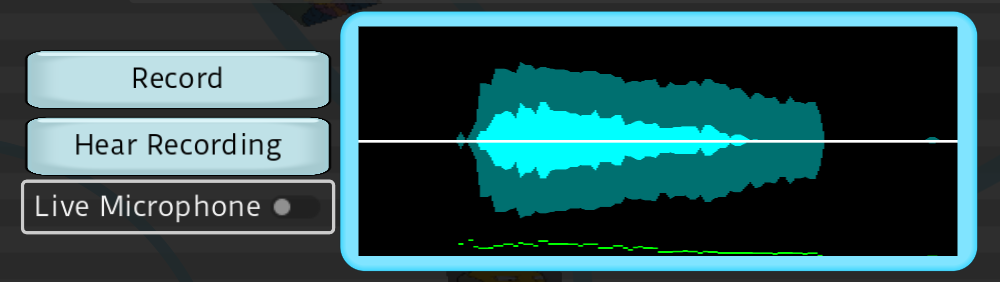
I can tell it's picking up my voice and I can hear my voice just fine when I do a LIVE MICROPHONE, but I can't hear it when I click HEAR RECORDING. I tried doing a quick Dub Mode and it appeared to have picked up my voice but at the end I couldn't hear my voice.  I've tried different output devices and I just don't get anything.  I can hear the music and everything else in the app, so it doesn't seem to be any problems with computer audio. Please help me understand what's not working.
(+1)

I'm having the exact same issue. The game appears to be picking up my audio but I can't hear it back... have tried all the sound settings changes that seem to be working for some people but nothing is helping. I did hear my "Hear Recording" once after changing the output from my headset to something else, and then switching it back, but this only worked once and hasn't again since. My friend has the exact same headset and audio setup as me and it's working no issues for them.

(+1)

SAME!

(+1)

same here!!! 

Yeah, I ran into the exact same problem. If anyone is wondering why this happens, it's a bug in the game engine itself, which struggles with audio capture when wireless devices are involved. The game picks up your voice signal, but the engine freezes up and fails to save or output the recorded audio file if Bluetooth headphones are set as the default device.

To fix it, you can set your standard motherboard audio and your microphone as the default devices in Windows, and then plug in regular 3.5mm wired headphones directly into the back of your PC. If you really want to use wireless headphones, you'll need to install a virtual audio cable program to bridge the audio stream so the game thinks it's working with a standard wired connection, and then everything will record and playback properly.

I use a Yeti Snowball Mic and it doesnt even pick up the mic in game, no audio comes through

Im on linux, not sure if anyone else is, but all other audio in game is working except the playback of my mic, i know my mic is picking up since the audio waves appear when i talk and i know my mic works in other apps, but for some reason none of the in game options for audio output device let me hear the playback of what ive just recorded, i can hear the video, i can hear the dialogue im dubbing, i just cant hear what ive recorded, anyone know any fixes?

(1 edit)

it doesn’t work for me:/ it won’t pick up my voice. I’m on windows. 

Unfortunately the mic still does not work D:

my mic says it connects into the game but it doesnt pick my voice up?? 

Experiencing the same issues, I could only hear my microphone when I go to to live recording. The sound waves shows that my voice is being recorded but when I play it back I dont hear anything

me too please help

(+1)

My mic keeping clipping and has a chopped effect when I go and us it. When it sounds fine in the settings i go to dub mode to do a video and the audio is all clipping. Is this a problem in the game or something that needs to be solved on my devices settings?

i have the same problem! hopefully this gets answered soon

Does anyone's game crash when they try to change the audio input device in the settings?

Hello, my mics work on the settings section, but when they are selected in the "multiplayer" layer, the game only records the selected in the "settings" section and ignores the other mics selected, could you help me?

my mic works yet if i hold a note for long it just cuts to silence. its almost as if theres some weird background noise cancellation software on it (if there isnt). yet if i turn it any higher to pickup more audio it just peaks like crazy so easily and just not pickup the audio yet again. the footage i do have when its able to record stuff usually rather quiet.  so i cant pull the gain down cs it peaks anyway even if i dont 

(+1)

i have a lenovo yoga laptop that only runs the mic on 48000 Hz. I already tired to change it and i can't. (ive spent hours trying to make this mic work, TRUST ME) i've seen that the mic only works for a Hz lower than that. does that mean i have to wait for the game to be updated to play it? i just bought it and my mic isnt working.

im using a FIFINE AM8T with it being routed through steel seris.GG software. it records my mic but theres no play back

I'm using Voicemeeter so i can route discord output into the game (this is so i can play with friends over discord). and when voicemeeter is running all of the inputs and outputs in the game disappear (only "default" remains) . This only happens inside of this game, please fix it we would love to play this together in discord calls.

mic doesnt work. why am i paying for a game that doesnt work.

I have a audio technicia mic hooked up through a Scarlett Solo interface and i cant seem to get this working, ive tried a ton. It worked one time, but it was super delayed from when i actually spoke into the mic, after that it has just been not working.

(+2)

It feels like i have to talk right as soon as I click the record button when dubbing something or anything in general. There's delay whenever I talk and it leads to certain lines getting cut off early when recorded cause there wasn't enough time to fit the whole thing into the recording.

same i dont know what to do, it plays finee for like 2 secs then after tht it makes a weird sounds and then now my voice is delayed like 3-5secs but its only does it for my fifine mic and not my headset mic for some weird reason 

same i record normally but lines are delaying and there is olsa a crackling sound after i dub it 

(+1)

So basically, every time I try to use my mic, it works fine for like 3 seconds, then it starts breaking up a little. Then BOOM, it gets delayed, and it’s like what I just said gets repeated/doubled, and now everything I’m saying is delayed. My bad if I’m explaining it horribly lol. My mic is a FIFINE AmpliGame AM8T. What’s really confusing me is that my headset mic works perfectly fine, but I really don’t wanna use that one because the quality is kinda ass. I’m pretty sure it has to be something on my end because I haven’t really seen anyone else having this problem. I’ve tried a few things already but I still can’t figure out what’s causing it. PLEASE HELP. I’m actually so confused right now and it’s getting annoying. (whenever you got time) and i love this gameeee frfrrrr

i got the game on august 12th and it has been working great, but last night i loaded it up and my mic registers but i cannot hear myself when i play it back. i even downloaded the new test build and the same thing is happening.  

Viewing posts 41 to 60 of 114 · Next page · Previous page · First page · Last page