

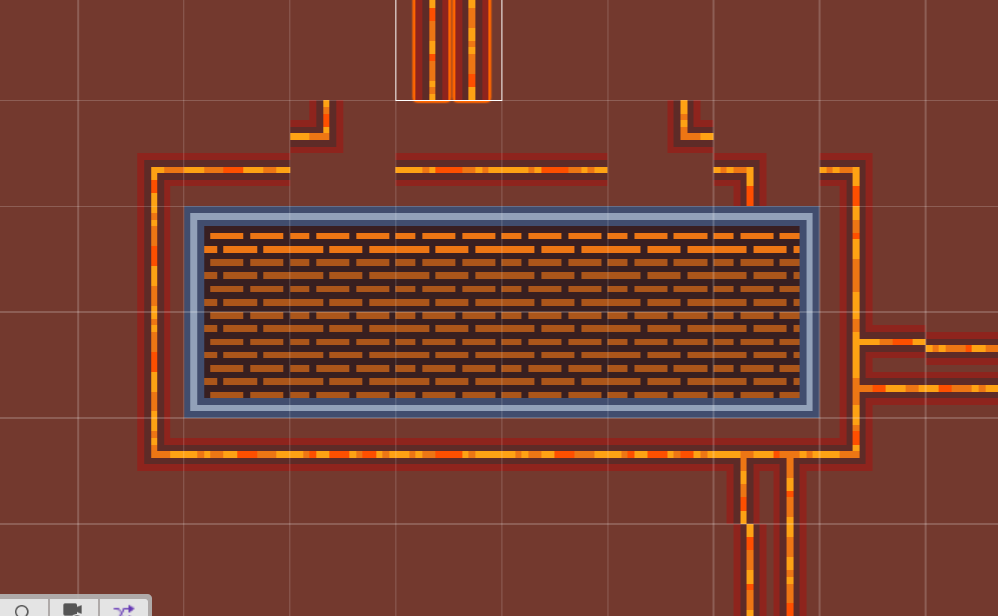
 Maybe it's just an error on my end, but I'm having issues connecting the track tiles as shown in the preview, see my image attachment.
Creating a closed rectangle is fine, but if I want to "branch off" the corners are misaligned. In this example I want to branch off towards the top off the image.
The double branches also seem misaligned by one pixel? See the two examples in the bottom right corner.
I'm working in Unity, I just sliced the image "all tiles" image as is.
The "all tiles" image is also misleading, as it does not in fact contain all tiles, it only contains some off the structures.
Again, maybe I'm wrong, so please let me know if I'm dumb :)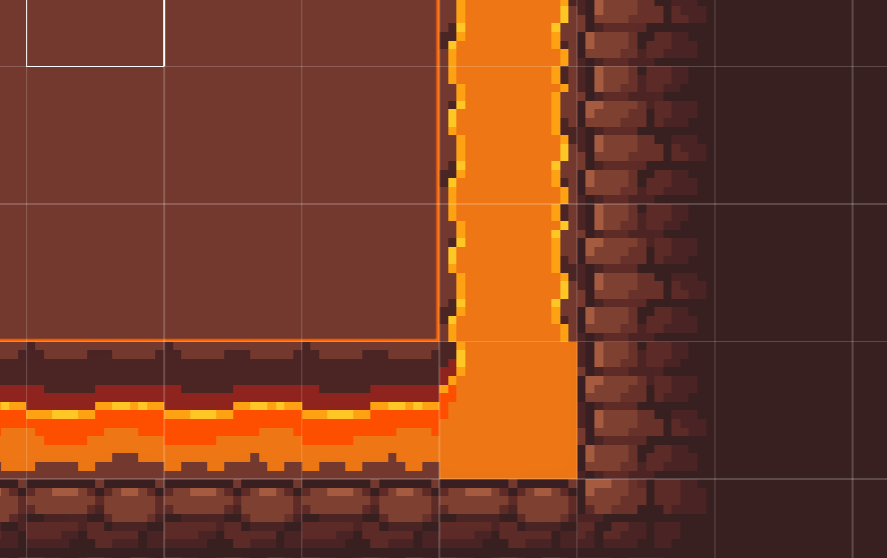
Also, it would be convenient if the lava/rock edge tiles would be on a transparent background, I want to create some close together islands but I'm missing certain combinations where I need a cliff edge one side, and a corner on the other. See the second image for an example.
One more thing:
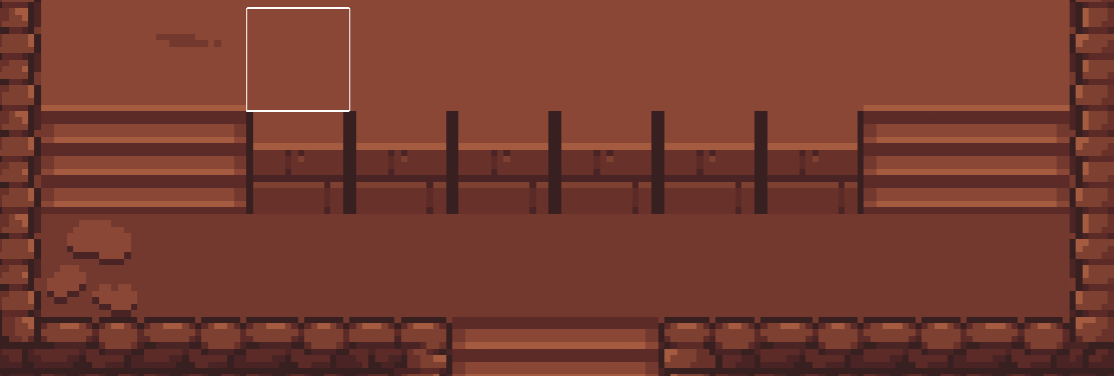 These brick walls have this dark line on their edge, which is nice when next to the stairs, but makes tiling them not really an option.
Sorry for all these nitpicks, I do really like the pack :)