
Indie game storeFree gamesFun gamesHorror games
Game developmentAssetsComics
SalesBundles
Jobs
TagsGame Engines

You must be 18+ to view this content

Tales of Voraris may contain content you must be 18+ to view.

The creator of this page has specified that it contains mature themes and content. Please enter your birthdate to verify you are 18 or older:

or Return to itch.io

Tales of Voraris

A 3D fantasy Vore RPG! Choose to be pred or prey and get lost into this world. · By M0b1

Opening on wrong monitor

A topic by Zenie Azure created 47 days ago Views: 178 Replies: 3
Viewing posts 1 to 3

Want to give this a try, but  so far it's just opening on my second monitor. Tried a couple of things to solve this like Windows Key + Shift and Alt +Enter to no luck. Doesn't help there's no fullscreen toggle.


I know this is just a very early build, but something to keep in mind. Not sure how many others have this issue (might still try it out from here,  but still kind of annoying).
seconded

Developer(+1)

Thanks for giving it a shot! I'll try to add some proper options in the next build, but for now, with the game focused, you should be able to move the game from one screen to the other by:

Shift+Windows Key+Arrow Key into the direction of your other monitor.

Hope that helps!

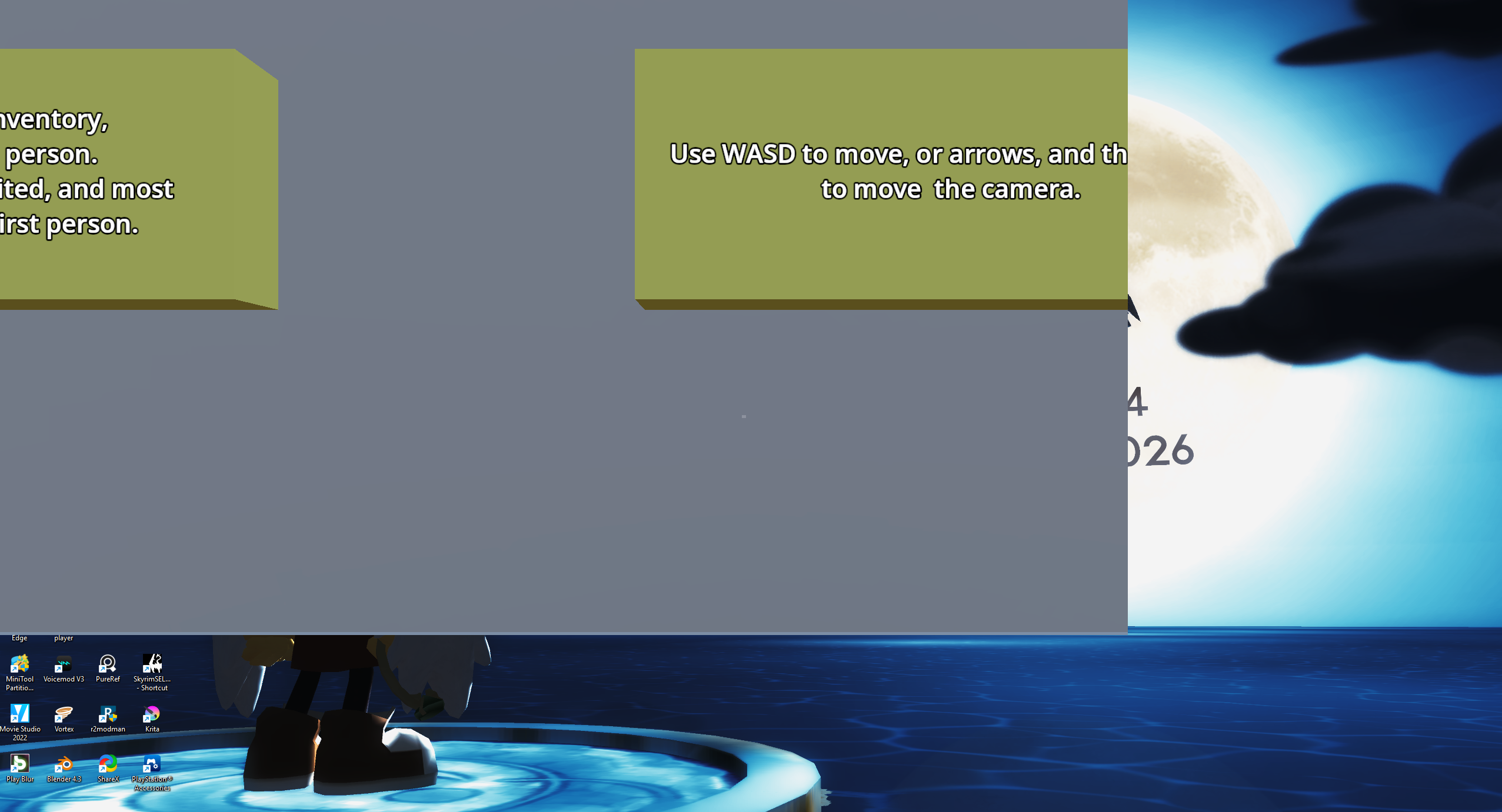
Tried that before the post and then realized my  snap   windows setting was off, so that's  sorted. New problem is that the resolution is now messed up. Pretty much just has the top left corner of the window but everything else is cut off.