
Indie game storeFree gamesFun gamesHorror games
Game developmentAssetsComics
SalesBundles
Jobs
TagsGame Engines
(1 edit) (+1)

Hi, thank you for checking us out!

Could you be more specific? Maybe show a screenshot or recording if you can reproduce it? This is a new problem to me, nobody has reported anything similar before. The camera is supposed to move ahead, but it's definitely not supposed to position the Fish off screen.

edit: if I had to guess, maybe the game viewport is being cutoff in browser, so what browser and screen resolution you use might be relevant. Also if you have a moment, I'd appreciate if you double checked your browser zoom level and maybe tested to see if it's reproducible in fullscreen mode.
(1 edit)

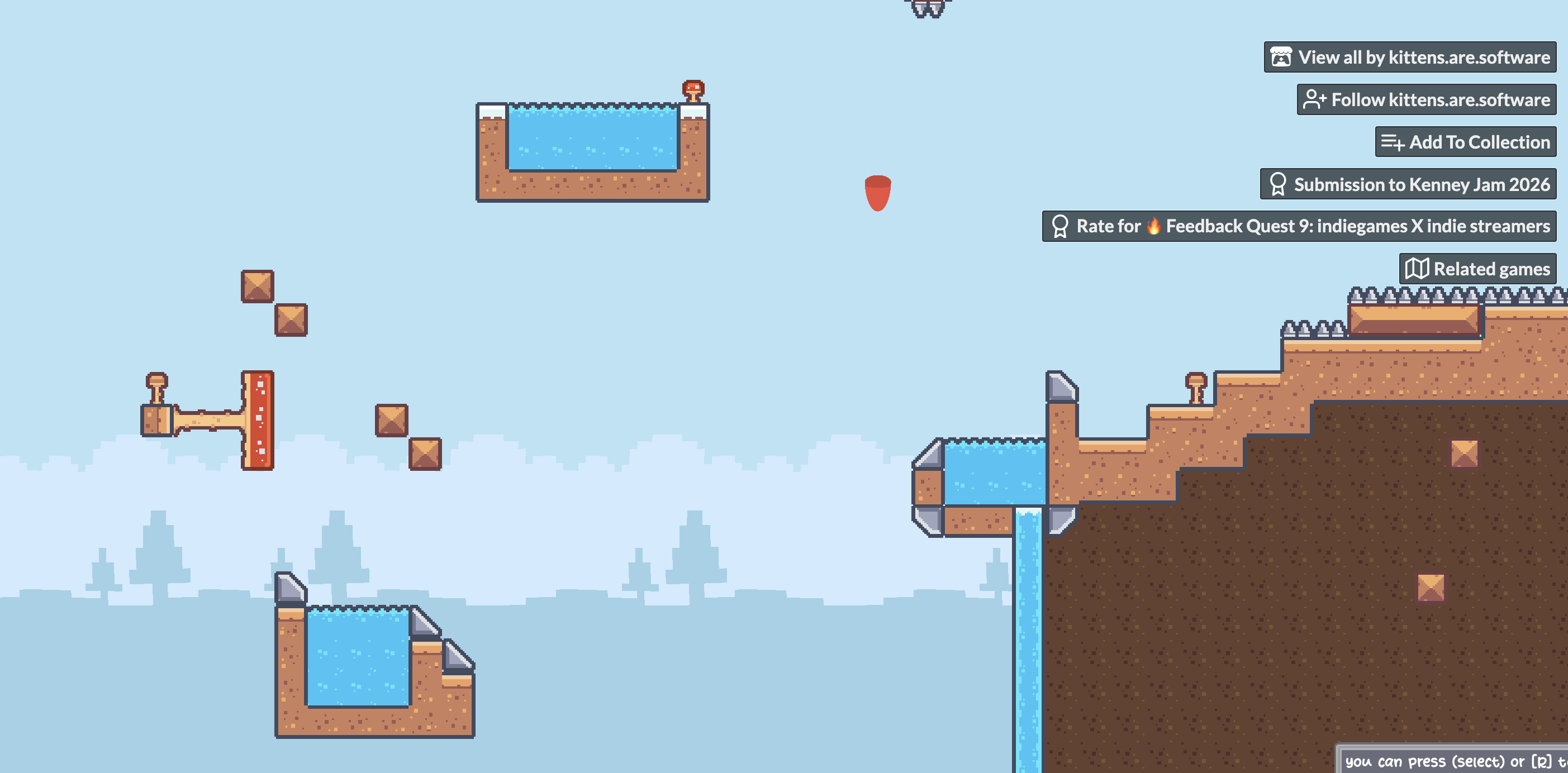
I figured out what was causing it. I’m playing on a 13-inch MacBook Air, and the game viewport is too large to fit properly on my screen in the browser.

The fish is actually located in the bottom-right section of the game, but that part of the viewport isn’t visible on my screen. That’s why it looked like the fish had been left behind when the camera moved.

I’ve attached a screenshot so you can see what I mean. So it seems to be a screen-size/responsiveness issue rather than the camera movement itself.

(+1)

odd, MacBooks usually have pretty good screen resolution, I wouldn't have guessed that but it's probably a dpi thing... regardless that's an easy fix. I reduced the web viewport size to 960x540, which I think should work on all smaller screens, and hopefully not be too tiny on big ones as well.