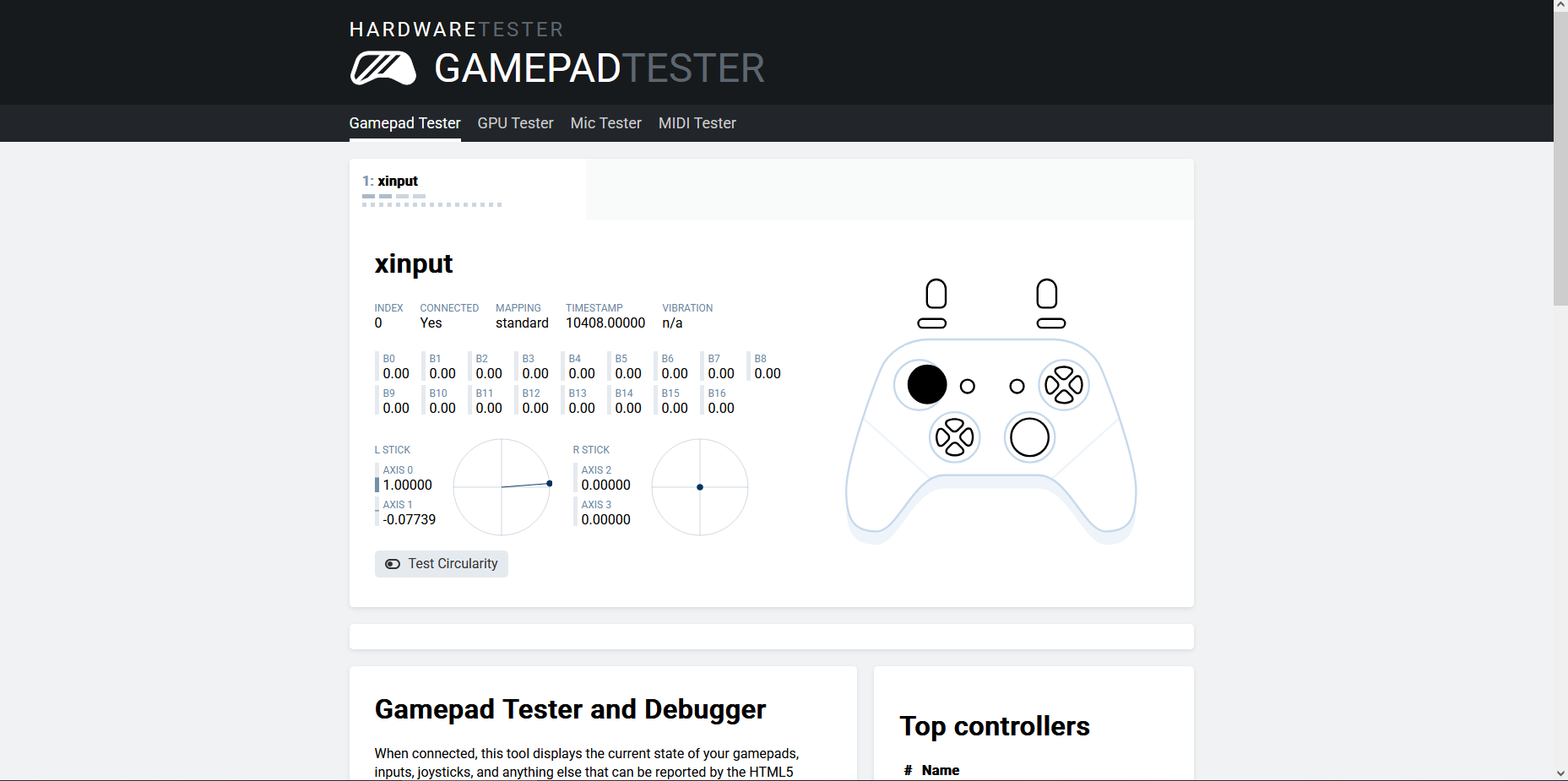
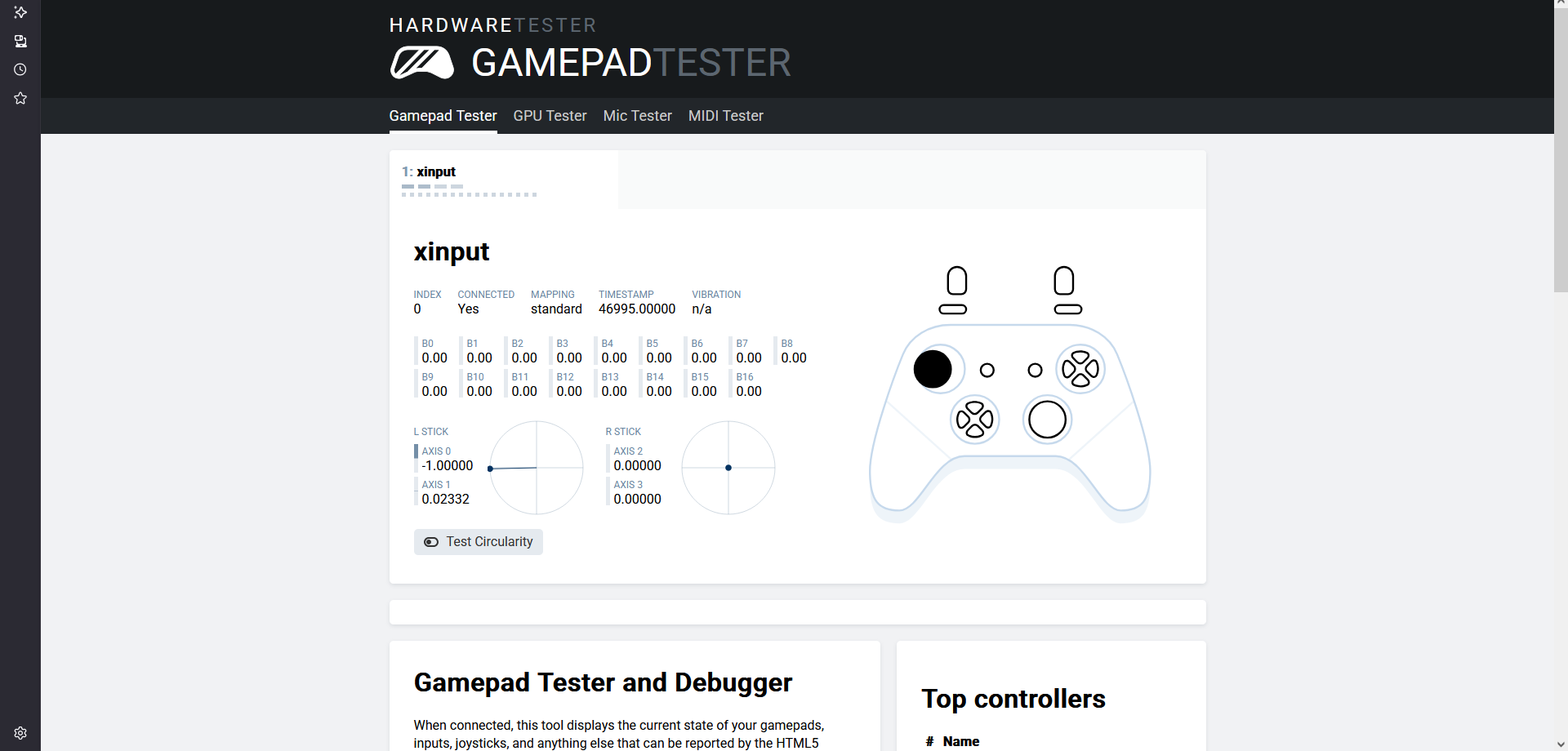
Hey!! Thanks so much for playing again! For the camera issue, I did see from the footage it kept looking either left or right for player 1, is that the camera issue you mentioned for? it could be a deadzone issue with the right stick (that's what makes looks around on controller). For the face meshes, is it the fact that the face's artstyle isn't fully 3D or you just want it to be improved in general? It's inspired from stylized games like A Hat in Time where the mouths for example are actually 2D artwork instead of super detailed 3D ones, I can look into changing it if it just looks cheap rather than retro or nicely lower-poly. Thank you for making shorts of the game!
The issue is not the texture, your texture is fine, the approach to A Hat In Time works fine, but the face anatomy form is not correct on your model's face and having the cheek being too narrow, it has the basic "generic" anime look (it's a 3 star out of 5) without the subtle details in cheeks and form of the professional anime look, the shape is fine but needs a bit of cushion, the additional fat on the cheeks, especially with the large goggles, you may have to exaggerate that a tiny bit, if you have no form around the lips due to using texture, you need to lower the nose to be smaller, that's also a tiny adjustment, smaller but still visible enough for the goggles, for a child-like face appearance to not fall in uncanny valley. (link the video, sculpture is easier to observe those details.)
Area around the chest a bit too cartoony, need a hint of collarbone definition, if you want to get away with it, you can't sell boobs, if there's boobs, there are collarbones, they go together, legs need to be a tiny bit longer to match with the large hands and head size with the hair, these little things gives a hobbyist look for anime standard, now that you updated your graphics and icons, branding with new art, you need to match market standard on the 3D model as well.
Otherwise, it's lowering those standard as a whole to Mii level, which A Hat in Time uses as well, which uses a chibi proportion and low poly for all things. Main thing is the set consistency in art direction.
Right now your direction seems to be going for a retro anime look, but since its a new game, you need to find a balance between retro look and new releases as standards, I like the current look, if I were you I would just upgrade the assets to bring up the value.
The anime ready asset models will often be that of teenager size body and proportion, you will have to make sure you find adult ones or adjust it yourself. Also you might want to start adding different outfit meshes not just texture as well to start giving it the polish of a commercial title, then it will really compete in the game market.
Yes, that camera issue looking left or right on player 1 is the issue that was inducing crash on my end.
17 days ago(+1)
for the controller, can you do me a favor and screenshot the results of this controller testing the same the controller you used for player one? If the right stick comes back at 0 that's something (really) weird i haven't ever seen on the game (and i dont think i saw that happen to you last, the camera's funcitonality has been mostly unchanged since you last played) or it could be some stick drift. i could even try to implement adjustable deadzones so the existing deadzone can be increased just in case, as for the art thank you for the feedback! https://hardwaretester.com/gamepad