

FrameFit is a small offline tool for animation frames that arrive as separate PNGs with different canvas sizes or transparent margins.
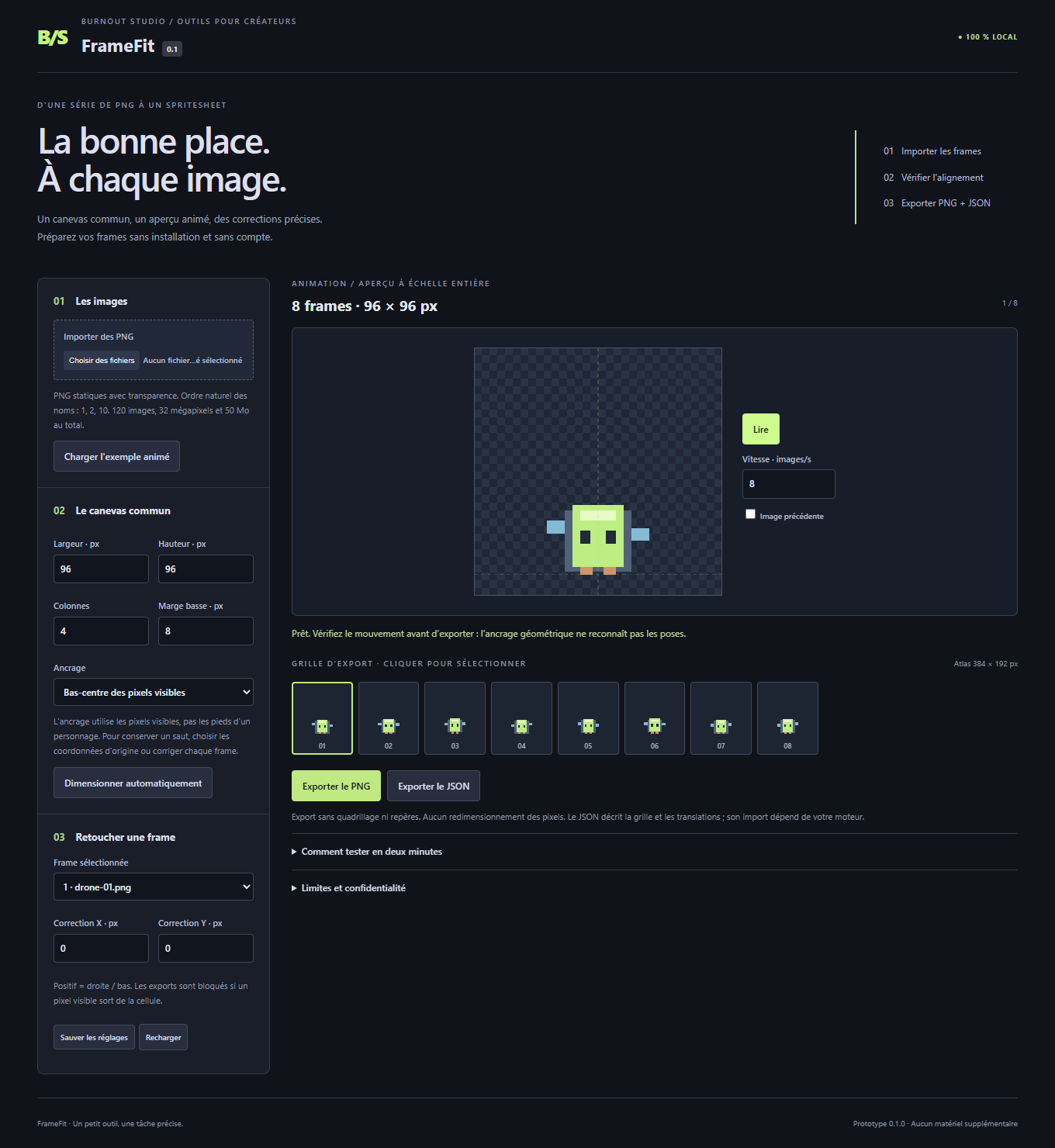
Import your frames, place them on a shared canvas, preview the animation, then adjust individual X/Y positions with a previous-frame ghost. Export a transparent PNG spritesheet and a JSON description of the layout. Eight original example frames are included.
The alignment is geometric: FrameFit does not recognize feet or repair an animation automatically. For jumping frames, preserve the original coordinates or adjust them manually instead of aligning every frame to the bottom. It imports separate static PNGs, not existing sprite sheets, GIFs or video.
Tested in desktop Microsoft Edge on Windows. The interface is French, with a French/English guide. It runs locally without an account, subscription or an AI service; your artwork stays on your computer. The product was developed with AI assistance.
Available for $5 USD or more:
https://uruloki68.itch.io/framefit
If you already prepare animation frames this way, what takes longest: setting the shared canvas, correcting offsets, or checking the exported sheet? Feedback on that workflow is welcome.