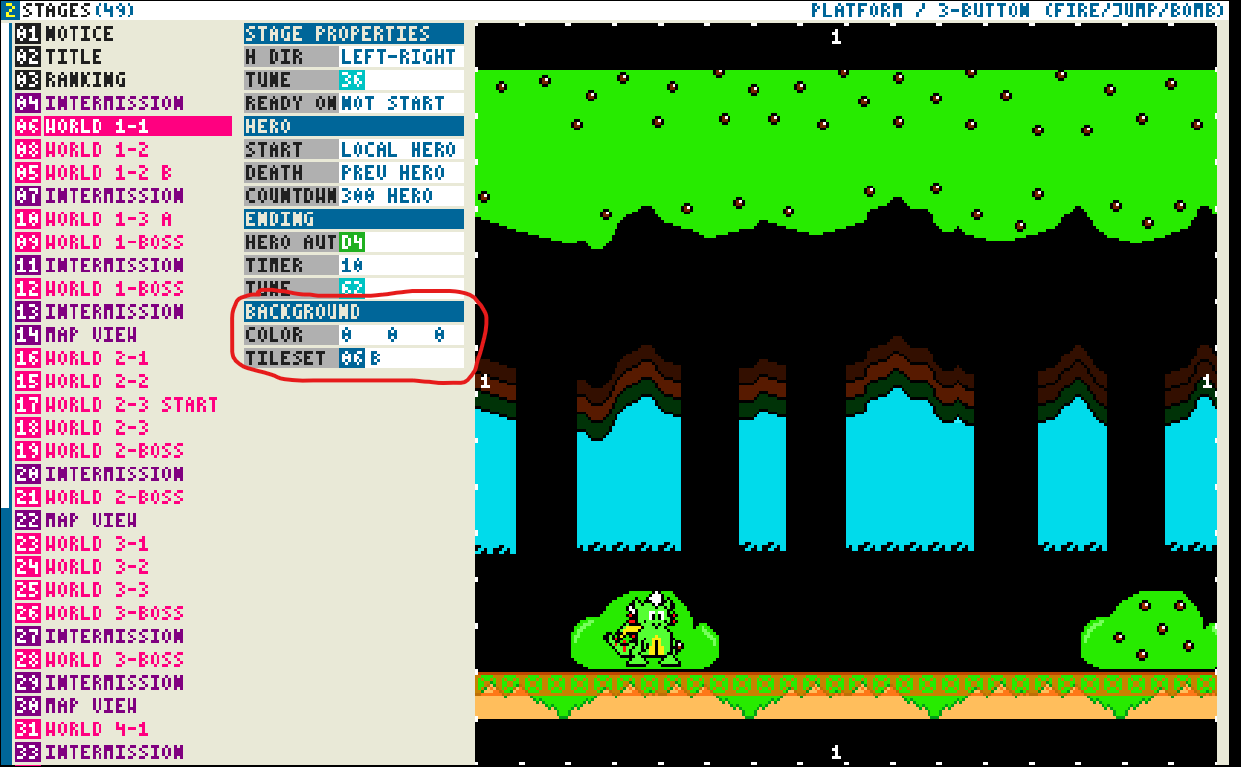
I create the parallax effect by implementing a full tileset—512 pixels wide by 256 pixels high (or 512x512 for World 4-1)—that functions as a background set apart from the playable structures. This simulates depth and distance within the environments, which typically span 20 screens in length, thereby creating the illusion of a massive world for the littledragon and his companions.
It's not difficult to apply parallax, although it has its tricks. The first thing would be to take the Sprite that will serve as the background for the current level (In my case, I used a 512x256 Tile)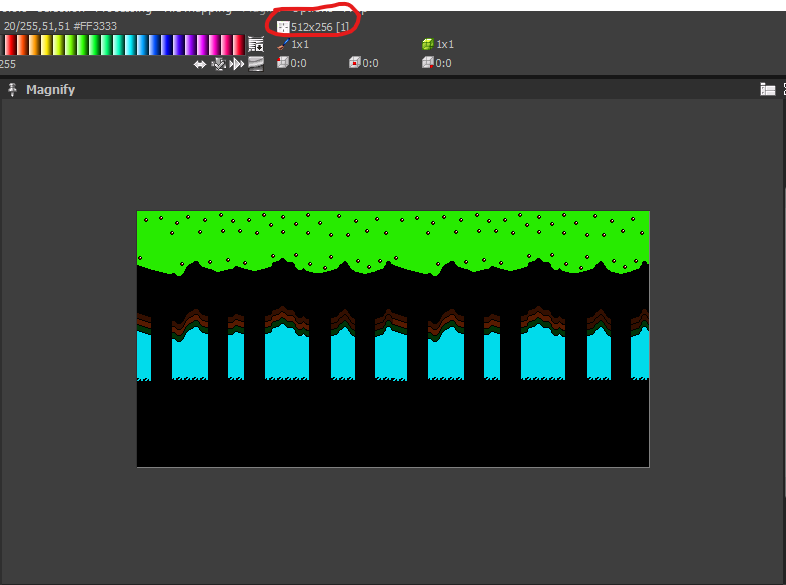
Then, loading Arcade Game Studio, in the Tiles section, the background to use is loaded, in this case, my forest background for World 1-1, and therefore, the one chosen for the parallax background.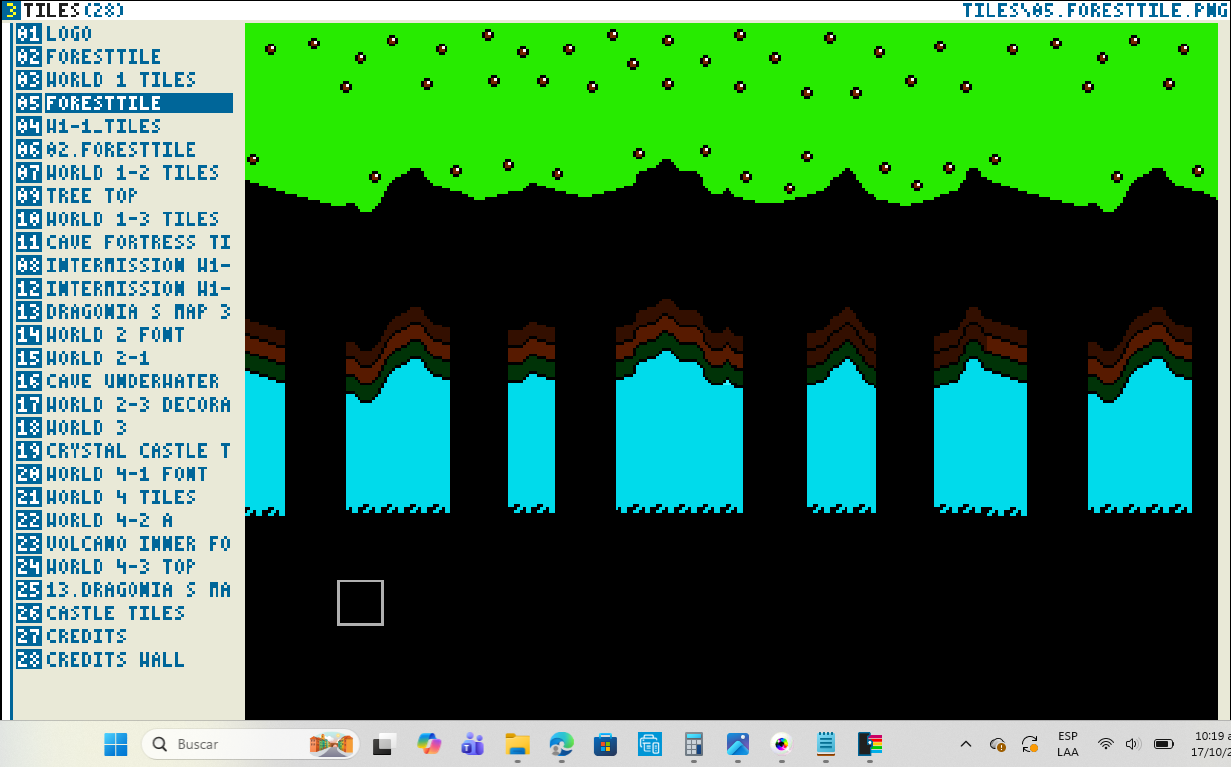
Once the Tile is loaded, we go to the Stages section, where we will load the Tile, and therefore, the background for our stage, in this case, World 1-1.
Right there, in the Background section, we load the Tile, and during the loading, it would give the following sub-options:
- Fixed
- Boxed
- Move
- Mosaic
And to give the parallax effect to the stage in the engine, we choose the Boxed option, or if you want a constant automatic Parallax, we choose Mosaic, the direction in which it will move, and the transition speed. For the example, I used the Boxed option for a stage of 20 spaces in length, and with that, we already have our stage parallax, just like it appears in the recording of Draco The Littledragon And Friends, or when playing it on your own.