I’d buy (or generate, or find) a great-looking asset pack, open it in RPG Maker MZ… and it wouldn’t drop in. Objects were the wrong size. Backgrounds showed up as white boxes on the map. Everything needed slicing to 48px by hand, one object at a time, in an image editor. A whole evening gone before I’d placed a single tile. Sometimes they’d be the perfect asset, but the wrong size <(-.-)>
So I built the tool I wanted: Tileforge.
What it is
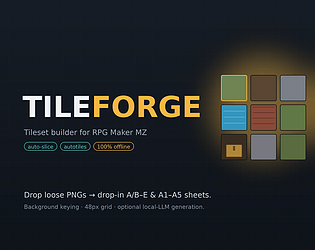
A single offline HTML file that turns loose PNGs into drop-in RPG Maker MZ tileset sheets — correctly sized, correctly laid out, ready to assign in the database. No install, no account, nothing uploaded.
What it actually solves
Auto-slice a messy sheet into individual objects — it finds each one, keys out the background (transparent or plain), and cuts clean transparent pieces.
Every MZ sheet at the exact spec: Objects (B/C/D/E), Normal (A5), Ground (A2), Roof (A3), Walls (A4), Water (A1) — all 48×48.
Autotiles from flat textures — feed a seamless texture and it builds the A2/A3/A4 blocks; MZ draws the edges and corners for you.
Snap / Native / Fixed cell fitting, so objects fill their tiles instead of floating in a 2×2 with the ground showing through.
Tight packing, a live 48px-grid preview, and clean PNG export.
The part I’m most excited about
You can point it at a local LLM (Ollama), type a theme like “ruined medieval village,” and it generates a whole coherent set — objects, ground, walls, roofs — sharing one palette, then forges every sheet at once. It runs entirely on your machine; nothing leaves it.
Honest notes
It’s a companion browser tool that outputs PNGs, not an in-editor .js plugin — you drop the sheets into your tileset slots.
Built for MZ; MV uses the same 48px format, so exports generally work there too.
The AI generation is optional — the builder works with zero AI.
If you’ve ever lost an evening reshaping an asset pack, this is that evening back.


Leave a comment
Log in with your itch.io account to leave a comment.
Bump
Bump
Bump