Creator disclosure: I publish NebulaKit, including the $5 Nebula Forge Blender add-on. This is a tool-maker's contribution, not an independent recommendation.
For game developers making a static space environment, the choice is often a finished HDRI versus generating variations. A finished sky is simpler when one already matches your scene; Forge is for changing a seed and tuning the result in Blender. Its baked panorama is a backdrop/environment texture, not a 3D cloud you can fly through.
One small workflow with the original add-on:
1. Open the Nebula Forge sidebar, choose Orion Bloom / Preview, set Seed to 1 and keep Apply to World enabled.
2. Generate Sky, then use Sky Rotation to frame it without another bake. Light Boost controls the lighting branch separately from the camera background.
3. Save Sky as .exr when you need the linear HDR values; PNG is the 8-bit preview option. Save your .blend too and check the texture remains connected when reopening it.
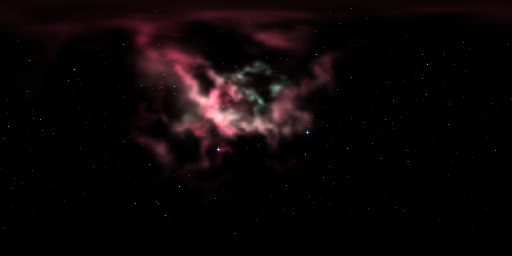
In this one 512 x 256 test, the EXR retained linear values above 1; the image below is the actual PNG display preview.
The automated Windows/Blender 5.2 check covered one Orion Preview, PNG/EXR export and reload, and same-process .blend save/reopen. It did not establish every preset/quality, VDB, other operating systems or a fresh interactive session. The package is labelled 1.1.2 while its internal metadata/README says 1.1.1; the guide records that and the host diagnostics.
Code and writing use AI assistance; the sky pixels are procedural, with no live image model. The existing walkthrough has installation instructions and exact test limits:
https://nebulakit.itch.io/nebula-forge-blender/devlog/1709475/generate-a-nebula-...