
Indie game storeFree gamesFun gamesHorror games
Game developmentAssetsComics
SalesBundles
Jobs
TagsGame Engines

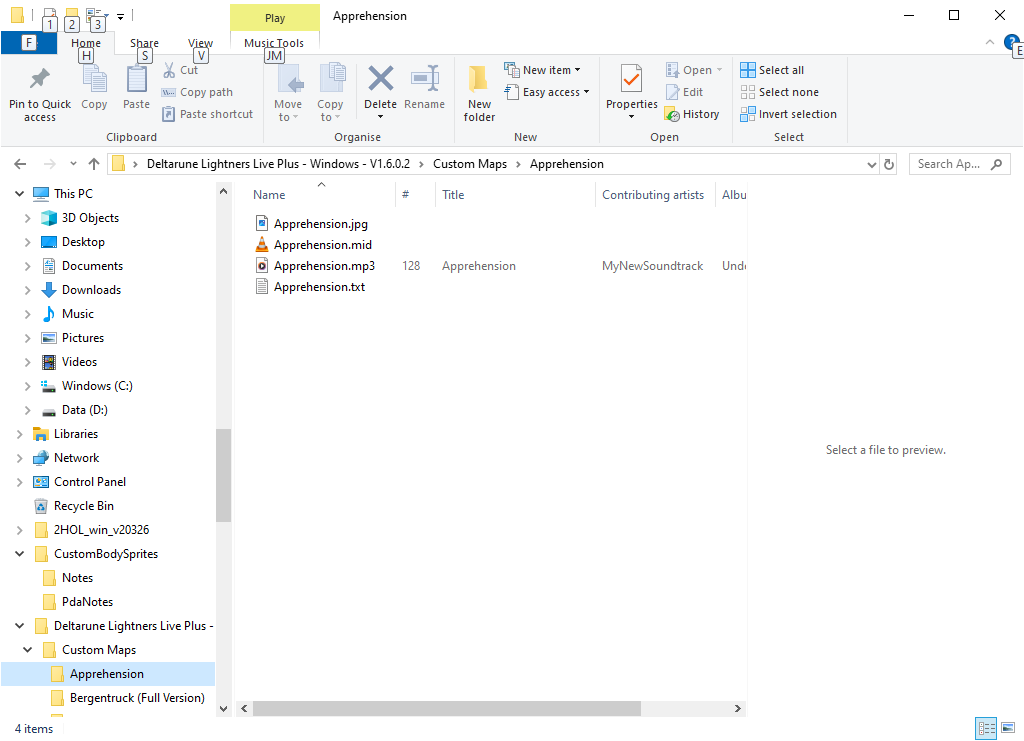
Hmm that's weird, are you sure you put it in folders the correct way? So for example the midi file of one of the maps would be "[the same folder the exe is in]\Custom Maps\Undertale\MEGALOVANIA\MEGALOVANIA.mid" (if you have them sorted into tabs) or "[the same folder the exe is in]\Custom Maps\MEGALOVANIA\MEGALOVANIA.mid" (if you don't have them sorted into tabs)? Make sure there's no other files in the folder apart from maps or folders for maps, since if the game finds other files that can cause it to break.
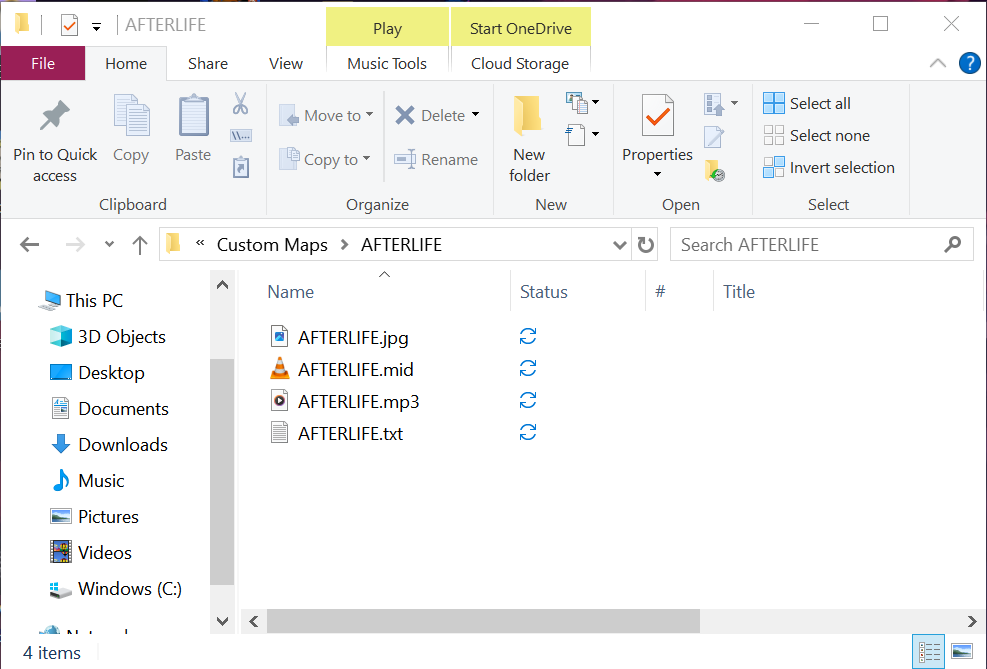
I just checked and I did do it that way, I'm gonna see if it'll work if I just redownload the game.

I redownloaded, and it's still not working, it's not even that my PC is a potato, it can run way bigger things so I'm just confused.

can you maybe post a screenshot of what the folder looks like? 

here's mine for reference. (FYI press Alt+PrintScrn to screenshot the active window) remember to censor any usernames

This is what I got, I'm assuming it's something I did downloading the game itself so I'm just going to stick with the web browser version and try again when the next update rolls around.